ListLoot Classic Anniversary
Keeps a comprehensive all-time record of items looted by all party members, with player and item search, display filters, and UI toggles.
ListLoot – Your Loot Tracker
Organized All-Time Loot History For Every Group Member.
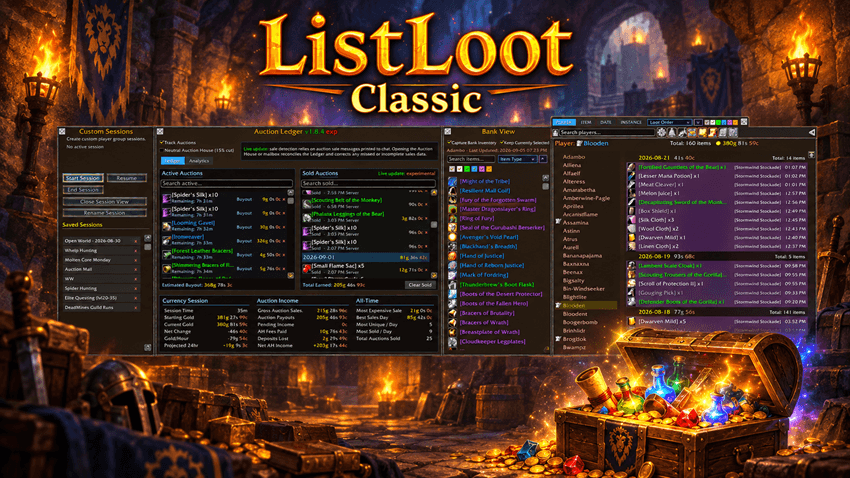
ListLoot keeps a persistent record of every item you and your group members acquire, sorted neatly by player and date. Gone are the days of scrolling endlessly through chat logs—now you can see exactly who got what, when, and in what quantity.
________________________________________________________________________________________________________________
Player and Item Frames.
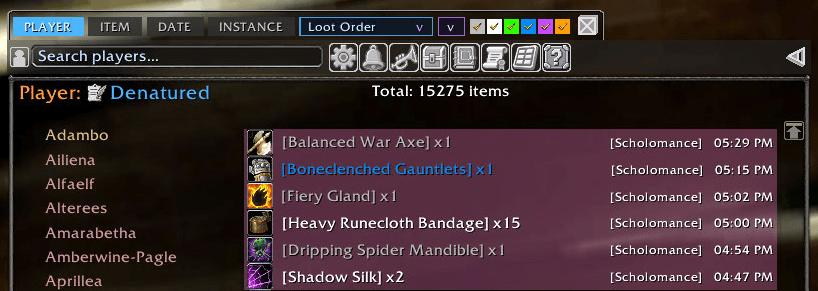
Player Frame: Shows all tracked players, highlighting the currently selected player for easy navigation.
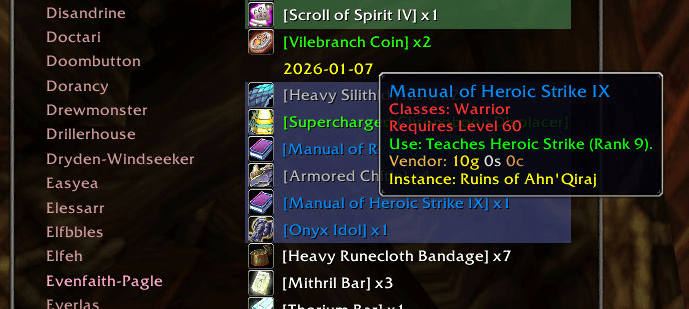
Loot Frame: Displays detailed item info for the selected player, with colored quality text, tooltips on hover, and active ItemLinks.
Player Notes.
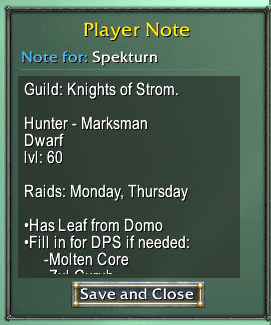
Every player in the ListLoot database can have a permanent custom note attached to their profile.
Use Player Notes for whatever information matters to you:
- Guild or group information.
- Attendance reminders.
- Player evaluations.
- Loot-management notes.
- Helpful or reliable players.
- Crafting professions or specialties.
- Follow-up reminders.
- Particularly good—or memorable—group experiences.
- Anything else worth associating with that player.
Players with an existing note are visibly marked in the player list with the player note icon for quick identification.

Notes can be opened and edited directly from the selected player's controls or from their entry in the player list.
________________________________________________________________________________________________________________
Search, Filter, and Advanced Sorting.
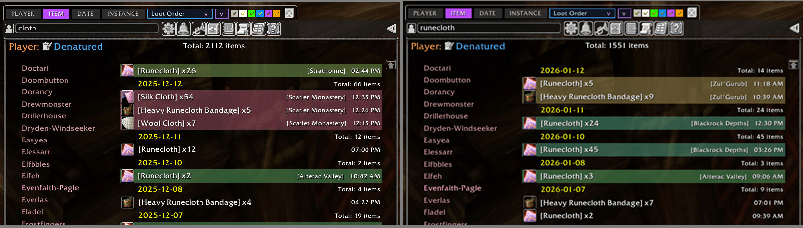
Need to find a specific item or check totals for a particular day? ListLoot supports searching and filtering, so you can quickly zero in on exactly what you want to see.
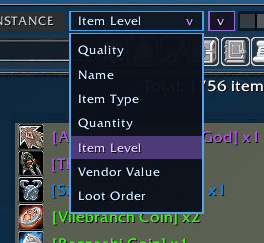
Just like the Bank View, the main item view supports advanced sorting. Item can be sorted in ascending or decending order by:
- Quality
- Name
- Item Type
- Quantity
- Item Level
- Vendor Price
- Loot Order
________________________________________________________________________________________________________________
Instance Loot Tagging.
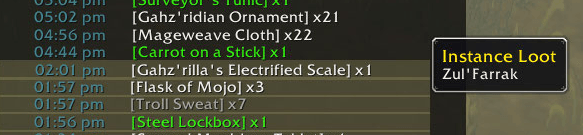
Whenever you’re in a dungeon or raid, ListLoot tags loot with an additional session detail: the instance name. You can immediately see which loot came from which encounter, adding clarity to your runs.
_______________________________________________________________________________________________________________
TImestamp(toggled).
Each loot entry is tagged with color-coded timestamps.

________________________________________________________________________________________________________________
Realtime Loot Alerts.
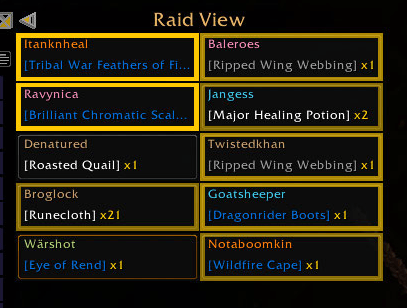
ListLoot doesn’t just log loot—it alerts you immediately when specific items are acquired, whether by you or anyone in your group. Using the Raid View feature, each group member is displayed in their own frame, showing the most recent item they’ve looted.
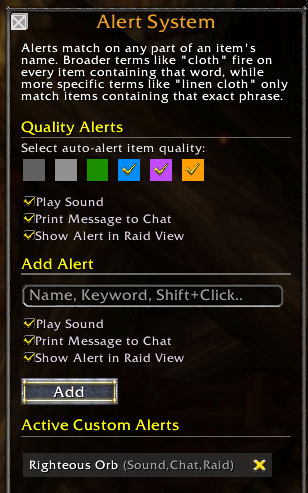
When an item on your Notification List is acquired, that player’s frame flashes until clicked, ensuring nothing gets missed. This is perfect for tracking specific drops during fast-paced dungeon runs, raids, or round-robin loot situations.
__________________________________________________________________________________________________
Custom Player Sessions.
Custom Sessions let you create saved, independent views of raids, dungeons, farming groups, or any other activity without changing the master ListLoot database.
- Start a Session and ListLoot builds a dedicated roster from players who join the group.
- Loot recorded during the Session becomes available through its own Session View.
- Give Sessions custom names for raids, guild runs, events, farming groups, or anything else worth remembering.
- Divide a Session into multiple Sub-Sessions for individual raids, days, wings, runs, or whatever organization makes sense to you.
- Leave a Session or Sub-Session name blank and ListLoot can provide a date-based default.
- Stop a Session without deleting it.
- Resume it later and choose whether to continue the previous Sub-Session or begin a new one.
- Rename Sub-Sessions at any time.
- Give individual Sub-Sessions custom colors for quick visual organization.
- View the entire Session or drill down into a single Sub-Session.
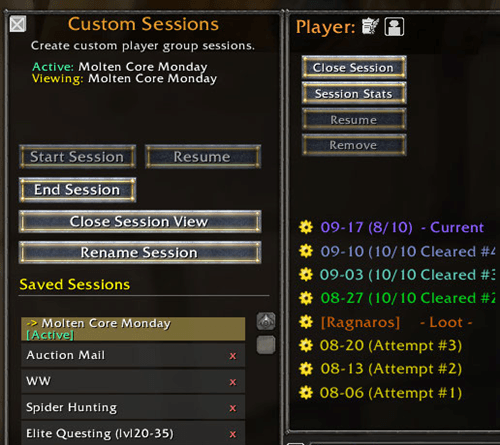
A weekend raid can remain one permanent Session while Friday, Saturday, and Sunday's runs remain separately organized inside it.
Session Stats.
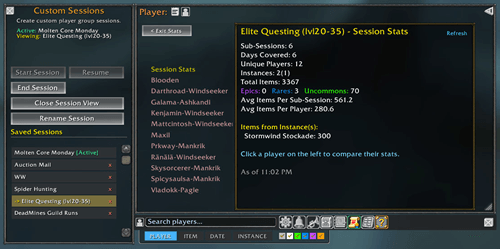
Every saved Session includes a dedicated Statistics View for analyzing both the group as a whole and the individual players who participated.
Statistics include information such as:
- Total Sub-Sessions.
- Sessions / Days represented.
- Total players who participated.
- Instances completed.
- Total items looted.
- Epic, Rare, and Uncommon loot counts.
- Per-player loot totals.
- Session-wide totals.
- Per-Session averages.
- Per-Player averages.
- Individual player performance within the selected Session.
Statistics follow the Session being viewed, allowing you to compare the complete event or focus on individual portions of it.
Useful for raid leaders, guild records, loot reviews, group comparisons, or simply confirming that yes—the same person really did get all the Epics.
_________________________________________________________________________________________________________________
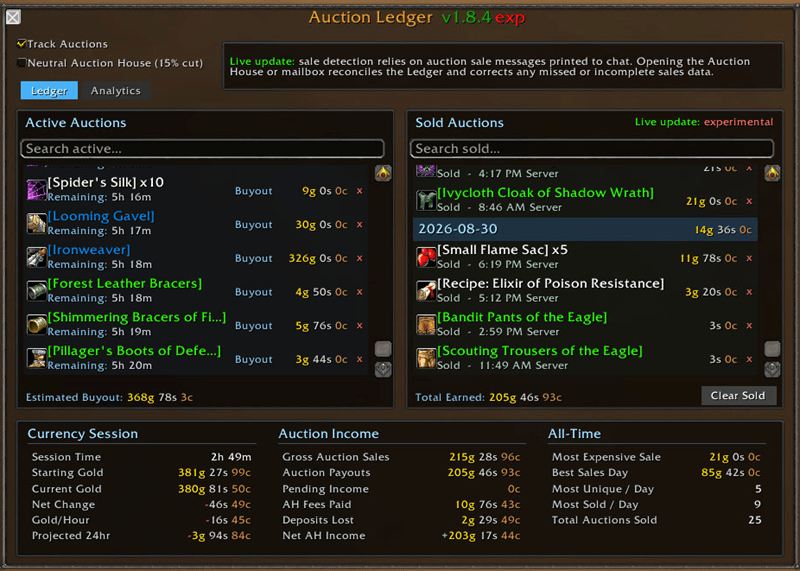
Auction Ledger.
The Auction Ledger keeps track of all active auction listings, allowing you to easily see what items you have listed, for how much, and when the listing expires. All successfully sold auctions are permanently recorded and displayed with per-day readouts.
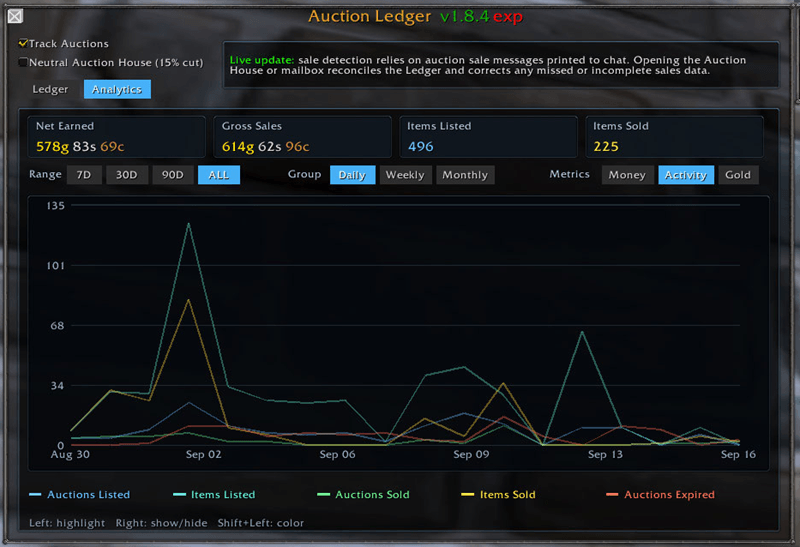
Analytics.
ListLoot keeps auction metrics, displaying your auction performance over time.
________________________________________________________________________________________________________________
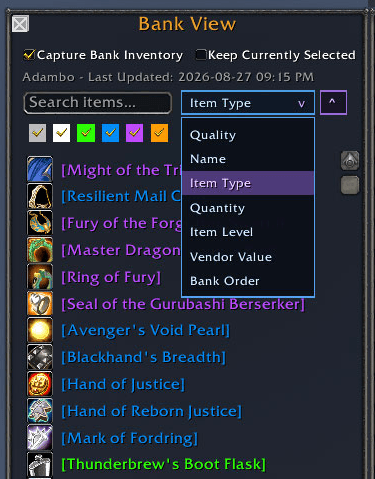
Bank View.
Bank View allows ListLoot to capture a character's bank inventory and save it for later viewing.
Once Capture Bank Inventory is enabled for a character:
- View that character's saved bank contents after leaving the bank.
- View the bank while logged into another character.
- Access saved bank inventories across characters and servers represented in ListLoot.
- Select a character from the normal ListLoot player interface and inspect their stored bank snapshot.
- See item quantities and useful item information directly from the saved inventory.
Bank View can be locked to the character currently being displayed.

That means you can keep one character's bank open while selecting another character in the main ListLoot window—particularly useful when comparing inventories instead of repeatedly playing UI ping-pong.
Advanced Bank Sorting
Saved inventory can be sorted ascending or descending by:
- Quality
- Name
- Item Type
- Quantity
- Item Level
- Vendor Price
- Original Bank Order
________________________________________________________________________________________________________________
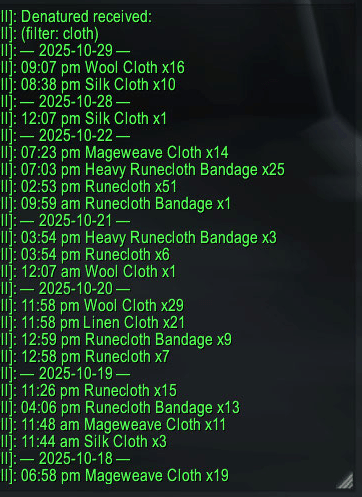
Post Item Readout to Chat.
Post the item display for a given player to party, raid, or guild chat channels.
________________________________________________________________________________________________________________
Visual Analysis of Loot Patterns.
With session-based color coding and totals, you can easily analyze loot trends:
Which runs gave the best rewards?
Who received the most rare items?
Are certain players missing from distribution?
Who It’s For.
Guild leaders & loot officers: Manage and track loot distribution efficiently.
Raid organizers: Review participation and session results.
Casual players: Keep a personal record of loot history effortlessly.
Why ListLoot Matters.
Transform chaotic loot chat into structured, meaningful information. Every drop is logged, analyzed, and displayed, while real-time notifications ensure you never miss an important item. It’s not just tracking, it’s awareness, clarity, and insight, all in one addon.
ListLoot Classic Anniversary Team