Linked Inn: Profession Finder
- By
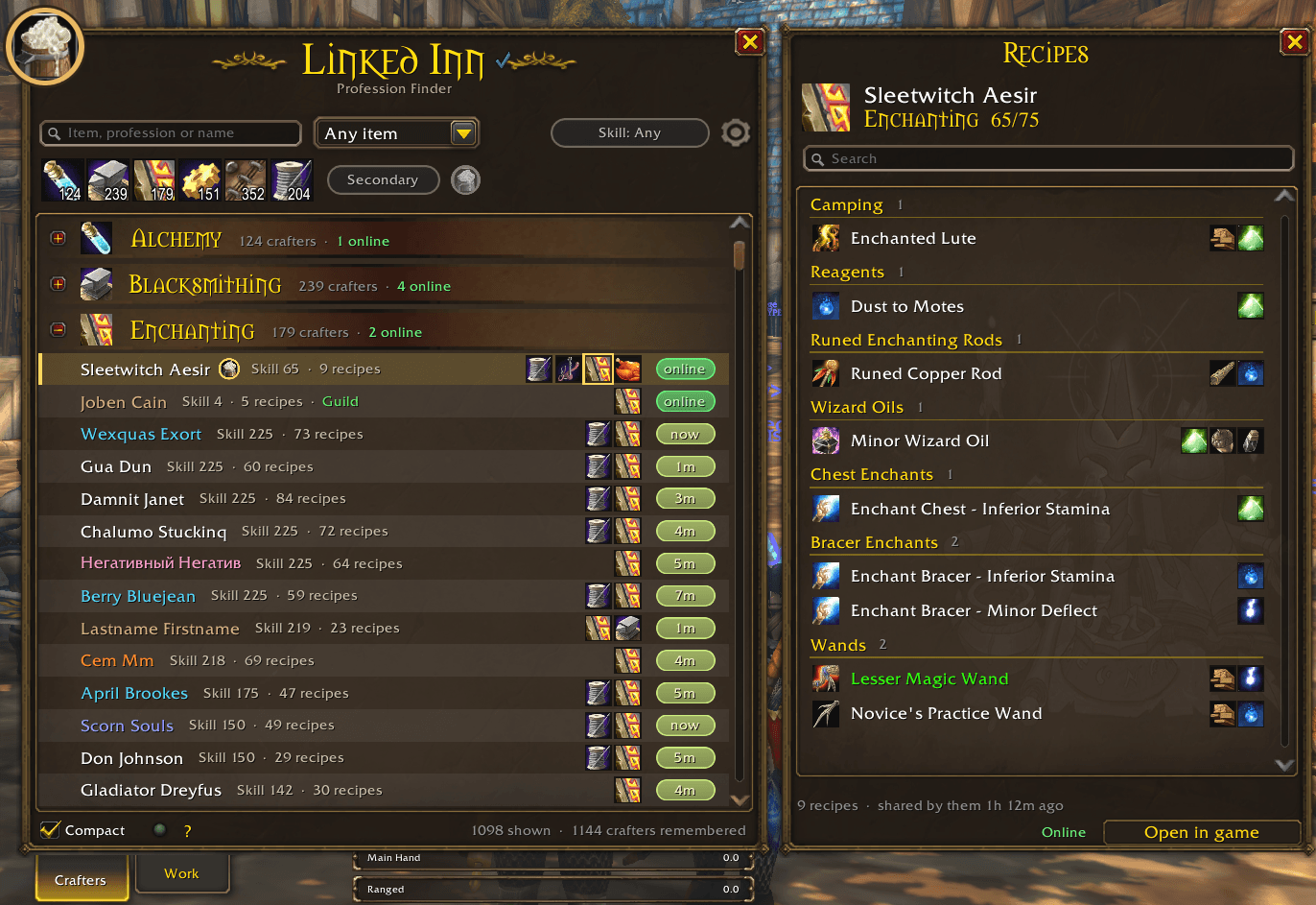
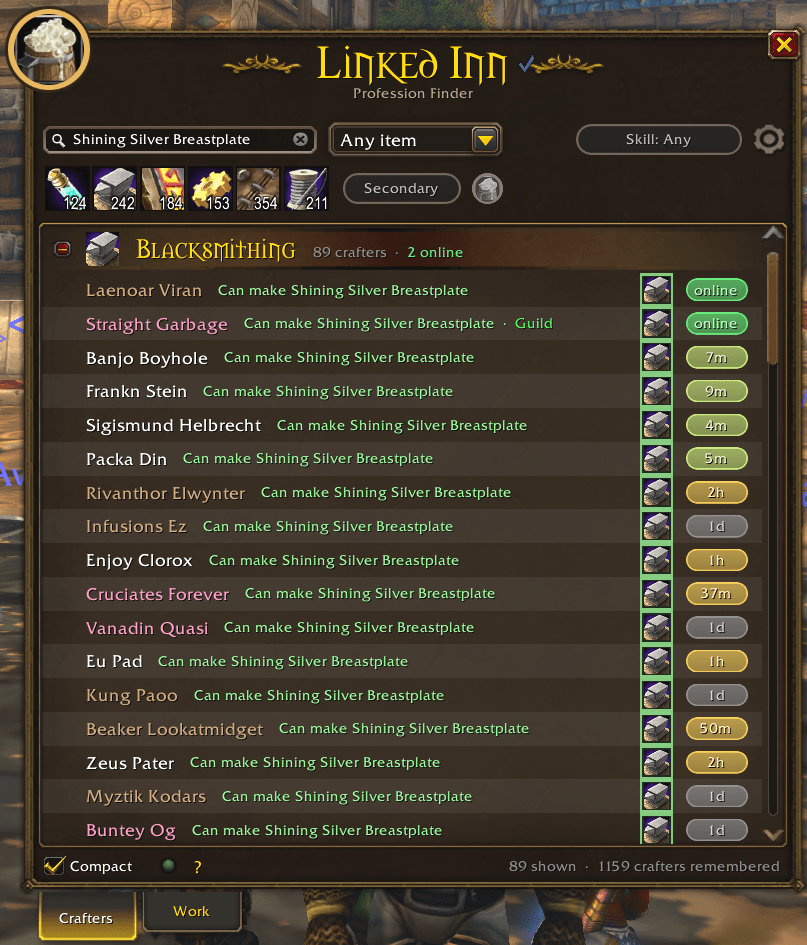
Automatically builds a list of every crafter you come across and what they can make. Search for any item and find who can craft it in seconds.
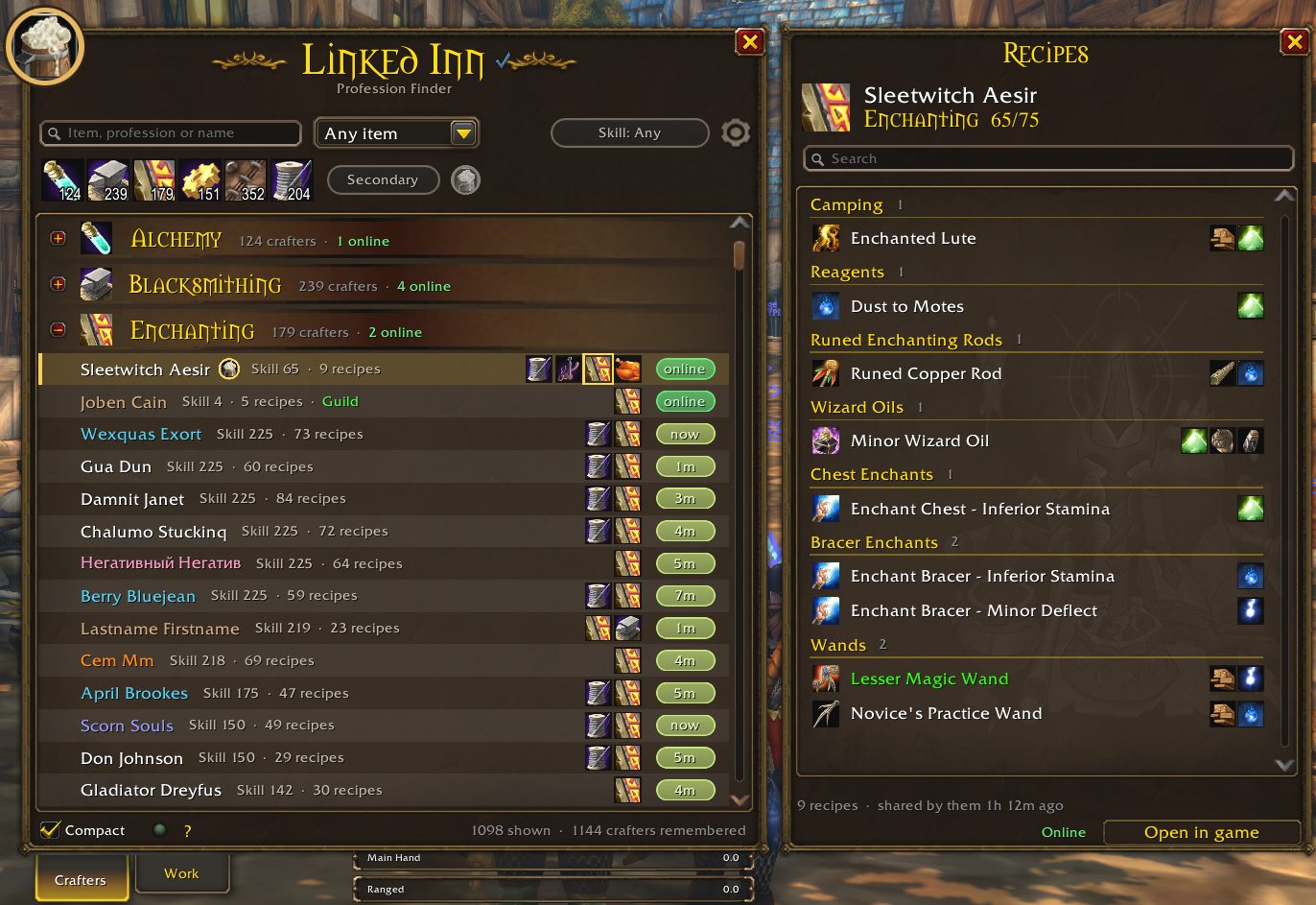
crafters-recipes.png
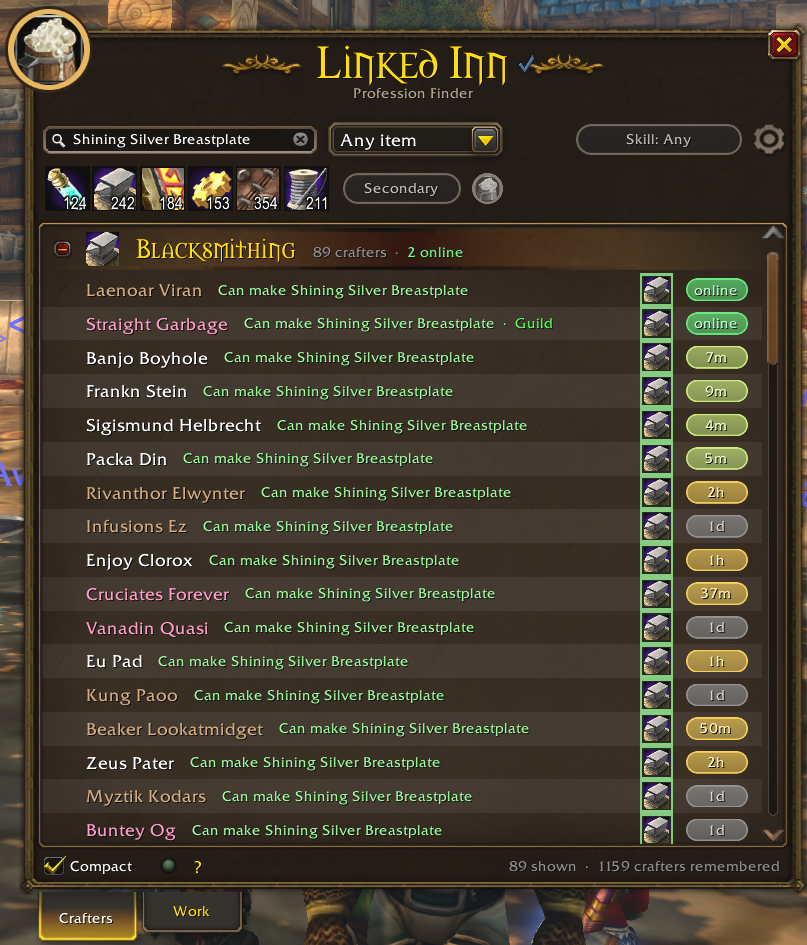
crafters-search.png
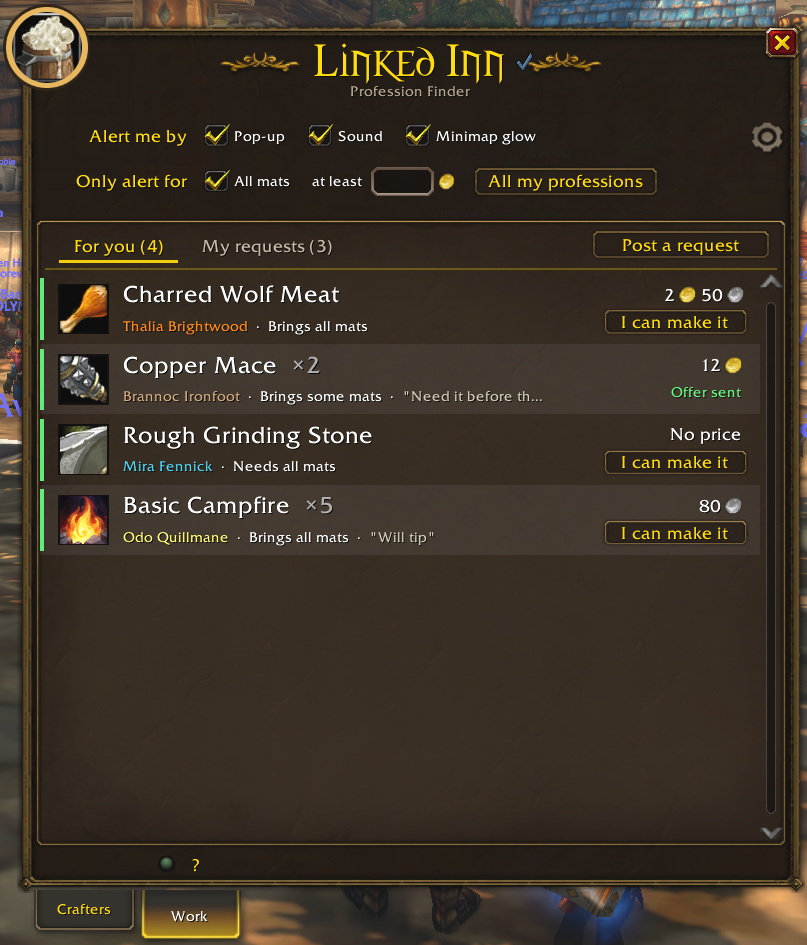
for-you.png
toast.png
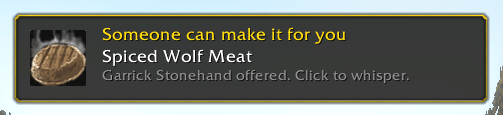
toast-2.png
Description
Linked Inn: Profession Finder
Find someone who can make what you need, for WoW Forever.
Linked Inn builds a list of every crafter around you and everything they can make, all on its own. Just play: it fills up as you go about the world, with nothing to set up or click.
When you need something made, search for it and you'll see exactly who can make it in seconds, who's online right now, and whisper them with one click. Nobody around? Post a request and the crafters who can make it get a notice.
Found a bug? If something looks off, please open an issue.
Where the list comes from
You don't have to do anything. The list fills itself in the background:
- Profession links in chat. Anyone who links a profession in Trade, General, guild, party, raid or a whisper gets saved with their full recipe list. No need to click the link.
- Recipe links. One linked recipe or crafted item is enough to read that player's whole profession.
- Other Linked Inn users. Players with the addon quietly share their professions with each other, also across the hidden realms of your ruleset.
- People around you. Anyone you see crafting, your group, your guild and the players around you are checked quietly in the background, a few at a time. Links in chat, your group and your guild always come first.
Crafters show up as soon as their recipes have been read. Your own professions are read when you log in.
City scans: in a city or inn, friendly nameplates flash on for half a second every few minutes, so everyone around you gets checked. Turn it off or change how often in the settings. Playing with friendly nameplates on (Shift+V) checks everyone you walk past all the time.
Crafters
- Search for an item, a profession or a name. Search an item and you only see the people who can make it.
- Filter by profession (several at once), item type and skill level, and optionally secondary professions.
- Favorites at the top, last seen for everyone, and a click on it checks if they're online right now.
- Recipe books: click a profession icon to browse someone's recipes by category, with reagents. Click a recipe to ask them to make it.
- Compact rows by default, so lots of people fit on screen. Untick Compact for bigger rows.
- A small gold badge marks crafters who use Linked Inn themselves, and one click shows only them.
Work
A reverse auction house. Post what you want made and let the crafters come to you, or pick up requests you can make yourself.
Requests for you
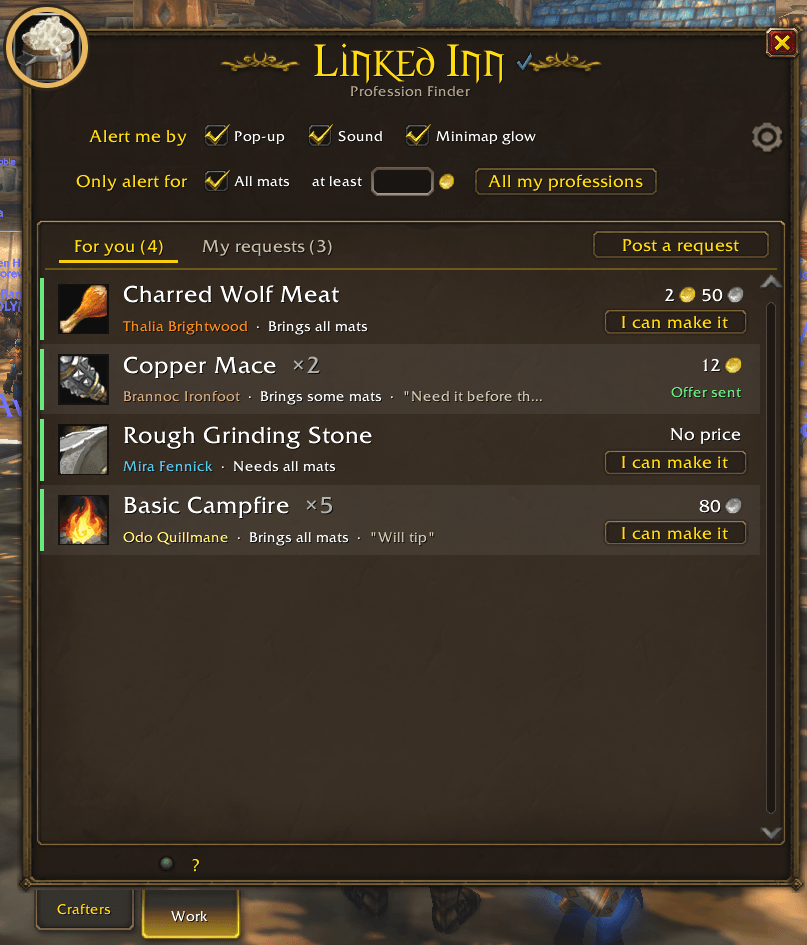
- For you lists requests from other players that you can actually make, with the price, the mats they bring and any note.
- Click I can make it to send an offer, or click the request to whisper them.
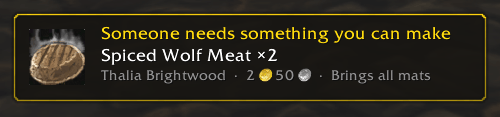
- Alerts by pop-up, sound and minimap glow, filtered by mats, minimum price and profession.
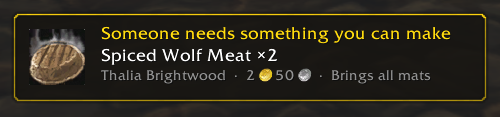
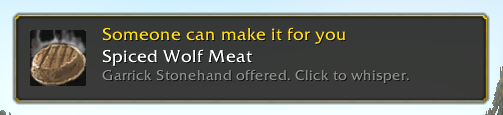
Your requests
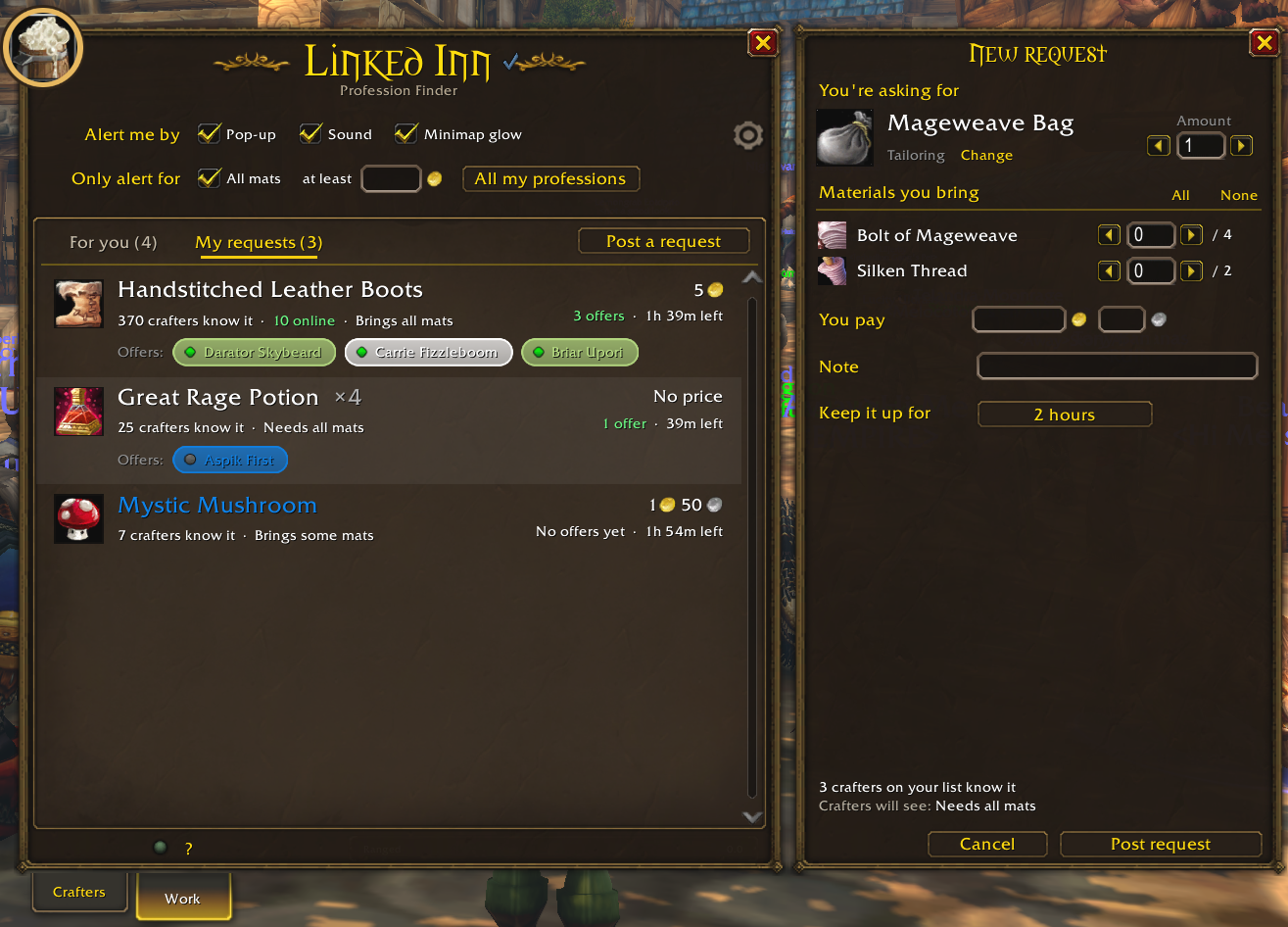
- Post a request with the amount, how many of each material you bring, a price, a note and how long it stays up.
- My requests shows everyone who offered. Click a name to whisper, right-click to invite or remove.
Settings
The gear at the top right:
- City scans on or off and how often.
- Reading links from chat, and hiding profession links in trade, general, say and yell to cut the spam. They're still read.
- Guild only: read, list and talk to your guild only, Work included. Everyone else stays saved and comes back when you turn it off.
- Your list: how long crafters are kept (14 to 90 days, or never), skipping professions below a skill level, and forget everyone. Favorites always stay.
- Housekeeping: Light, Balanced or Strict clears out crafters who add nothing, keeping the best 100, 75 or 50 per profession. Rare recipes, favorites, guild, friends and Linked Inn users are never touched.
- The minimap button.
Usage
Open it with /li, the minimap button, or the addon menu.
What gets shared
Only with other Linked Inn users, and only inside the game: your professions, skill levels and recipes, and your Work requests and offers. Nothing leaves the game.
Source and issues: github.com/sanredz/Linked-Inn
Linked Inn: Profession Finder Team