


Lightforge Frame
- By
LightForge Frame Screenshot (3).png
LightForge Frame Screenshot (4).png
LightForge Frame Screenshot (5).png
LightForge Frame Screenshot (6).png
LightForge Frame Screenshot (7).png
Description
Lightforge Frame
Sharp, modern unit frames with living 3D portraits.
Lightforge Frame replaces Blizzard’s default player, target and focus frames with clean rectangular frames. The portrait is an animated 3D model of the unit, not a flat picture: your character breathes and moves, and so does whatever you target. Everything is set up from a single minimap button, with no config files and no slash commands to memorize.
Built for World of Warcraft: Midnight (12.x) and its new addon rules.
Features
Animated 3D portraits
- Live, animated 3D models of the player, your target and your focus, shown in a rectangular portrait box.
- Switch to Classic 2D portraits at any time if you prefer the flat look.
- Falls back to the 2D portrait automatically when a 3D model can’t be shown, for example when a unit is out of range or offline, or in content where the game blocks it. You never get an empty box.
Clean, sharp frames
- Flat dark frames with pixel-perfect 1px borders that stay crisp at any UI scale.
- Health bar with level, name, and health shown as value and percent (for example
123.4K 87%). - Power bar for mana, rage, energy and the other power types.
- Gold border for elite and boss targets, silver for rares.
- Left-click to target, right-click for the unit menu, hover for the tooltip.
- Supports vehicles.
Target buffs and debuffs
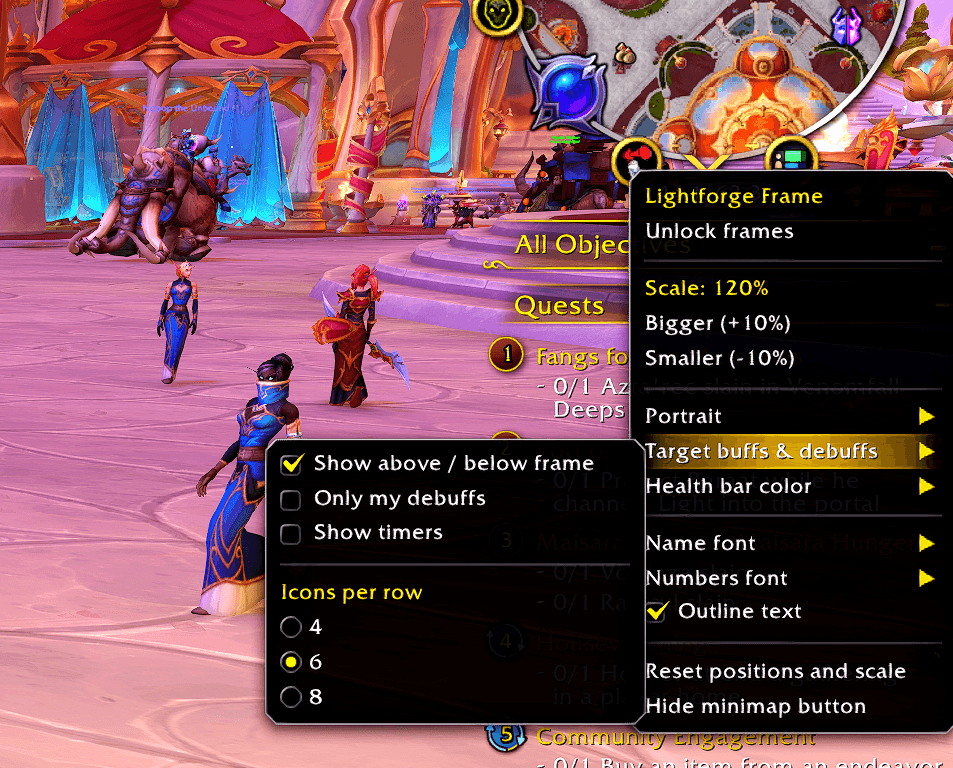
- Buffs in a row above the target frame, debuffs in a row below it.
- Duration swipes, countdown timers, stack counts and tooltips.
- Debuffs you applied get a red border, so your DoTs are easy to track.
- Options: show only your own debuffs, toggle timers, and choose 4, 6 or 8 icons per row.
Health bar colors
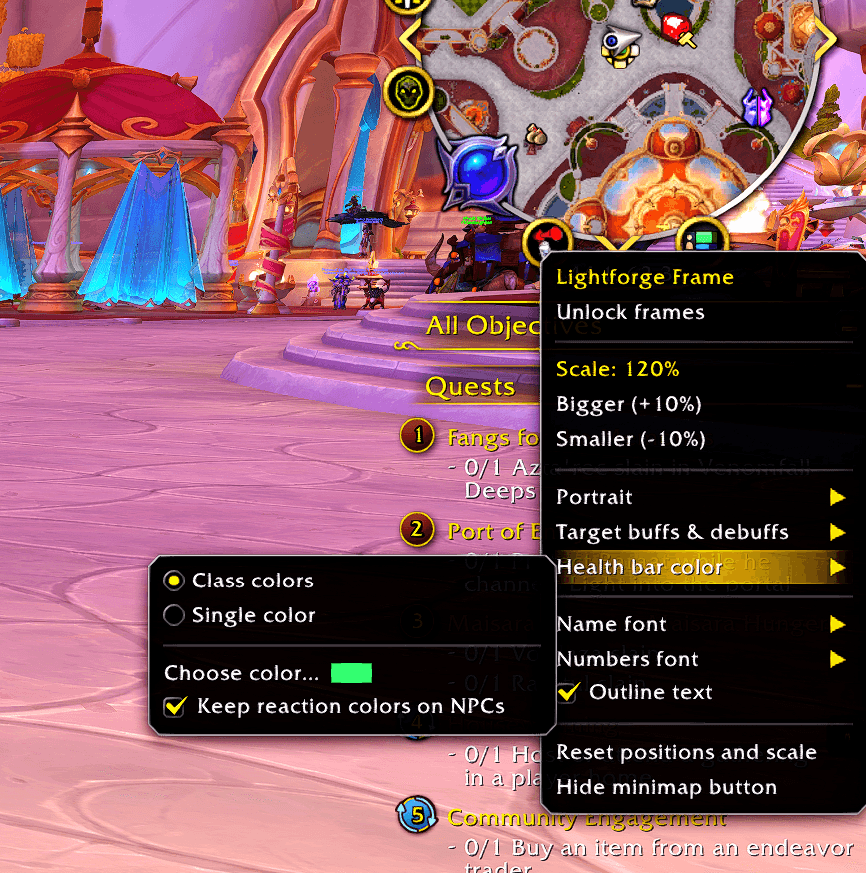
- Class colors: each player’s bar uses their class color.
- Single color: one color for every player, picked with WoW’s color picker and updated live.
- Optionally keep red, yellow and green reaction colors on NPCs, so enemies stay easy to read.
Fonts
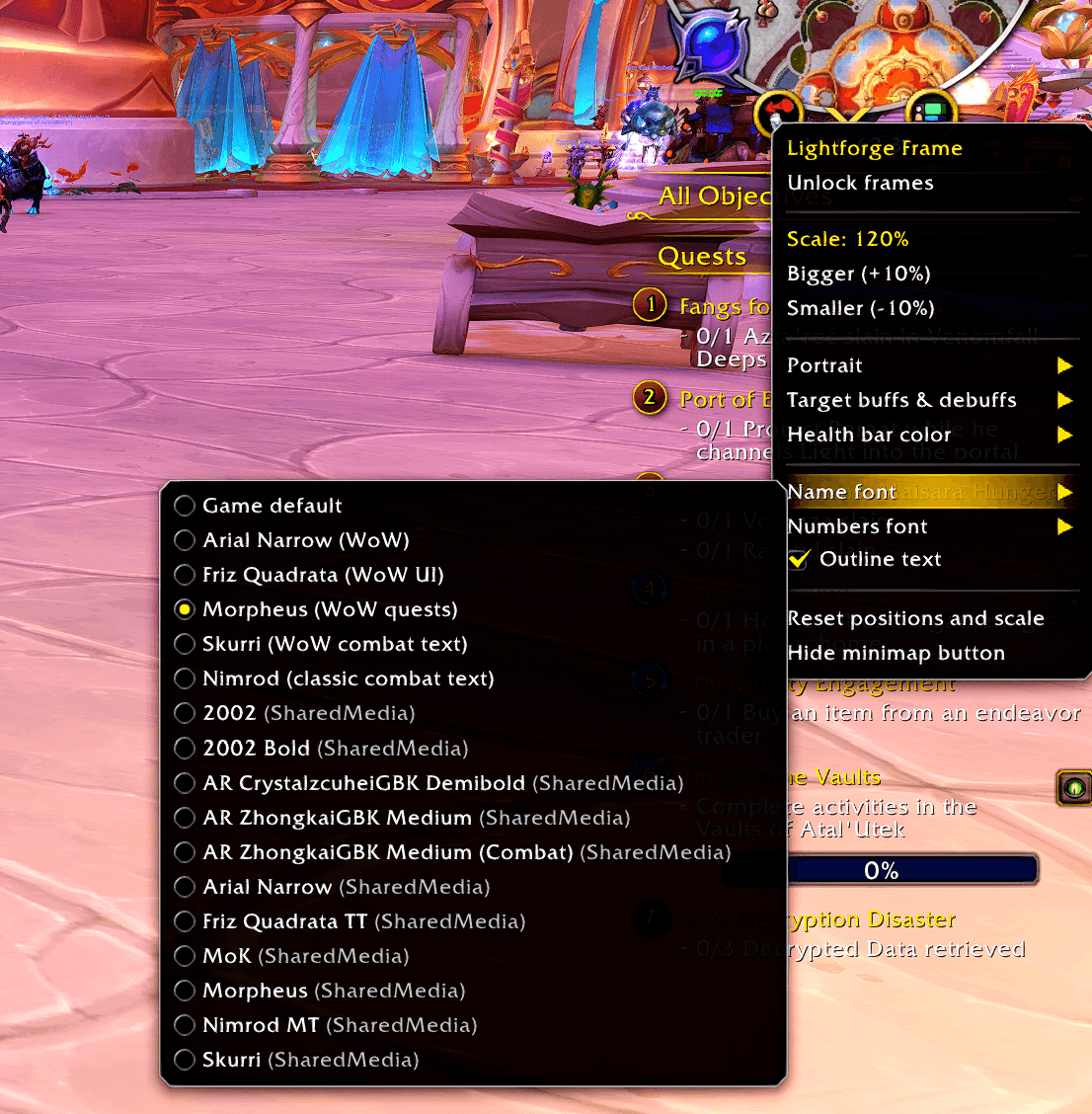
- Separate fonts for names and numbers.
- Includes the WoW fonts: Arial Narrow, Friz Quadrata, Morpheus, Skurri and Nimrod.
- Three custom font slots: drop your own
.ttffile into the addon’sFontsfolder to use any font you like. - Automatically lists fonts from SharedMedia packs if you have them installed.
- Optional outline for crisp text.
Easy setup
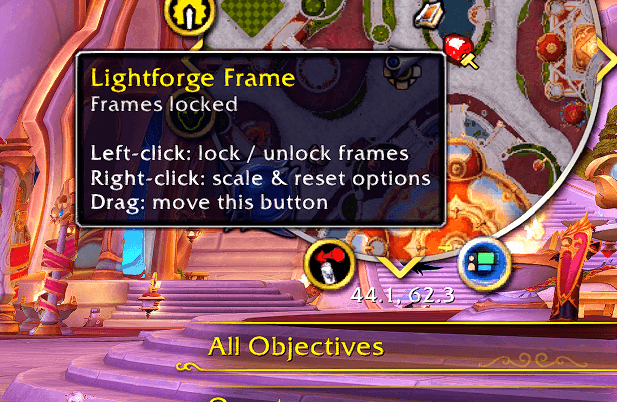
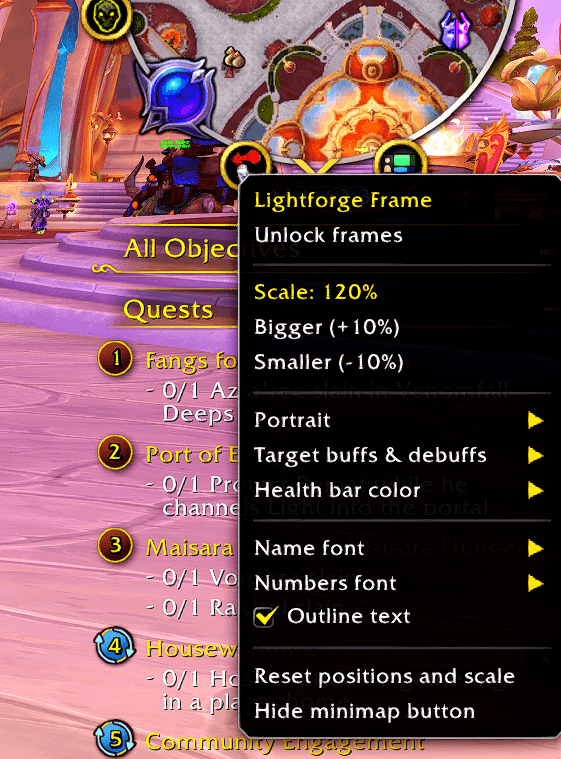
- Minimap button: left-click to lock or unlock the frames for dragging, right-click for every option.
- Also available from the minimap’s addon drop-down (Blizzard’s addon compartment).
- Scale all frames from 60% to 160%.
- One-click reset of positions and size.
- All settings are saved between sessions.
Ready for Midnight
- Fully respects Midnight’s secret values system. Hidden data is passed to the game’s own display widgets and never read or calculated on by the addon, so it stays error-free in dungeons, raids, delves and rated PvP.
- Lightweight: frames only update on the events they need.
Slash commands
| Command | What it does |
|---|---|
/lf |
Shows all commands |
/lf unlock / /lf lock |
Move frames |
/lf scale 1.2 |
Resize all frames (0.6–1.6) |
/lf reset |
Default positions and size |
/lf portrait 2d / 3d |
Flat or animated portraits |
/lf color class / single / pick |
Health bar colors |
/lf font name morpheus |
Change fonts |
/lf auras on / off / mine / timers / 4 / 6 / 8 |
Target buffs and debuffs |
/lf minimap |
Show or hide the minimap button |
/lf status |
Troubleshooting info |
Good to know
- Lightforge Frame hides Blizzard’s player, target and focus frames. Don’t run it alongside another unit frame addon (ElvUI unit frames, Shadowed Unit Frames and so on) that replaces the same frames.
- Frames can’t be moved, scaled or reset during combat. This is a WoW security rule for unit frames.
- In some restricted content, the game hides NPC models and certain aura details from addons. Lightforge Frame handles this gracefully by showing 2D portraits and the aura information the game still allows.
- Cast bars and class resources (combo points, holy power and so on) are not included yet.
Feedback
Found a bug or have an idea? Leave a comment or open an issue. If you report a Lua error, please include the error text. BugSack makes this easy to copy.
Lightforge Frame Team
