LFGRoleFilter
- By
Example_1.PNG
Example_2.PNG
Example_3.PNG
Description
LFG Role Filter
A lightweight addon for TBC Classic Anniversary that enhances the built-in Group Finder with role filtering, class filtering, smart sorting, and quick-whisper features.
Features
Role Filter
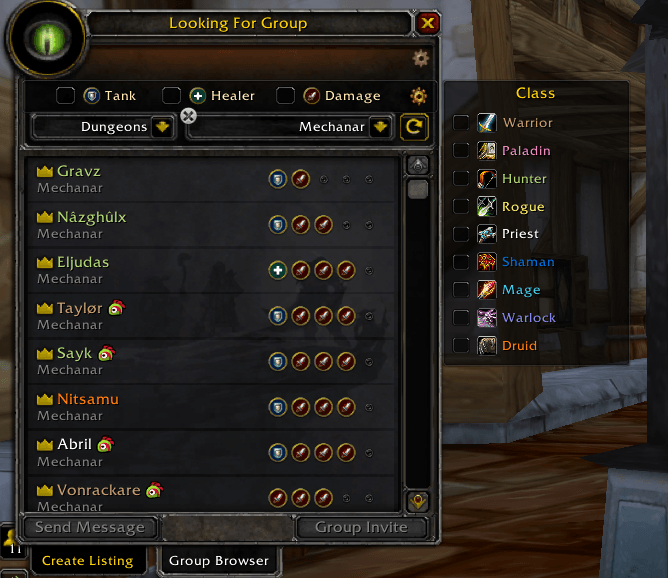
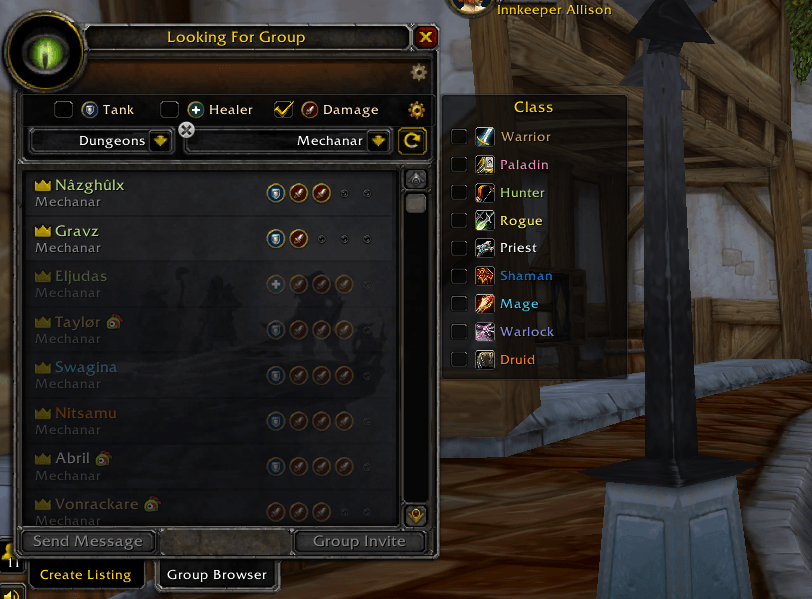
Three checkboxes — Tank, Healer, and Damage — sit at the top of the LFG Browse panel. Tick any combination and the list instantly re-sorts:
- Groups that still need your role float to the top at full brightness
- Groups that are full for that role are dimmed and pushed to the bottom
No entries are hidden — the list stays full so you always see the complete picture.
Role detection uses a hardcoded 5-man composition rule (1 Tank, 1 Healer, 3 Damage) based on actual member counts from the server, not keyword guessing.
Class Filter (Exclude Mode)
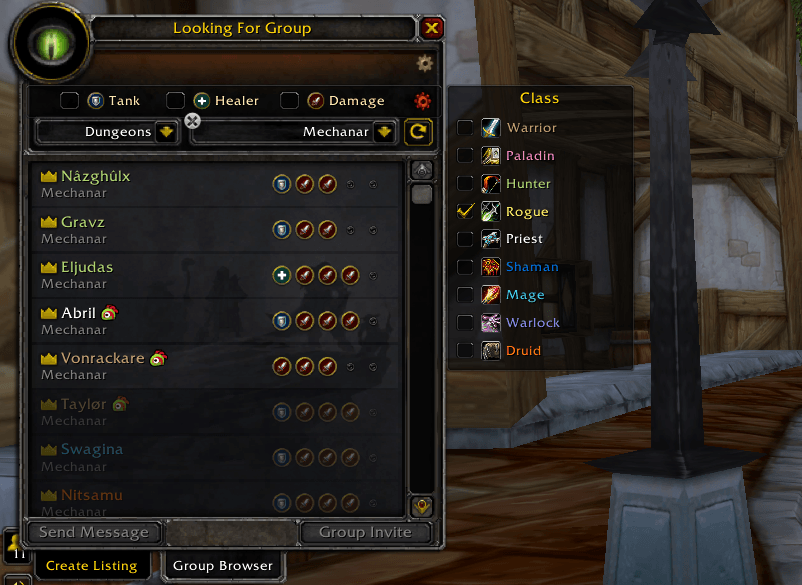
Click the cogwheel button on the filter bar to open a dropdown with all 9 TBC classes. Check any class to exclude it — listings containing that class are dimmed and pushed to the bottom.
- Multi-select: check multiple classes to exclude all of them
- OR logic within the class filter: a listing is excluded if it contains ANY checked class
- AND logic between filter types: listings must pass both role AND class filters
- Class detection uses
GetSearchResultMemberInfoto read actual member classes from the server
Smart Sorting
Listings are automatically sorted based on your group status:
- Not in a group: groups at top, singletons below, filtered-out at bottom
- In a group: singletons at top (easier to invite), groups below, filtered-out at bottom
This helps you find the right people faster depending on whether you're building a group or looking to join one.
Quick Whisper
Two hotkeys for instant whisper-on-click:
- Alt+click a listing to whisper the leader with a custom message (default:
Invite me please!) - Ctrl+click a listing to whisper the leader with a custom invite message (default:
Hey wanna join our group?)
Both messages are fully customizable and persist across sessions via SavedVariables.
Commands
| Command | Description |
|---|---|
/lfgrf |
Toggle the filter bar on/off |
/lfgrf altmsg <text> |
Set the Alt+click whisper message |
/lfgrf altmsg |
Show the current Alt+click message |
/lfgrf ctrlmsg <text> |
Set the Ctrl+click invite message |
/lfgrf ctrlmsg |
Show the current Ctrl+click message |
/lfgrf reset |
Clear all filters and reset messages to defaults |
/lfgrf debug |
Print API info and class detection for the first 5 search results |
/lfgrf help |
Show all commands and hotkeys in-game |
Notes
- Requires TBC Classic Anniversary (Interface 20504)
- All filter state, class selections, and whisper messages are saved between sessions
- Class filter gracefully degrades if
GetSearchResultMemberInfois unavailable
The LFGRoleFilter Team