LFG+
- By
1794357581667_image.png
1794357613214_image.png
1794357635181_image.png
Description
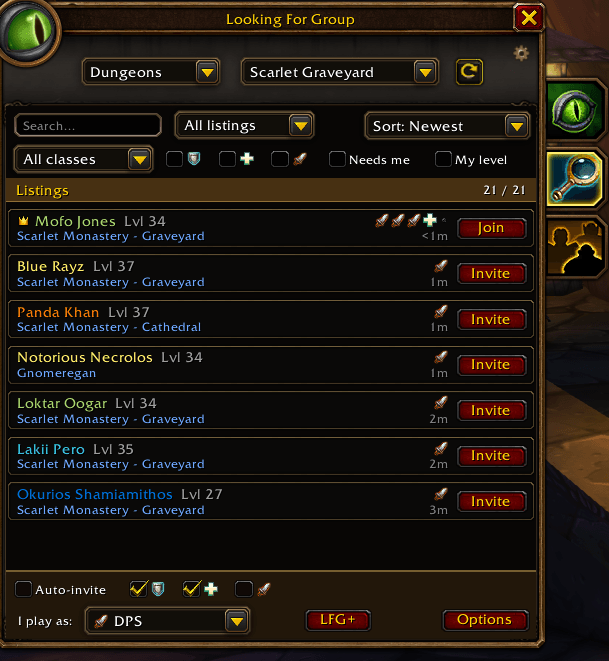
LFG+ makes the built-in Looking For Group tool of WoW Forever faster and easier to use. It sits right inside the group list, styled like the default UI, and works with the normal LFG data, so you see every listing, not just people who have the addon.
Finding a group
* Search & sort: search names, dungeons and notes, and sort by newest, name, class, level, role, group size or dungeon.
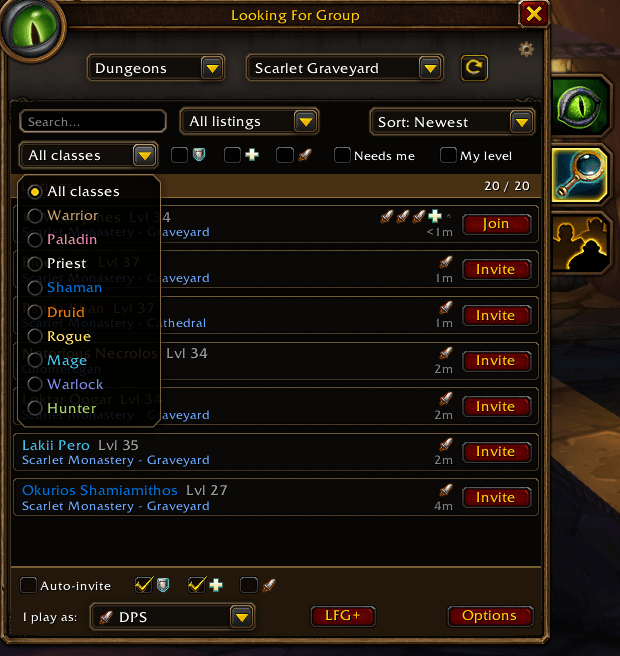
* Filters: groups or solo players, class (checks every group member) and role (Tank / Healer / DPS).
* "Needs me": only shows groups that still have a free spot for your role. Open slots are shown as empty icons, just like in the default UI.
* "My level": hides dungeons outside your level range.
* Role overview: see at a glance how many solo Tanks, Healers and DPS are looking right now.
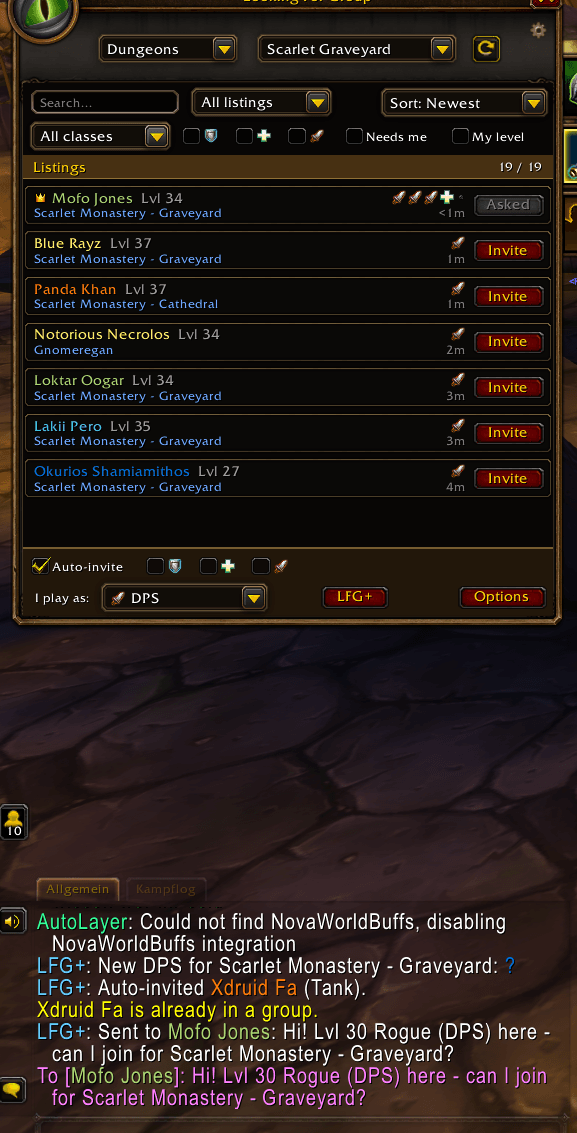
* One-click "Join": whispers the group leader your level, class, role and the dungeon, e.g. "Hi! Lvl 30 Rogue (DPS) here - can I join for Scarlet Monastery?". When they invite you, LFG+ accepts automatically.
* Player locations: click a listing to see where that player is, with "In the dungeon" or "Near the dungeon" when they are already there.
* Double-click any listing to join or invite.
Leading a group
* Smart auto-invite: press "Start auto-invite" while you are listed, and solo players for the same dungeon with the roles you choose are invited. LFG+ keeps the group at 1 Tank, 1 Healer and 3 DPS including you, never invites the same class twice, and stops by itself when the group is full.
* Group full: LFG+ announces it in party chat, removes your listing and sets a map pin to the dungeon entrance.
* Someone left? One click to list again.
* "Where is the group?": a small window shows where every member is and how many are already at the dungeon.
* Optional greeting in party chat and welcome whisper when you invite someone.
Quality of life
* Notifications: a soft sound and a flashing taskbar icon when a matching player or group shows up.
* Favorites & blocklist: right-click any listing to favorite (shown on top) or block a player. Players you have grouped with before get a small [met] tag.
* Spam filter: hides gold sellers, "services" and copy-paste listings. Every spam word can be switched on or off, and you can add your own.
* Quiet mode for fewer chat messages. Every feature can be turned off.
* Native look: Blizzard frames, dropdowns and role icons, so it fits right into the Forever UI.
* Translations: English, German, French, Spanish, Italian, Portuguese and Russian.
How to use
Open the Looking For Group window and click the magnifying glass. LFG+ appears in place of the normal list. The LFG+ button at the bottom switches back to the default list at any time.
You can also use /lfg+, the minimap button or a key binding (Options > Keybindings > AddOns > LFG+). /lfg+ group opens the group locations window. All settings are under Options > AddOns > LFG+, or right-click the LFG+ button.
Notes
* Blizzard only allows LFG searches and player lookups from a real click, so LFG+ refreshes the list on your next click when the results are older than 20 seconds, and shows a player's location after you click their listing.
* The comment field in your own listing requires an Authenticator and SMS Protect on your account. This is a Blizzard restriction that addons cannot change.
LFG+ Team