LFG-HARD
A cleaner Mythic+ group finder: applicants scored out of 100, chances to get invited, auto-tag and RETAG, and a local history of the players you’ve run with.
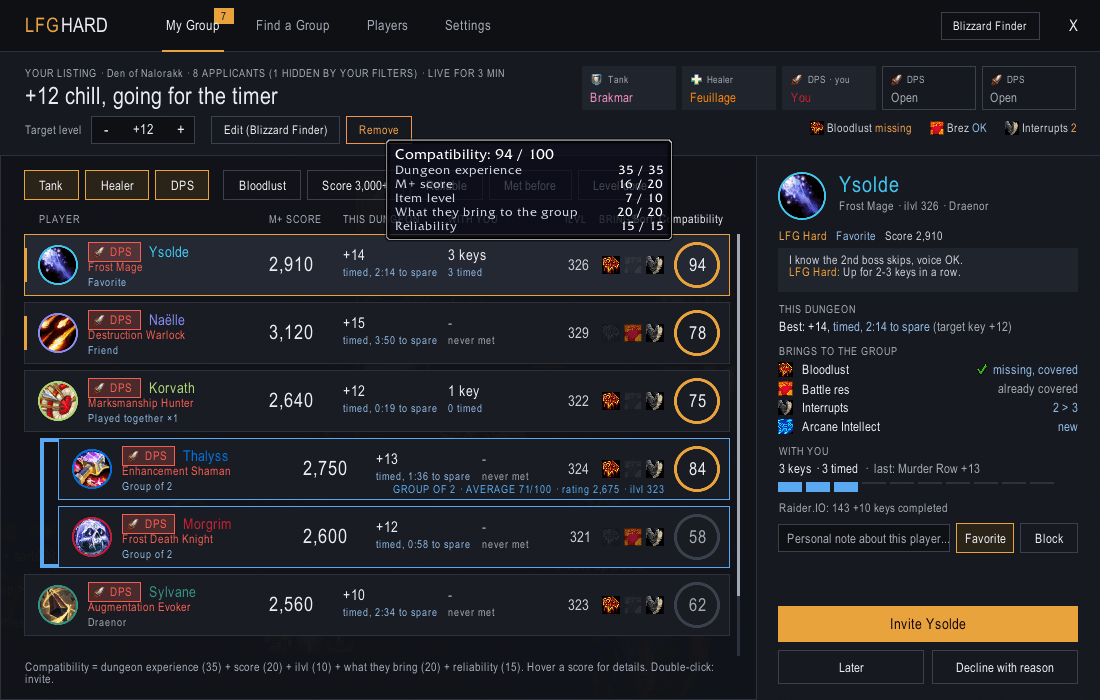
lfghard-1-my-group.png
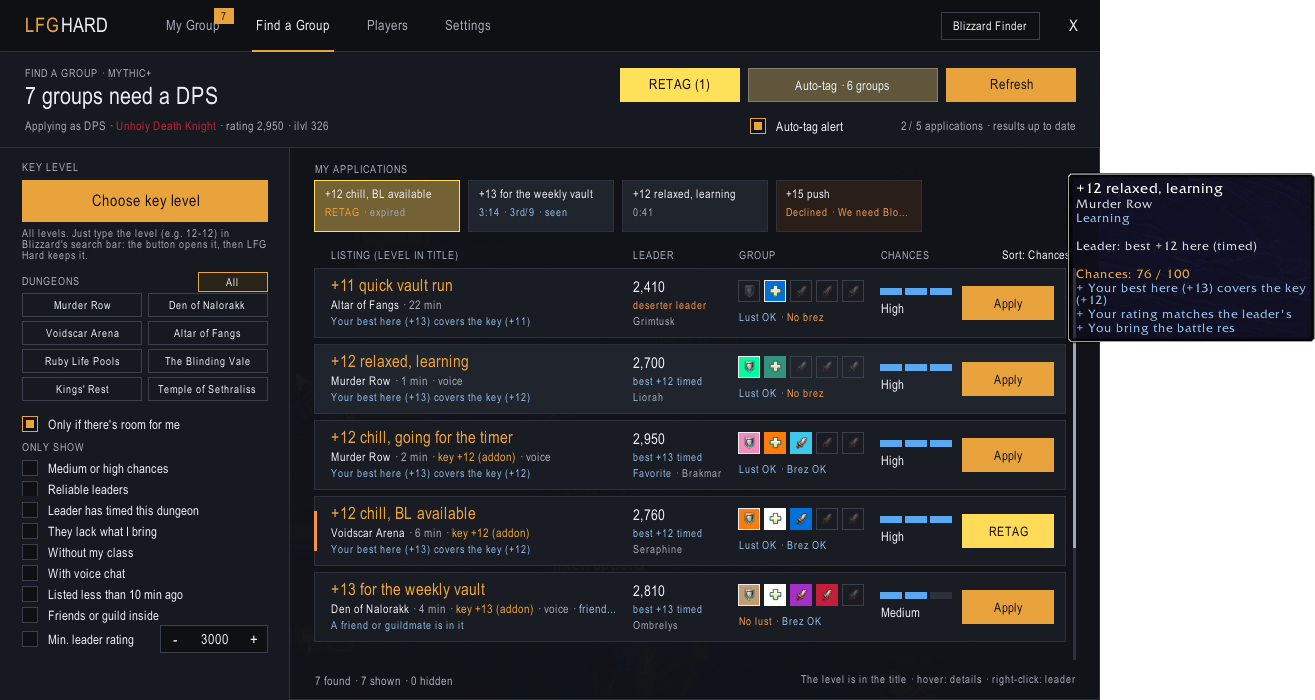
lfghard-2-find-a-group.png
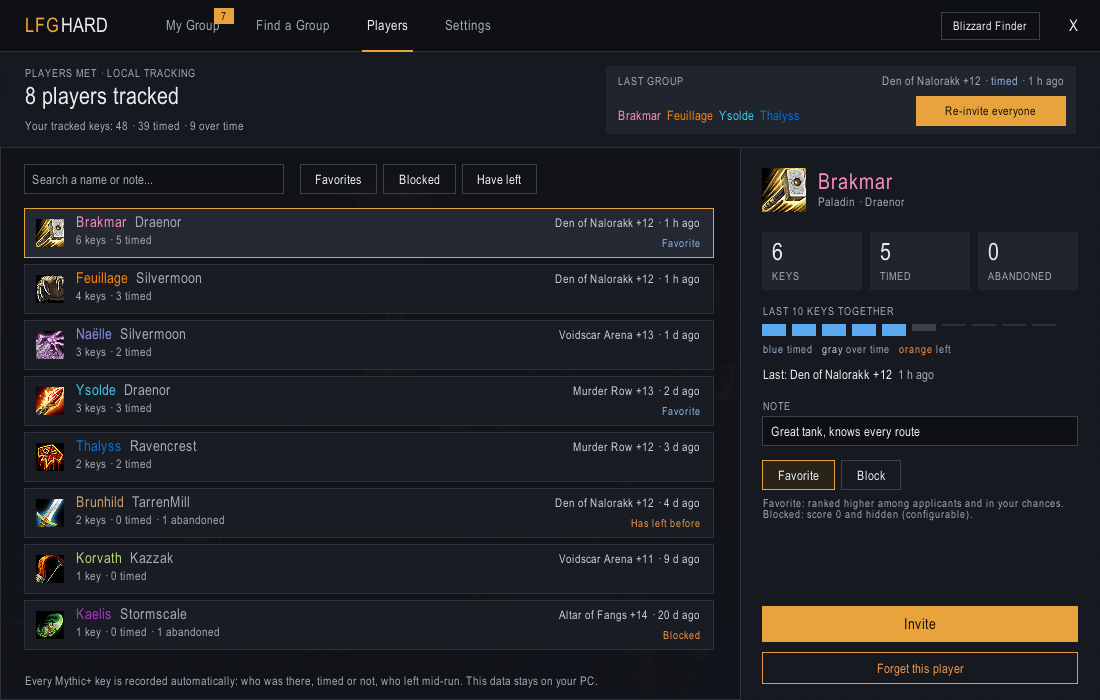
lfghard-3-players.png
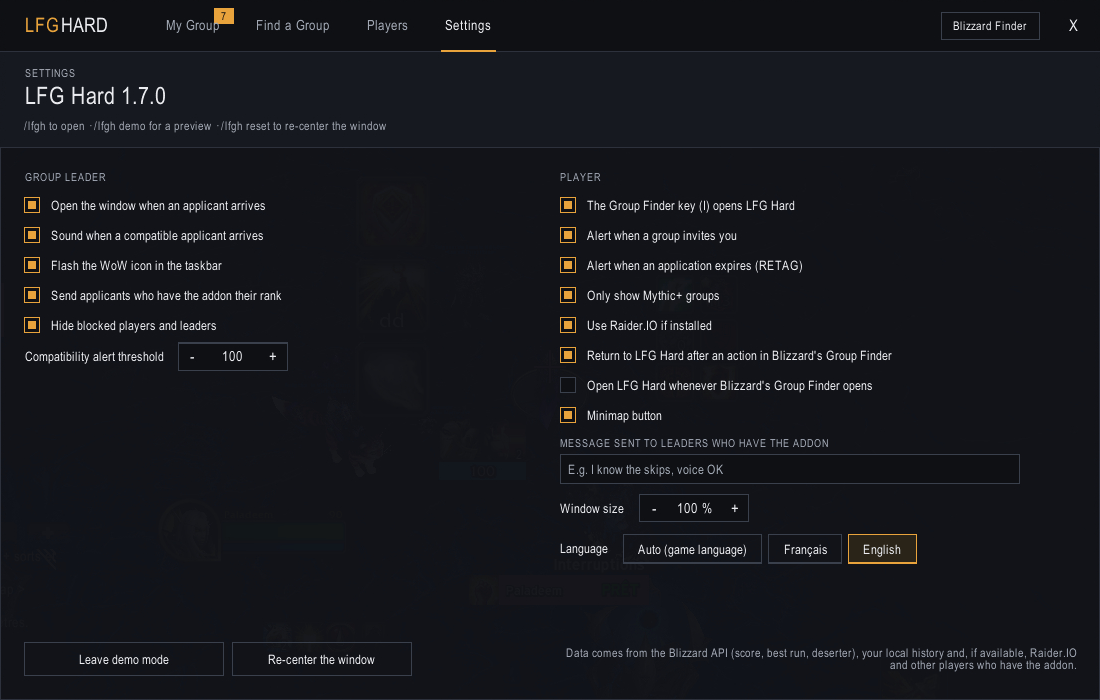
lfghard-4-settings.png
Description
LFG Hard — the Mythic+ group finder, reworked
Blizzard's group finder tells you almost nothing about who is applying or whether you stand a chance. LFG Hard replaces it with a clean, fast interface built for Mythic+ — for leaders and for players looking for a group.
Interface in English and French (Settings > Language, or
/lfgh language en|fr|auto).
As a leader — "My Group"
- A simple rating out of 10, driven by your own sliders: set the item level and M+ score you're looking for (precise sliders, − / + buttons or type the value). At your slider = 7/10, +5 ilvl = 9/10, +8 = 10/10 (score: same scale in steps of 50); below it, −1 per ilvl (or per 50 score).
- Bonuses (capped at +2.5 total): Bloodlust when your group has none (+1), battle res (+0.5), a group buff your composition actually uses (+0.5 / +1: Mystic Touch or Battle Shout for an all-physical group, Chaos Brand for all-magic, Arcane Intellect for all-Intellect…), already timed this dungeon at your key level (+1) or higher (+1.5), already timed a key with you (+0.5), strong past season on Raider.IO (+0.5).
- Penalties: class already in your group (−0.5), unticked class (−1.5), key not timed yet (−1) or best run more than 2 levels below (−1.5), far below your sliders (−1.5), Blizzard deserter flag (−3), already left a key with you (−1).
- Ilvl and score shown big and colored (gold / green / orange / red against your sliders), plus the best run in this dungeon and your history with the player. Full breakdown on hover.
- Gold glowing frame for 9/10 and up, blinking green frame for players you've timed with, red frame for unreliable players.
- Role already filled in your group? Those applicants are hidden. Group applications show the group average directly and need a free slot for every member.
- Class checkboxes, minimum rating slider, Tank / Healer / DPS tabs. When you list a new key, LFG Hard offers to reset the sliders to your own ilvl / score.
- Player card: application note, best run and timer margin, your last 10 keys with them, Raider.IO data if installed, personal note, favorite / block.
- Invite (double-click), Later, or Decline with a reason. Sound + flash only for 9/10 applicants (at most once every 20 s).
Looking for a group — "Find a Group"
- Clean server-side search: your dungeons, Mythic+ only, a free slot for your role. No more hidden Blizzard filters limiting your results.
- Your chances of getting invited for every group (low / medium / high), with the reasons: your best run here vs the leader's, your score, missing Bloodlust or battle res, duplicate class, listing age, friends in the group…
- Premade-aware: in a group, LFG Hard detects each member's role (assigned role, or their spec read by inspecting them) and only shows groups with a free slot for every role you bring. Your whole group's utilities and classes count too.
- "Without my armor type" filter: only groups where nobody wears your armor type (less loot competition).
- Auto-tag: each click (or a key you bind) applies to the next group that matches all your conditions, RETAG first, and re-runs the search when nothing is left. The Auto-tag button flashes when new matching groups appear.
- Applications bar: 5-minute timer, flashing RETAG button when an application expires, queue position and "seen by the leader" when the leader also uses LFG Hard, decline reason.
Starting your key
One big button opens Blizzard's launcher with a step-by-step guide next to it. List your key, press Escape, and you're back in LFG Hard with your applicants already scored.
Players
- Every Mythic+ run is recorded automatically: who was there, timed or not, who left early.
- Search, favorites, blocked players, personal notes.
- Re-invite everyone from your last completed key in one click.
Between LFG Hard users
Hidden addon messages share the application note, queue position, "seen by leader" status and decline reasons.
Quality of life
- Takes over the I key (Blizzard's tool stays on Shift / Ctrl / Alt + I), minimap button,
/lfgh. - Demo mode with fake data:
/lfgh demo. - All data stays on your PC (SavedVariables).
Game limitations (honest list)
- Listing titles are hidden from addons since Midnight. LFG Hard shows the title as the game renders it (that's where the key level is), but it cannot sort by level.
- Key level filtering only works through Blizzard's search box. LFG Hard guides you to type it once (e.g.
12-12) and keeps it for every search. - Listings must be created in Blizzard's launcher. LFG Hard opens it and guides you.
- One application per click or key press (game rule). Addon messages are blocked during a key.
Patch notes
1.9.0
- My Group: brand-new rating out of 10 based on your ilvl / score sliders, with clear bonuses and penalties (see above). Filters replaced by the rating; class checkboxes; minimum rating slider.
- Compact rows: ilvl and score big and colored, group average shown directly, gold / green / red frames.
- Roles already filled are hidden; group applications need a slot for every member.
- New key listed: offer to reset the sliders. Players tab: score each player had when applying to your group.
1.8.1
- Fixed: players were marked as having left on keys that were actually completed (the game hides non-friends' names in the key result). A player now only counts as a leaver if they are no longer in the group when the key ends. Existing false entries are repaired automatically.
1.8.0
- My Group: new armor type, classes and minimum compatibility filters.
- Rebalanced compatibility score: dungeon 38, M+ score 25, item level 12, what they bring 10, reliability 15.
- Sounds only for really strong applicants (at most once every 20 s); Auto-tag no longer plays a sound.
- Find a Group: each party member's role is detected properly, so a tank + DPS party only sees groups with a tank slot and a DPS slot. New "Without my armor type" filter.
1.7.0
- English and French interface.
LFG-HARD Team