
LevelRacer
- By
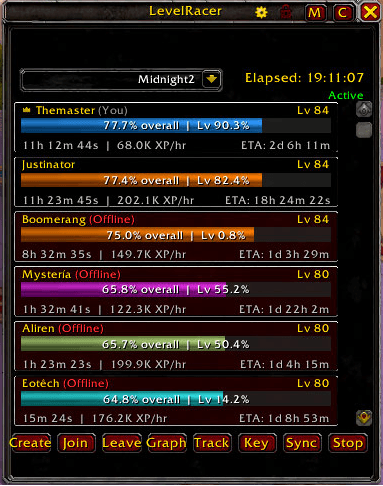
FullViewPane_2.0.0.png
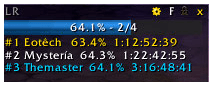
miniview-png.png
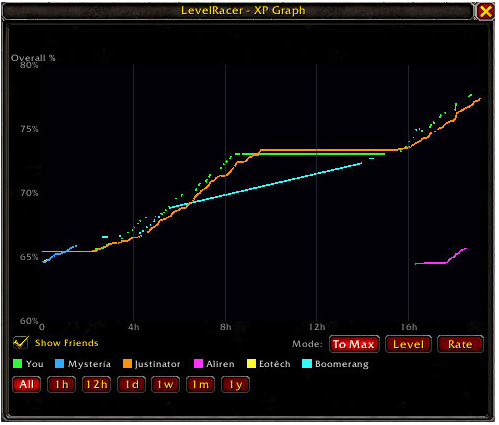
Graph1.png
settingspane-png.png
Description
LevelRacer
Race your friends to max level! Create or join leveling races with real-time XP tracking, animated replays, and interactive graphs. See who hits 90 first in the Midnight expansion.
How It Works
Create a race and share the key with friends. LevelRacer automatically tracks everyone's XP, level, and play time — broadcasting updates in real-time across realms via Battle.net.
Getting Started:
/lr create— Create a new race (set a name and password)/lr join— Opens a dialog where you can paste a race key to join/lr— Toggle the main window
Joining a Race: When someone creates a race, they get a shareable key. To join, either:
- Have the race creator whisper you the key — then click the Join button in the LevelRacer window and paste it
- Or type
/lr joinand paste the key directly into the popup dialog
Features
Live Race Panel
- Class-colored progress bars showing each racer's level, XP%, play time, XP/hr rate, and ETA to max
- Online/stale/offline status indicators with "last seen" tooltips
- Finish position badges when racers hit max level
- Right-click context menu for race management (kick, block, promote co-manager)
Three Display Modes
- Full — Complete race panel with all the details
- Compact — Streamlined vertical list
- Mini — Slim resizable bar that stays out of the way
XP Graph
- Interactive line graph showing progression over time for all participants
- Three modes: Overall % to max, Current Level %, and XP/hour Rate
- Time scale controls: 1h, 12h, 1d, 1w, 1m, 1y, or auto-fit
- Dynamic Y-axis scaling with clean tick values
Race Track Replay
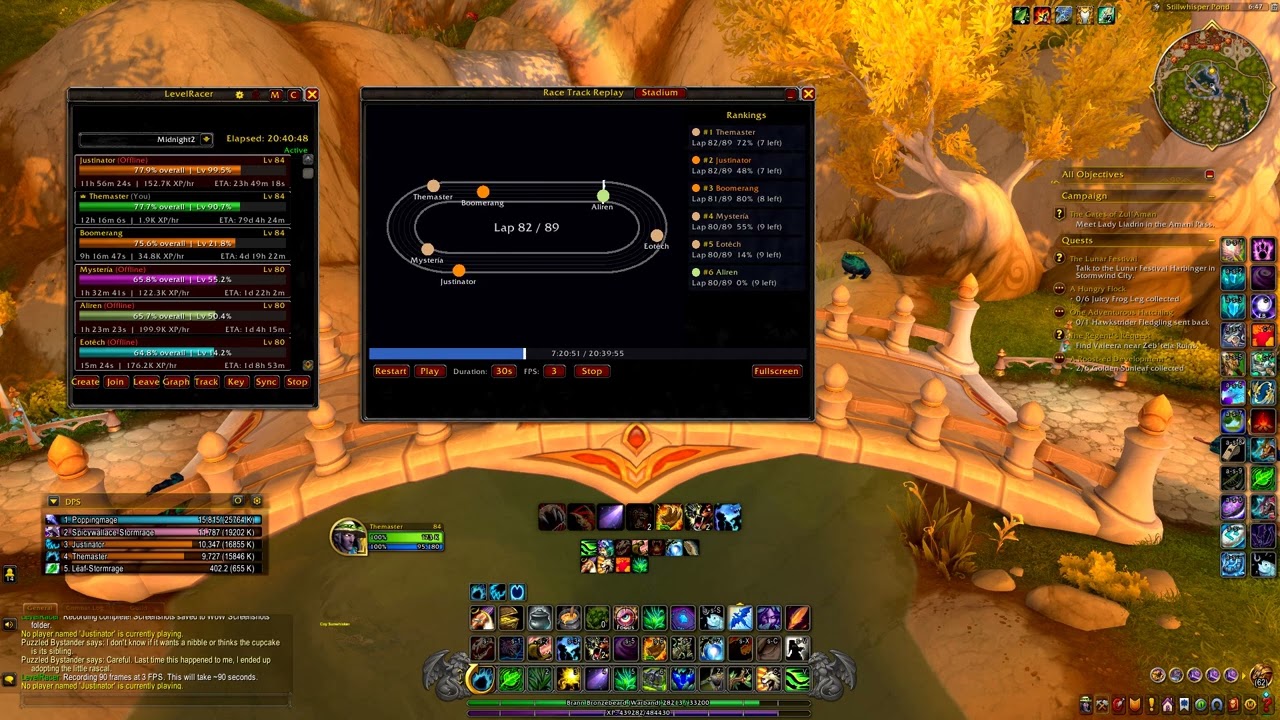
- Animated top-down track visualization — each level is one lap
- Stadium-shaped track with 5 parallel lanes (plus Figure-8 and Circuit shapes)
- Duration-based playback: 15s, 30s, 1m, or 2m replays
- Timeline scrubber bar with click-and-drag seeking
- Class-colored racer icons with live rankings sidebar
- Fullscreen mode for an immersive view
- Screenshot recording mode that captures every frame for video creation
Celebrations
- Pop-up notification with sound when someone hits max level
- Shows finish position with gold/silver/bronze styling
- Queue system so multiple finishers don't overlap
Cross-Realm Support
- Same-realm communication via addon whispers
- Cross-realm via Battle.net friend data — no setup needed
- Automatic offline data recovery when players reconnect
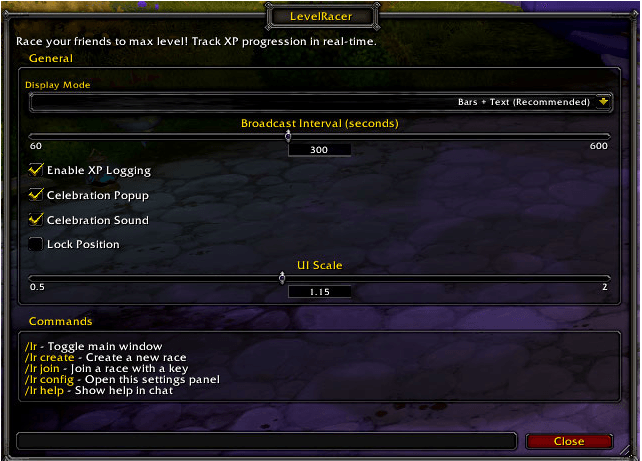
Settings (/lr config)
- Broadcast interval (1–10 minutes)
- Display mode (bars, text, or both)
- Celebration popup and sound toggles
- UI scale (0.5x–2.0x)
- Frame position lock
- Default track shape and replay duration
- XP logging toggle
Slash Commands
| Command | Action |
|---|---|
/lr |
Toggle main window |
/lr create |
Create a new race |
/lr join |
Join with a race key |
/lr track |
Open race track replay |
/lr config |
Open settings |
/lr help |
Show help |
| undefined | |
Race Management
The race creator can stop the race, kick or block participants, and assign co-managers. Race keys are password-protected and shareable. Multiple simultaneous races are supported with a dropdown selector.
LevelRacer Team
