
Leveling Codex
- By
Screenshot 2026-11-08 105020.png
Screenshot 2026-11-08 105202.png
Screenshot 2026-11-08 105235.png
Screenshot 2026-11-08 105333.png
Screenshot 2026-11-08 105352.png
Screenshot 2026-11-08 105414.png
Screenshot 2026-11-11 001042.png
Screenshot 2026-11-11 001141.png
Screenshot 2026-11-11 001316.png
Screenshot 2026-11-11 001402.png
Screenshot 2026-11-11 001501.png
Description
Leveling Codex
Your leveling guide, inside the game. A step-by-step quest route for Alliance and Horde, levels 1-60, with a waypoint arrow, the route on your map and minimap, dungeon guides boss by boss, attunements and class quests. Open your talents and the Codex traces the one to take: on the Codex build, a recommended path for any spec, or one you make yourself. Level up and a card shows exactly what you unlocked. One click sets up smart macros for your level, for controller or keyboard. And all 12 professions have a guide from 1 to 300.
Built from The Leveling Codex guides — one researched leveling spec per class plus a talent path for every other spec, checked against the WoW: Forever client and hotfixes.
Features
Step-by-step quest guide, levels 1-60
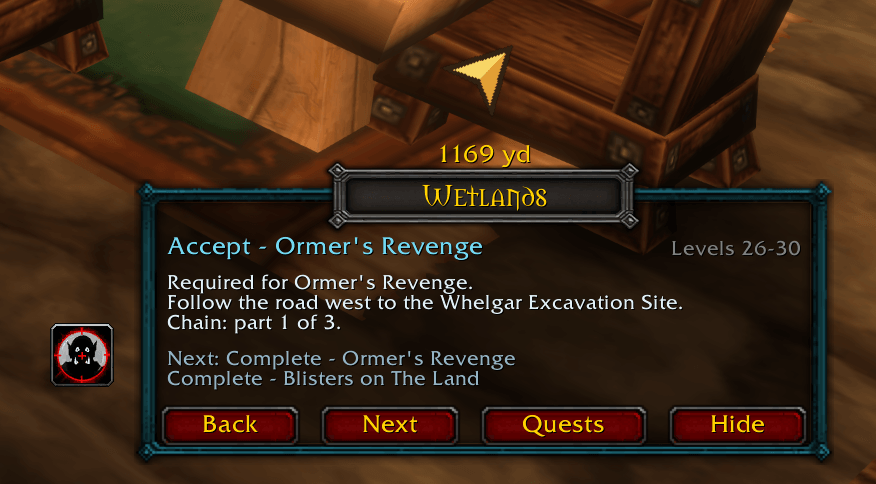
A small step window tells you exactly what to do next — accept, kill, loot, turn in, fly, hearth, train — with an arrow that points the way. It reads your quest log, so it always picks up where you are.
Every race starts at home. Alliance: Northshire, Coldridge Valley, Shadowglen, or Zephras Isle (High Order Skyborne). Horde: the Valley of Trials, Camp Narache, Deathknell, or Zephras Isle (Windshaper Skyborne).
Then one main route per faction, all the way to 60.
- Alliance: Westfall, Lakeshire, Duskwood and Forever's reworked Wetlands, then Darkshire, Southshore, Theramore, Desolace, Stranglethorn, Arathi, Tanaris, Feralas, the Hinterlands, Un'Goro, the Plaguelands, Felwood and Winterspring, ending in Silithus and Moonglade.
- Horde: the Crossroads and the Barrens, Stonetalon, Ashenvale, the Sepulcher, Hillsbrad and Thousand Needles, then Tarren Mill, Desolace, Grom'gol, Stonard, Gadgetzan, Camp Mojache, Revantusk Village, Un'Goro, Azshara, Felwood, Winterspring and the Plaguelands, ending with Calm Before the Storm in Orgrimmar.
Built for WoW: Forever. The new starting-zone quests, the Camping intros, the new class letters (Orc Mage, Troll Warlock, Undead Paladin and more), Forever's new quests in every zone, and its new zones. Both routes were checked chapter by chapter for back-and-forth walking, so you hand in everything around a town in one pass.
Alternate routes, with at least three guides to choose from for every level from 30 to 60:
- Alliance 1-30: Loch Modan, Darkshore, Ashenvale, Stonetalon, the early Wetlands, Southshore, and late Redridge and Duskwood.
- Horde 1-30: Tirisfal and Silverpine for Kalimdor races at 12-15, and the Shimmering Flats.
- 30-60: Forever's Riverglades (Alliance from Farholde Keep, Horde from Rog'mar and Powderfuse Port), Shen'dralas, early Stranglethorn, the Searing Gorge, the Blasted Lands, Un'Goro and other orders through the 50s.
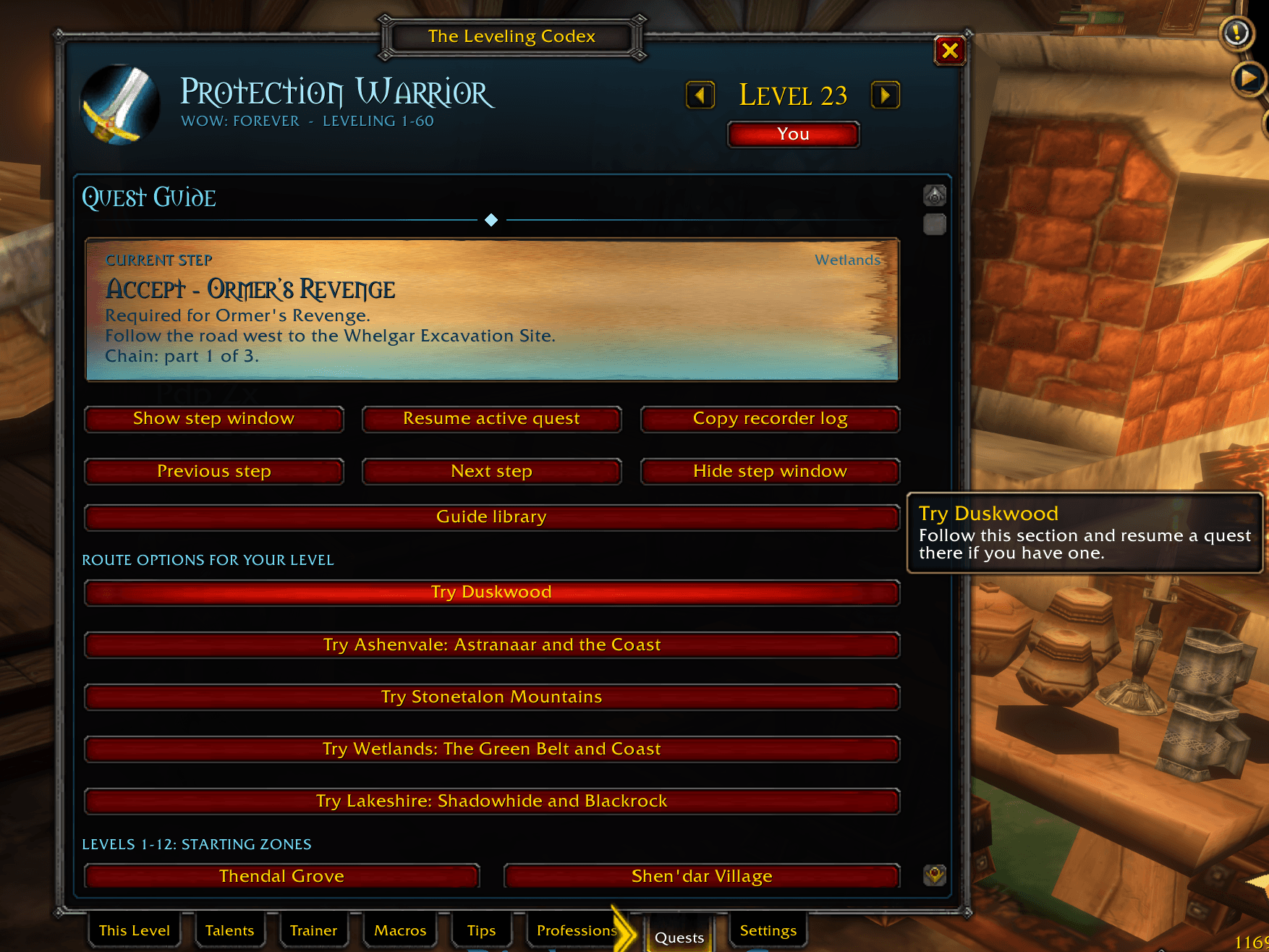
The Quests tab lists the route options for your level, and each guide suggests where to go next.
Buy it before you go. Steps that need a bought item say where to get it before the trip (Southshore Stout, Silk Cloth, the Mithril Casing and more). Auction House items are optional steps.
Catch-up built in.
- Missed pickups move to Missed quests.
- Outleveled pickups leave the route, unless a later quest needs them.
- Breadcrumbs you've already used drop out.
- Steps show a quest's place in its chain ("Chain: part 2 of 5").
- A pickup warns you when your quest log is full, and Quest log cleanup lists quests no guide uses and grey quests worth little XP. The guide also reminds you to drop grey dungeon quests you never ran.
- On hover, the route list says why a step was skipped.
The step window
- Colour-coded steps. Each step's chip and stripe say what it asks of you: pickups gold, turn-ins green, kills red, collecting orange, travel blue, dungeons purple.
- Goals at a glance. Every objective has its own line and a progress bar. Quests you can work on during the same trip sit under While you're here, and goals the route passed under On the way.
- Up next lists up to 10 coming steps with how far away each one is, and carries on into the next guide.
- Turn-in XP ("+2,100 XP", or "levels you up"), a 3D portrait of the NPC or creature, and a completion bar for the guide.
- Watch out here: hostile elites and rares near your step, until you outlevel them.
- Fits any screen. Shrink it to 50% (Ctrl+mouse wheel), let it fade while you fight, or switch to compact mode: just the step, its count or distance, a bar and the buttons.
- Party play. Party members who use the Codex see each other's current step and how far ahead or behind they are. Sharing guide quests and saying your flights in party chat are optional.
The arrow and your maps
- The arrow shows the distance and about how long until you get there. It turns green when you're on course, gold when the step is off to your side, and red when it's behind you. Drag it, resize it or lock it.
- It knows the way: across zones by flight path, boat, zeppelin and road, and through tunnels and caves such as the Deadmines and Wailing Caverns. In the air it shows a flight timer. As a ghost it leads back to your corpse.
- Flight master trips. For a long trip the arrow leads to a flight master when flying is quicker ("Fly to Lakeshire from Sentinel Hill"), and the flight map lights up the flight to take. A flight path you don't have close to the way is picked up on the way, and Quests > Nearest flight master points at the closest one.
- The route on your minimap and world map. Pins for the current and next steps, a dotted line from you to the step, and the game's own map waypoint on the current step. A waypoint you place yourself is never replaced.
- Works with Questie. Questie's auto-accept and hold-back key take precedence, and the step window sits beside Questie's tracker. With QuestieDB installed, the arrow leads to the nearest mob or object you still need once you reach a camp.
Dungeons and attunements
- Every dungeon from Ragefire Chasm and the Deadmines to Stratholme, for both factions: Wailing Caverns, Shadowfang Keep, Blackfathom Deeps, the Stockade, Gnomeregan, Razorfen Kraul and Downs, all four Scarlet Monastery wings, Uldaman, Zul'Farrak, Maraudon, the Sunken Temple, Blackrock Depths, Dire Maul, Lower and Upper Blackrock Spire, Scholomance and Stratholme. Forever's Ruins of Lordaeron, Hall of Thanes, Excavation Site, City of Dalaran and Krol'dok Stronghold are covered too.
- Dungeon ahead: before a run's first quest, the route asks whether to plan it. A planned run's pickups join your route.
- When you're ready, the step text says to find a group and the step window offers to run it (Run The Deadmines).
- Boss by boss: inside, the step window walks through the bosses in order with a tip for each fight, ticks them off as they die, and keeps your quests for the run beside them. It opens by itself when you zone in.
- Attunements and keys: Onyxia's Lair, the Seal of Ascension (Upper Blackrock Spire), Attunement to the Core, the Key to Scholomance and the Shadowforge Key.
- Elite quests ask first. Before you pick up a quest whose target is an elite (Hogger, King Bangalash, Gorlash, Overseer Maltorius…), the step window asks: Take it or Skip (skipping also passes the quests that need it). In Settings you can always take or always skip them.
Class quests and special chains
- Class quests for every class from 1 to 60: stances, forms, totems, pets, Voidwalkers, Succubi and the Felsteed, Redemption, poisons, Whirlwind weapons, Celestial Power, Forever's shaman weapon chain, every class's Sunken Temple chain, and class gear. Short ones sit on your route. Longer chains are class guides in the Quests tab, and you return to leveling when you're done. Where the route already passes a class objective, your class gets a step for it while the quest is in your log.
- Special chains are offered when you pass their start: the Cozy Sleeping Bag (both factions, up to 3% bonus XP), and for the Alliance The Legend of Stalvan, The Missing Diplomat and Seeking Caitlin. Each guide says what it gives you.
Helpers
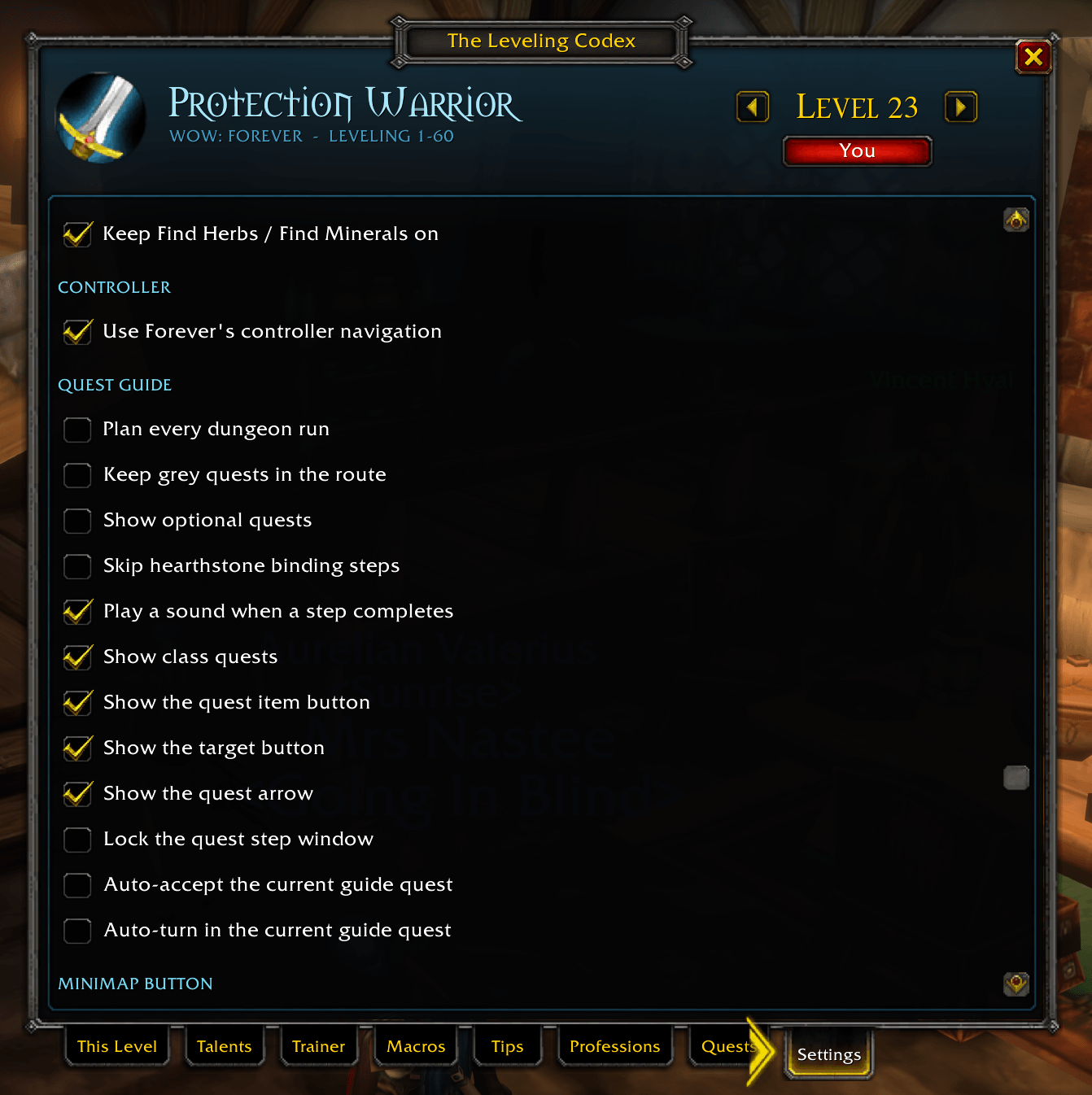
- Auto-accept and auto-turn-in for the guide's quest, off by default. Hold Alt (or Questie's key) to do it yourself. Reward choices always stay yours; a coin marks the one that sells for the most.
- Auto-fly (optional): the Codex takes the flight the guide marks, and at the step's inn it picks the bind option for you to accept.
- Quest item and target buttons for the current step, both key-bindable: use the quest item (or your Hearthstone on a hearth step), and target the NPC you're looking for or the creatures the quest needs.
- Vendors: the Codex sells your grey items (never quest items or the Hearthstone) and repairs with your own money. When a coming step needs something this vendor sells, a card lists it with one Buy button. Hold Alt as you open the vendor to skip it once.
- XP to go on "Level up" steps: how much is left, about how many kills that is, your rested XP and the XP waiting in finished quests.
- Guide setup. A new character gets a quick setup card: fastest or every quest, recommended dungeons or none, elite quests, the automation and vendor helpers, the map lines, and the step window's size and compact mode. Quests > Guide setup opens it any time.
Talent paths
Pick your path in the Talents tab: the Codex guide's own build, a recommended leveling path for every spec of your class (Arms, Fire, Holy and so on; Druids get Feral Cat, Bear, Balance and Restoration), or your own.
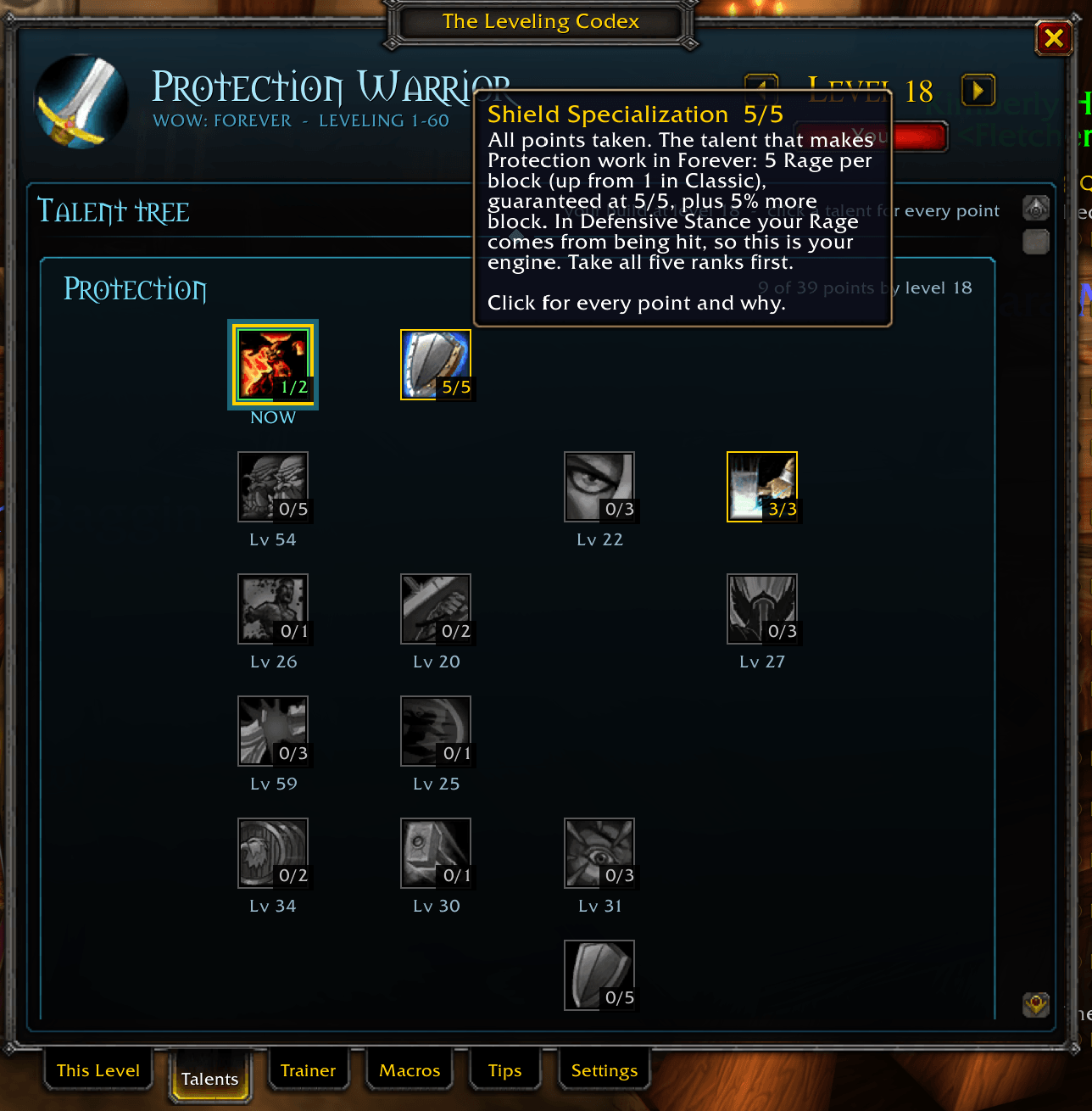
- The full game tree for all three trees side by side, with your path filled in up to the level you're viewing, prerequisite lines and every point in order. Click a talent for its tooltip and every point your path puts into it.
- Custom paths: start from any path, the talents you already have, or nothing, and click the tree to place each point in level order. The Codex checks the game's rules (points per row, prerequisites, ranks) and says why a talent isn't open yet. Undo, Clear, and a share code to copy your path to another character.
- Everything follows your path: This Level, the level-up card, the minimap tooltip, the talent window outline and the trainer list (an Arms Warrior sees Mortal Strike ranks instead of Shield Slam). The choice is saved per character.
Talent window guide
Whenever you have a talent point to spend, open your talent window and the Codex traces the talent to take for your level. It draws a glowing outline in the theme colour that follows the talent's shape (round, square or choice), with sparks running around it and a Codex pick 2/3 tag. A card above the window (or below it, near the top of the screen) shows that talent and your next two picks. With several points to spend it starts with the earliest, and it goes away once they're spent.
Class trainer card
At your class trainer, a card above the window lists the guide's spells you can learn now and their total cost, plus anything else on offer, or your next visit when there's nothing to train. It never buys anything for you.
What's new at each level
After the game's own level-up display, a "New at Level 26" card takes its place on screen, with each unlock sliding in with its icon:
- Talent point to take (with rank)
- New spells at your trainer
- New or updated macros
- New guide chapter
- Profession ranks you can now train
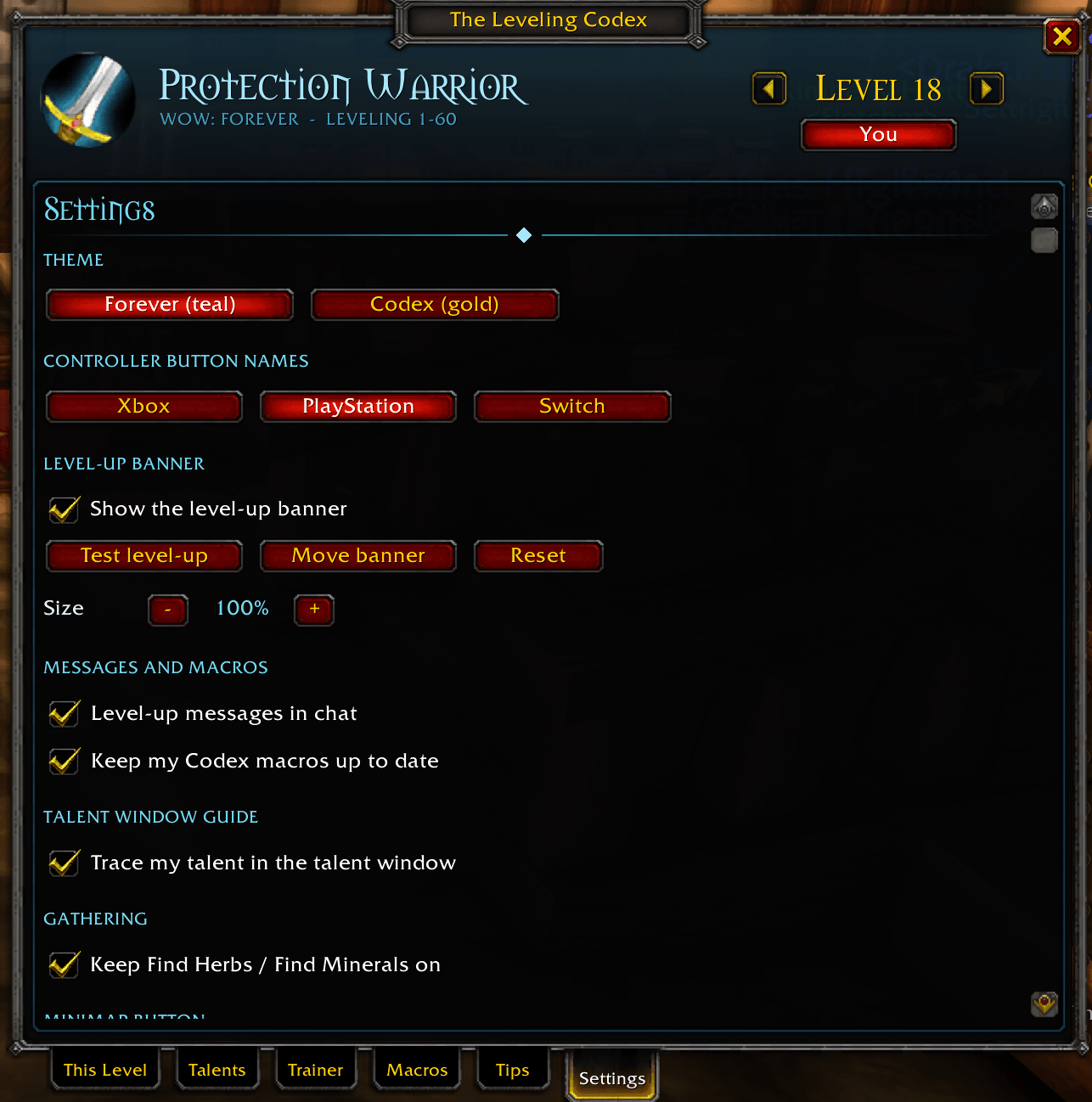
Click it for the full guide, or right-click to dismiss; it closes by itself after 8 seconds. Open the Codex within a minute of the card and it opens on that level. Move it, resize it or turn it off in Settings, and use Test level-up there to try it any time.
Your pace and stats
- Your pace on the This Level tab: XP per hour, about how long the next level takes, where this level's XP came from (quests and kills), and your last levels' times. It survives a /reload.
- Stats tab: headline tiles, your level splits as bars, gold earned and spent by source, activity and zones, for this session or for the whole character.
The Codex window
Type /codex, click the Level 60 badge on your minimap, or pick the Codex in the addons button under the clock. Browse any level from 1 to 60 with the page arrows. The window uses the game's own frame art: gold title banner, your class portrait and character-sheet tabs.
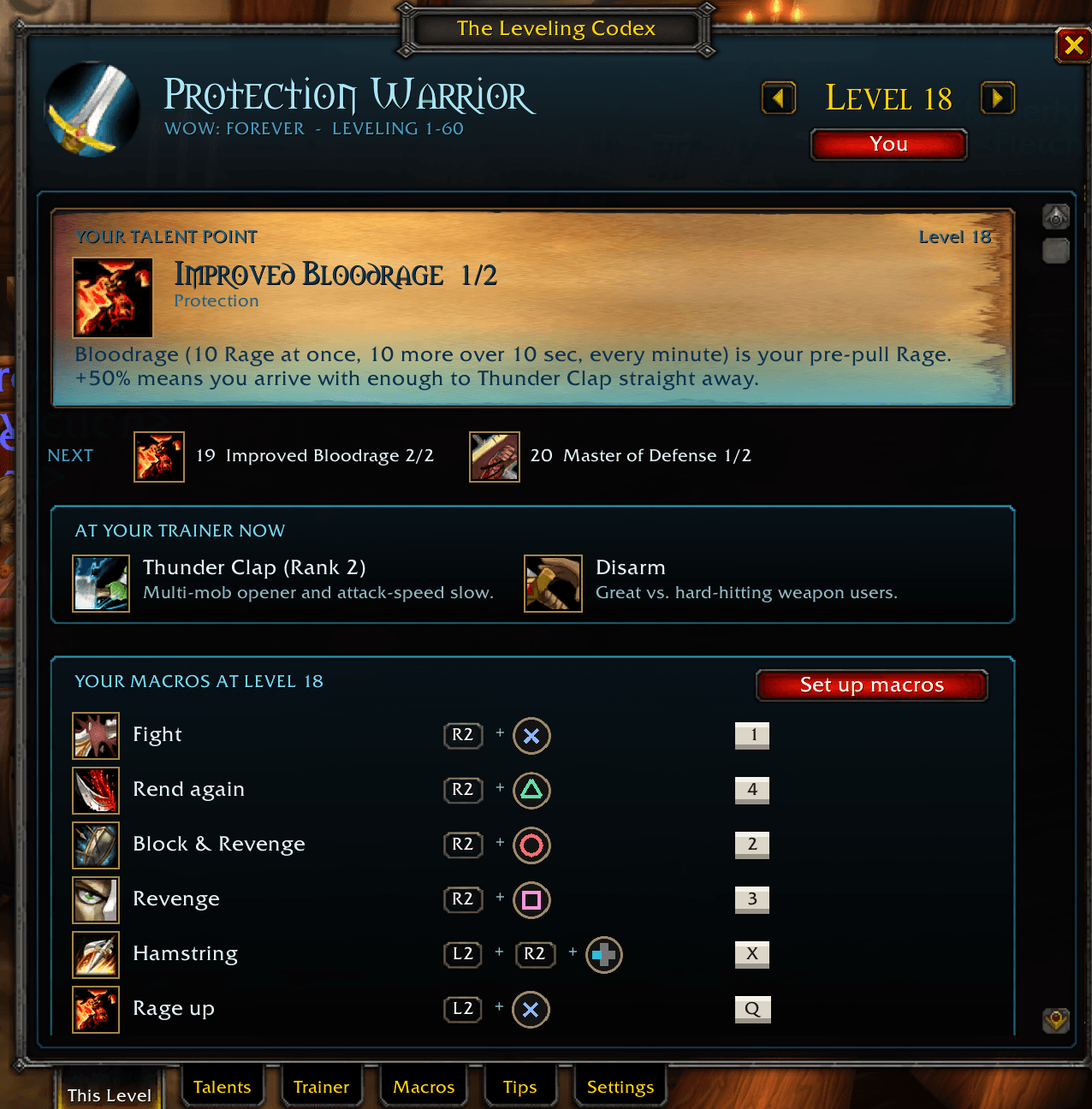
- This Level — your talent with the reason for it, the next picks, what to train, your macros with the exact controller button and keyboard key for each, and your pace.
- Talents — your talent path and the full tree (see above).
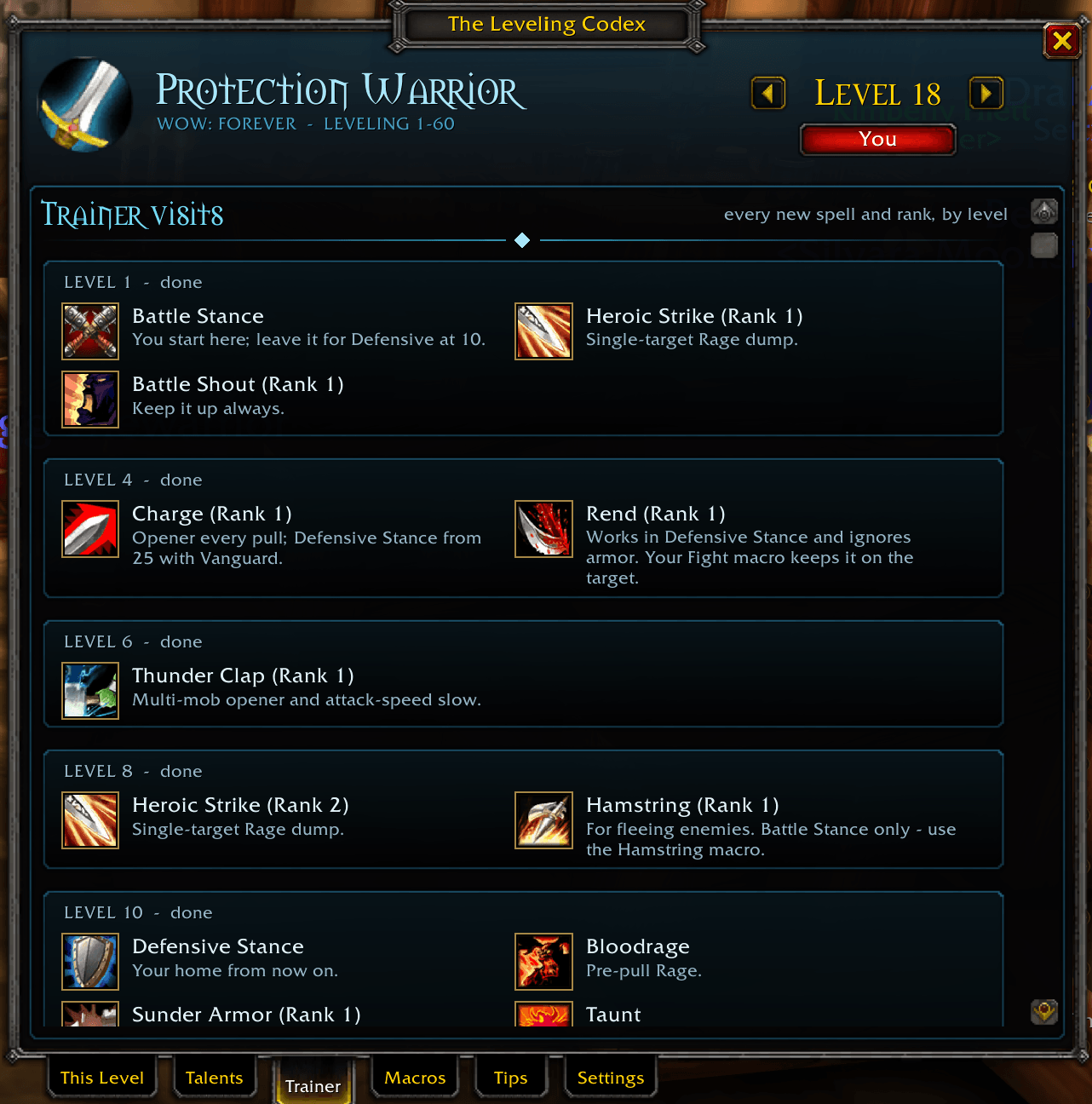
- Trainer — every trainer visit, with icons and notes.
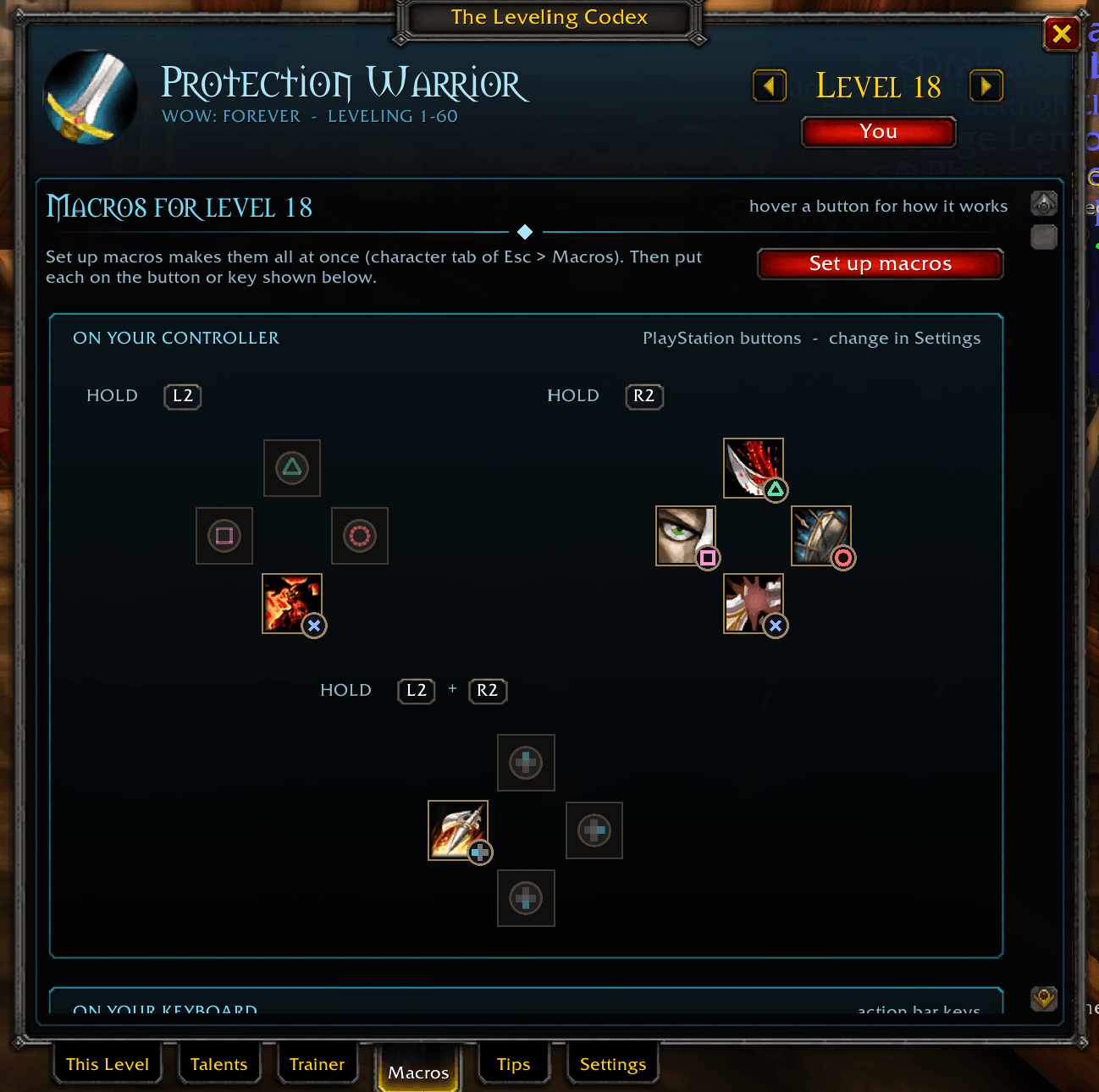
- Macros — every macro for your level with its code and how it works, plus your controller's button sets (R2, L2, L2 + R2…) and an action bar showing where each one goes.
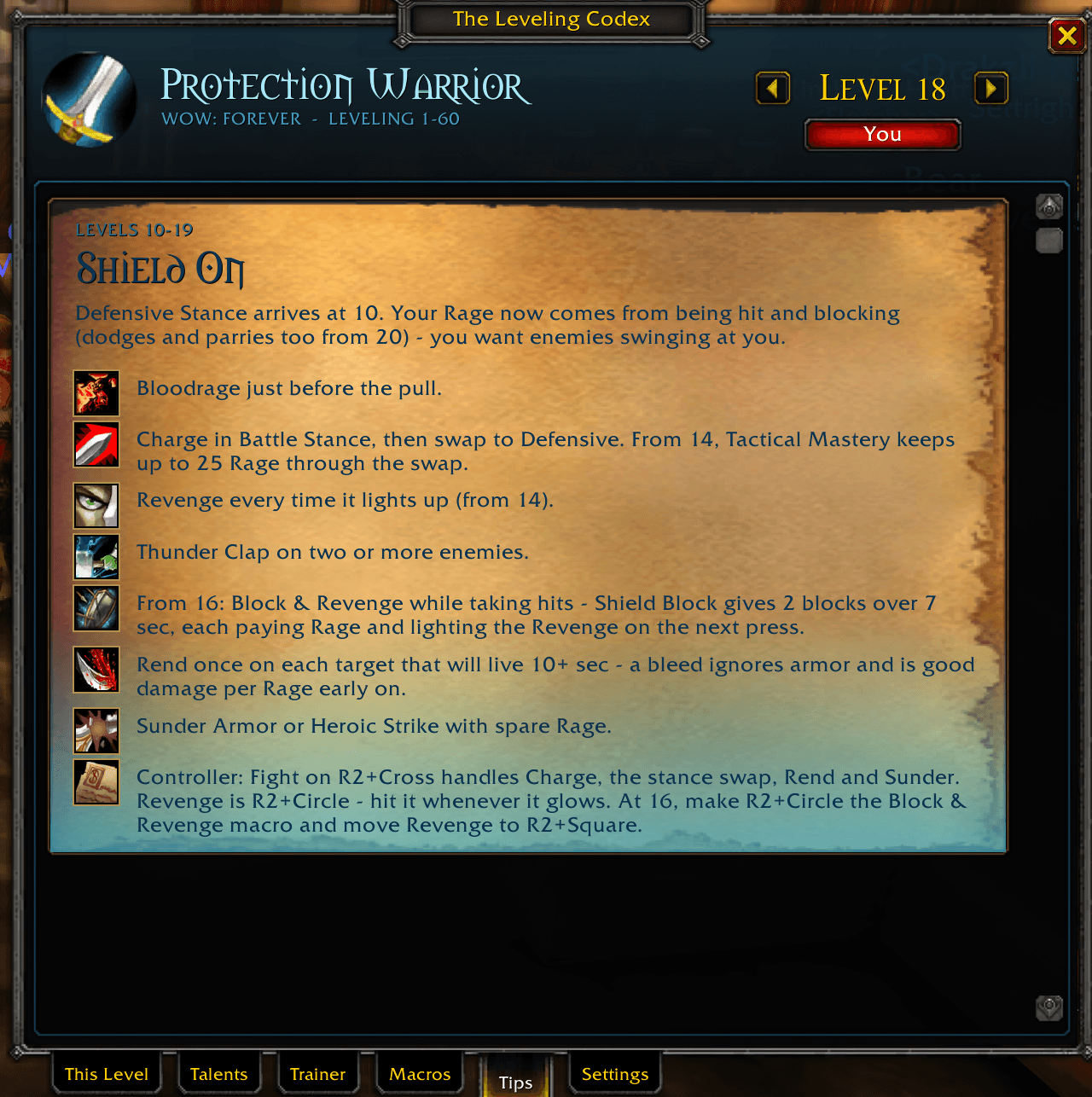
- Tips — the play-style chapter for your level range.
- Quests — the current step and its buttons, then Route, Step, Guides and Quest log. The guide library has every leveling route, dungeon, class and special guide, with progress bars, searchable by quest name or ID.
- Professions — the guide for each profession you know (see below).
- Stats — your leveling stats.
- Settings — everything, no slash commands needed.
One-click smart macros
Set up macros creates this character's macros for your level. When you level into a new version (for example a Fight macro that adds Shield Slam at 40), the Codex updates the macros it made automatically. Your own macros are never touched, even one with the same name.
Every macro is built for Forever's macro rules: it never gets stuck on a spell that's on cooldown, and cast sequences are versioned by level. Every macro card has a Copy button, and if your macro slots are full the Codex opens the macro text ready to copy.
Made for controller players
Forever's gamepad layout is built in: every macro says which trigger set and button it goes on, drawn as the game's button glyphs. Choose Xbox, PlayStation or Switch buttons in Settings.
The whole Codex window works on the controller with Forever's own navigation:
- D-pad to move and A to press.
- B, Back or Esc to close.
- LB/RB to switch tabs and the right stick to scroll.
The Quests tab has the step controls (previous, next, hide, take or skip an elite quest), and the step window leaves your controller free for playing. If Forever's navigation misbehaves, Settings > Controller switches to the Codex's own highlight. Bind a key or controller button to open the Codex (Key Bindings > AddOns).
Profession guides: all 12 professions, 1-300
Alchemy, Blacksmithing, Cooking, Enchanting, Engineering, First Aid, Fishing, Herbalism, Leatherworking, Mining, Skinning and Tailoring. Built for WoW: Forever's reworked professions, from the game's own recipe colours and reagents.
Professions tab for every profession you know:
- your skill and the recipe to make now, with how many more and the materials against your bags;
- where to learn it, and the trainer, book or quest for the next rank when it's due;
- the whole route and a shopping list to 300.
Profession extras:
- Mining, Herbalism and Skinning show what to gather where for your faction.
- Tailoring counts the shopping list in raw cloth and shows which mobs and zones drop each cloth.
- Enchanting says which rod each step needs and what each green or blue item in your bags would disenchant into.
- Fishing shows where to catch Nat Pagle's quest fish.
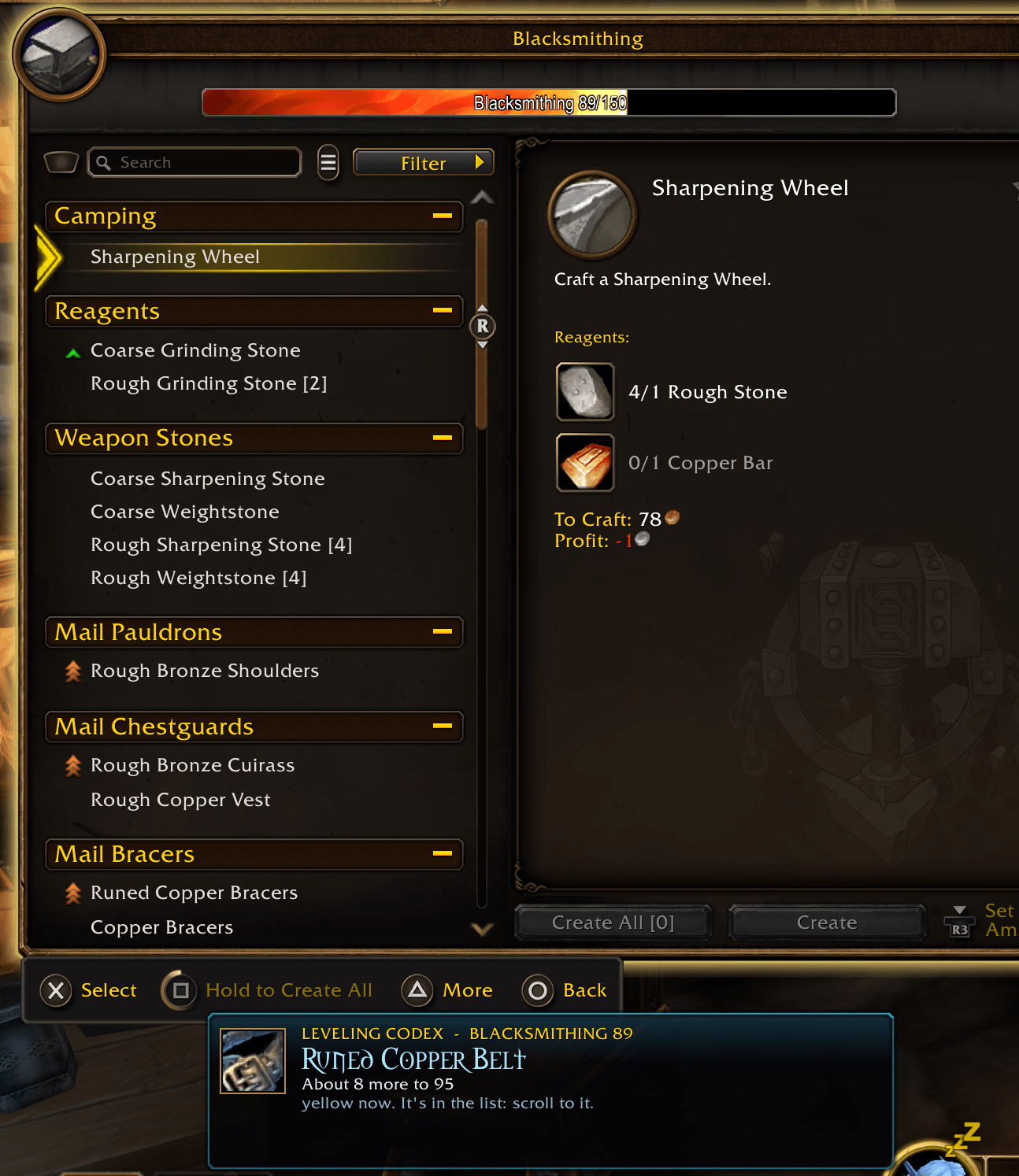
Crafting window guide: open your crafting window and the Codex outlines the recipe to make, with a card showing how many more and how many you have materials for. It does a part first when your step needs one: bolts of cloth, a missing rod, Dust to Motes.
It never touches the window itself: scroll the list as usual (mouse or controller) and the recipe is outlined when it comes into view.
Skill-up card when you reach a new step, can train the next rank, or can gather something new. Open the Codex within a minute of it and it opens on that profession.
Turn the crafting window guide or the skill-up cards off under Settings > Professions.
Gathering tracking stays on
WoW: Forever turns Find Herbs and Find Minerals off when you log in, zone or die. The Codex turns the one you had back on for you (out of combat, never over another tracking such as Track Beasts), and turns it on when you learn Herbalism or Mining. Untick it in Settings if you'd rather do it yourself.
Two themes
Forever (teal, the default) or Codex (gold and parchment).
Classes and talent paths
| Class | Codex guide spec | Other talent paths |
|---|---|---|
| Warrior | Protection | Arms, Fury |
| Mage | Frost | Arcane, Fire |
| Hunter | Marksmanship | Beast Mastery, Survival |
| Rogue | Combat | Assassination, Subtlety |
| Priest | Shadow | Discipline, Holy |
| Paladin | Retribution | Holy, Protection |
| Shaman | Enhancement | Elemental, Restoration |
| Warlock | Affliction | Demonology, Destruction |
| Druid | Feral | Feral Cat, Feral Bear, Balance, Restoration |
Or build your own custom path for any class.
Commands
| Command | What it does |
|---|---|
/codex |
Open or close the Codex window |
/codex quests |
Open the Quests tab and show the step window |
/codex macros |
Create or update your macros for your level |
/codex test |
Test level-up (/codex test 30 for any level) |
/codex minimap |
Show or hide the minimap button |
/codex reset |
Reset the window, banner and minimap button positions and sizes |
/codex debug |
List what the Codex can see, to paste into a bug report (also quest API checks and trainer requirements that differ from the profession guide) |
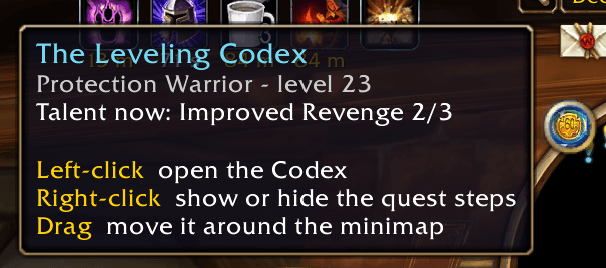
Left-click the minimap badge to open or close the Codex, right-click it to show or hide the step window, and drag it around the minimap edge.
Leveling Codex Team
