LevelForge
- By
Screenshot From 2026-10-19 21-50-27.png
Screenshot From 2026-10-19 21-50-06.png
Description
LevelForge
Open leveling guides for World of Warcraft Classic. LevelForge is a free in-game guide addon. Every guide is written and shared by players on levelforge.dev, and nothing is encrypted or tied to an account.
Works on Classic Era and WoW Forever.
Getting guides
LevelForge doesn't come with any guides. Pick one on levelforge.dev/guides, copy its
LevelForge string (one guide or its whole chain) and paste it in game with /lf import. It stays until you
/lf remove it. When a guide ends, the next one in its chain loads.
While you play
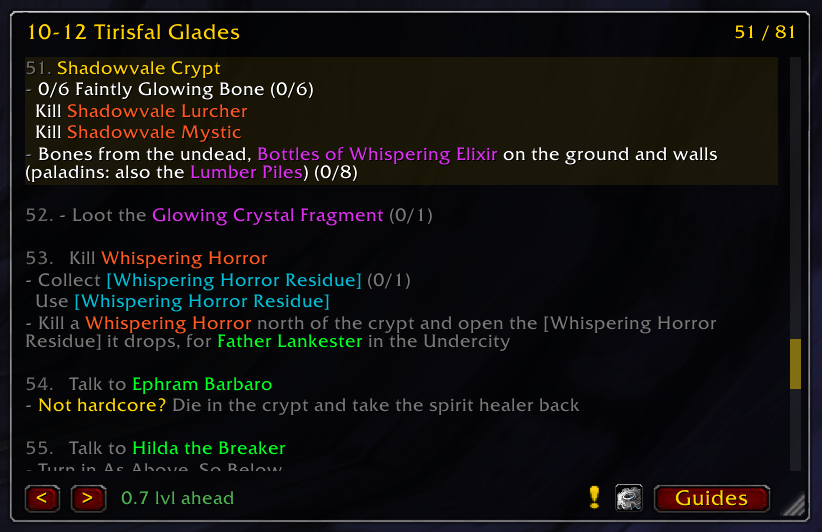
- Step window with a check on each line as it completes: quests accepted and turned in, objective progress
(
x/y), items collected, spells trained, levels and zones reached. - Waypoint arrow with the distance, plus pins and routes on the world map and minimap.
- Quest automation: accepts and turns in the step's quests, picks gossip options and takes flights. Hold Shift to skip any of it.
- Target button and quest item button, each with its own key binding.
- Vendors and trainers: sells gray items, repairs, buys the step's items and learns its spells. Purchases are capped so a guide can never spend more than a quarter of your gold.
- Catches up by itself: on login, the guide skips past what your character has already done.
/lf resyncdoes the same on demand. - "On the way" steps: objectives you can do while traveling stay pinned at the top of the window while the guide goes on.
- Leveling pace: XP per hour, time to the next level, and how far ahead of or behind the guide you are.
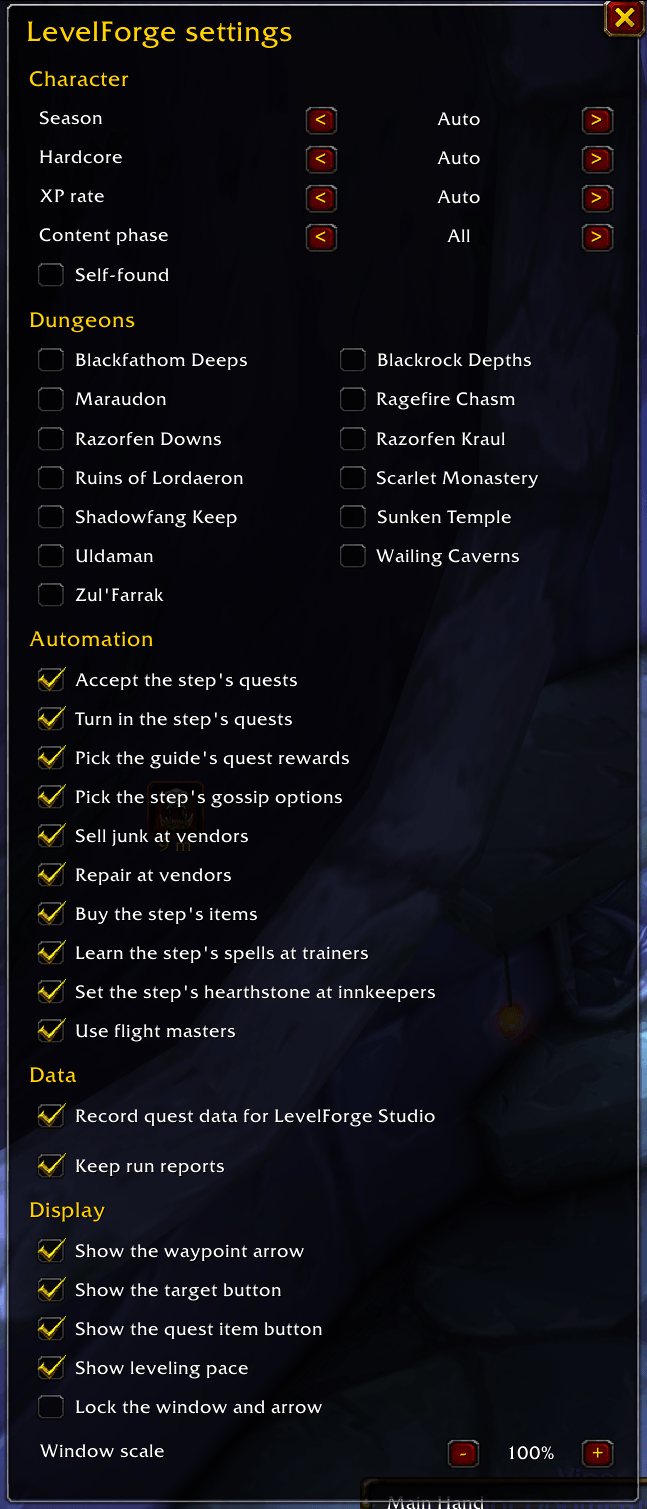
- Settings per character: season, hardcore, self-found, which dungeons you run, automation, the arrow and more.
/lf whytells you why a step is hidden.
Write your own
Write guides in the browser at levelforge.dev/studio. The studio can also import
RestedXP, Guidelime, Zygor and Journey guides. You can also record a guide by playing it:
run /lf author start <title>, play the route, then /lf author export.
Help the guides get better
/lf report <note>(or the!button) saves a "this step is wrong" note together with the step and your position.- Run reports keep the time per step, deaths and XP, with no character names. Nothing is sent anywhere.
To share them with guide authors, drop your
LevelForge.luasaved variables on levelforge.dev/runs.
Commands
/lf toggle the window · /lf import add a guide · /lf settings · /lf next / /lf prev · /lf why · /lf runs
What changed in each release: levelforge.dev/changelog MIT licensed.
LevelForge Team