Legacy Forever
- By
Find unfinished Legacy challenges on the world map and track the ones you choose.
Legacy Forever shows unfinished challenges on the world map and tracks the ones you choose.
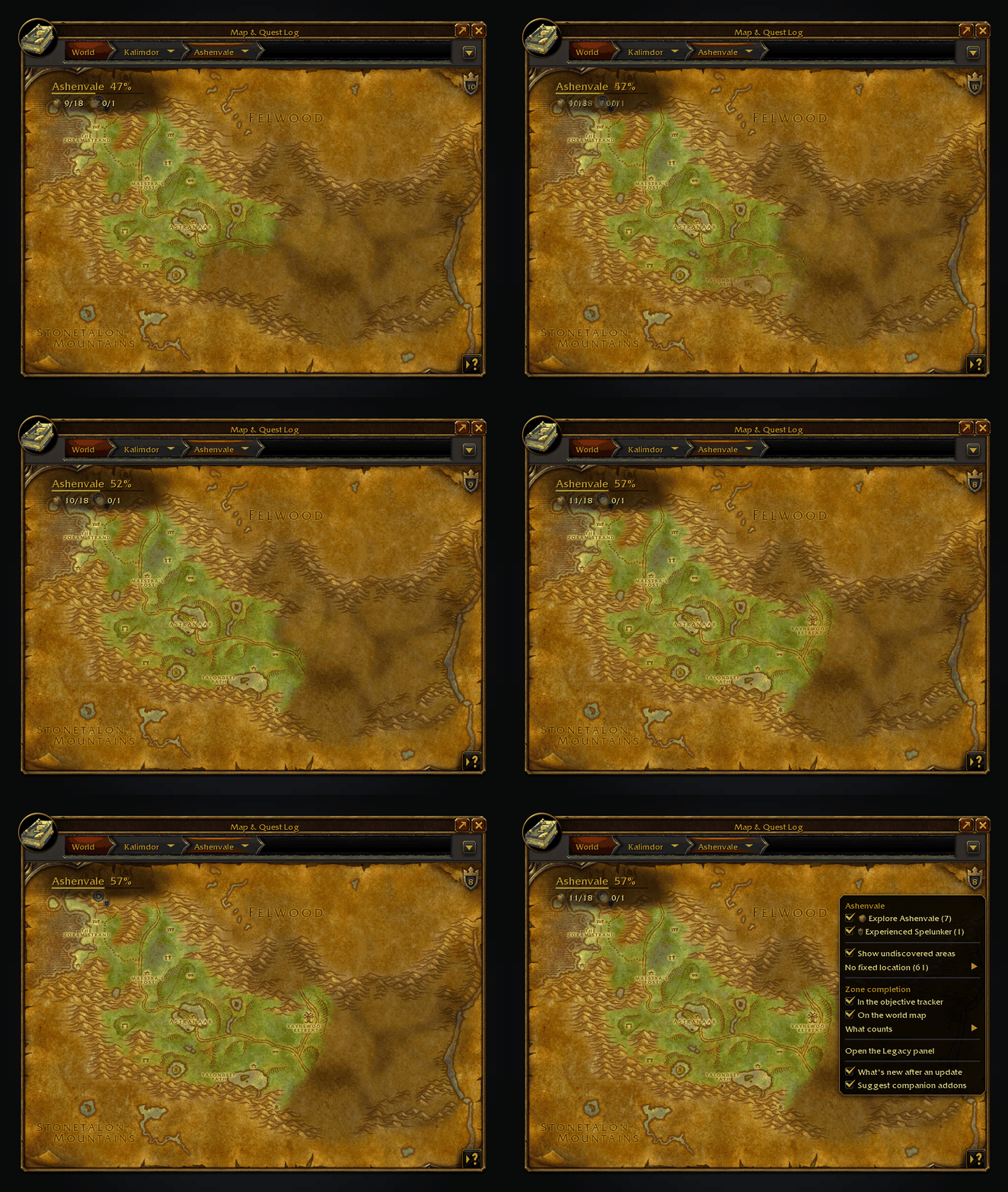
Discover an area and its shading lifts as the corner's percentage goes up. Click the corner to fold it away.
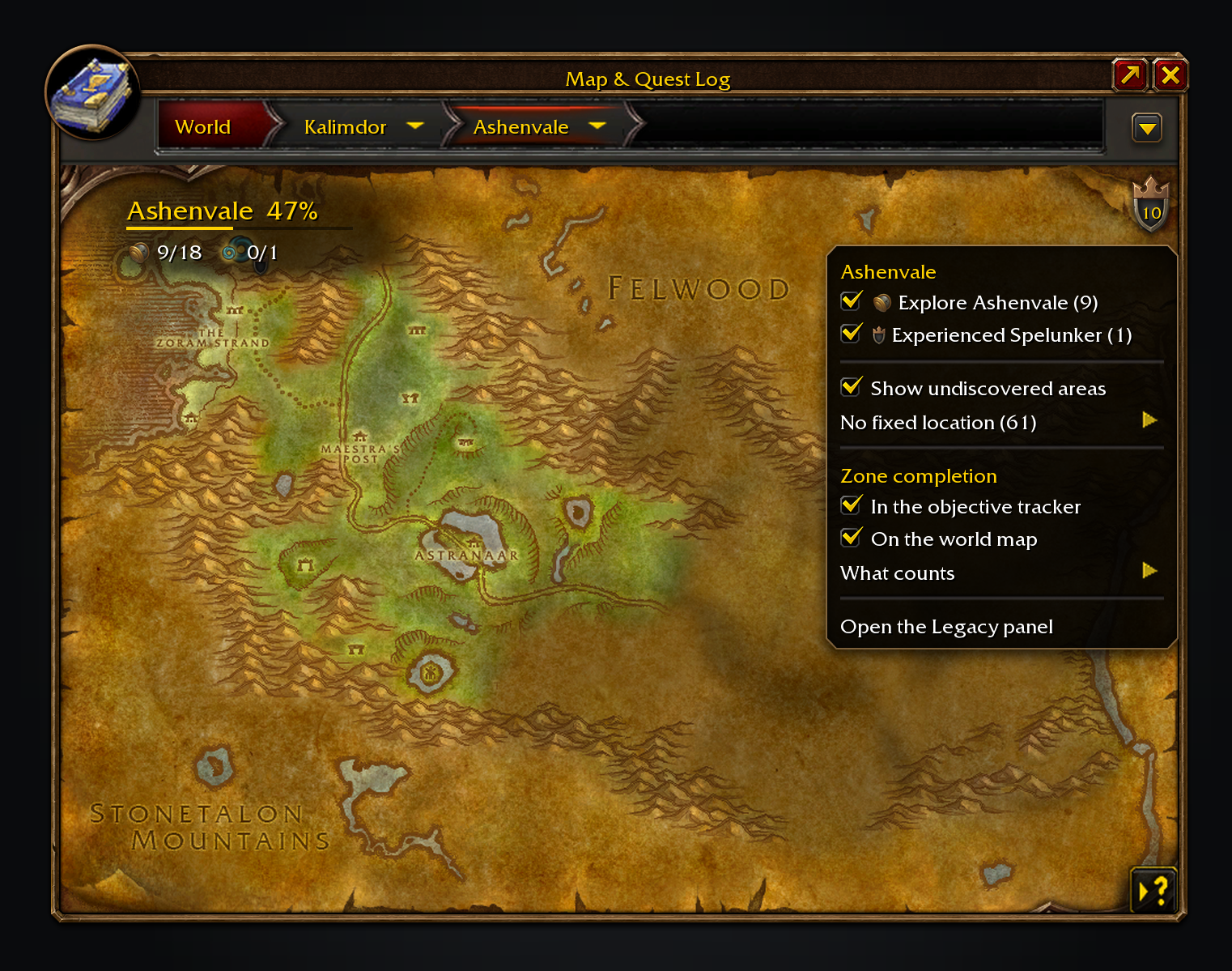
Half of Ashenvale explored: the shield's number is what's left on this map, and its menu lists it by challenge.
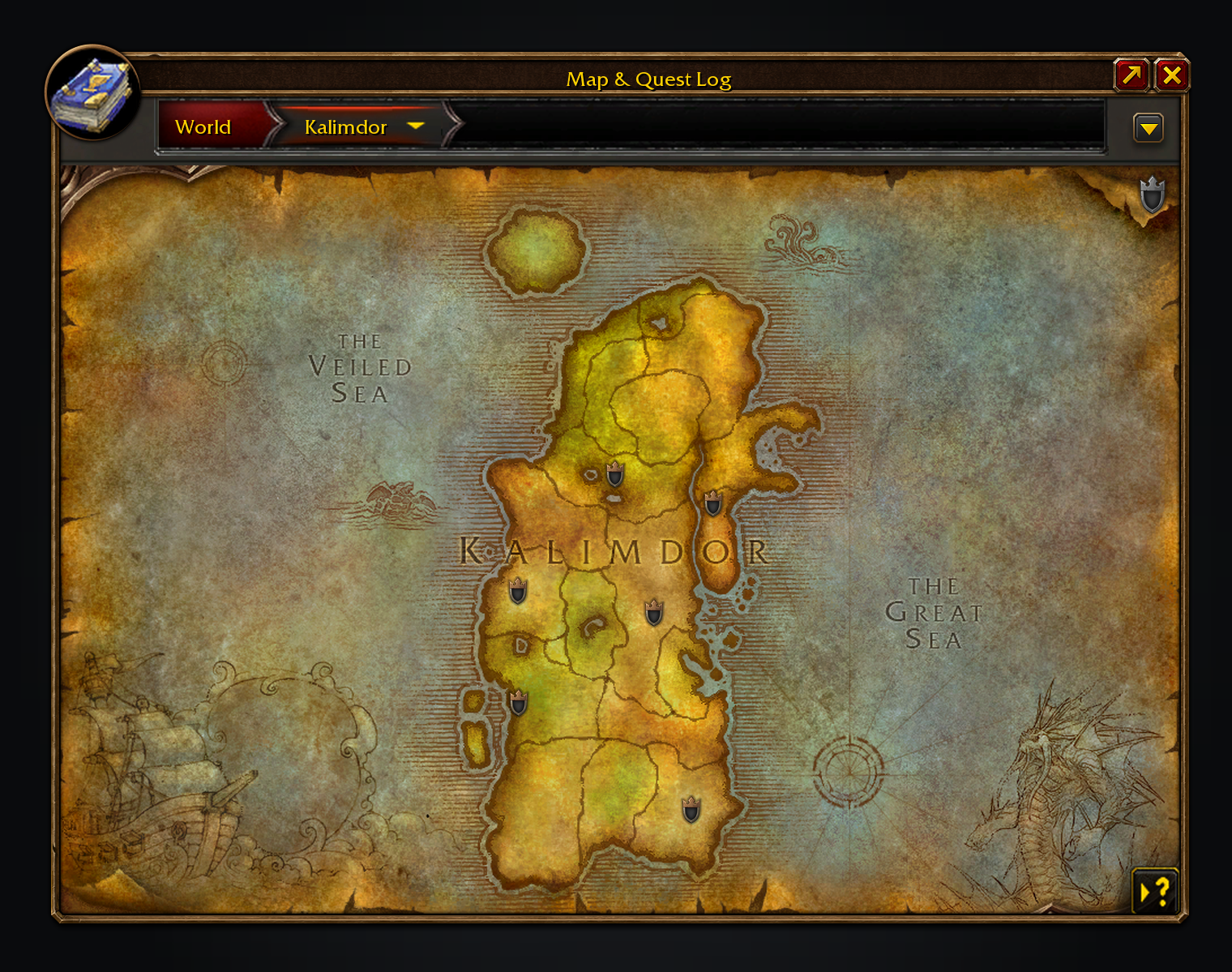
Zoom out and each zone with dungeon objectives left gets a badge.
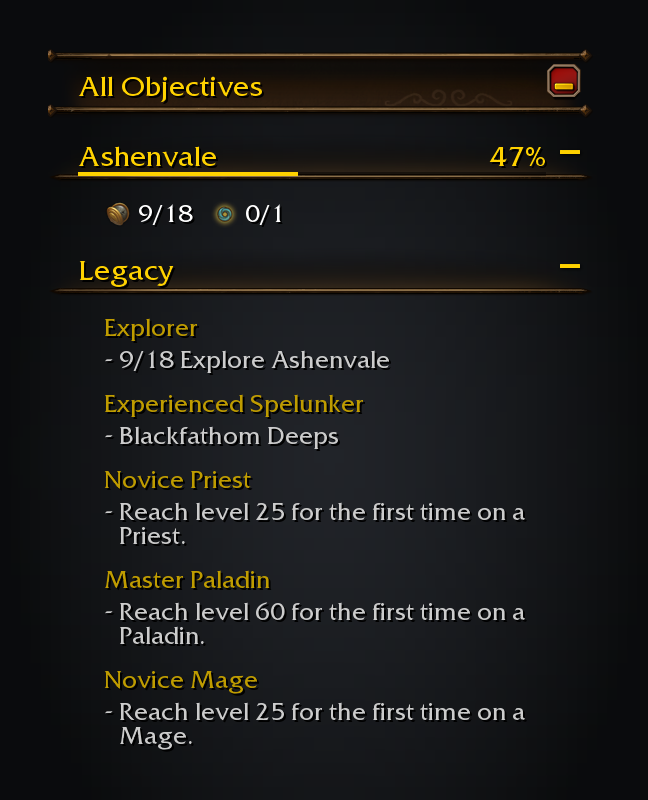
Challenges you track sit in the objective tracker under the game's own header, with live progress.
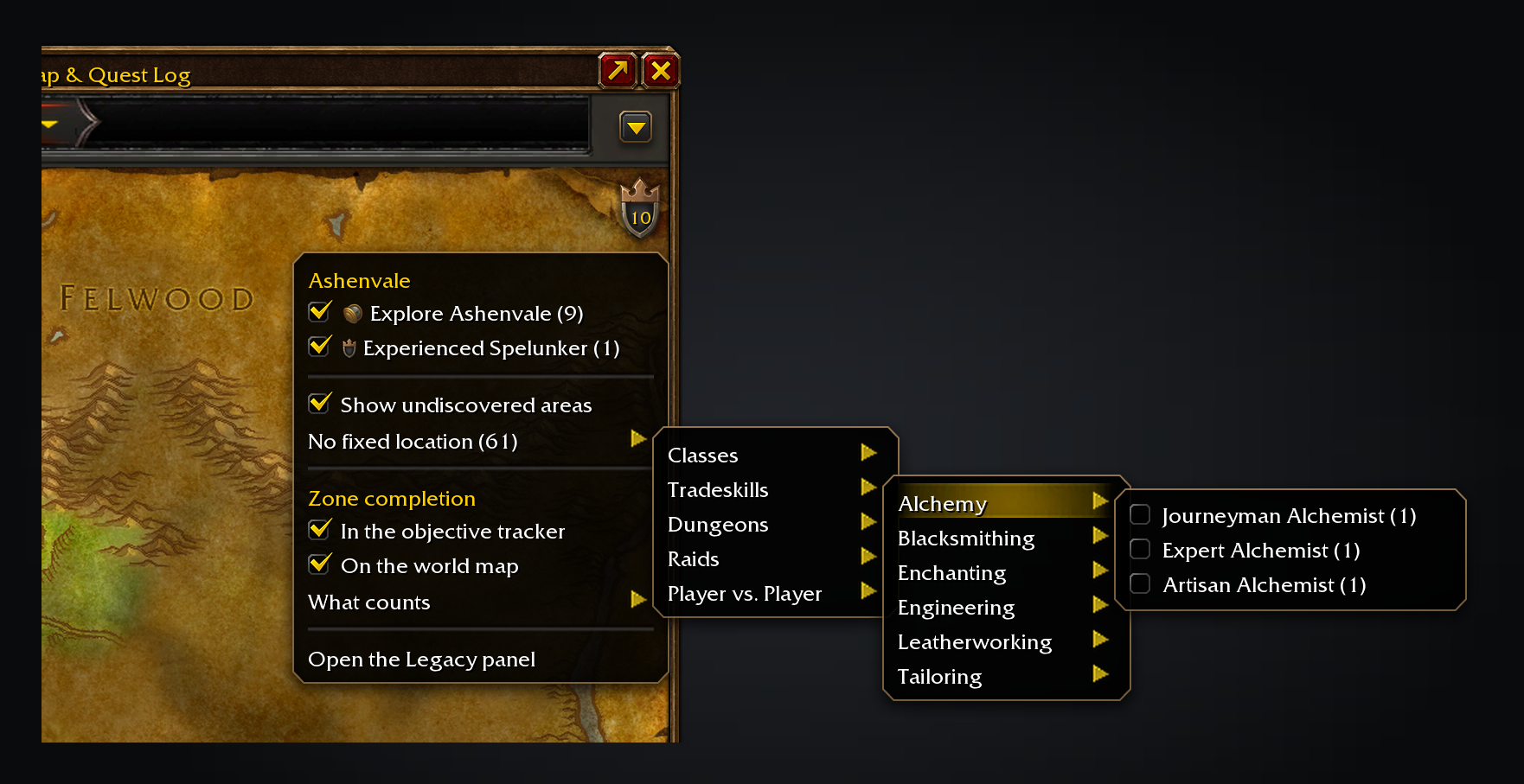
Tick a challenge in the menu to track it.
Features
- Map button in the world map's button column: a Legacy shield with a number inside, the unfinished objectives on the map you're viewing. Its menu lists them by challenge, with a tick box to track each one.
- Tracker: a Legacy section in the objective tracker lists what you track, with live progress. A zone ticked in the map menu tracks just that zone, such as "0/12 Explore Felwood". Click a challenge to open it in the Legacy panel, or right-click to stop tracking it.
- Map pins on dungeon and raid entrances, with the challenge each counts toward and its Legacy points. Click one to travel there with Shortest Path Forever, or the game's own waypoint.
- Undiscovered areas are shaded in their real shape on the zone map. Hover one to see which challenge counts it, its points and how many of the zone's areas are left. The map menu turns the shading off.
- Zone completion, Guild Wars 2 style: how much of a zone's areas, dungeons, raids and Legacy objectives you've done, as a percentage in the map's corner, a badge on each zone of a continent map and, if you tick it, the tracker. Flight paths, local reputations and, with Questie, quests can be added under "What counts". A finished zone gets a toast and a sound.
- No fixed location lists challenges whose remaining work isn't tied to a place, such as levels, skills and ranks.
Progress comes from the game each time, so it always matches the Legacy panel.
Usage
Open the world map, or click the addon's icon in the addon compartment: the Legacy button sits below the map's own tracking buttons. Tick a challenge in its menu to track it. Every option also lives under Options > AddOns > Legacy Forever.
/lfopens the world map with the Legacy menu showing;/lf helplists the commands./lf auditcompares the bundled data with what the game reports. Found a wrong or missing objective? Include its output in an issue on GitHub./lf criteria 684lists what the game reports for one achievement, for reporting a data mismatch.
It's in English and French. More translations are welcome as a pull request, or pasted into an issue, on GitHub: Locales has a template.
Locations are generated from the Forever client's own data and joined by ID (flight paths by the zone in their name); nothing is scraped from a database site.
It only shows what the game already tracks; it doesn't add challenges or change how they count.
With my other Forever addons
All optional:
- Shortest Path Forever plans the trip when you click a dungeon or raid pin.
- Adventure Guide Forever shows your zone completion in its guide.
- Tweaks Forever adds dungeon entrance icons and an unexplored-area tint. Both step aside where Legacy already marks the map.
- SkillUp Forever plans profession levelling in the Professions window.
Tracked challenges share one tracker column with the Shortest Path, Adventure Guide and SkillUp sections, above your quests.
Source code: github.com/cjber/legacy-forever. Licence: GPL-3.0-or-later.
Built with AI assistance.
Legacy Forever Team

Owner