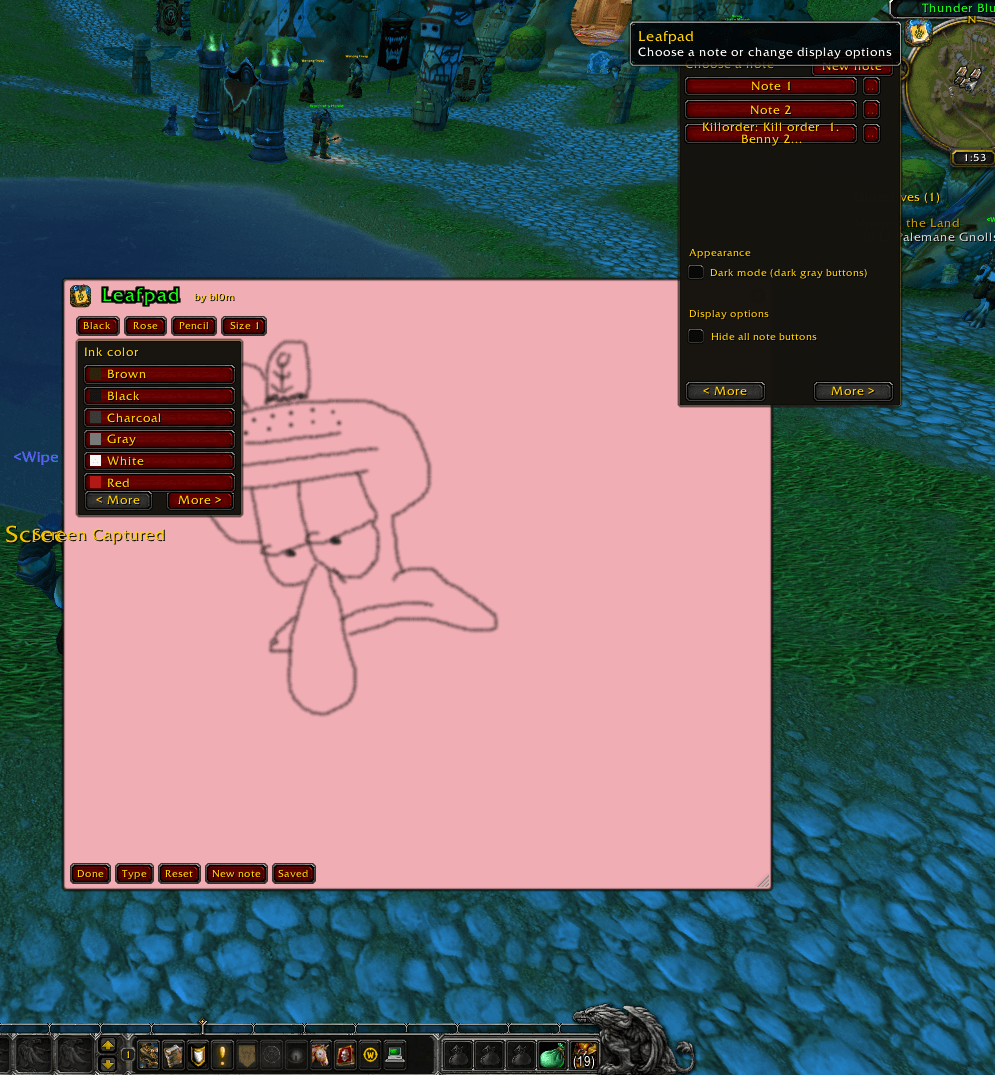
leafpad2.png
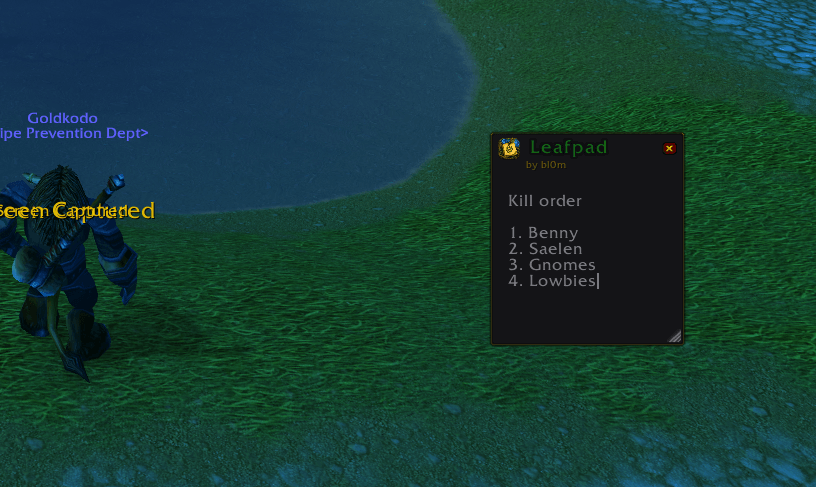
leafpad.png
Description
# Leafpad
A World of Warcraft Retail addon with movable notes, saved text, an airbrush, and a custom icon in both the note header and addon list.
## Use
- Type in the note to save its text automatically. Note text, drawings, appearance, size, and position are stored in WoW SavedVariables and saved when the game saves addon data (normally on logout or `/reload`).
- Saved notes start hidden when you log in; open one with `/lp` or choose a specific note from the minimap button.
- Click the Leafpad button on the minimap to open the note list. Select a note to show it and hide the other notes, or click **New note** to create and open one; saved notes have an **X** beside them for deletion, followed by a confirmation prompt.
- Click the minimap icon or a note's Leafpad header icon to open Display options. **Hide all note buttons** hides the note's control bars and fades the title and byline; the resize handle and header close button remain available. This setting is saved.
- The note layout stays Classic. Toggle **Dark mode** in the minimap options to make note control buttons and Save/Delete/Cancel buttons dark gray. When Dark mode is off, all buttons use the classic red button theme. Note paper colors and text remain unchanged; this setting is saved.
- Type `/lp` to toggle the last-used note open or closed, or `/lp new` to create and open a new note. The last-used note is remembered across sessions.
- Drag the note by its title to move it; its position is saved.
- Resize the note from the bottom-right corner; the note can be made smaller, and its header and controls wrap when needed.
- Click **Save** to save a note and prevent the close prompt. Unsaved notes show Save/Delete/Cancel options when you click **X**; saved notes close directly. Saved notes remain available from the minimap selector.
- Click **Pencil** to enable drawing, then click **Type** to return to typing. While drawing, right-click a stroke to erase it. The selected **Ink** color applies to both pencil strokes and typed text. Choose Pencil, Marker, Highlighter, or Eraser from the tool selector beside Paper; erasing removes any intersected drawing strokes.
- Use the **Ink** and **Paper** dropdowns to choose colors. **Size** changes both pencil thickness and typed-text size; each new stroke keeps its selected tool, color, and size.
- Click **Reset** to clear that note's text and pencil drawings.
## Chat commands
- `/lp` toggles the last-used note open or closed.
- `/lp new` creates and opens a new note.
- `/sticky` hides all notes if any are open, or shows all notes if they are all closed.
- `/sticky new` creates and opens a new note.
- `/bl0mbored` is an alias for `/sticky`.
Author: bl0m
Leafpad Team