
laazypigforever.png
ACQ.png
Description
LazyPigForever
Tired of digging through console commands and copying settings from YouTube videos? Or just feeling like a lazy pig?
LazyPig is a classic addon that automates the small stuff: looting, quest dialogs, trading and more. This is a port of the 1.12 LazyPig, rebuilt for WoW Forever.
Type /lp to open the settings window.
Settings may change as Forever develops. Some will be added, and some may be removed.
General
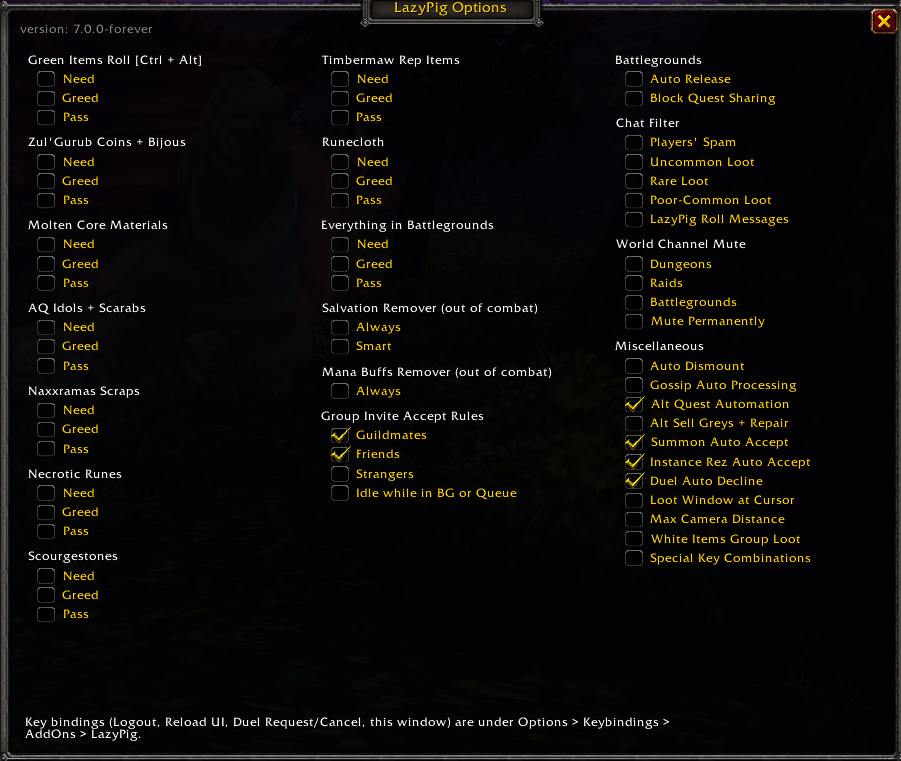
The original LazyPig quality-of-life automation for looting, quest interaction, trade and more. You can switch each option on or off.
Graphics
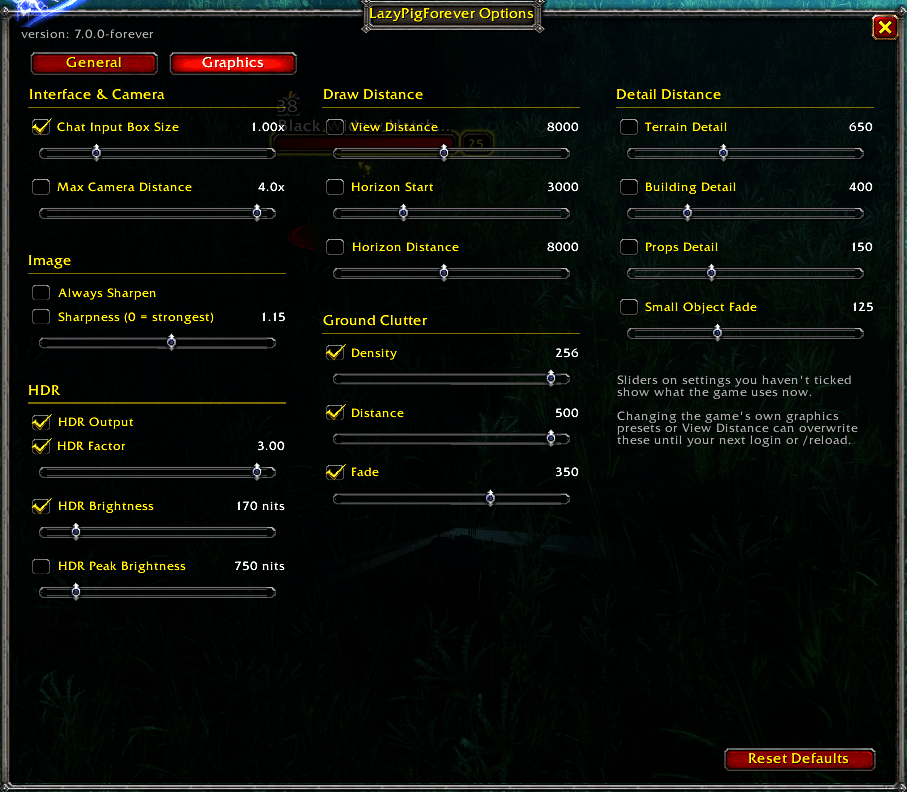
These are hidden graphics settings that the game menu doesn't show. You turn each one on with a checkbox and adjust it with a slider. Your settings are reapplied every time you log in, and Reset Defaults puts everything back to the game's own values.
- Interface & Camera: chat input box size, max camera distance
- Image: always sharpen, sharpness
- HDR: HDR output, HDR factor, HDR brightness, HDR peak brightness
- Draw Distance: view distance, horizon start, horizon distance
- Ground Clutter: density, distance, fade
- Detail Distance: terrain, buildings, props, small object fade
Autocomplete
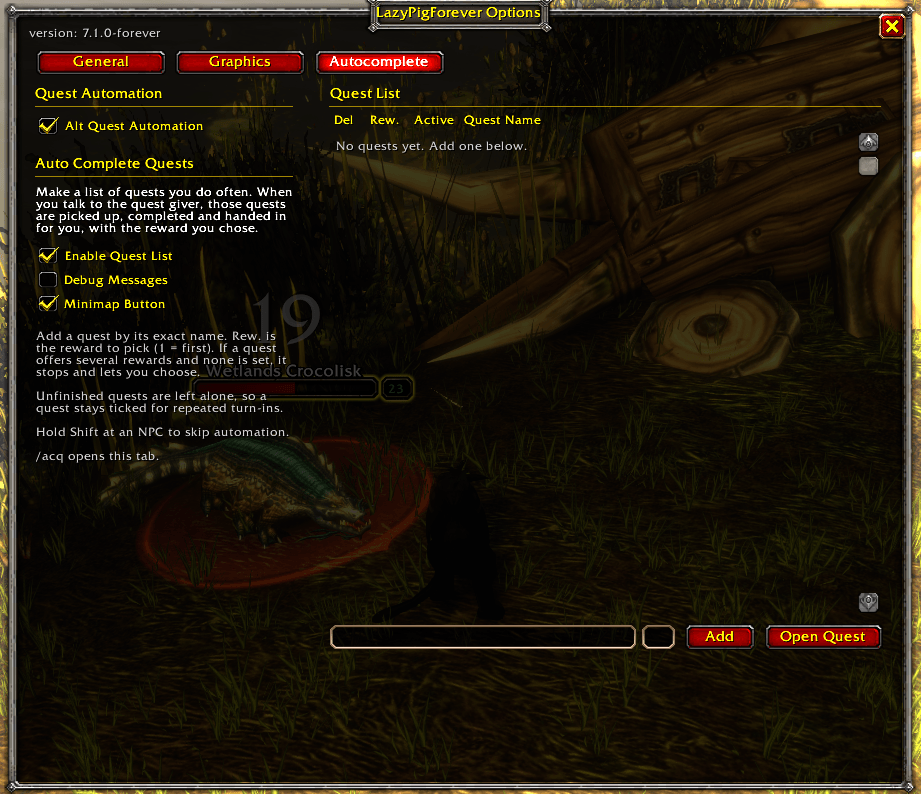
- Quest Automation: hold Alt while you talk to an NPC to accept and hand in quests automatically.
- Auto Complete Quests: make a list of quests you do often. When you talk to the quest giver, those quests are picked up, completed and handed in for you, with the reward you chose. You can have several quests active at once. Hold Shift to skip it for one conversation.
- Open this tab with /acq or by clicking the minimap button.
Commands
/lp: open the settings/acq: open the Autocomplete tab/lp check: test that the addon's features work on the current client
Before you post, check two things:
- Alt: your draft said "left Alt", but I wrote just "Alt". I don't remember whether the code checks only the left key. If it does, change it back.
- General section: it's only one line. You know better than I do which General features people care about most, so you may want to list a few there.
Lazypig forever Team


