


Last Seen Tracker
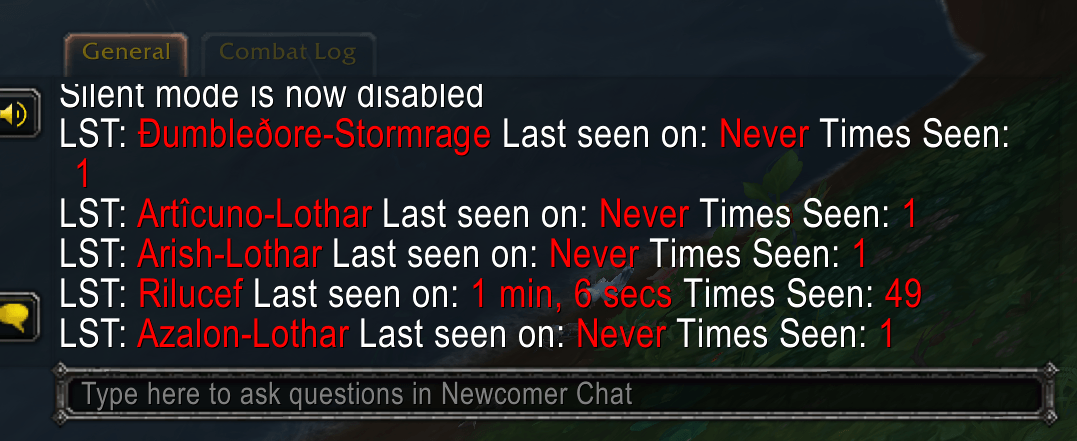
Last Seen Tracker being verbal about every person you encounter!
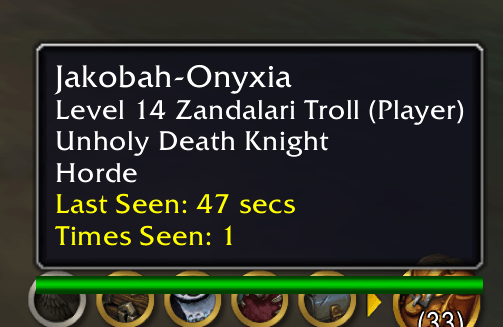
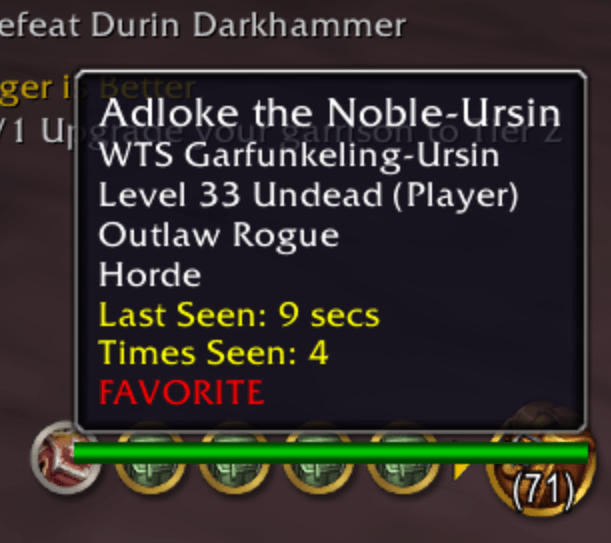
The yellow text is what Last Seen Tracker adds to the tool-tip when you hover over a player.
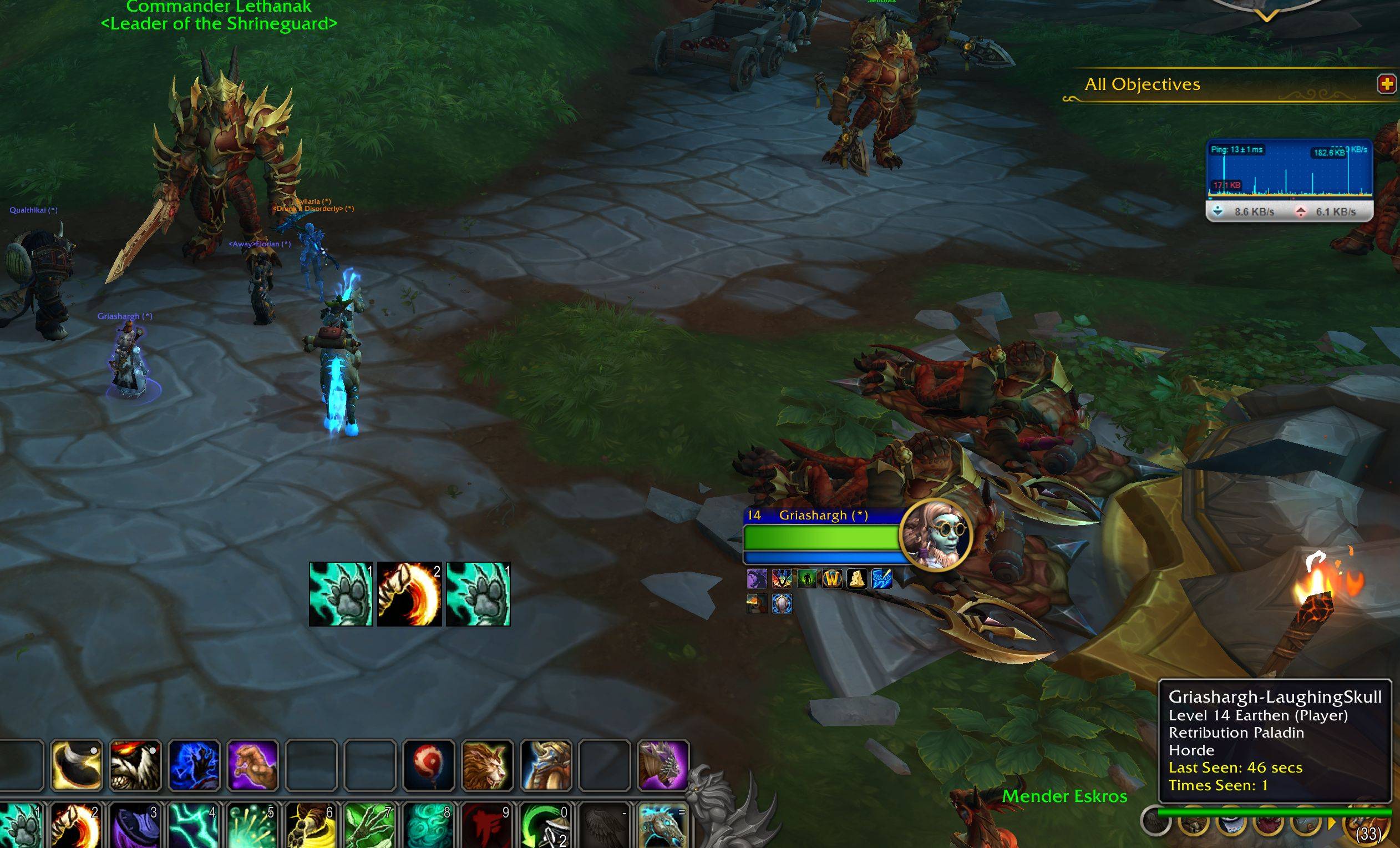
You can't see the mouse hovering over the player, but you can see the player is selected via the blue hover circle. The tool-tip includes information about how long ago you last seen them.
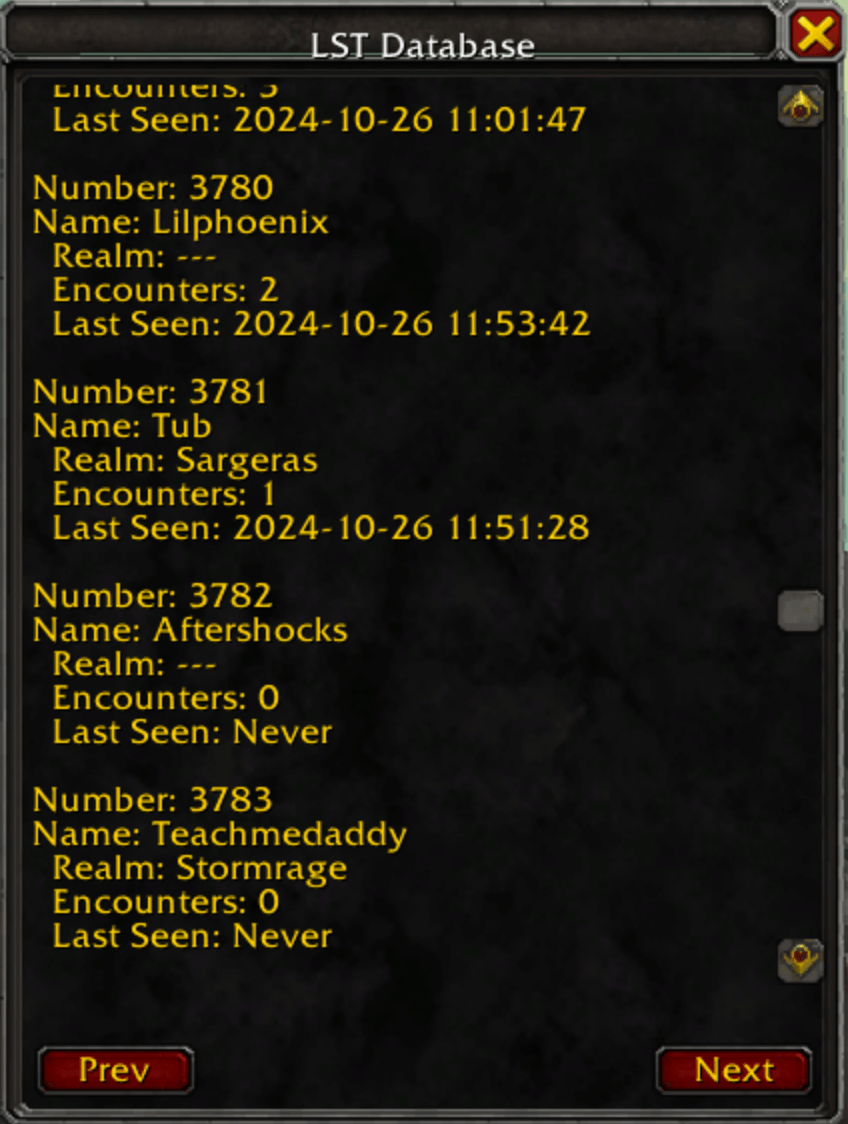
Last Seen Tracker's Database that you can scroll thru to see what it's in the database.
Description
Last Seen Tracker (LST) Addon for World of Warcraft
Last Seen Tracker (LST) is a comprehensive, customizable World of Warcraft addon designed to track and log encounters with other players. Ideal for PvP, guild activities, or casual social tracking, LST helps you keep a record of interactions across Azeroth with features that are both flexible and user-friendly.
Download the Alpha version here!
Alpha version 1.2 New Feature: Favorite Players with a Heart Icon ❤️
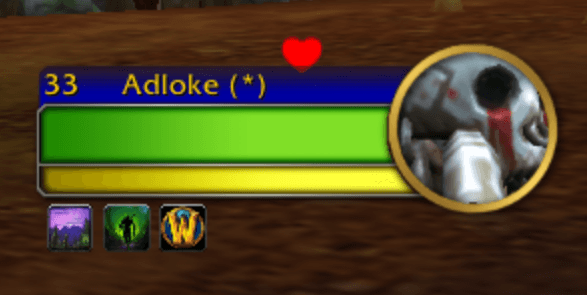
Add to Favorites: Target a player and click on the heart icon to mark them as a favorite.
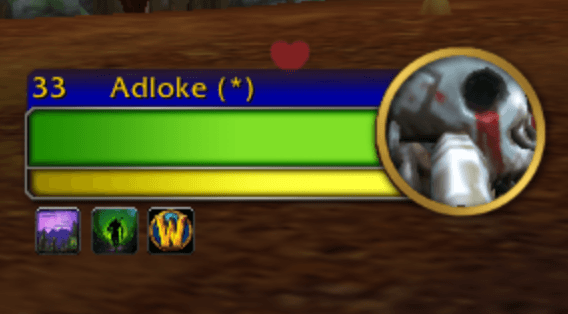
Quick Visual Indicator: When a player is favorited, the heart icon turns red, making it easy to spot your favorites.
Tool-Tip Highlight: The favorite status is also visible in the tooltip, with "FAVORITE" displayed in red.
Alpha version 1.1, you can now use Toggle Player Pins button instead of /lst map when your using the map!
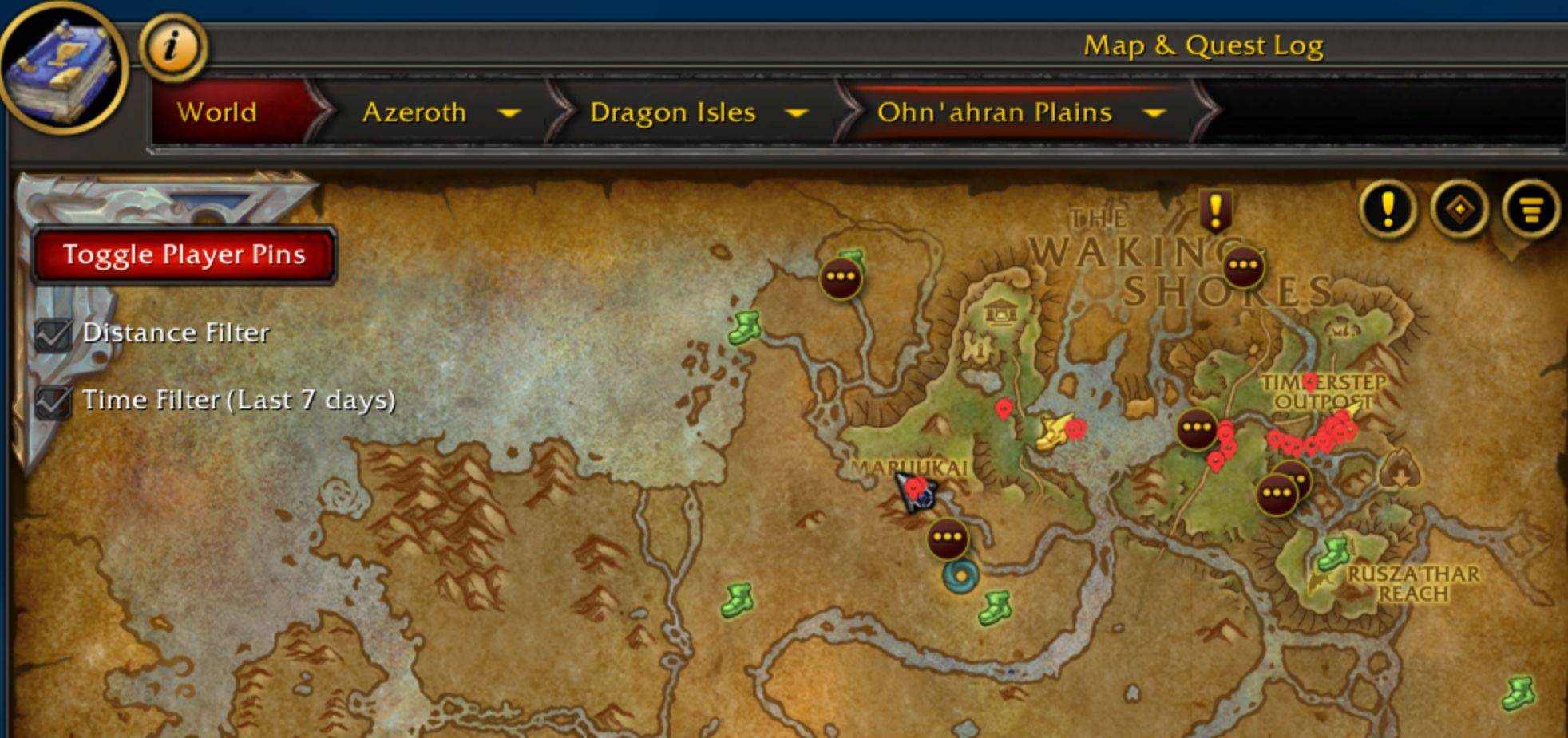
Alpha Version 1.0 with Map Pinning!
The latest 1.0 Alpha version introduces an exciting map pinning feature that lets you track the last-seen locations of players directly on the world map! Although still in testing, this version is packed with new functionality, including the ability to toggle pins on and off with /lst map. Perfect for those who enjoy experimenting with new features and providing feedback.
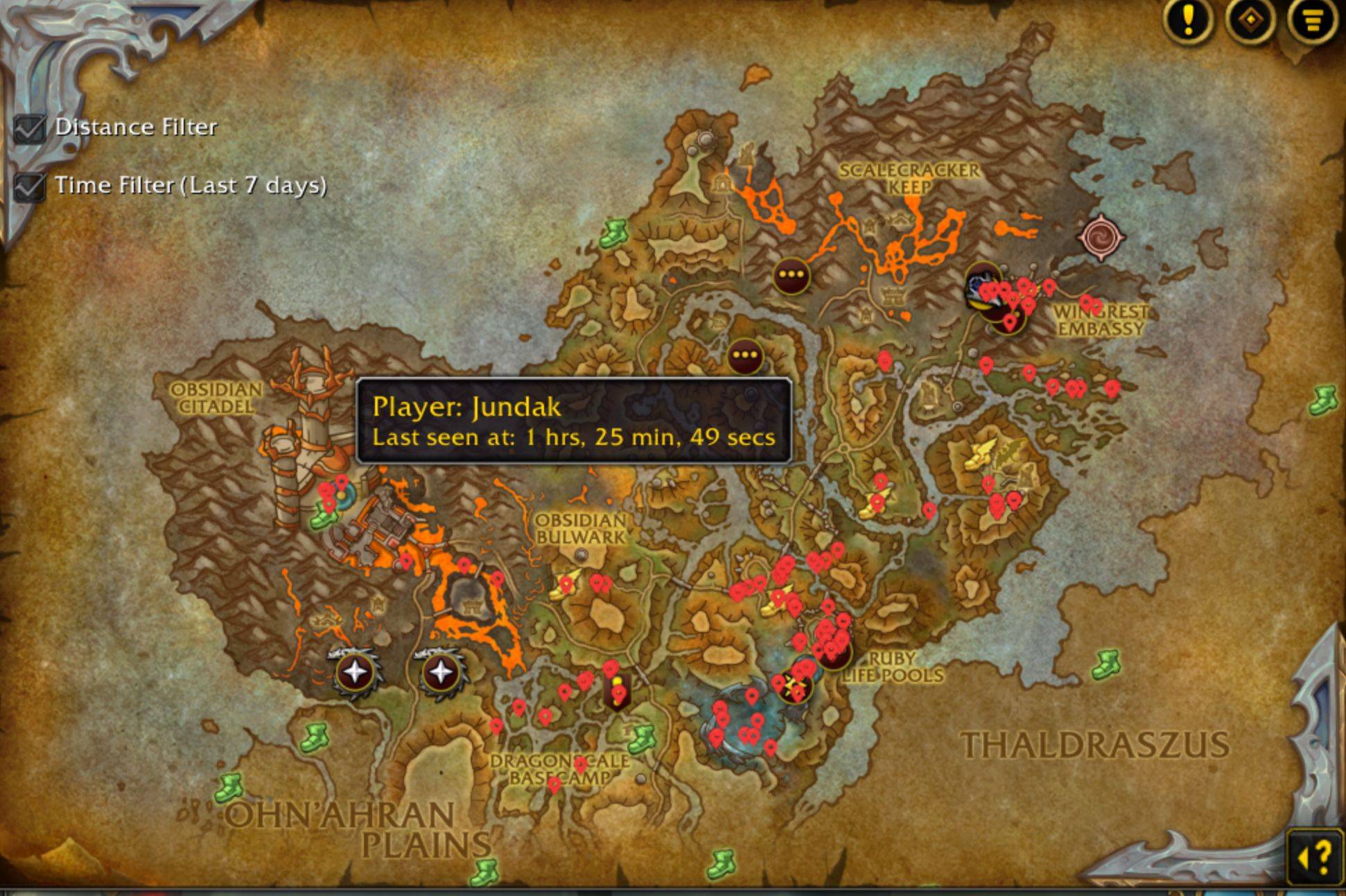
Starting Tips:
LST starts out verbal and not silenced.
If you're in a city area, you may wish to "silence" LST from constantly updating you on players it is tracking by typing /lst toggle silence. You can toggle it back on when you leave the city area or whenever you wish to be updated on player tracking.
Safe Chat Spam Prevention
LST includes built-in Safe Chat spam prevention to ensure that you don't inadvertently spam chat channels and risk penalties in WoW. This feature helps to manage chat outputs responsibly, even when tracking multiple players in busy areas.
Key Features
- Track Player Encounters: Records each time you encounter a player, helping you maintain a history of sightings.
- "Time Ago" Display: Shows how long ago you last saw a player (e.g., "30 days, 2 hours, 5 minutes ago").
- Detailed Data Logging:
- Player Name: Displayed in clear, color-coded text.
- Time Since Last Seen: Know exactly how much time has passed since your last encounter.
- Total Encounters: A count of how many times you've encountered each player.
- Tooltip Integration: Hover over a player to instantly see your last encounter details in the tooltip.
- LST Database Scrollbox: Added pagination support for easier browsing, allowing you to scroll through and view the entire player database, one page at a time.
New Features
/lstshow: Displays a scroll box with all players in the database.
Player Search Slash Commands
/lst ss 'player searchable name'
- Searches for a player by name or partial name.
- Displays the information using the /say channel so nearby players can see your search.
/lst sr 'player searchable name'
- Searches for a player by name or partial name.
- Displays the search information privately in your own chat without broadcasting to others.
Additional Slash Commands
/lst count: Display the number of unique players tracked./lst print: Print a full list of tracked players with details./lst toggle 'feature': Enable or disable specific tracking features, such as mouseover, targeting, chat, combat logs, zone changes, and group members./lst cooldown 'seconds': Customize the cooldown time between updates for each player.
Tracking Events
LST can track players across various events:
- Mouseover and Targeting: Automatically logs players you mouse over or target.
- Chat and Emotes: Logs players who speak or emote near you.
- Combat Logs: Tracks players you engage in combat with.
- Zone Changes: Logs players as you enter new zones or instances.
Roadmap for Future Enhancements
- Player List UI: A scrollable list of tracked players for easier navigation and review of encounter details.
- Extended Player Details: Optional settings to track and display additional player information, such as:
- Guild: Track players' guild names and log changes.
- Faction: Record the faction of encountered players.
- Race: Log the race of players for deeper insights.
- Class: Track the class of players encountered.
- Advanced Filtering and Search:
- Improved search functionality for quickly finding players based on name, guild, or other tracked details.
- Options for sorting tracked players by time last seen, encounter count, or guild name.
- Customizable Notification Settings:
- Adjustable settings for notifications (visual, sound) when encountering a tracked player.
- Ability to toggle specific notifications based on player relevance or interaction frequency.
- Auto Greet: Ability to greet players you mark to auto greet. Choose custom messages and enable or disable auto-greet for individual players.
- Auto Silence: Automatically silence the addon in city areas to avoid unnecessary alerts. When exiting the city, LST would toggle back on.
Favorite Players: Option to mark specific players as favorites, which would override all other settings to ensure notifications are always on for these players.Map Coordinates: Ability to record and display the map coordinates of your last encounter with each player, helping you remember exactly where you saw them.- Top R.I.P. Players: Display a list of players you haven't seen in a long time, showing the top 10 or top 3 players with the longest days since last encounter.
Favorite Player List: Allows you to list your favorite players and see how long it has been since you last saw each one. Favorites will override other settings and ensure notifications for these players.- Blacklist Notifications: Get notified immediately when you encounter any players you've marked as blacklisted, allowing you to be alerted of their presence in real-time.
Suggestions for additional features are always welcome! LST aims to provide WoW players with the ultimate tracking tool, with all the customizations you need to manage encounters and interactions with players across Azeroth.
The Last Seen Tracker Team
