


Lacquer
- By
Skins your other addons to match your UI: ElvUI, EllesmereUI, or its own clean style.
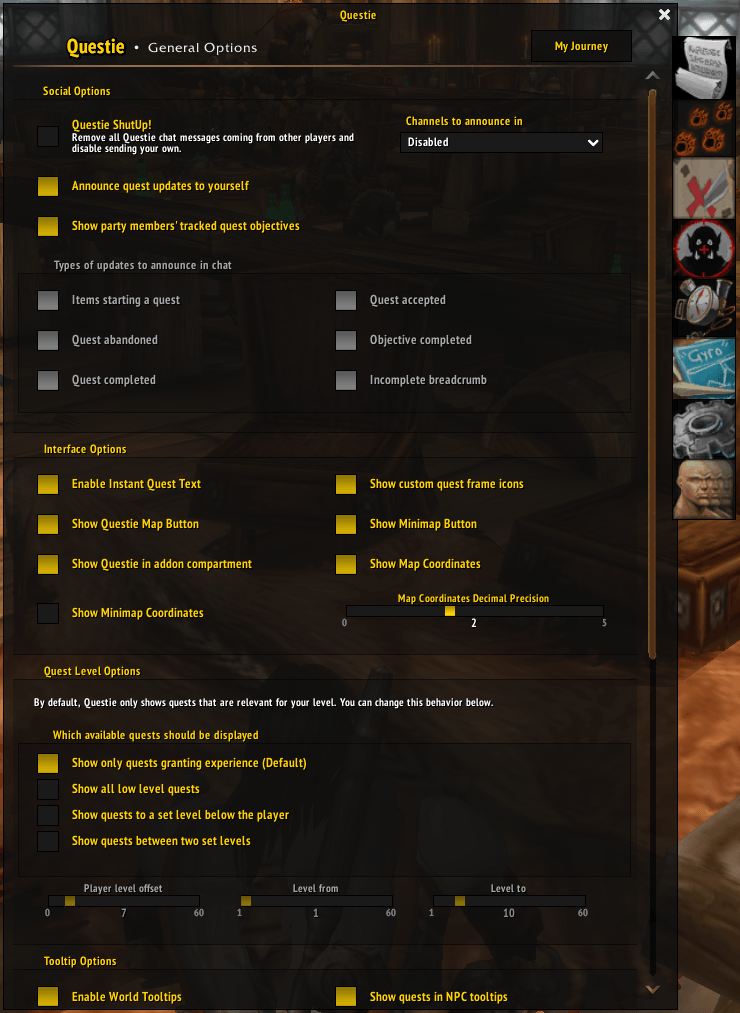
lacquer02.png
Description
Lacquer
Lacquer skins third-party addons so they match your UI. It is built as a companion to ElvUI, and it also matches EllesmereUI. Without either, it uses its own flat style.
Lacquer is a new, MIT-licensed addon inspired by AddOnSkins, with a smaller, faster design.
How it matches your UI
Lacquer doesn't imitate your UI's look; it asks your UI to paint the frames:
- ElvUI: frames go through ElvUI's own skinning tools. They come out identical to ElvUI's built-in skins and follow your ElvUI media settings.
- EllesmereUI: frames go through EllesmereUI's published Skinning API, so accent and theme changes apply live. EllesmereUI's per-addon skinning toggle covers Lacquer.
- Neither: Lacquer's own style, with colours, font, and bar texture under
/lacquer. - Tukui: support is planned. Until then Tukui users get Lacquer's own style.
If ElvUI and EllesmereUI are both enabled, Lacquer matches ElvUI and warns you once, because the two suites can fight over the same frames.
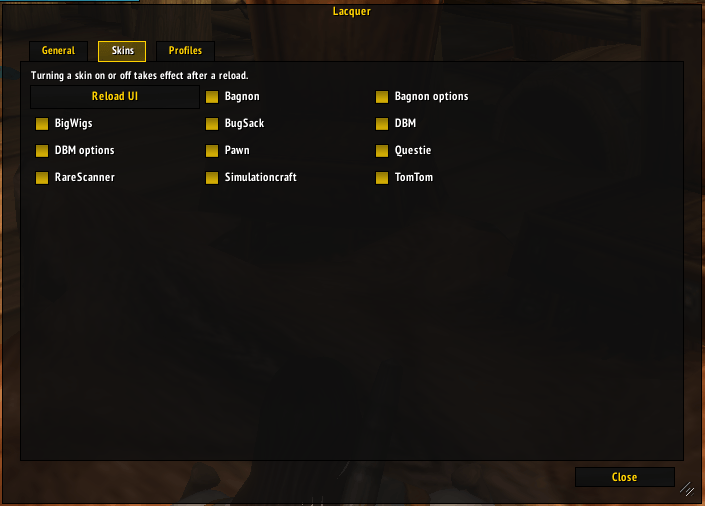
Skins
| Addon | Clients |
|---|---|
| Bagnon (bags, item slots, and options) | all |
| BigWigs | all |
| BugSack | all |
| DBM (bars and options window) | all |
| Pawn | all |
| Questie (tracker and options) | all |
| RareScanner (rare-found button and Explorer) | all |
| Simulationcraft | all |
| TomTom | all |
For BigWigs bars, choose the Lacquer bar style in BigWigs' Bars options. It follows whichever UI Lacquer is matching. BigWigs' own options window is styled with the Ace3 options windows.
For Bagnon windows, choose the Lacquer skin in each frame's settings in Bagnon's options. Item slots and the options pages follow your UI on their own.
DBM bars get a border in your UI's style around the bar and its icons. The bar texture, font, and spark stay as you set them in DBM.
More are on the way: Ace3 options windows on every client; AngrierWorldQuests, PetTracker, Krowi's Achievement Filter, and BetterWardrobe on Retail.
Requests
The list keeps growing, and requests decide what comes next. To ask for an addon, open an issue with its name, where to download it, and which client you play it on. Screenshots of any frames that stand out from the rest of your UI help too.
Editions
Lacquer has a TOC for each edition current ElvUI supports: Retail (Midnight), WoW Forever, Mists of Pandaria Classic, Burning Crusade Classic Anniversary, Classic Era, and Titan Reforged. Retail and Forever are tested in-game; the Classic editions are supported on a bug-report basis.
Coming from AddOnSkins
When AddOnSkins is enabled, Lacquer offers once to disable it and reload. If you keep both, some addons may be skinned twice. /lacquer addonskins brings the offer back.
Commands
/lacquer: open the options/lacquer status: show which UI Lacquer is matching/lacquer errors: list skins that hit an error this session/lacquer addonskins: offer to disable AddOnSkins again
A skin that errors turns itself off for the session and never takes other skins down with it. The full error goes to your error handler, such as BugSack.
Contributing
Lacquer's code must stay independent. Write skins from Blizzard's UI source (github.com/Gethe/wow-ui-source), the target addon's own frames and APIs, and in-game /fstack inspection. Don't copy code from AddOnSkins, ElvUI, EllesmereUI, or other all-rights-reserved addons. Calling their public APIs is fine.
A skin is one file in Skins/ that calls ns.RegisterSkin and styles frames only through the paint operations in Core/Paint.lua, so it works under every provider. See Skins/BugSack.lua for an example.
License
Lacquer is released under the MIT License. Bundled libraries keep their own licenses: Ace3 (Libs/Ace3-LICENSE.txt) and LibSharedMedia-3.0 (LGPL 2.1, Libs/LibSharedMedia-3.0/LICENSE.txt).
Lacquer Team

