kuga00
- By
kuga00 AddOn - Resource Counter with customizable colors, position, and display options. Supports all 13 classes with spec-specific resource tracking.
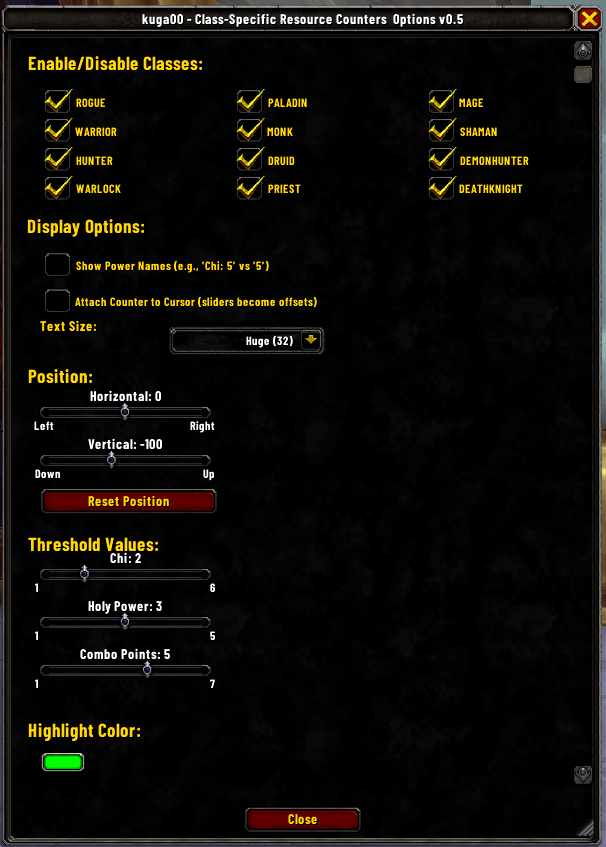
Options. Here you can enable | disable classes, change Display Options, Text Size, Position, Thresholds you can change highlight color color on
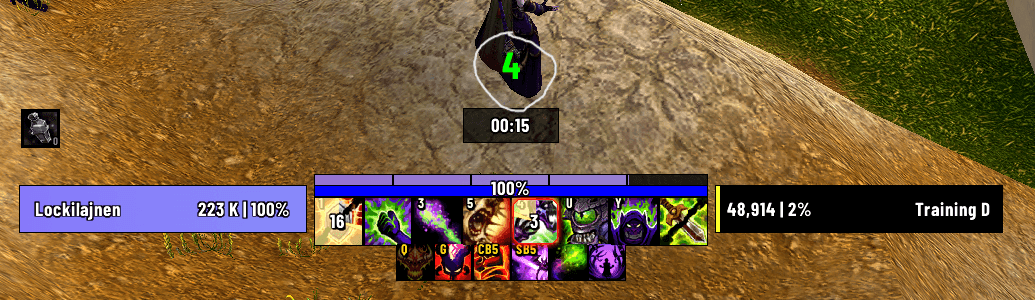
The green #4 is the counter of Soul Shards. Rest of the UI is Quazii UI for WoW Midnight, https://quazii.com
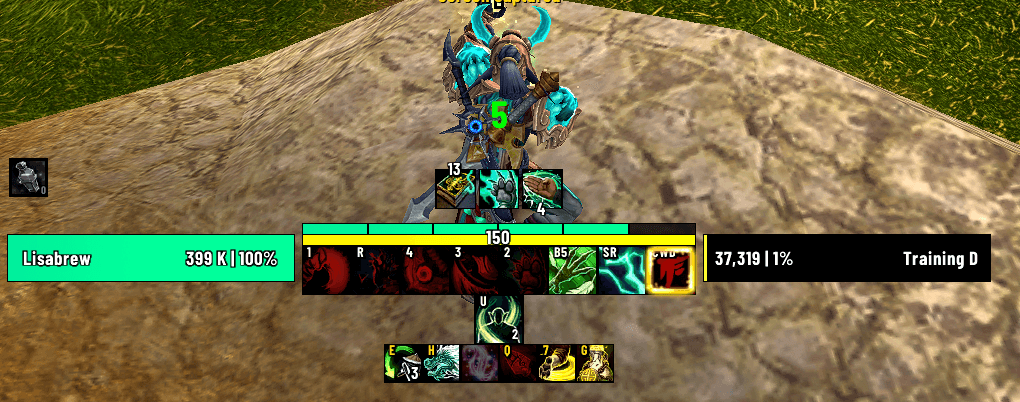
Chi counter (#5). Rest of the UI is Quazii UI for WoW Midnight, https://quazii.com
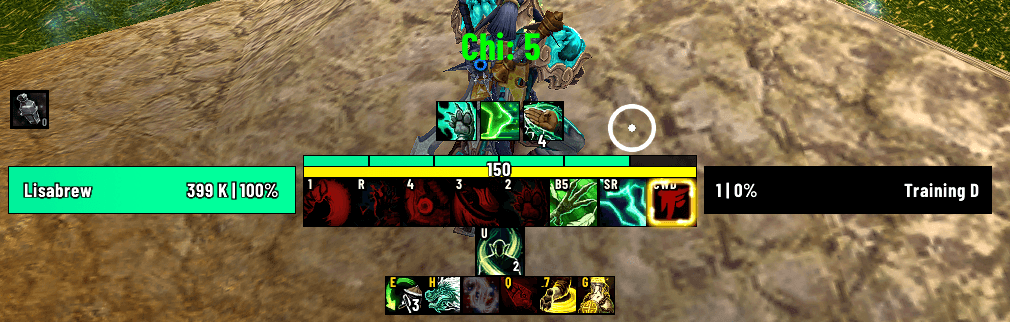
Chi counter with name (#5). Rest of the UI is Quazii UI for WoW Midnight, https://quazii.com
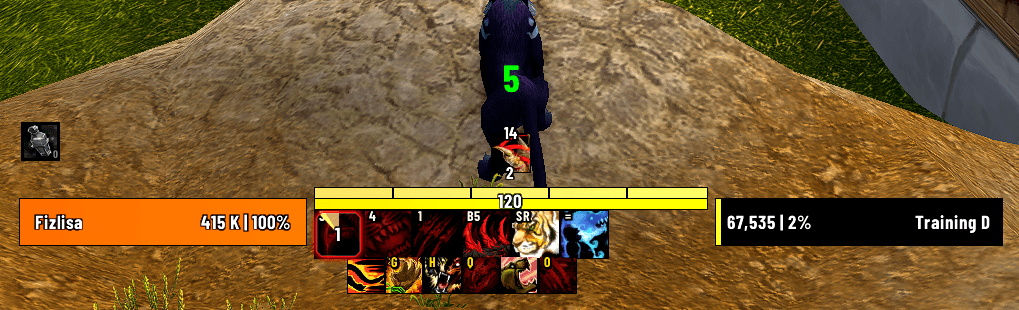
Combo Points counter (#5). Rest of the UI is Quazii UI for WoW Midnight, https://quazii.com
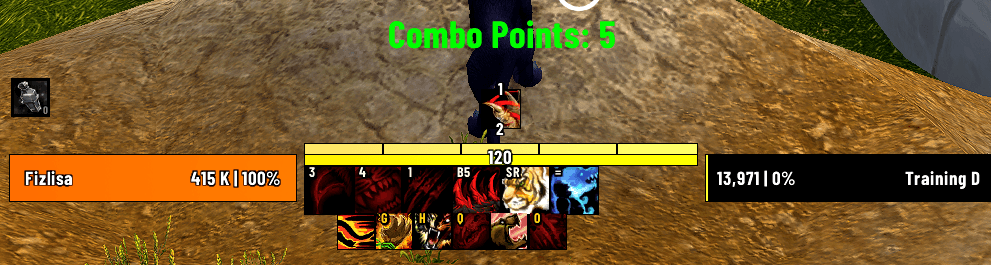
Combo Points counter with name (#5). Rest of the UI is Quazii UI for WoW Midnight, https://quazii.com
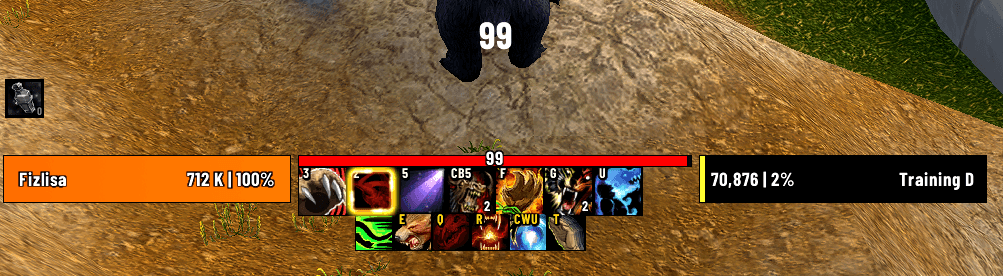
Rage counter (#99). Rest of the UI is Quazii UI for WoW Midnight, https://quazii.com
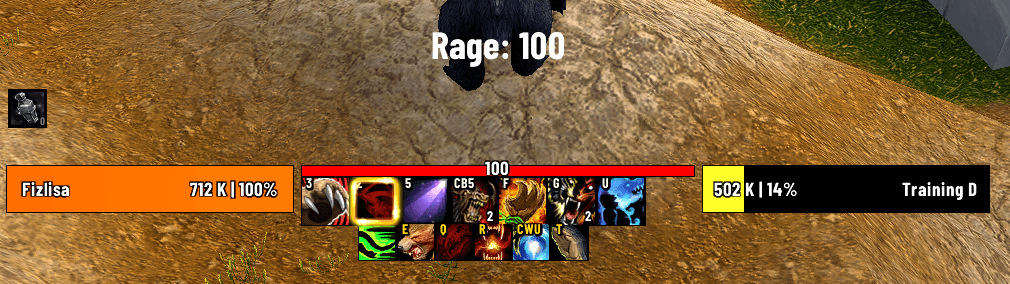
Rage counter with name (#100). Rest of the UI is Quazii UI for WoW Midnight, https://quazii.com
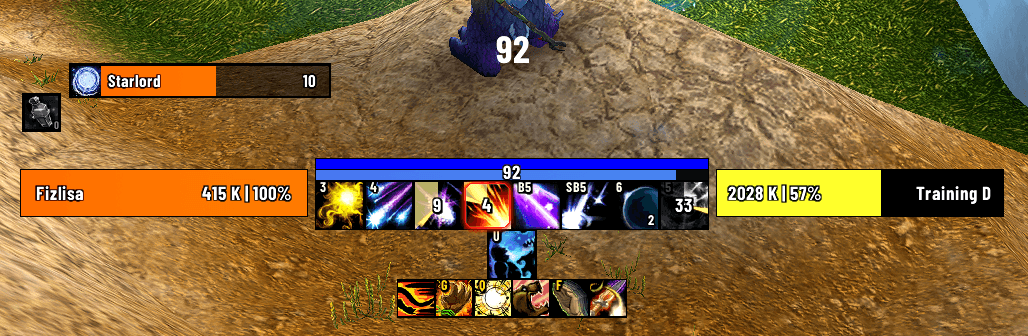
Astral Power counter (#92). Rest of the UI is Quazii UI for WoW Midnight, https://quazii.com
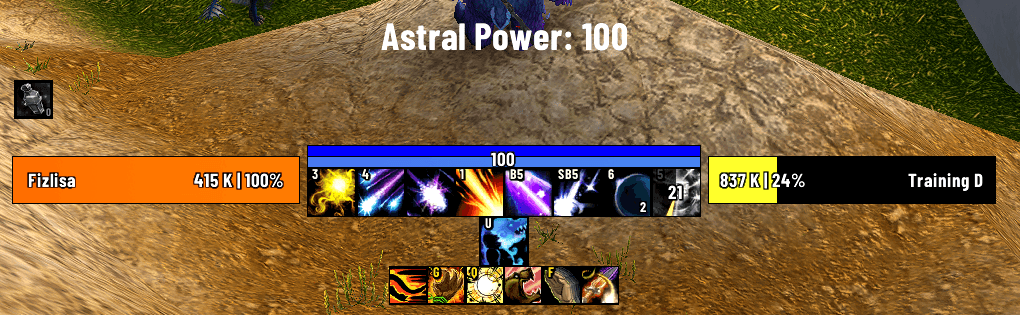
Astral Power counter with name (#100). Rest of the UI is Quazii UI for WoW Midnight, https://quazii.com
Description
A World of Warcraft addon that displays class-specific resource counters with customizable colors, position, and display options. Supports all 13 classes with spec-specific resource tracking.
- Brewmaster Monks: Added Purifying Brew charge counter
- Displays current charges (0-2)
- Updates in real-time via spell charges API
- No threshold highlighting (always displays in white)
- Balance Druids: Added Astral Power
- Updated threshold list to include all configurable resources
- Corrected SavedVariables filename to kuga00.lua
- Updated version to 0.1beta to match the TOC file
- Simplified the known limitations section
- Clarified which settings require /reload vs real-time updates
- Demon Hunter: Fury tracking
- Shaman: Maelstrom (Elemental spec)
- Priest: Insanity (Shadow spec)
- Mage: Arcane Charges (Arcane spec)
- 3-Column Class Layout: Reorganized options panel for easier navigation of all 13 classes
- Optimized Window Size: 420x850 dimensions for better visibility of all controls
- Real-time Updates: All settings apply immediately without reloading
- Fury and Maelstrom display in white due to WoW API secret value restrictions (threshold highlighting unavailable in PvP areas)
- Removed aura-based tracking (Icicles, Soul Fragments) to prevent combat errors
- Rogue: Combo Points + Energy
- Warrior: Rage
- Hunter: Focus
- Warlock: Soul Shards
- Death Knight: Runic Power
- Paladin: Holy Power
- Monk:
- Chi (Windwalker spec)
- Purifying Brew charges (Brewmaster spec)
- Druid:
- Balance spec: Astral Power
- Guardian spec (Bear Form): Rage
- Feral spec (Cat Form): Combo Points
- Priest: Insanity (Shadow spec only)
- Mage: Arcane Charges (Arcane spec only)
- Shaman: Maelstrom (Elemental spec only)
- Demon Hunter: Fury
- Chi: Highlights green when ≥ 2 (configurable)
- Holy Power: Highlights green when ≥ 3 (configurable)
- Combo Points: Highlights green when ≥ 5 (configurable)
- Energy: Configurable threshold (default: 55)
- Rage: Configurable threshold (default: 50)
- Focus: Configurable threshold (default: 50)
- Runic Power: Configurable threshold (default: 60)
- Soul Shards: Configurable threshold (default: 3)
- Show/Hide Power Names: Toggle between "Chi: 5" or just "5"
- 8 Text Sizes: Small (18), Medium (20), Large (24), Extra Large (28), Huge (32), Massive (36), Giant (40), Colossal (44)
- Customizable Position: Move the counter anywhere on screen with sliders
- Horizontal slider: -500 to 500 (left/right)
- Vertical slider: -500 to 500 (down/up)
- Reset button to restore default position (center, -100)
- Attach to Cursor: Optionally attach the counter to the mouse cursor
- Position sliders act as X/Y offsets relative to the cursor
- Custom Highlight Color: Customize the threshold highlight color (default: green)
- Color displayed on the color picker button
- RGB values can be edited via SavedVariables
- Enable/disable resource tracking for any class
- Settings persist across sessions
- All 13 classes available in a 3-column layout
- Full options panel with resizable window accessible via:
ESC→Interface→AddOns→kuga00/kuga00 optcommand
- 3-column class layout for easy management
- All settings update in real-time (no reload required)
/kuga00 optor/kuga00 option- Open options panel/kuga00 enable <CLASS>- Enable resource tracking for a class (requires /reload)/kuga00 disable <CLASS>- Disable resource tracking for a class (requires /reload)/kuga00 status- Show enable/disable status for all classes/kuga00 cursor on|off|toggle- Attach/detach the counter to the cursor
/kuga00 enable|disable <CLASS>
/kuga00 status
/kuga00 cursor on|off|toggle
/kuga00 opt|option
- Extract the
kuga00folder to yourWorld of Warcraft\_retail_\Interface\AddOns\directory - Log in to WoW and reload the UI (
/reload) - Access options via Interface → AddOns → kuga00 or
/kuga00 opt
All settings are accessible through the in-game options panel:
- Toggle which classes to track (3-column layout with all 13 classes)
- Adjust threshold values for all tracked resources
- Change text size (8 size options from 18 to 44)
- Customize highlight color via SavedVariables
- Position the counter anywhere on screen
- Attach to cursor for dynamic positioning
Settings are saved in SavedVariables\kuga00.lua including:
- Enabled classes (all 13 classes)
- Threshold values (chi, holyPower, comboPoints, energy, rage, focus, runicPower, soulShards)
- Highlight color (RGB values: r, g, b as 0-1 floats)
- Text size (18-44)
- Counter position (x, y coordinates)
- Show power names toggle
- Attach to cursor setting
- WoW API Secret Values: Some resource values may be protected in certain PvP situations and cannot be accessed by addons
- Spec-Specific Tracking: Some classes only show resources for specific specs (e.g., Monk Chi for Windwalker only)
- Color Customization: Color changes require editing SavedVariables file directly (no in-game color picker yet)
Current: 0.7 Interface: 120001 (The War Within | Midnight)
kuga00 Team