Krowi's Achievement Filter
- By
Achievement Filter completely replaces the default Achievements tab and adds several tabs to the Achievement Window that order the achievements by expansion, pvp, events or other curated lists.


Description
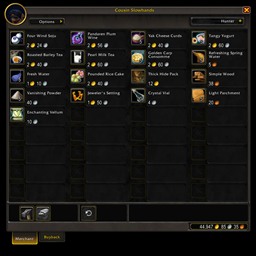
See the images for a quick look at the ingame UI! This might give you a better idea of what is added to the default Blizzard UI.
Achievement Filter completely replaces the default Achievements tab and adds several new tabs that order the achievements by expansion, pvp, events or other curated lists. Over 8600 achievements are added so far spread over 1500+ categories, linked to 1200+ zones and 130+ events.
Works on Retail, Mists of Pandaria Classic and Titan Reforged (the Chinese Wrath of the Lich King client). Guides, housing decor and the world event reminders are on Retail only.
Fully translated into German, French, Russian and Chinese (Simplified), mostly into Chinese (Traditional), and partly into Portuguese (Brazilian) and Korean
Tabs
- Achievements: A copy of the default Achievements tab but with all the additional features.
- Expansions: A collection of all the achievements in game sorted per expansion. See Categories for more details on this tab.
- Events: All ingame event related achievements can be found here.
- Player vs. Player: A PvP'ers dream with all achievements earnable through PvP.
- Specials: A combination of curated lists that might appeal to certain achievement hunters, such as titles, Realm First!, promotions and Mythic+ seasons.
Categories (Expansions)
Special Categories
- The Current Zone category shows which achievements are related to the current zone you're in.
- The Selected Zone category shows which achievements are related to the zone you're viewing in the World Map.
- The Watch List category shows achievements you're actively working on.
- The Search Results category shows all results of a search.
- The Tracking Achievements category shows tracking achievements usually not visible.
- The Excluded category shows excluded achievements you don't want to see.
- The Uncategorized category shows achievements the addon has not put in a category yet.
- The Recently Added and Time Limited categories under Summary show the achievements added in the current patch and the ones you can only earn for a limited time.
- In the options you choose on which tabs each of these categories shows.
- Unobtainable Legacy categories can be found when the 'Past Obtainable' filter is checked.
Expansion Categories
- Each expansion has its own category: Classic, The Burning Crusade, Wrath of the Lich King, Cataclysm, Mists of Pandaria, Warlords of Draenor, Legion, Battle for Azeroth, Shadowlands, Dragonflight, The War Within and Midnight, plus Cross-Expansion for what spans several expansions.
- Each expansion is divided in Zones, Dungeons, Raids, Professions and Pet Battles where available.
- Wrath of the Lich King has separate categories for 10 and 25 man Raids.
Expansion Features
- Wrath of the Lich King: Wintergrasp and Argent Tournament.
- Cataclysm: Tol Barad.
- Mists of Pandaria: Scenarios and Proving Grounds.
- Warlords of Draenor: Garrison.
- Legion: Class Halls.
- Battle for Azeroth: Dueler's Guild, Island Expeditions, War Effort, Heart of Azeroth and Visions of N'Zoth.
- Shadowlands: Torghast and Covenant Sanctums.
- Dragonflight: Dragonriding, Dragonriding Races, Primal Storms and Dragon Isle Drake Cosmetics.
- The War Within: Delves, Skyriding, Skyrocketing and Breaknecking Races, and Horrific Visions Revisited.
- Midnight: Delves, Prey, The Arcantina, Abyss Anglers, Ritual Sites, Void Assaults, Curse Surges and Aqir Invasions.
- Cross-Expansion: Brawler's Guild, Lorewalking and Feats of Strength.
Features
Tooltips & Information
- Enhanced achievement tooltip to show more about the achievement and related achievements, such as the patch it was added in, until when it can be earned and which of your characters has the most progress.
- Reward Preview to see a 3D preview of the mount, pet or housing decor an achievement rewards before you've earned it.
- Achievement guides with numbered steps for the Legendary Research achievements: where to go, whom to talk to and what you still have to research. A place in a guide gets a map pin or a TomTom waypoint in one click.
- Hovering achievements in meta achievements shows more information about the achievement.
Windows & Navigation
- Movable windows with the option to remember their last position.
- Pop out achievements into their own movable, resizable window. Multiple pop outs can be snapped together into a stack.
- Achievement browsing history to navigate back and forth between previously viewed achievements, similar to a web browser.
- World Map Button with its own Selected Zone category to show achievements for the zone you're viewing.
- A Right Click Menu for each achievement with Go to (related achievements, other categories it is in and the other faction's version), a link to Wowhead, Pop Out, Preview Reward, Guide, Transmog sets (if linked to collecting it), wow-petguide.com (Xu-Fu's Pet Guides), Watch List, Exclude and IAT (3.18.0+) (if tactics are available).
- Clicking achievements in meta achievements select the achievement.
- Achievement links in chat can be opened in the achievement window.
- Modifier clicks to paste an achievement to chat, track it, add it to the Watch List, exclude it or pop it out.
- The option to keybind the new tabs, the Current Zone category and the browsing history. (Game Menu -> Key Bindings -> Addons -> Krowi's Achievement Filter)
Filtering, Search & Tracking
- Enhanced searching, filtering, sorting and tracking of achievements per tab.
- Search on names and descriptions, and optionally on ids, objectives and rewards.
- Filter on completion, faction, whether an achievement can still be earned, and the patch it was added in.
- Reward filters to show only achievements that award mounts, pets, titles, toys, transmog, tabards, teleports, housing decor, allied races, warband campsites, Trader's Tender and more.
- Achievements are sorted in a way so they make more sense and are easier to find.
- Watch List to track achievements you're actively working on, with options to display with or without subcategories.
- Exclude achievements you're not interested in.
- Tracking an achievement while 10 are tracked first stops tracking the ones you already completed.
- Custom objectives for certain achievements. (If you find missing ones, let me know.)
Views & Overviews
- A summary view for each new tab.
- A new calendar view that puts achievements earned on their respective day.
- Compact achievements similar to the summary achievements.
- Overview of which character earned how many achievement points, with per-character progress tracking.
- Saturate achievements based on earned by your account, current character or a mix.
Events
- Event reminders for active events with achievements, from holidays to world events such as Curse Surges, Time Rifts and the Community Feast, as pop-ups or chat messages. Each event can be turned off, upcoming holidays can be shown a few days ahead, and there is a compact version option.
Customization & Tools
- A tutorial for first time users with an ingame explanation of the most important features.
- A data manager to manipulate your saved variables.
- An open API for other developers to add additional categories with achievements.
Compatibility
- ElvUI, GW2 UI and EllesmereUI skins. (See the ingame options on how to enable each part.)
- Instance Achievement Tracker (IAT) 3.18.0+: tactics in the right click menu
- Better Wardrobe: transmog set links open in Better Wardrobe
- Zygor Guides: its guide button on achievements it has a guide for
- TomTom: waypoints for guide steps
More features can be requested via the issues system or discord.
Feel free to join discord and say hi: https://discord.gg/mdBFQJYeQZ.
Creating and maintaining addons takes a lot of time. If you can miss something, feel free to drop a donation!
Krowi's Achievement Filter Team

Owner