KroGamepad
- By
Enhances Blizzards original gamepad mode. Easier Binding; Scaling & Moving Gamepad Frame, Horizontal Layout, etc.
26-10-23 - 1834 - s1AfRNPz3S.png
26-10-23 - 1835 - jprrhE8dlp.png
26-10-23 - 1836 - ACCtj4cJAm.png
26-10-23 - 1840 - R9dMhrWRCR.png
Description
(This is still new! Please be patient. <3)
I made this Addon initially only for myself trying to fix all the mess that comes with Blizzards original Gamepad-Mode. Especially binding skills, spells, items and such is very cumbersome. Also there were not a lot of options for resizing and moving the gamepad frame. I really wanted a HORIZONTAL arrangement of the buttons to safe space in gamepad mode escpecially on a handheld device.
Maybe someone out there is also looking for something like this. I therefore make it a public version on curseforge.
----------------------------------------------------------------------------------------------------------------------
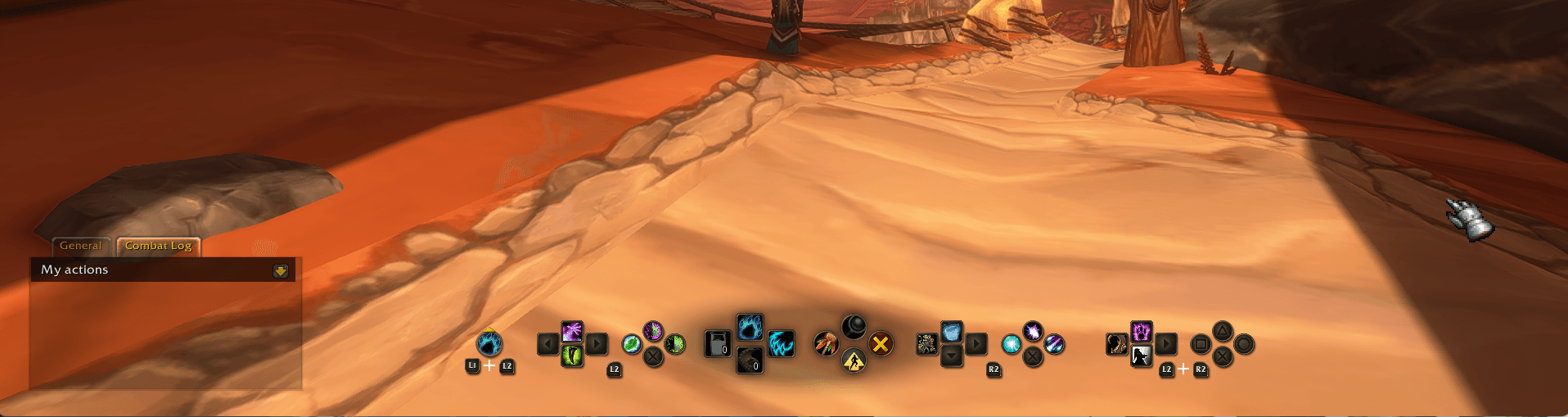
Move, resize and change the gamepad frame to your liking. You may even choose a horizontal arrangement of the buttons to save a lot of space on your screen (good for handhelds!).
Much easier binding of skills, spells, items etc. for gamepad mode in WoW Forever!
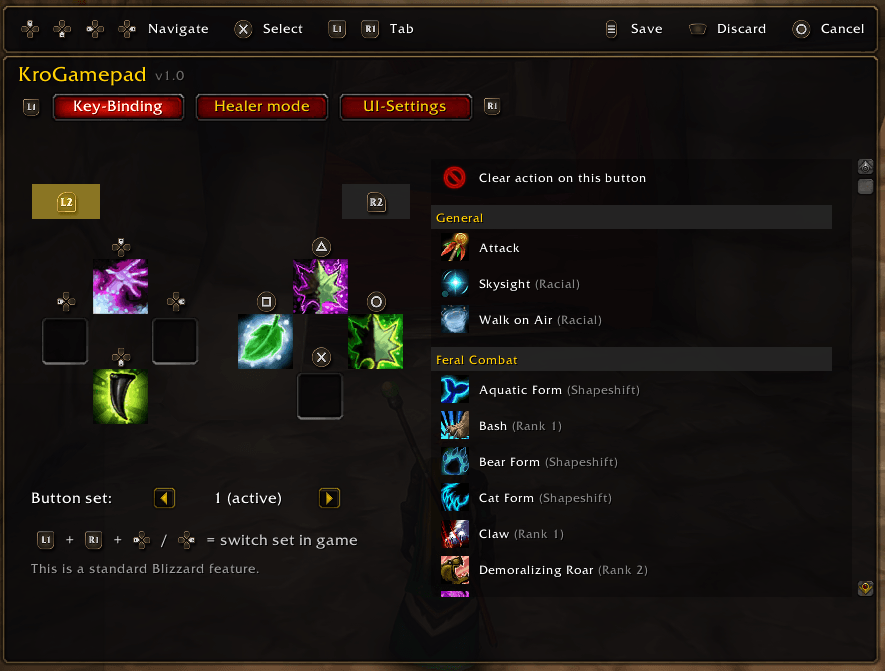
The original design is cumbersome. With this addon you have one easy-to-navigate menu to put everything on your gamepad buttons.
You may also use the binding menu with your mouse if you prefer.
The only disadvantage is that you can only use it while out of combat.
Key binding
- All controller buttons on one screen, for every layer (none, L2, R2, L2 + R2).
- Pick skills, spells, items and even macros from a list and bind them to your gamepad buttons.
- Edit all 3 button sets.
Gamepad frame
- Horizontal layout: the whole gamepad frame in one row.
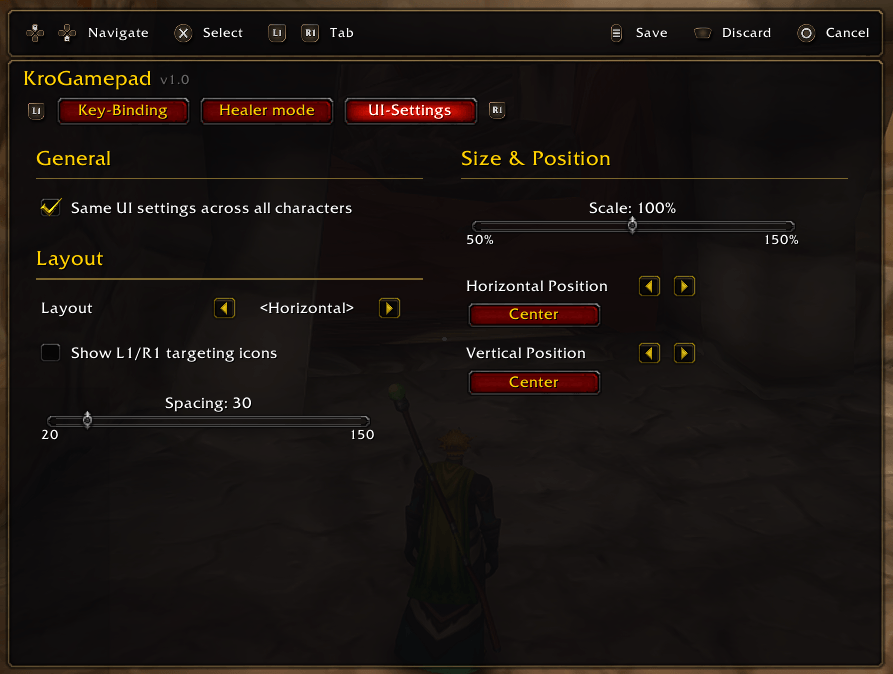
- Scale, position and spacing are adjustable.
- L1/R1 targeting icons can be hidden.
Optional healer mode (experimental)
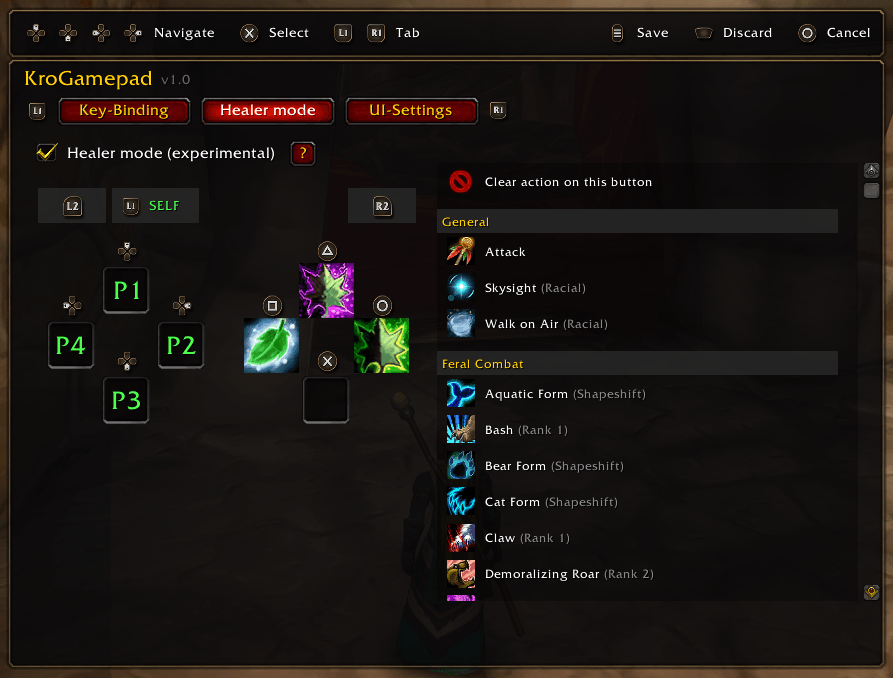
- Hold the D-pad for party 1 – 4 or L1 for yourself, then cast with the face buttons without changing your regular target.
- Tap L1 to select the next friendly target (e.g. escort NPCs).
- 16 extra slots, separate from your normal sets.
- Only built with 5-man groups and dungeons in mind. Raids are not specifically supported.
Opening the menu
- Open it from the game menu by pressing Y/Triangle, or hold R1 and press D-pad down from anywhere. Only opens out of combat!
KroGamepad Team