Knapsack
Bag addon that lets you view the inventory, bank, mailbox, and guild vault on any character.
Configuration.png
inventory windows.png
Search.png
Description
A bag addon for WoW: Forever and Burning Crusade Classic Anniversary. Items are sorted into categories, all grey items go into a Junk category sorted by vendor value, and the bank, the mail, the guild vault and your other characters' bags can be looked at from anywhere.
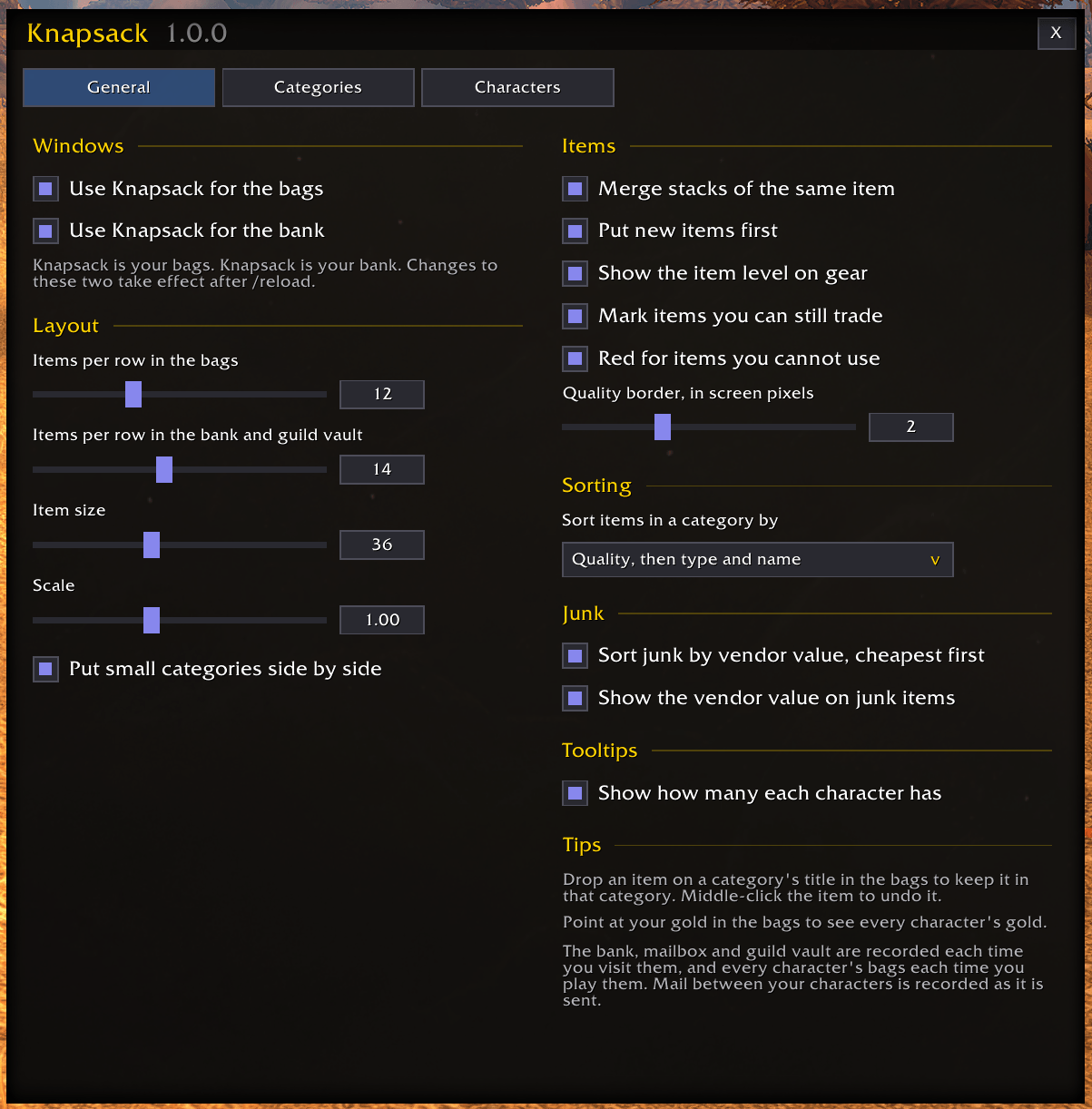
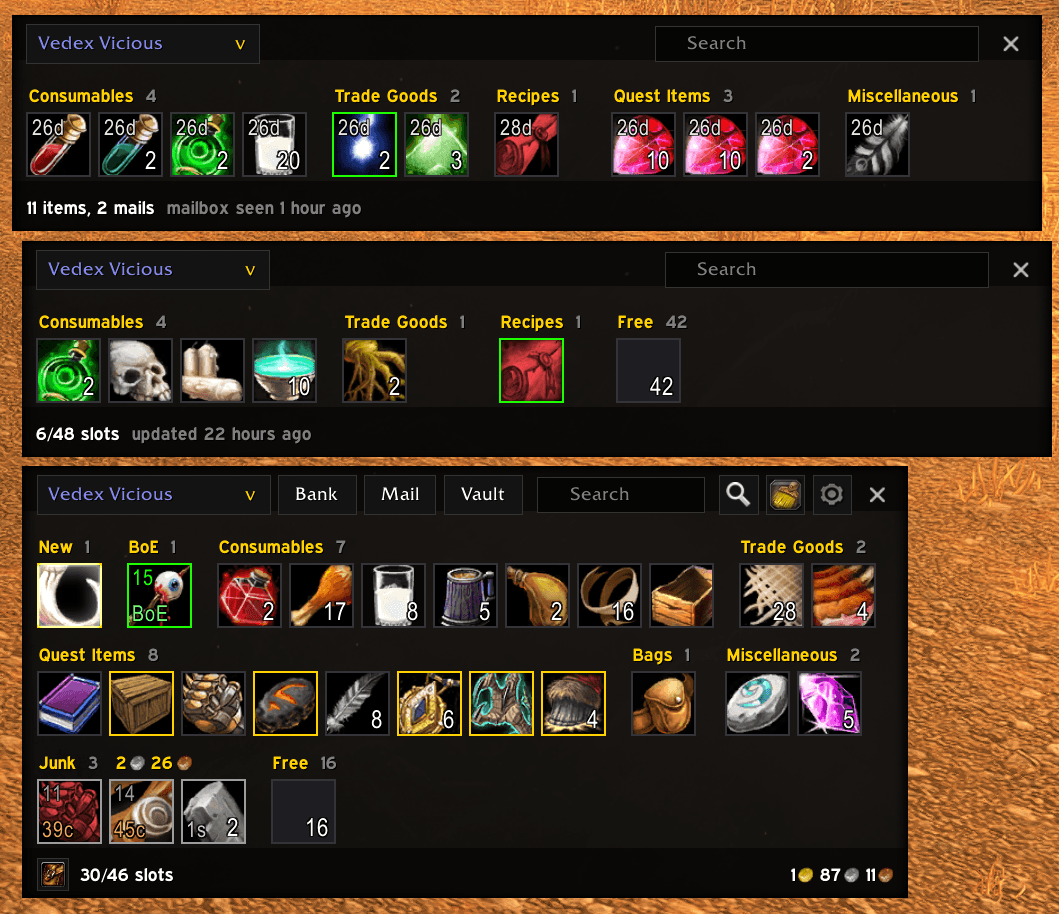
- Categories. Equipment, Consumables, Reagents, Trade Goods, Recipes, Quest Items, Ammo, Bags, Keys, Miscellaneous and Junk. You can hide, rename and reorder them, and make your own.
- Junk. Every Poor (grey) item goes into Junk, whatever kind of item it is. Junk is sorted by what the whole stack sells for, cheapest first, so the first junk item is always the one to throw away. Each junk item shows its value, and the category title shows the total.
- Your own categories. A category can take items by quality, item type, binding (such as Bind on Equip gear that is not bound yet) or part of their name, and you can drop any item onto a category's title to keep it there.
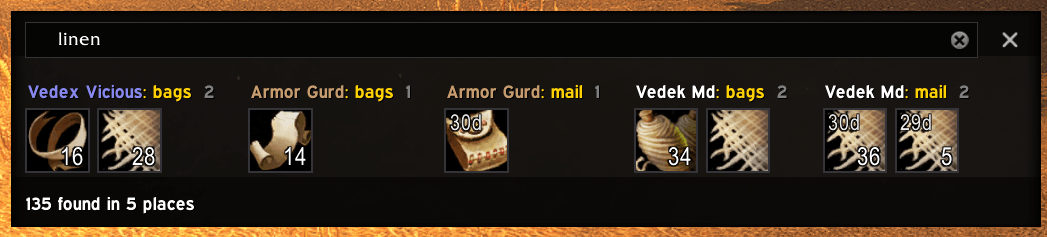
- Find anything. Type part of an item's name to see every place you have it: each character's bags, bank and mail, and your guild vaults.
- Search keywords. Every search box also takes words such as
boe,soulbound,junk,epic,gearorilvl>30(see Searching). - New items first. What you just looted goes in a New section at the top of the bags until you close them.
- Tradable at a glance. Items that are Bind on Equip or Bind on Use and not bound yet say BoE or BoU in the corner.
- Move a whole category. At the bank, put a whole category in the bank or take it out; at a mailbox, mail a whole category to one of your characters.
- Merged stacks. All stacks of an item show as one tile with the total, even when different players made them. Using a merged tile uses the smallest stack first, and for items with charges (such as Wizard Oil) the one with the fewest charges left; its tooltip lists the charges of each. Gear always shows piece by piece, and everything in your bags shows stack by stack while a mailbox's send page, a trade, the auction house, the bank or the guild vault is open, since those take one stack at a time.
- Charges on other characters' items. The game only shows an item's charges for your own bags, so Knapsack records them, and other characters' items show theirs in the tooltip.
- Combine stacks. One click fills up partial stacks of the same item, so they take fewer slots, in the bags or, at the bank, in the bank. At the bank, shift-click fills them up from the other side first: the bank's partial stacks from your bags, or your bags' from the bank.
- Item level and usability. Gear shows its item level, and items your character cannot use (gear it cannot wear or wield, recipes it cannot learn, items it is too low level or unskilled for) are red.
- Everyone's gold. Point at your gold in the bags to see every character's gold and the total.
- The bank from anywhere. The bank is recorded each time you visit it. At the bank, Knapsack is the bank; anywhere else it shows the bank as it was, and how long ago that was.
- The mail from anywhere. Each character's mailbox is recorded at the mailbox, and every item shows how long until it goes back to its sender (or is deleted). Mail your characters send each other shows in the other's mailbox at once, without visiting it, and so does mail they return to each other, or that goes back because nobody collected it in time.
- The guild vault from anywhere. Every tab you can see is recorded each time you open the vault, with the guild's gold.
- Bag slots. Your bag slots can be shown under the bags, to change bags with the game's own bag bar hidden. On Anniversary the bank's bag slots can be shown under the bank the same way, and more of them bought there.
- The keyring (Anniversary). Keys on the keyring show in the bags window, in Keys. The keyring grows by four slots as it fills, so its empty slots are not counted or shown as free space.
- Other characters. Each character's bags are recorded while you play it, and its bank when it visits one. Pick any of them in the bags window.
- Tooltips. Item tooltips list how many each character carries, keeps in the bank and has waiting in the mail, and how many are in your guild vaults.
- Works like the default bags. Using, selling, depositing, splitting stacks, dragging, linking in chat, cooldowns and the glow on new items all behave as they do in the game's own bags, because the game's own item buttons do the work.
- EllesmereUI's skin. If EllesmereUI is installed, Knapsack uses its skin, so the windows follow your EllesmereUI theme and accent color.
The Knapsack Team