KilUI
- By
IMG_4018.jpeg
IMG_4020.png
IMG_4021.png
IMG_4022.png
IMG_4023.png
Description
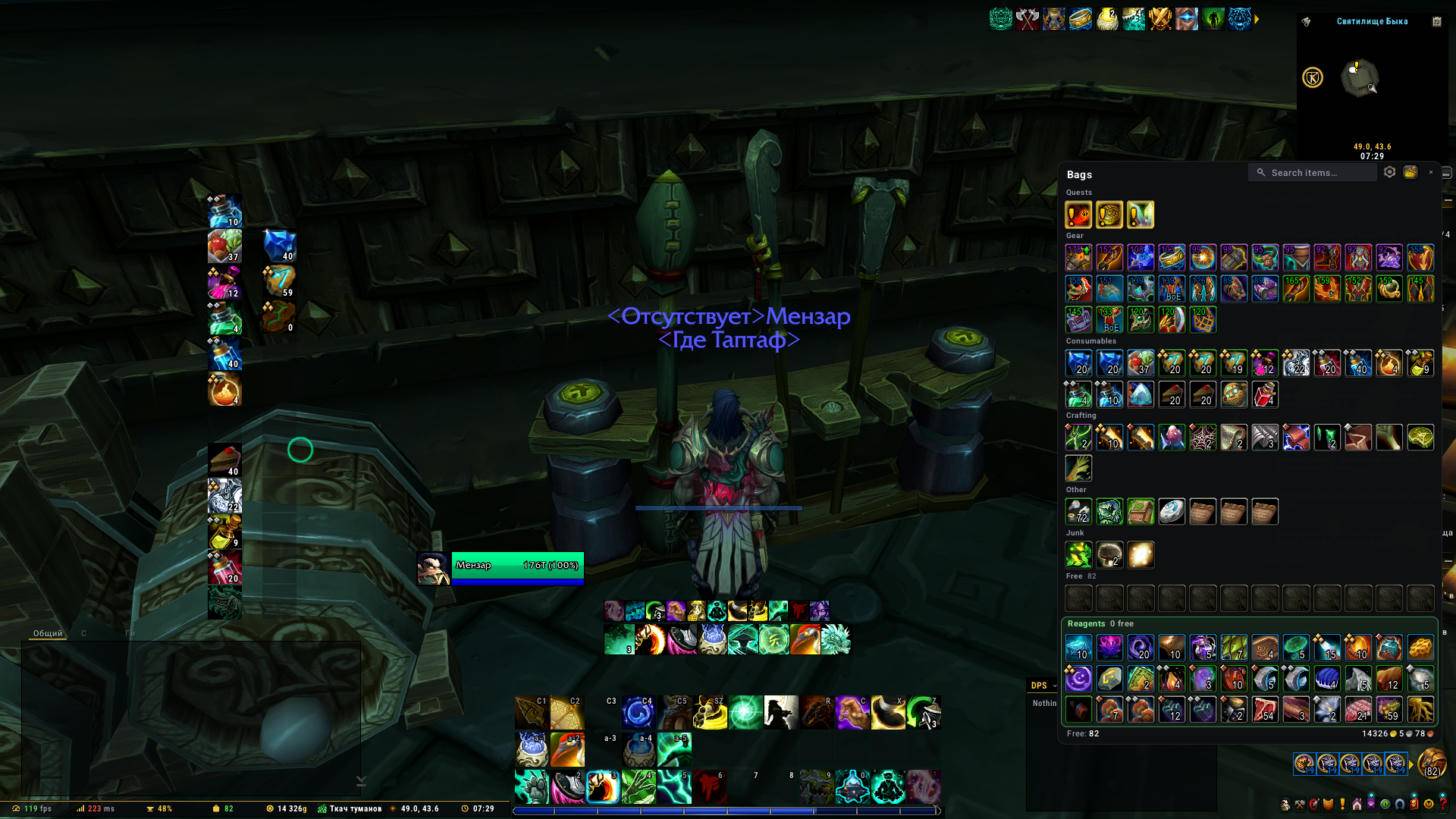
 KilUI (formerly Kiliron UI) is an all-in-one interface for World of Warcraft: Midnight. It replaces a stack of separate addons with one package: one settings window, one look, one profile.
Every part is a module you can switch off, so you keep only what you need.
Coming from Kiliron UI? Since 0.62.1 the addon is called KilUI, folders included. If the old KilironUI folder is still in your AddOns, KilUI takes your settings from it, turns it off and asks for a reload. The CurseForge app removes the old folder when it updates, and then settings start fresh: export your profile string before updating (Profiles › Export) and paste it into Profiles › Import afterwards.
Features
Combat
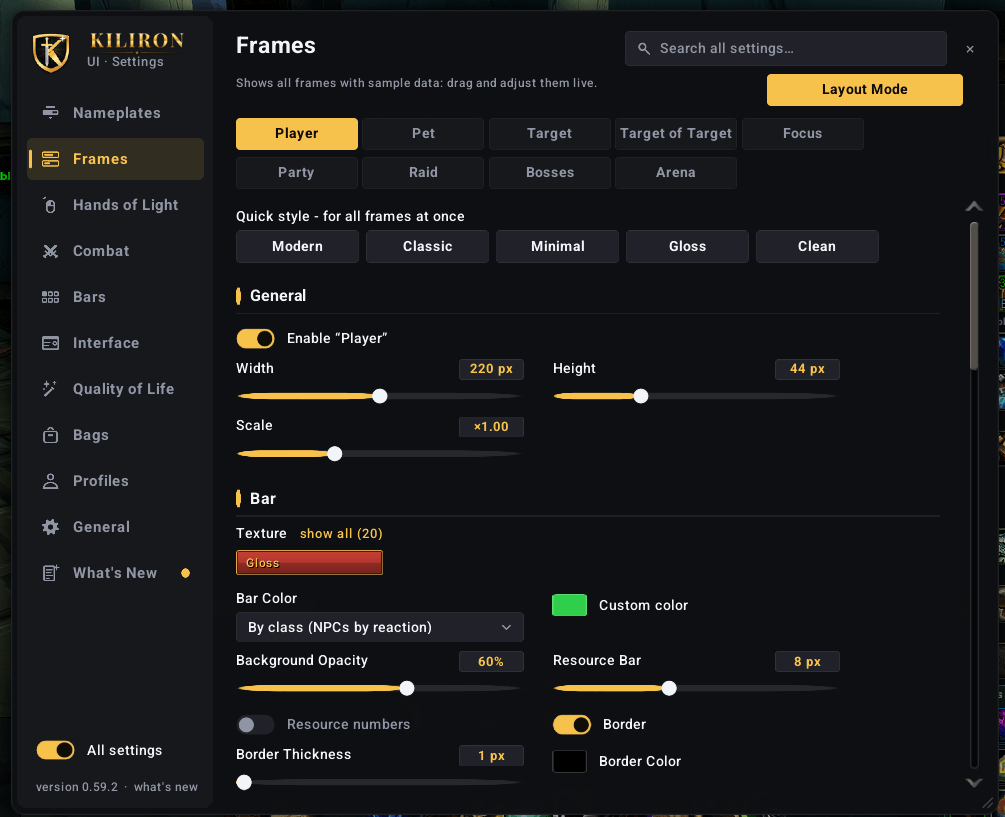
- Unit frames: player, pet, target, target of target, focus, party, raid, boss and arena. Heal prediction, absorbs, threat border, role and leader icons, portraits, aura filters. Live preview right in the settings
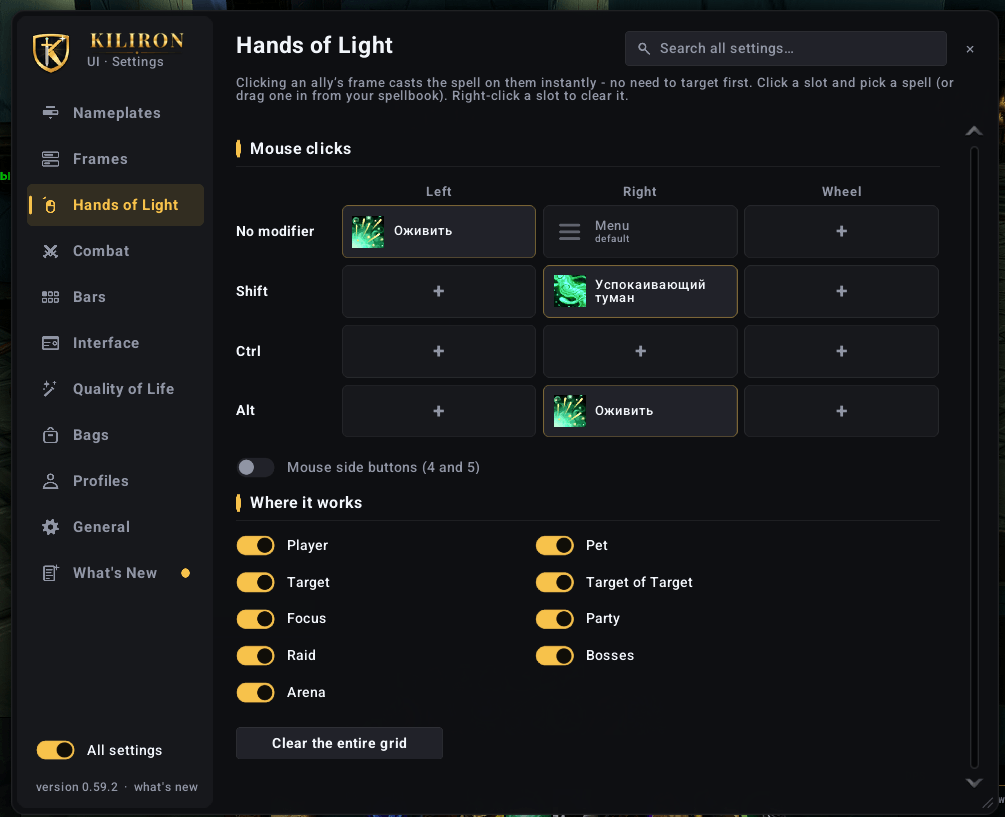
- Click-casting on any frame ("Hands of Light"), set up on a key × mouse button grid
- Nameplates with target arrows, cast bars, debuffs and threat colors, separate styles for enemies and allies
- Damage / healing meter on the game's own combat data: several windows, past fights, a per-spell breakdown for every player, resize by dragging, report to chat
- Player cast bar with latency zone, resource bar, skin for the built-in cooldown manager
- Ready check list: flask, food, weapon oil, augment rune and group buffs you're missing
Interface
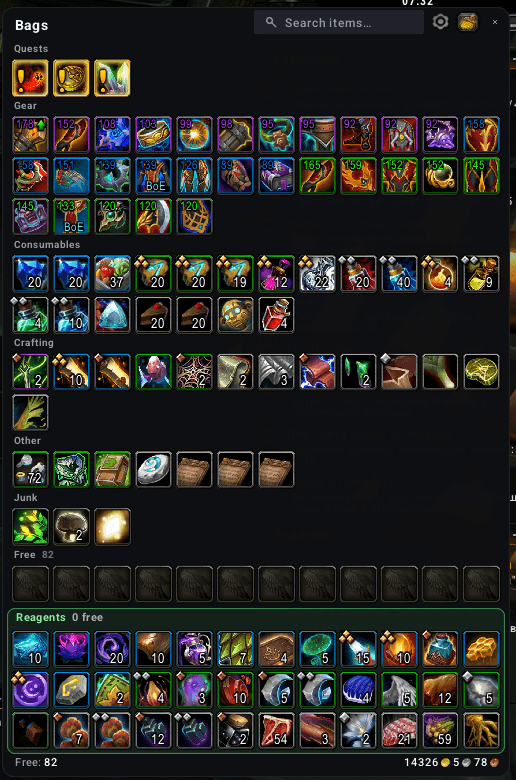
- One-window bags with categories, search, item level, upgrade arrows, BoE labels and junk selling. Custom bank with warband tabs
- Action bars: skin, short keybinds, and per bar: scale, buttons per row, spacing, visibility (always, mouseover, combat), opacity. XP bar, micro menu and bag bar too
- Square or round minimap with coordinates and a drawer for other addons' buttons
- Info bar: FPS, latency, durability, gold, specialization, item level, XP, mail, coordinates and more. Full width or compact, several styles
- Tooltips with M+ rating, item level, guild rank, the unit's target, item and spell IDs, item counts across bags and bank
- Chat: short channel names, clickable links, your name highlighted, history that survives a reload, copy
- Character and inspect window with item level, enchants, gems and upgrade tracks
- Objective tracker skin, can be moved anywhere
- Blizzard windows in the same dark style: world map, talents, achievements, collections, group finder, mail, quests, calendar, housing and more
Quality of life
- Fast loot, auto repair (guild funds first), "Take all" in the mailbox, full stack on Alt-click at a vendor
- Auto-insert the M+ keystone, skip already seen cinematics, hide the talking head
- Rare and treasure alerts, raid marker panel, cursor ring, AFK screen
Settings
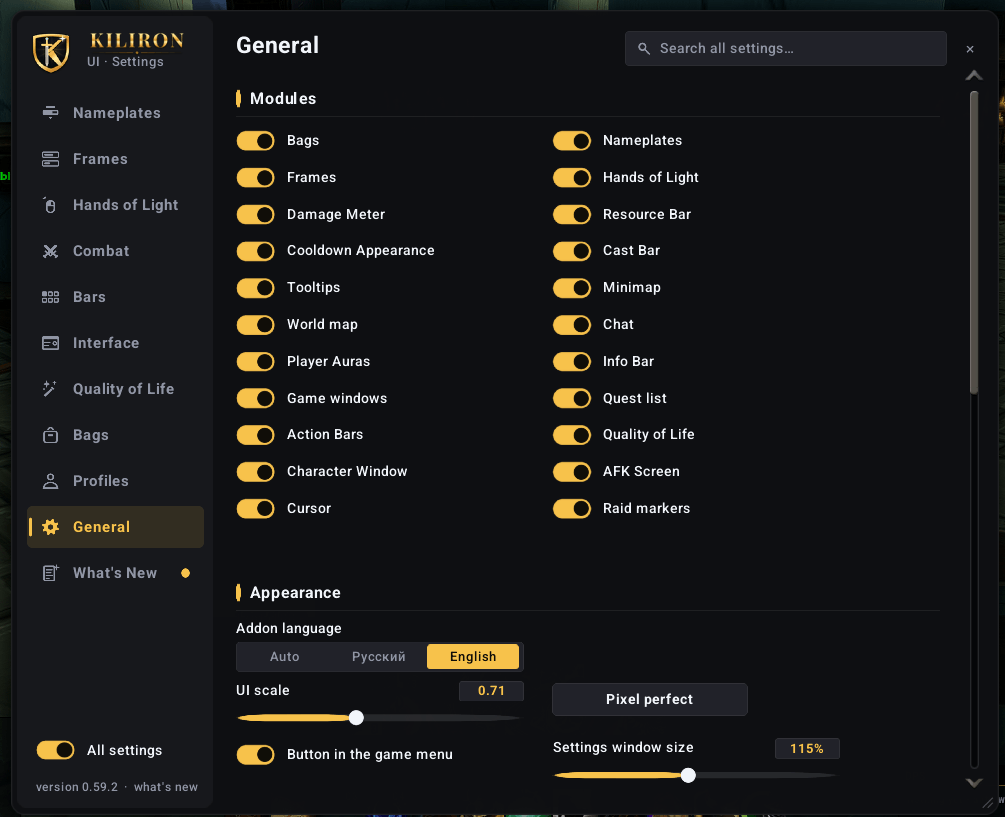
- One window (
/kil): sections on the left, their parts in the middle, short tabs on the right. A tooltip on every option, search across all settings, right-click resets any option - Layout mode (
/kil move): drag unit frames, action bars, the tracker, the meter, the info bar and most Blizzard frames, with grid and snapping. Click any box for its quick settings - Quick start and ready setups for DPS, healer, tank or minimal: the whole screen laid out in one click
- Profiles with short share strings, automatic profile per specialization
- English and Russian
- If you already use Details, Plater, Bagnon, ElvUI and similar, the matching modules are switched off on install so nothing is doubled
Installation
The archive has two folders, KilUI and KilUI_Options. Both go into World of Warcraft\_retail_\Interface\AddOns. The options addon only loads when you open the settings.
On first login a short quick start helps you pick a role, a color, a UI scale and the modules you want.
Commands
/kilor/kiluiopens the settings/kil move(or/moveuiwhen ElvUI isn't installed) opens layout mode/kil bug your textnotes a problem with the zone, key, boss and a screenshot- The minimap button, the addon compartment and the KilUI button in the Esc menu open the settings too
Notes
This is a beta. Midnight hides some values from addons in combat, and KilUI is built around those rules. If you see an error or something looks off, please write in the comments and paste the log: Settings › General › Copy log.
KilUI (по-русски)
KilUI (раньше Kiliron UI) - интерфейс «всё в одном» для World of Warcraft: Midnight. Вместо десятка отдельных аддонов одно окно настроек, один стиль и один профиль. Каждая часть - отдельный модуль, лишнее можно выключить.
Обновляешься с Kiliron UI? С версии 0.62.1 аддон называется KilUI, папки тоже. Если старая папка KilironUI осталась в AddOns, KilUI сам заберёт из неё настройки, выключит её и попросит перезагрузить интерфейс. Приложение CurseForge при обновлении старую папку удаляет, тогда настройки начнутся с нуля: перед обновлением сохрани строку профиля (Профили › Экспорт), а после вставь её в Профили › Импорт.
Бой: фреймы (игрок, питомец, цель, фокус, группа, рейд, боссы, арена) с входящим лечением, щитами, рамкой угрозы, фильтрами аур и живым предпросмотром в настройках. Клик-каст «Руки Света» на любых фреймах. Индикаторы здоровья с указателями цели и кастами. ДПС/хил-метр на данных игры: несколько окон, прошлые бои, разбивка по заклинаниям. Свой каст-бар, полоса ресурса, оформление кулдаунов, список того, чего не хватает на проверке готовности.
Интерфейс: сумка в одном окне с категориями, стрелкой «лучше надетого» и меткой БоЕ, свой банк с вкладками отряда. Панели команд (масштаб, кнопок в ряд, когда видна - для каждой отдельно), полоса опыта, микроменю. Миникарта с координатами и ящиком для кнопок аддонов. Инфо-панель в нескольких стилях. Подсказки с рейтингом М+ и уровнем предметов. Чат с короткими каналами, ссылками, подсветкой имени и историей. Окно персонажа с чарами, камнями и треками улучшения. Окна игры в тёмном стиле.
Удобства: быстрый сбор добычи, авторемонт, «Забрать всё» на почте, ключ в чашу сам, пропуск роликов, оповещения о редких, панель рейдовых меток, кольцо у курсора, экран «Отошёл».
Настройка: всё в одном окне (/kil, кнопка у миникарты или в меню Esc), поиск по всем настройкам, режим настройки /kil move - двигать фреймы, панели и окна игры. Быстрый старт и готовые сборки под роль раскладывают весь экран в один клик.
Установка: в архиве две папки, KilUI и KilUI_Options, обе кладутся в Interface\AddOns.
Это бета. Если что-то не работает, напиши в комментариях и вставь журнал: Настройки › Общее › Скопировать журнал.
The KilUI Team