

Kiliron UI
- By
IMG_4018.jpeg
IMG_4020.png
IMG_4021.png
IMG_4022.png
IMG_4023.png
Description
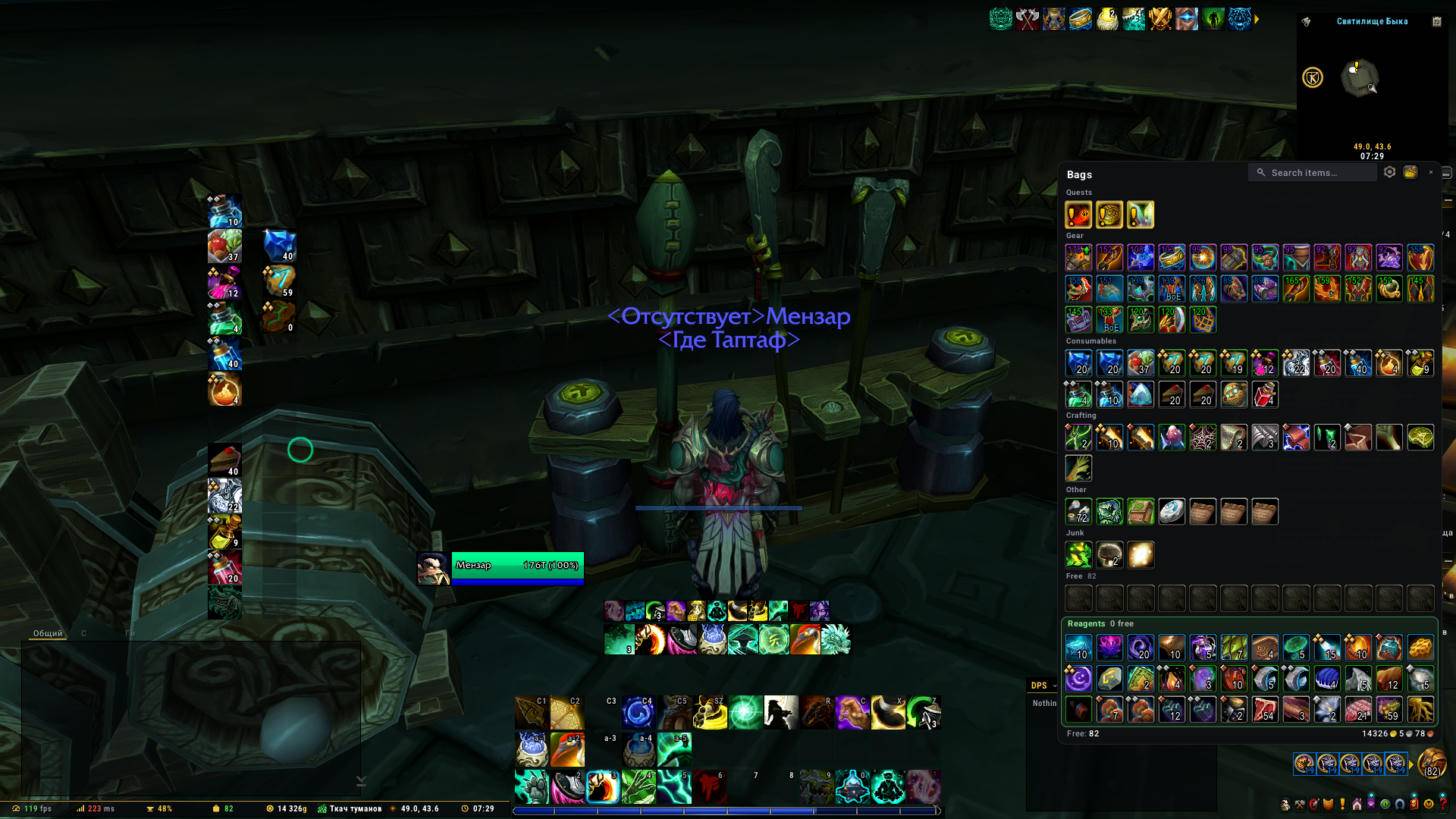
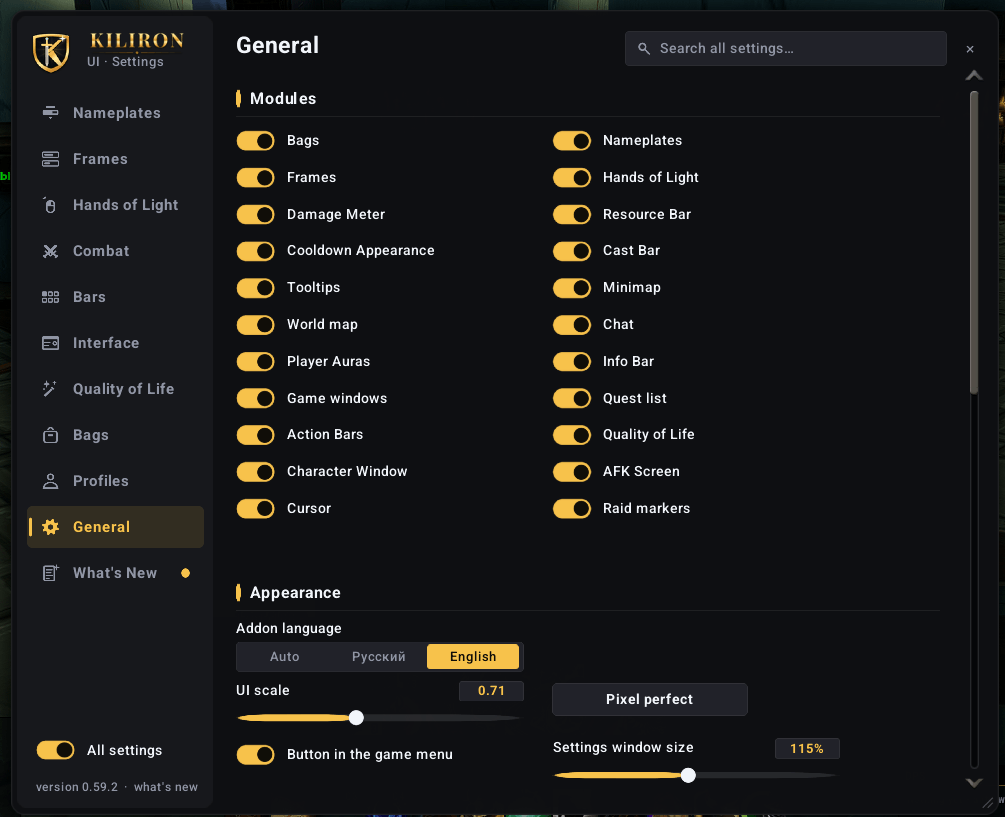
Kiliron UI is an all-in-one interface for World of Warcraft: Midnight. It replaces a stack of separate addons with one package that has a single settings window, one look and one profile.
Every part is a module you can switch off, so you can use only what you need.
Features
Combat
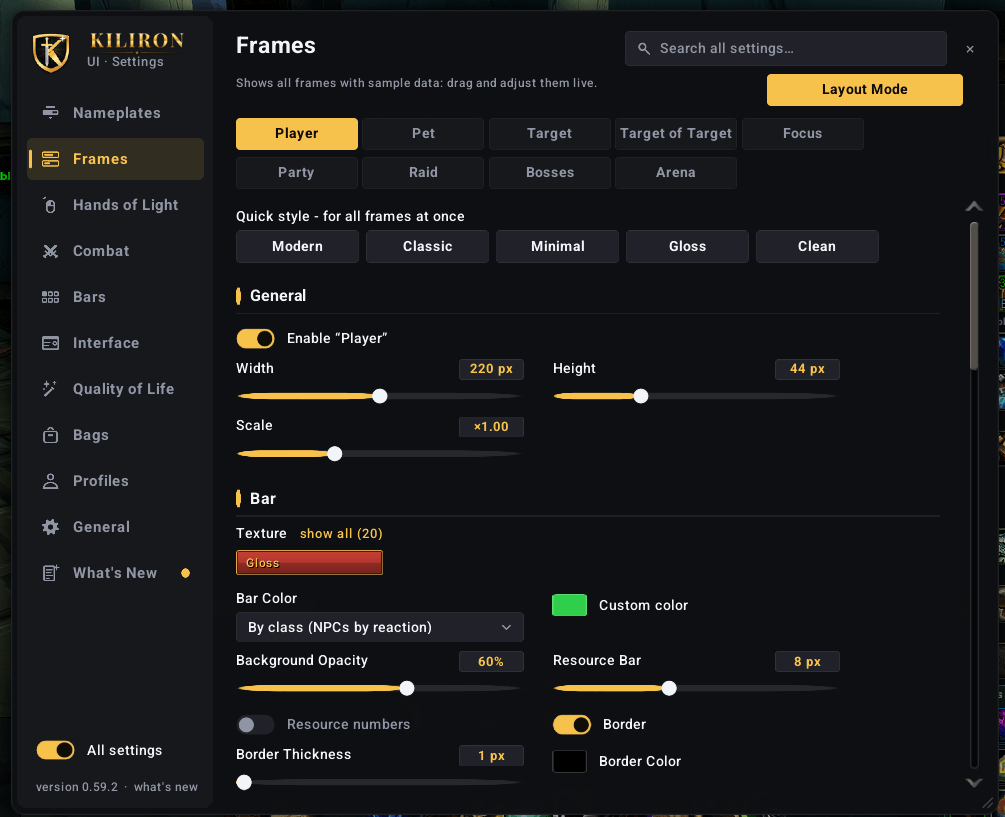
- Unit frames: player, target, target of target, focus, party, raid, boss and arena, with heal prediction, absorbs, threat border and role icons
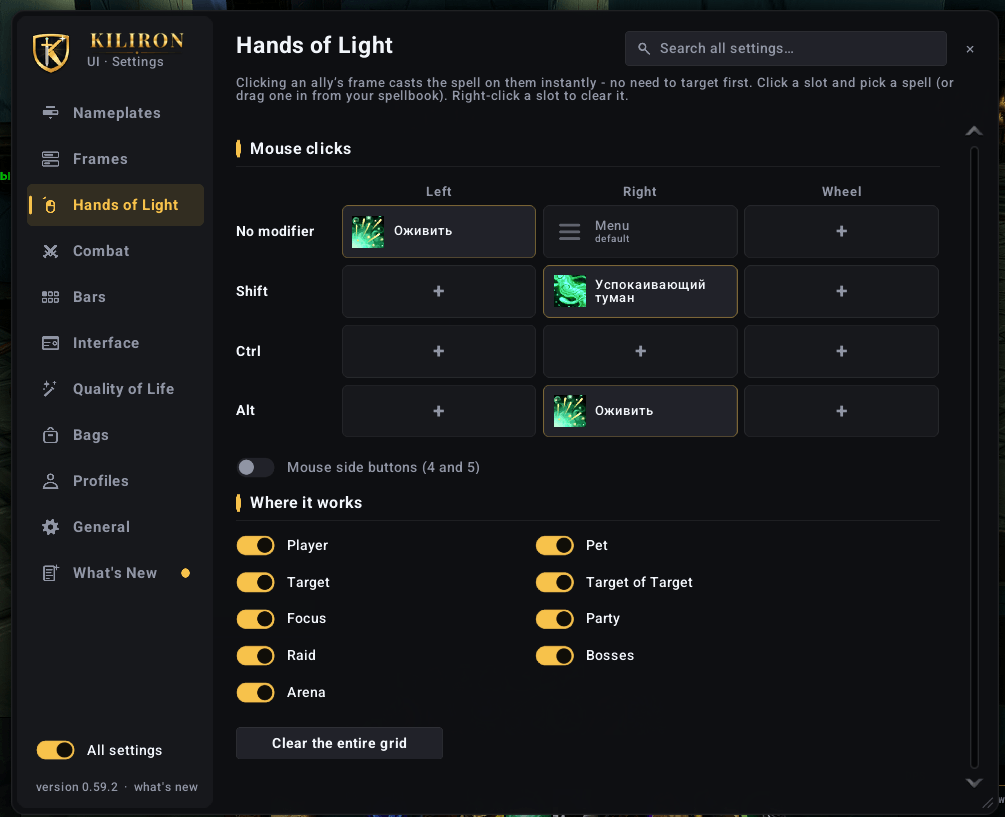
- Click-casting on party and raid frames ("Hands of Light"), set up on a key × mouse button grid
- Nameplates with target arrows, cast bars and debuffs, separate styles for enemies and allies
- Damage / healing meter built on the game's own combat data, several windows
- Player cast bar with latency zone, resource bar, skin for the built-in cooldown manager
Interface
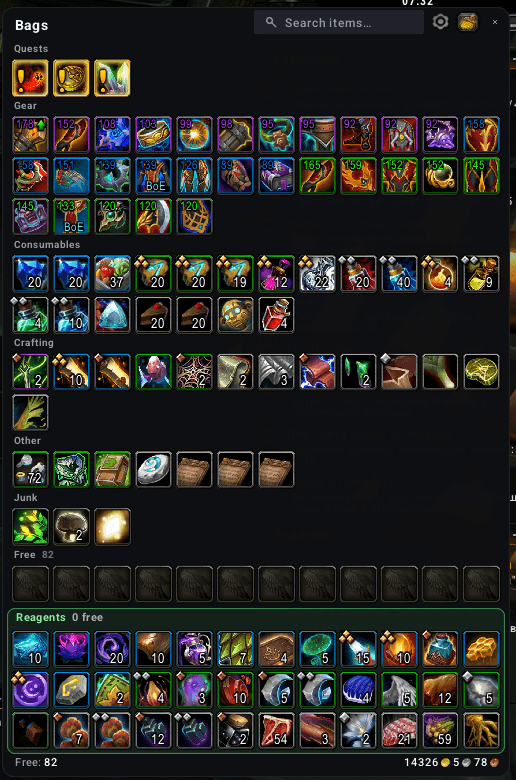
- One-window bags with categories, search, item level and junk selling, custom bank with warband tabs
- Action bar skin with short keybinds and mouseover fading
- Square or round minimap, coordinates, a drawer for other addons' minimap buttons
- World map coordinates and map fade while moving
- Tooltips with M+ rating, item level, guild rank, the unit's target, item and spell IDs
- Chat skin with short channel names, clickable links and chat copy
- Character and inspect window with item level, enchants and gems
- Info bar: FPS, latency, durability, bag space, gold, clock
Quality of life
- Fast loot, auto repair (guild funds first), "Take all" in the mailbox
- Auto-insert Mythic+ keystone, skip already seen cinematics, hide the talking head
- AFK screen
Settings
- Everything is set up in one window (
/kil), with a tooltip on every option and search across all settings - Edit mode for unit frames with grid and snapping
- Profiles with import/export strings, automatic profile per specialization
- English and Russian
Installation
The archive contains two folders: KilironUI and KilironUI_Options. Both go into World of Warcraft\_retail_\Interface\AddOns. The options addon only loads when you open the settings window.
On first login a short quick start helps you pick a color, a style and the modules you want.
Commands
/kilor/kilironopens the settings- Minimap button and the addon compartment open them too
Notes
This is a beta. Midnight restricts what addons can read in combat, and some values are hidden from addons there. Kiliron UI is built around these rules, but if you see an error or something looks wrong, please report it in the comments with a screenshot of the error log (Settings → General → Error log).
Kiliron UI (русский)
Kiliron UI - интерфейс «всё в одном» для World of Warcraft: Midnight. Вместо десятка отдельных аддонов здесь одно окно настроек, один стиль и один профиль.
Каждая часть это отдельный модуль, всё лишнее можно выключить.
Бой: фреймы (игрок, цель, фокус, группа, рейд, боссы, арена) с входящим лечением, щитами и рамкой агро, клик-каст «Руки Света», индикаторы здоровья, ДПС/хил-метр на данных игры, свой каст-бар, полоса ресурса, оформление кулдаунов.
Интерфейс: единая сумка и банк отряда, панели команд, миникарта с координатами и ящиком для кнопок аддонов, карта мира с координатами, подсказки с рейтингом М+ и илвлом, чат с короткими каналами и кликабельными ссылками, окно персонажа с чарами и камнями, инфо-панель.
Удобства: быстрый лут, авторемонт, «Забрать всё» на почте, автовставка ключа, пропуск роликов, АФК-экран.
Установка: в архиве две папки, KilironUI и KilironUI_Options, обе кладутся в Interface\AddOns. Настройки: /kil.
Это бета-версия. Если что-то не работает, напишите в комментариях и приложите скриншот журнала ошибок (Настройки → Общее → Журнал ошибок).
The Kiliron UI Team
