


KidsHeal
- By
idsHeal is a World of Warcraft: Legion addon that aims to make healing a party easy (at the cost of efficiency). It puts all your healing actions right next to the potential target, making healing very clear and very simple. "Even a child can do this!"
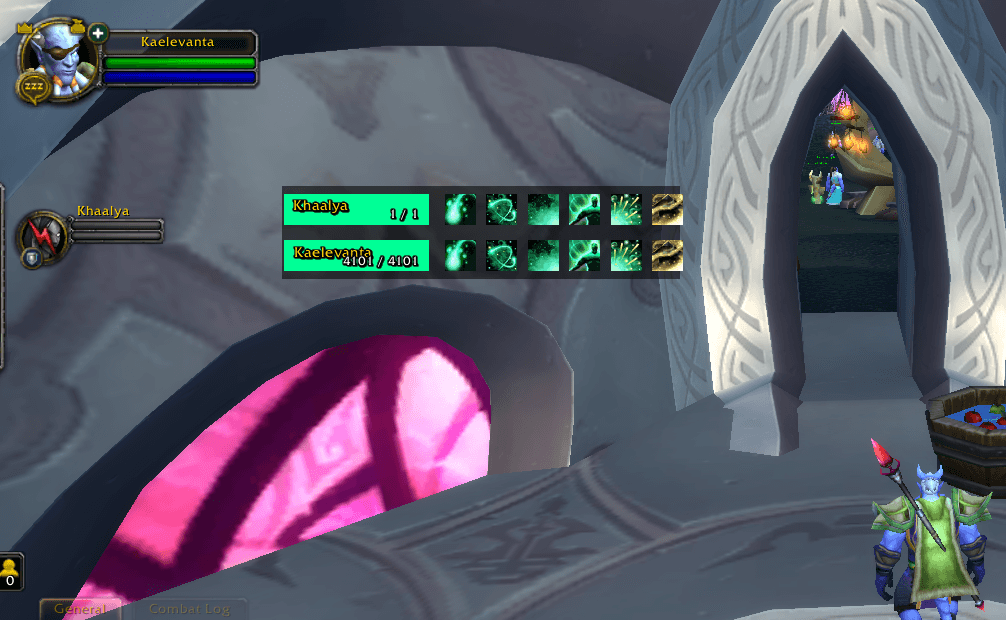
Screenshot 2026-10-26 213115.png
Description
KidsHeal is a World of Warcraft: Legion addon that aims to make healing a party easy (at the cost of efficiency).
Where addons like Healbot let you heal a whole raid by replacing buttons with key and mouse bindings, KidsHeal takes the opposite approach: it puts all your healing actions right next to the potential target, making healing very clear and very simple. It is not recommendable for raids — it's just for kids, or for people who want to heal in an almost relaxing kind of way.
KidsHeal follows the old washing machine salesman's approach: "Even a child can do this!"
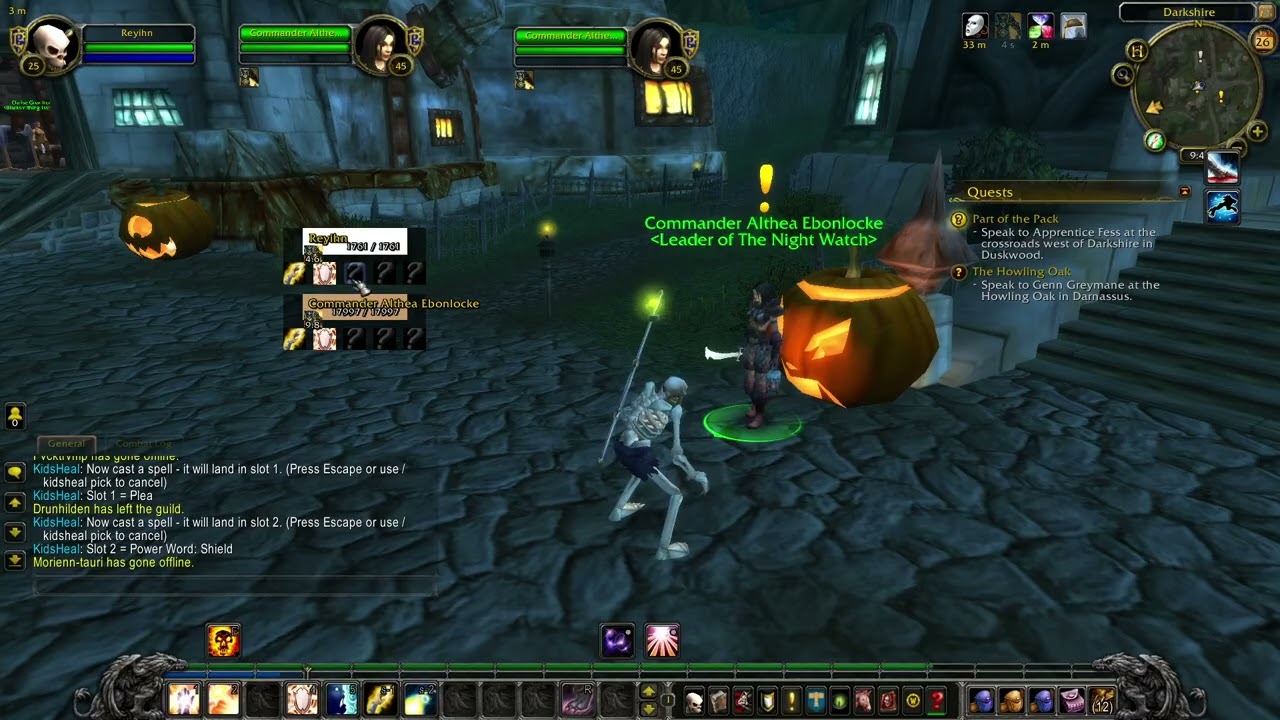
- One box per group member (you + party + optional focus target): class-colored health bar with the name.
- Below every bar: a row of spell slots, the same for every member.
- Click an empty slot, then cast a spell → it lands in that slot on every member's bar. You can also use the spellbook dropdown in the options or
/kidsheal set. - Left-click an icon → that spell is cast on that player. No targeting, no keys.
- Active HoTs and shields appear as icons with countdowns right on the health bars.
- Cooldown sweeps show on every box at the same time; icons turn grey when unusable, dim when out of range.
- Spells and icon count are saved per character and per talent specialization (healer setup and DPS setup switch automatically).
- Assign spells: click an empty "?" slot, then cast the spell you want there. Alternatives:
/kidsheal set <slot> <spell>or the dropdown in the options panel. - Move the panel: left-click and hold any health bar (or the top edge), then drag.
/kidsheal resetrestores the top-left corner. - Everything else: Interface Options → AddOns → KidsHeal (or
/kidsheal options) — bar and icon sizes, icon count, padding and spacing, buff filters, focus bar, and more.
/kidsheal reset— reset panel position/kidsheal clear <slot>— empty a spell slot/kidsheal set <slot> <spell>— set a slot by spell name (e.g./kidsheal set 2 [Flash of Light])/kidsheal pick <slot>— assign the next spell you cast to a slot/kidsheal test— fill bars with random values to check the layout/kidsheal refresh— rebuild the frames/kidsheal debug— toggle debug output/kidsheal options— open the options panel
- Works with any client language (spells/items stored by ID).
- Trinket caveat: items are used on the member via
/use [@unit] <item>. Items that only ever work on yourself will still just work on yourself — that's a game rule, not an addon bug. - Drag-and-drop from the spellbook is supported, but on some clients unreliable — the click-and-cast method above is the recommended way.
- Assigning spells is disabled in combat (Blizzard rule).
KidsHeal Team
