Kick Assist
- By
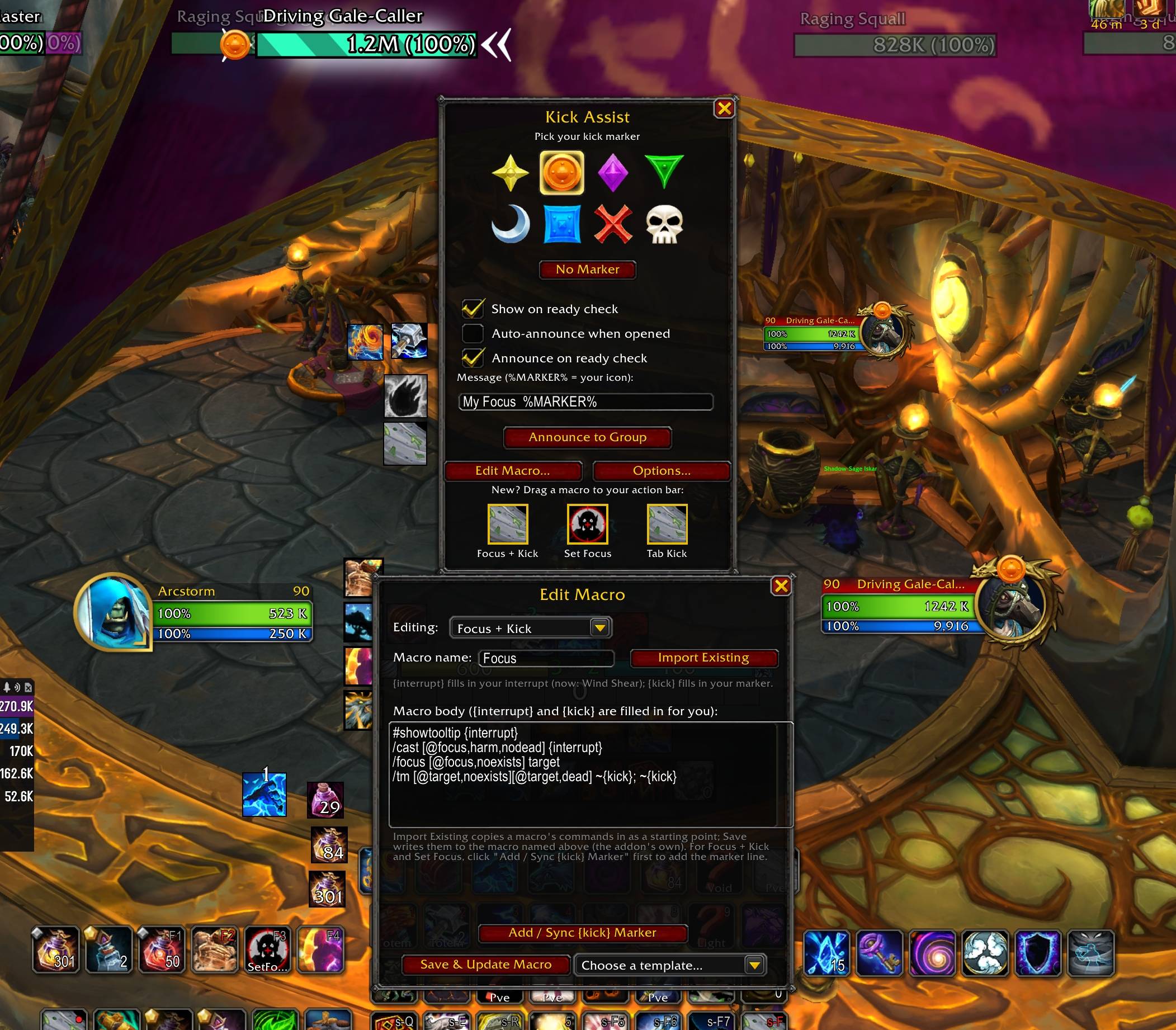
Claim your interrupt raid marker, call it out to your group, and keep your kick macro synced to it automatically for Mythic+.
Kick Assist.jpg
Description
Kick Assist
Kick Assist is a lightweight Mythic+ helper for interrupts. Before a pull, grab ready-made interrupt macros for your bars, choose which raid marker is your assigned "kick" target, and call it out to your group. No more guessing who is kicking which mob, and no more fumbling a macro mid-pull.
Features
- Three ready-made macros — Drag any of them straight from the window onto your action bars:
- Focus + Kick — Set a focus, then interrupt it.
- Set Focus — Set your current target as focus and mark it.
- Auto Tab Kick — Interrupt a casting enemy in front of you without losing your current target.
- Macro templates — Each macro comes with ready-made variants: single key press, hold Ctrl to kick your current target instead of focus, mouseover, tab-target, and more. Pick one and it is written for you.
- Per-spec interrupt — Macros fill in the correct interrupt for your class and specialization, such as Wind Shear, Counterspell, Mind Freeze, Counter Shot, and Muzzle, and update automatically when you change spec.
- Marker picker — Quickly choose from all eight raid markers in a simple popup.
- Group call-out — Announce your assigned kick marker in party or raid chat with one click. The marker icon appears directly in the message, and the text is fully editable.
- Automatic marker sync — Pick a marker and your macros update to mark that target, and they never remove or overwrite a mark already on the mob.
- Ready check popup — The marker picker opens automatically during a ready check while inside a Mythic+ dungeon, helping your group assign kicks before the pull.
- Use your own macro — Select any existing macro from a scrollable list, choose where the marker number goes, and Kick Assist keeps it updated.
- Easy access — Open the addon from the minimap button or the in-game AddOns options panel.
How It Works
Kick Assist does not perform protected actions for you. The actual marking is done by the game's secure /tm command when you press your macro, and the interrupt is cast by the macro itself. Kick Assist simply builds those macros, keeps the marker number in them matched to the marker you selected, and gives you an easy way to announce that assignment to your group.
Commands
/ka— Open the marker picker./ka macro— Edit your macros./ka options— Open the options panel./ka minimap— Toggle the minimap button.
Compatibility
Built for World of Warcraft 12.0: Midnight.
The Kick Assist Team


Owner