
KeyMap-pic.jpeg
Description
KeyMap – See and set your keybinds on a real keyboard
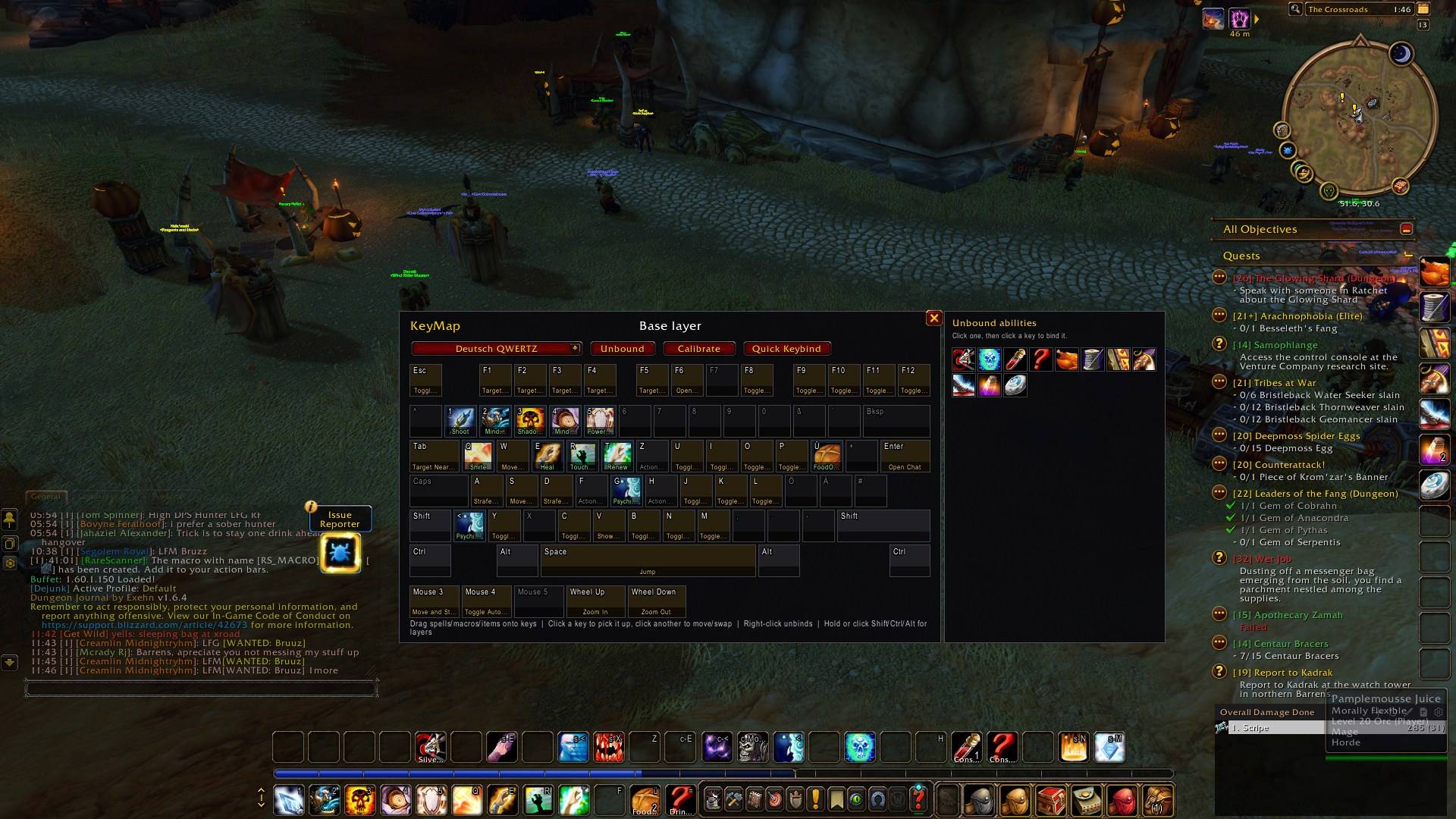
KeyMap shows your keybinds on a picture of your actual keyboard, with the spell icon and name on every key. Hold Shift, Ctrl or Alt to see that layer, and rebind everything by drag-and-drop instead of scrolling through Blizzard's keybinding list.
Built for WoW Forever.
Features
- See your whole setup at a glance. Ability keys show icons and names, game commands (Move Forward, Toggle Bags…) are marked separately, and free keys are greyed out.
- Modifier layers. Hold Shift, Ctrl or Alt and every key shows what that combination does. Click a modifier on screen to lock its layer while you work on it.
- Drag-and-drop binding. Drag a spell, macro, item or mount onto a key to bind it. Click a key and then another key to move or swap their binds; right-click to unbind. Example: move your interrupt from
FtoShift+Qin two clicks. - Unbound panel. Lists every ability on your bars that has no key yet. Click it, click a key, done.
- Live highlighting. Keys light up as you press them, which helps you learn a new setup or show your binds on stream.
- Your keyboard layout. Choose from US, UK, German, French, Nordic, Turkish and many more.
- Classic-ready. Supports stance, form and pet bars.
How it fits into the game
- KeyMap uses WoW's own keybinding system, so your binds stay even if you uninstall it.
- It pauses in combat, because WoW doesn't allow binding changes in combat.
Commands
/kmor/keymapopens or closes KeyMap./km resetmoves the window back to the centre.
KeyMap Team
