


hero.png
half-mmo-mouse.png
full-fi-qwerty.png
full-fi-qwerty_sm.png
Description
Keyboard Action Bar
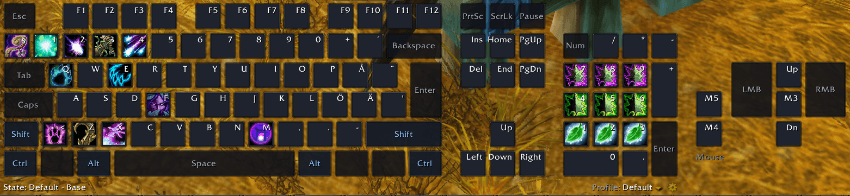
Your keyboard and your mouse, as your action bar.
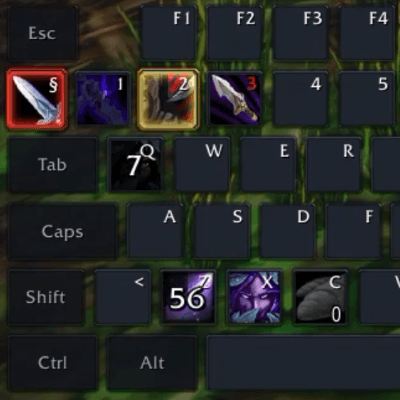
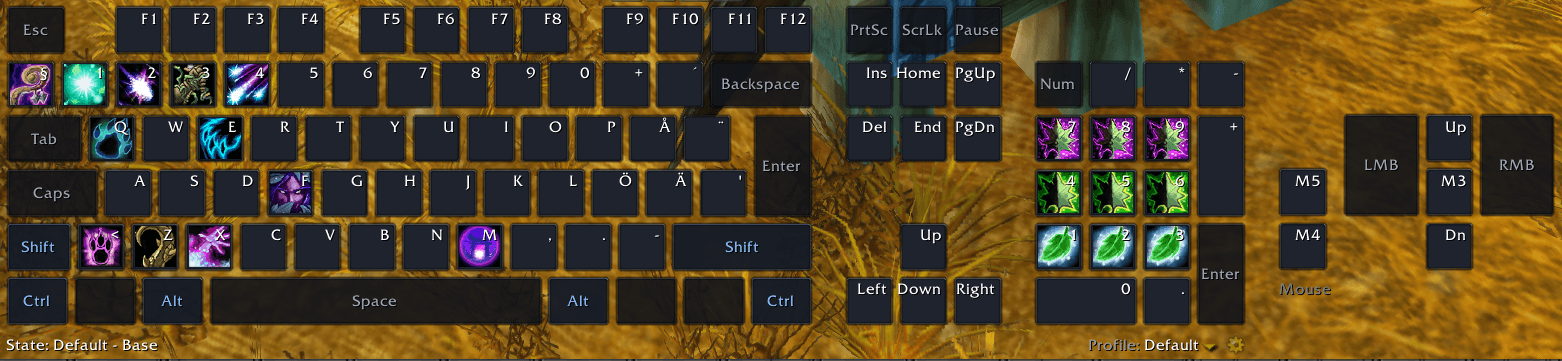
I wanted an action bar that looks like what I'm actually pressing. So KAB puts a copy of your keyboard on screen, plus a board for your mouse and every button on it, and your spells sit on the keys and buttons they belong to.
Drag a spell onto W and it's now your W key. Press W on your real keyboard (or click the keycap) and it casts. Same for the side buttons on your mouse.
Modifiers are the point
Hold Shift, Ctrl or Alt and the whole board switches to that modifier's keys. Shift+Q can be a completely different spell from Q, and you can see exactly what every combination does. Hold the modifier to pull it onto the bar and drag spells into it. Every modifier is edited separately.
This works on the mouse too. Shift+scroll up, Ctrl+Button 6, Alt+Button 4: all of it can have its own spell.
Forms, stances and stealth get their own keyboards
Cat Form, Bear Form, Prowl, rogue Stealth, warrior stances, paladin auras: each gets a complete keyboard with its own Shift/Ctrl/Alt sets. The stock UI mostly swaps just Action Bar 1. Here the whole board swaps, in combat. The text at the bottom left shows what you're on; click it to look at or edit another form's keyboard.
Built for mice with function keys
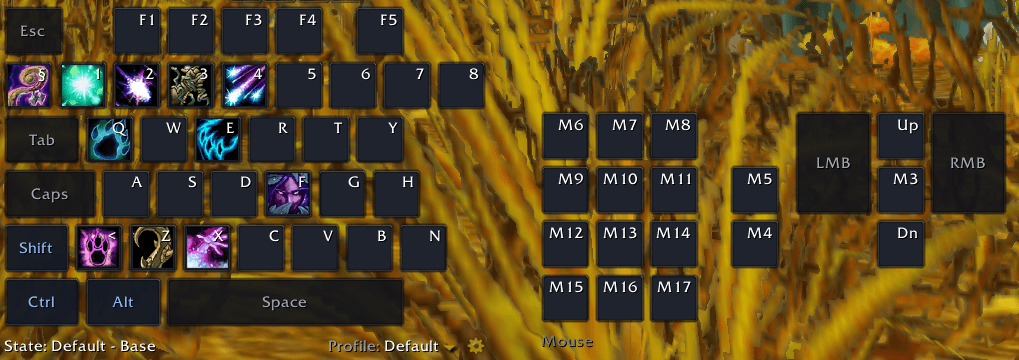
A separate mouse board shows every button and the scroll wheel, with layouts from a standard 5-button mouse up to 20-button thumb grids. It shares your profile, modifiers and forms with the keyboard. Left and right click are shown but locked, so targeting and mouse-look keep working. Some gaming mice send their thumb buttons as keyboard keys (1, 2, 3…). Those belong on the keyboard board instead.
It doesn't take over your UI
Right-click and drag the empty space around the keys to move it. It doesn't remove or replace Blizzard's action bars: use them, move them, hide them, however you like.
If you want them gone, there's an option to hide the stock Main Action Bar, which WoW doesn't offer by default. The bar reappears while Edit Mode is open.
Keys you leave empty keep their normal game action. C still opens your character sheet and movement still moves. KAB only takes over the keys you assign. Where you do assign a key, KAB wins over the stock binding for it.
It feels like the bars you already know
Drag to move, drop to assign, right-click to clear, drag a spell off a key to pick it up. Tooltips, cooldown sweeps, range coloring, item counts, queued and auto-attack highlights, active-form highlights, and a red flash when a cast gets interrupted. Toggles like Hunter aspects and Prowl swap to their active icon and cancel on the next press, like the stock bar.
Bindings are swapped by Blizzard's secure handlers, not my code, so your keys keep working in combat without taint.
Keyboard layouts
Not everyone types on a US keyboard, and ISO keyboards really do differ. Included: QWERTY, QWERTZ, AZERTY, UK, Swiss, Belgian, Spanish, Italian, Nordic (Swedish/Finnish), Colemak and Dvorak, mostly in full, TKL and 75% sizes. There are also 96%, 65% and 60% boards and compact gaming layouts, from a gaming-extended half keyboard to a minimal 12-key pad. Nordic layouts differ by country. I haven't been able to properly test every single layout so your mileage may vary. If the buttons aren't correct, you know what to do.
Also included
- Profiles per character: duplicate, rename, delete
- Two themes: a flat keyboard look, or a skin matching the Blizzard action bar
- Scale and position controls for both boards, with lock
Getting started
- Drop the
KeyboardActionBarfolder intoInterface/AddOns. - Log in and drag spells, items or macros onto the keys.
- Hold Shift, Ctrl or Alt and drag spells to build each modifier.
Reaching options window
- Go to
Main Menu->Options->Addons->Keyboard Action Bar - Write
/kab optionson the chat to open the options window - Click the cog-icon at the bottom right corner of the Keyboard Action Bar
Slash commands
/kab helpto see all available commands
Good to know
- Assignments can't change during combat (a Blizzard restriction). Everything applies when combat ends.
- Vehicle, possess and override bars are left to the default UI.
- I play with this as my own main action bar. I might've not come across the issue you've faced with the classes I'm experimenting with. If you hit a problem,
/kab stateprints diagnostics you can include in a report.
Free and open source
Source and issues: [GitHub link coming soon]
Your keyboard. Your mouse. Your rules.
KeyboardActionBar Team
