


KestrelSky
Screenshot 2026-11-01 011600.png
Screenshot 2026-11-01 011826.png
KestrelSky-Orgrimmar.jpg
Description
KestrelSky
Work in progress. KestrelSky is in active development, so expect some rough edges, especially map stitching between zones and edge cases on specific maps. Bugs and stitching issues are being fixed as they're found. If something looks wrong, leave a comment (a screenshot helps a lot) and it'll be looked at.
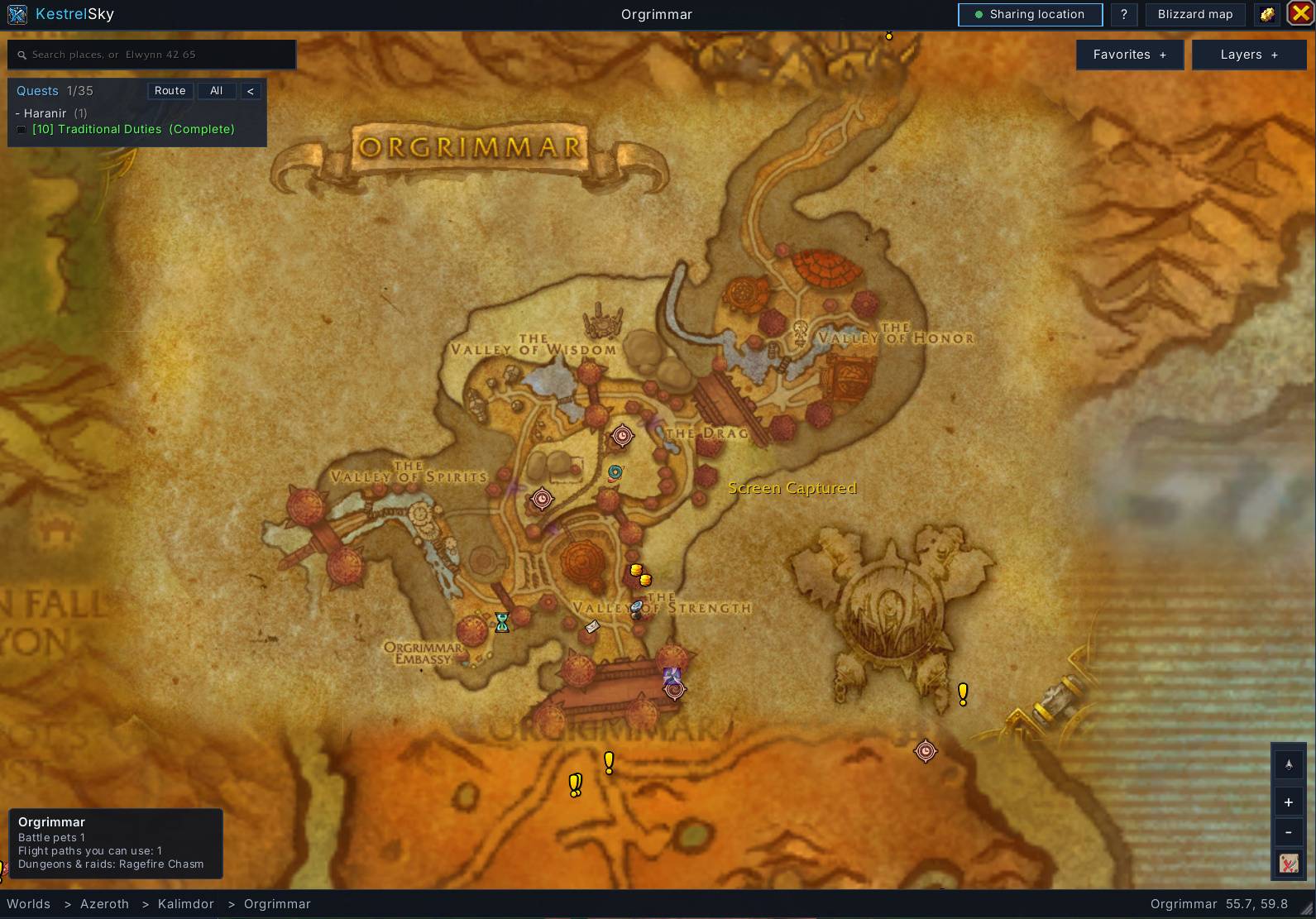
One seamless, zoomable world map. Scroll from the whole world down to a single city in one smooth motion: no clicking between continent and zone maps, no hard jumps. KestrelSky runs on both WoW: Forever and Retail from a single download.
Features
Seamless zoom. Zones and cities fade in as you zoom closer. Drag to pan and give the map a flick to send it gliding. Every zone is placed by its real-world position and blended into its neighbours, so the world reads as one continuous map instead of a stack of squares.
Fly-to search. Type a zone, city, dungeon, flight path, point of interest, your own markers or a friend's name. The map zooms out, travels and zooms back in on it. Typos are forgiven, and Elwynn 42 65 takes you to exact coordinates.
Worlds. Keep zooming out past Azeroth to see Outland and the other worlds side by side, then zoom into any of them.
Layers. Turn place names, quests, world quests (Retail), flight paths, points of interest, dungeons and raids, your group, friends and guildmates, and your markers on or off.
Fog of war, your choice. Show only what you've explored, or turn fog off to see the full map. On Retail, turning it off reveals every zone completely.
Dungeon maps. Click any dungeon or raid icon to open its map, with a floor bar for multi-level instances. Inside, the map follows you between floors and marks the one you're on. Zoom out to see where the dungeon sits in the world.
Markers and favorites. Ctrl-click to drop a marker, then name it, add notes, or star it as a favorite. Everything is listed in the Favorites panel and searchable by name or note.
Friends and guild on the map. Guildmates and friends who also run KestrelSky show up live on your map by name or nickname. Sharing is limited to your guild and friends, can be switched off at any time, and is never sent from inside instances.
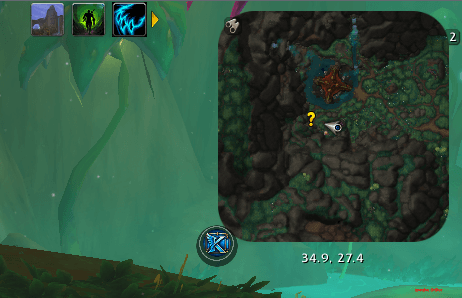
Minimap overview. Scroll out past the minimap's widest zoom and it becomes a mini KestrelSky view of the area around you.
Built-in guide. New to it? Click the ? button on the map for a quick tour of every feature.
Lightweight and optimized
- Idle when closed. With the map closed, KestrelSky only runs a small timer for location sharing.
- Draws only when needed. The map is redrawn only when you pan or zoom, never on a constant loop.
- Recycles instead of rebuilding. Map tiles, icons and working data are reused frame to frame, which keeps memory churn and stutter low while you drag and zoom.
- Spreads out heavy work. The search index builds quietly in the background a little at a time after login, so it never causes a hitch.
- Loads data on demand. The full-reveal map data stays compressed until you actually turn fog of war off.
Commands
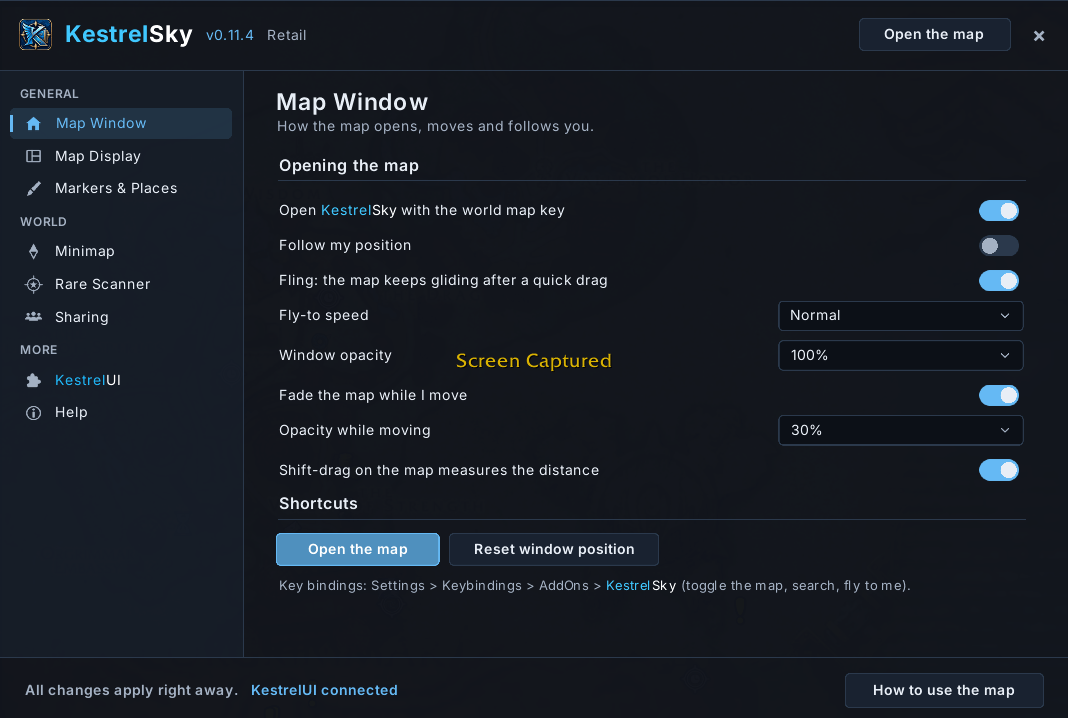
/sky: open or close the map/sky find <place>: fly to a place/sky way <x> <y> [name]: drop a marker/sky fog on|off: toggle fog of war/sky help: open the guide/sky config: options
Key bindings are under Key Bindings > AddOns > KestrelSky, and the options can also make your world map key open KestrelSky.
Works with KestrelUI
KestrelSky is fully standalone, and it fits in alongside KestrelUI: it follows KestrelUI's theme and minimap shape automatically when KestrelUI is installed.
Credits and inspiration
KestrelSky is written from scratch and is not a copy of any other addon. It was inspired by Carbonite, the classic map addon known for turning WoW's zone-by-zone map into one seamless, zoomable world map. Thanks to everyone who built and maintained it over the years.
Good to know
- The Blizzard map is always one click away from the title bar.
- The game hides exact coordinates inside instances. On Retail, KestrelSky still shows your arrow on dungeon maps using the game's own position marker.
KestrelSky Team
