Keep or Toss: Forever
- By
Tells you what every item is for and when it has no use left for you, and highlights items new to WoW Forever.
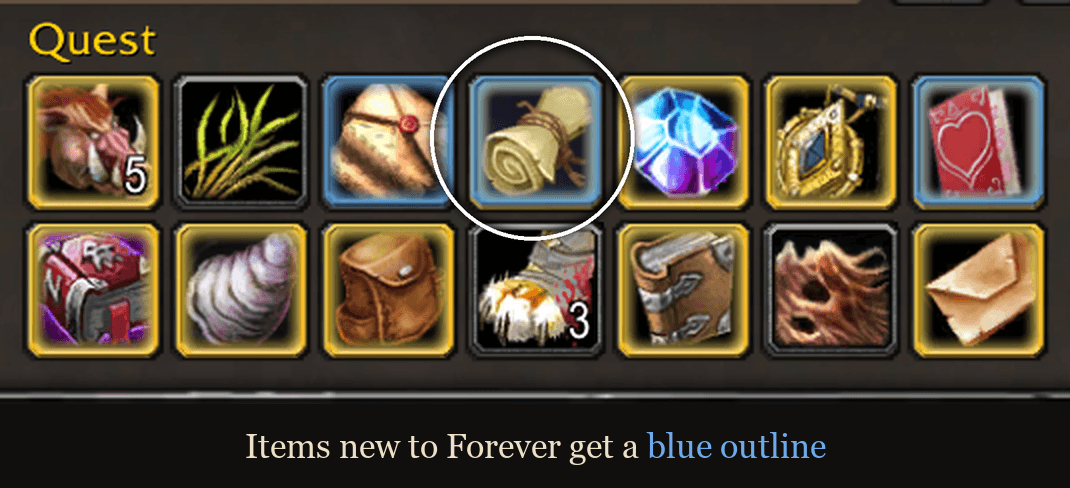
bags-new-to-forever.png
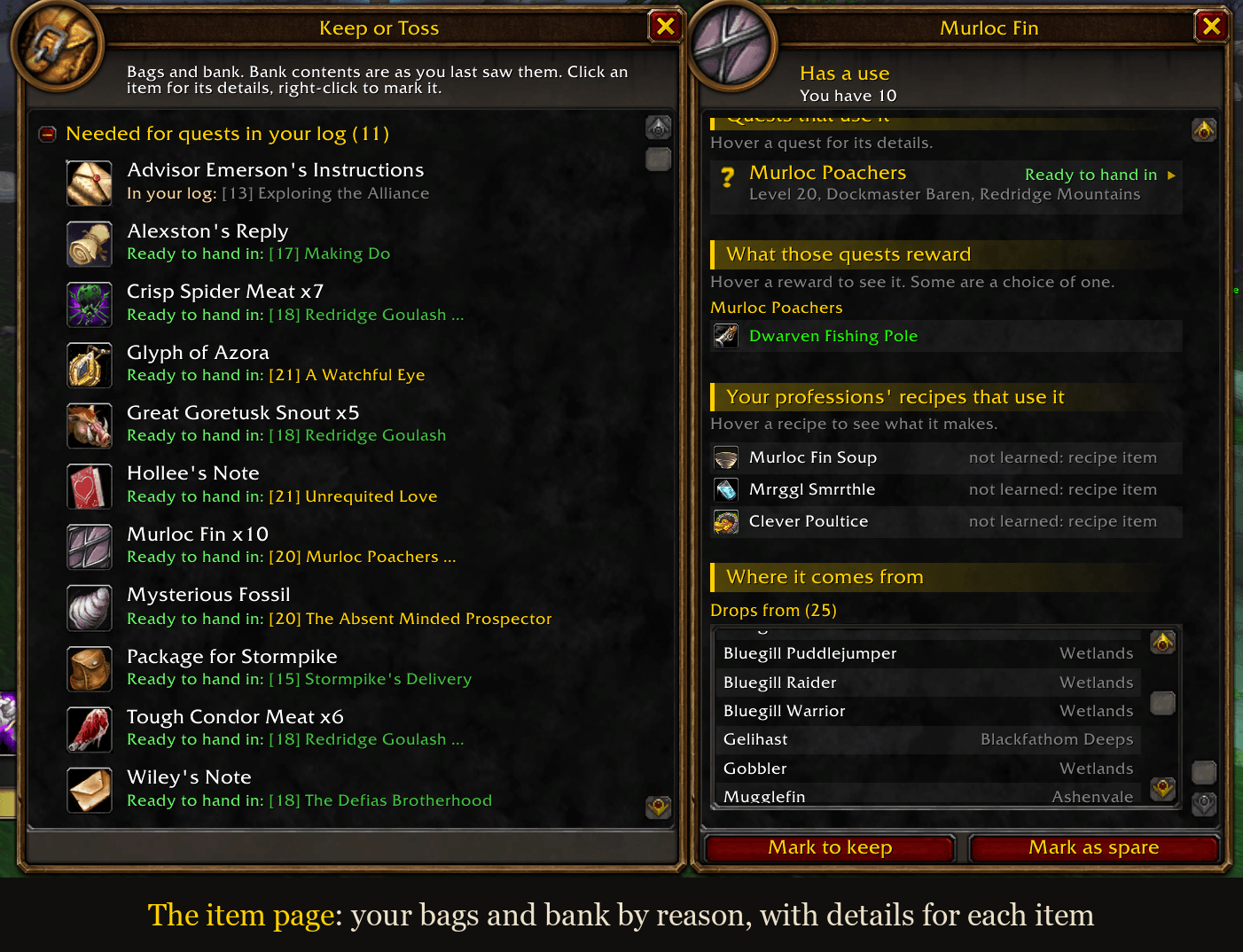
item-page-details.png
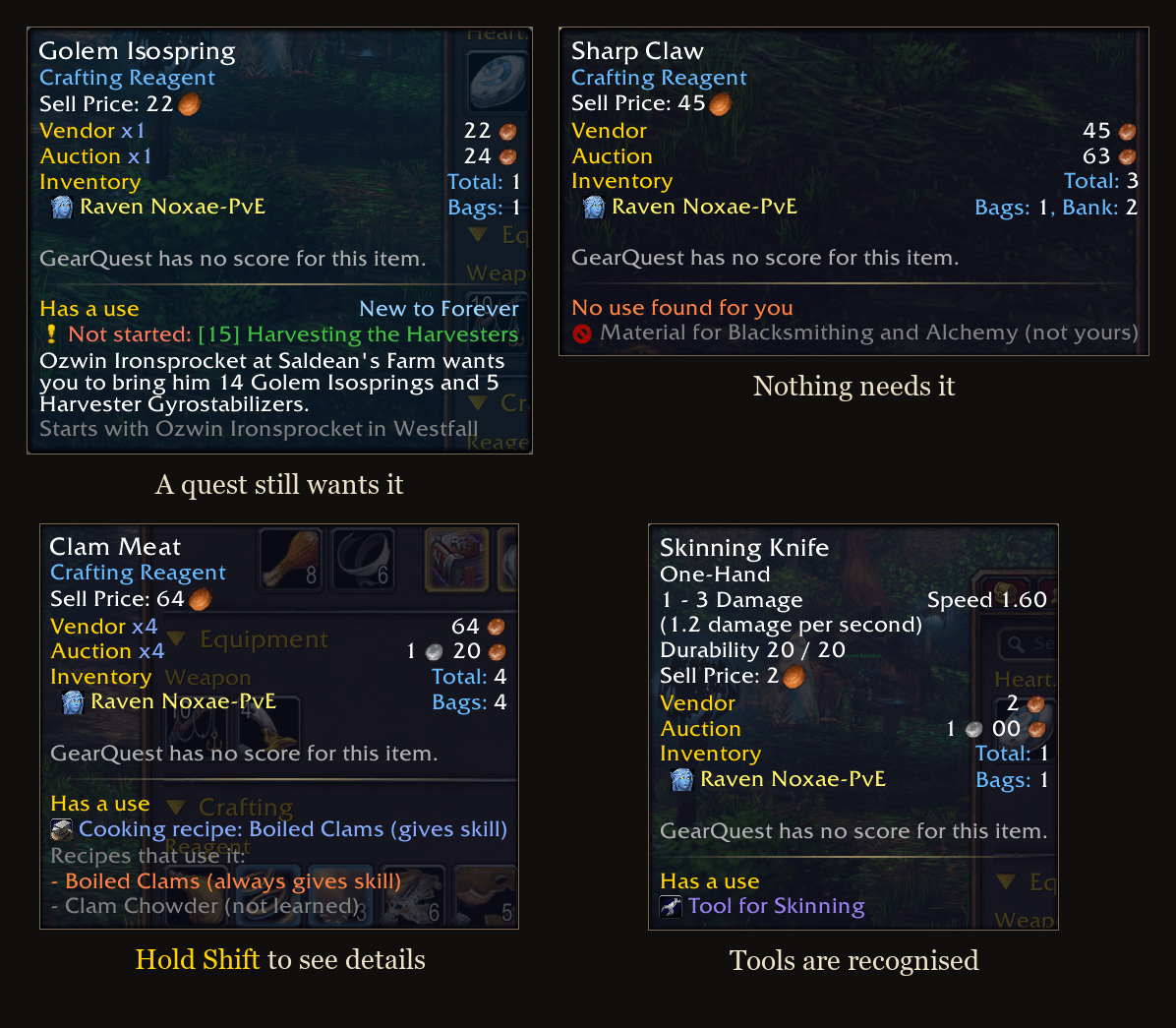
tooltips.png
Description
Keep or Toss: Forever
What is this item for, and do I still need it?
Your bags fill up with things you are not sure about. Keep or Toss reads what the game knows about every item and tells you in one short tooltip section: it has a use, and what for, or no use was found for you, and why.
It is built for WoW Forever and looks like part of the game's own interface.
What it tells you
- Quests: in your log, ready to hand in, part of a chain you have started, or wanted by a quest not picked up yet.
- Professions: used by your own professions, with whether it still gives skill, or by one of your other characters.
- Tools and reagents: needed in your bags by a spell or recipe, or used up by one of your class's spells.
- Gear: part of an equipment set, a bonus, or usable at a higher level. A setting adds looks you have not collected.
- No use: quest is done, recipe is already known, your class can never equip it, the food is too weak for your level.
- New to Forever: items that were not in original Classic say so, get a blue outline in your bags, at merchants and in loot, and are never called useless while the data on them is thin.
The item page
Type /kot, or click the minimap button, for a page listing everything in your bags and bank by reason. Click an item for its details: the quests, the recipes, and where it comes from. Click an item to mark it yourself as one to keep or to spare.
You can bind a key that opens the details of whatever item is under your mouse.
Works better with
All optional. The addon runs without any of them.
- Questie: quest uses, including quests you have not picked up yet.
- Syndicator: your bank and your other characters items.
Commands
/kotopens the item page/kot [item link]opens that item's details/kot introshows the introduction again
Settings are in Options > AddOns > Keep or Toss. An optional setting there warns you when you sell or destroy an item that has a use.
Quest data is read from QuestieDB, which comes with Questie.
Some items might not be recognized properly that I'm unaware of. I'll try my best to update any bugs/mismatches I find. If you find yourself trying it out, I would love some feedback in the comments!
Keep or Toss: Forever Team