promotional bannermobile promotional banner

KBOCD Tooltip Anchor

Move and anchor your mouse-over tooltip frame and choose which direction it draws with this simple addon.
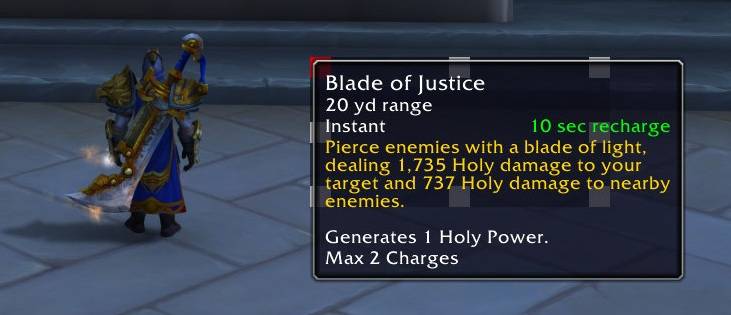
Example of a tooltip anchored with the top left option selected. Note how the frame draws down and to the right from that point.
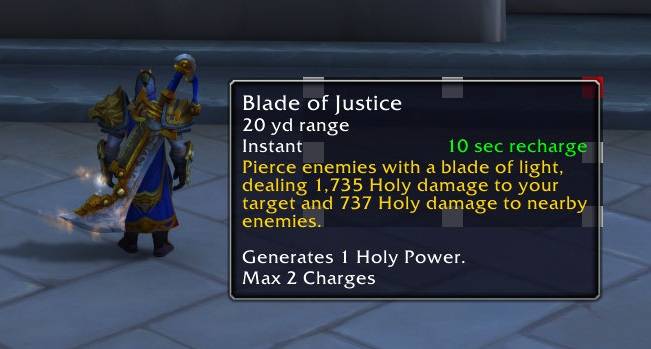
Example of a tooltip anchored with the top left option selected. Note how the frame draws down and to the right from that point.

Example of a tooltip anchored with the top right option selected. Note how the frame draws down and to the left from that point.
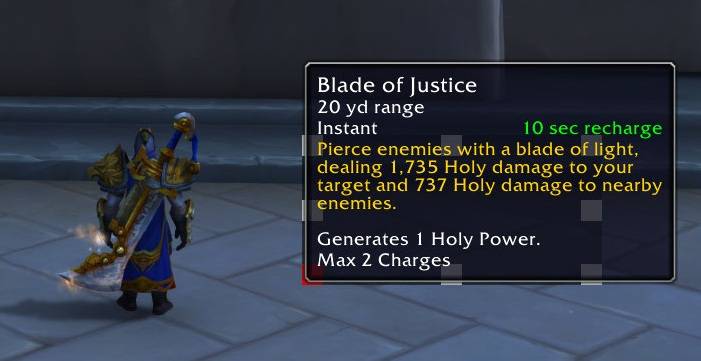
Example of a tooltip anchored with the top right option selected. Note how the frame draws down and to the left from that point.

Example of a tooltip anchored with the bottom left option selected. Note how the frame draws upward and to the right from that point.
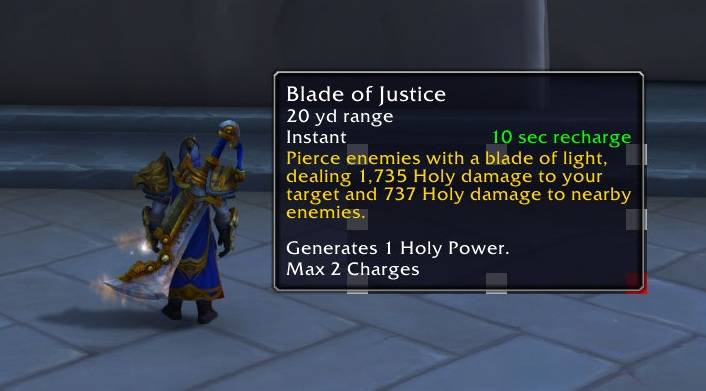
Example of a tooltip anchored with the bottom left option selected. Note how the frame draws upward and to the right from that point.

Example of a tooltip anchored with the bottom right option selected. Note how the frame draws upward and to the left from that point.
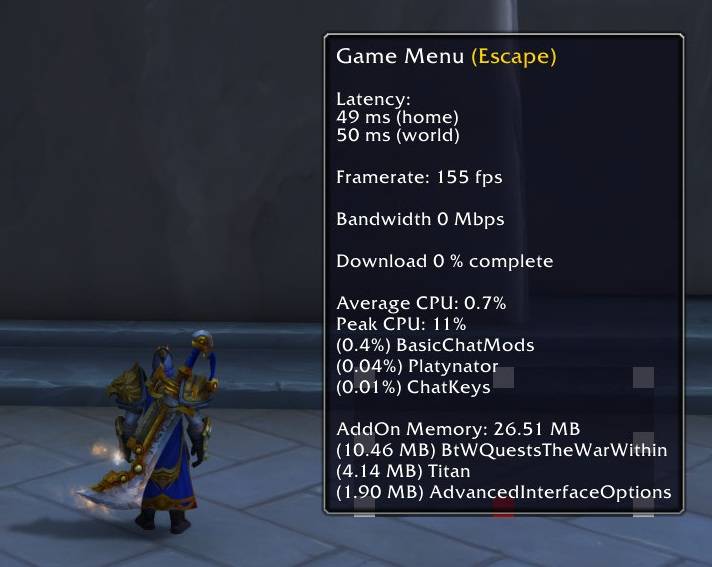
Example of a tooltip anchored with the bottom right option selected. Note how the frame draws upward and to the left from that point.

Example of a tooltip anchored with the bottom center option selected. Note how the frame draws upward from that point.
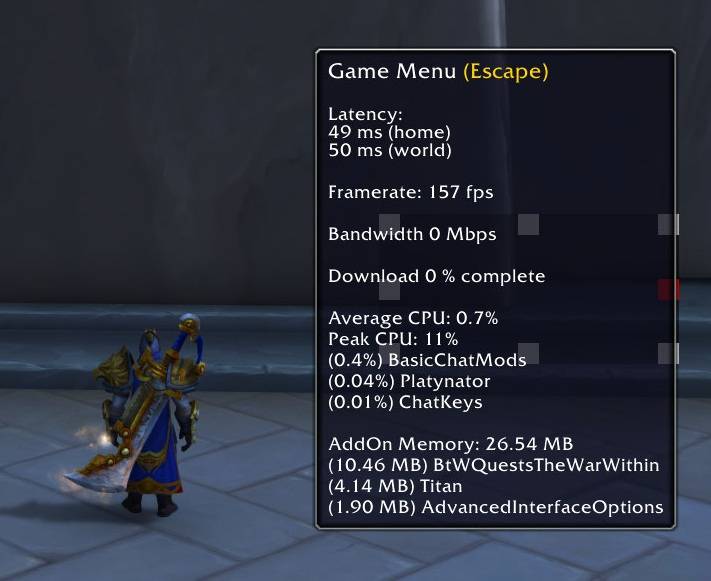
Example of a tooltip anchored with the bottom center option selected. Note how the frame draws upward from that point.

Example of a tooltip anchored with the center right option selected. Note how the frame draws from the center right to the left.
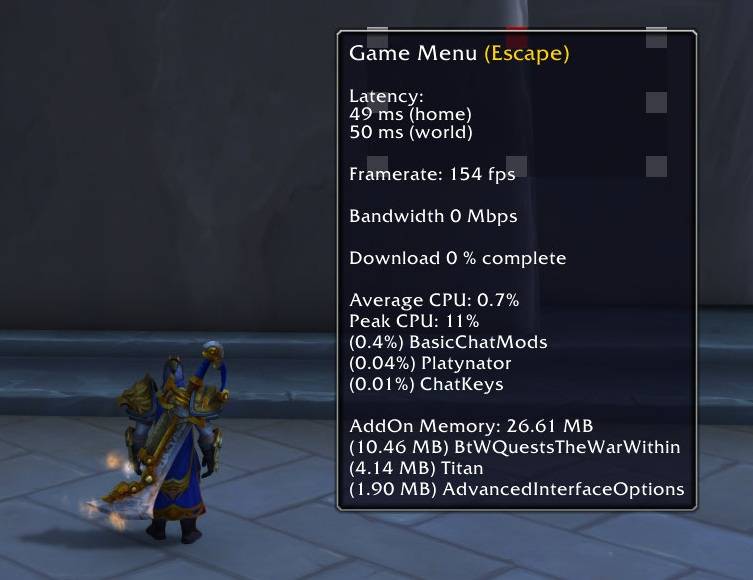
Example of a tooltip anchored with the center right option selected. Note how the frame draws from the center right to the left.

Example of a tooltip anchored with the top center option selected. Note how the frame draws downward from that point.

Example of a tooltip anchored with the top center option selected. Note how the frame draws downward from that point.

Description

Allows you to move and anchor your mouse-over tooltip frame.

Simply click and drag the box around your UI and that is where your mouse-over tooltips will appear.

Click one of the white boxes to choose the direction in which the tooltip frame draws.

By default, the frame draws from the top left to the bottom right (ie: the top left button). If you click the bottom right button then the frame would draw from the bottom right to the top left (ie: the frame draws up and to the left).

See screenshots for more examples or just play around yourself and see which direction suits you best!

Once you're happy with it's placement, simply goto Options > Addons > KBOCD Tooltip Anchor and then uncheck the option to display the frame.

Note: The inspiration to make this addon was the discontinuation of WeakAuras (and certain older addons that are not updated for WoW 12.0 or above). I'm OCD with my layouts, hence the naming of this addon.

I always like having my mouse-over tooltip in a specific location and for it to draw in a specific direction. I was never able to find an addon that did this without fully replacing the ingame tooltip; so I decided to make one myself. I hope for those people like me they find this useful. Enjoy! - KurenBatsu

The KBOCD Tooltip Anchor Team

profile avatar
  • 4
    Projects
  • 682
    Downloads

More from Kurenbatsu

  • KBOCD Target Level Display project image

    KBOCD Target Level Display

    • 35
    • Addons

    A simple frame which displays the targets level on its unit frame.

    • 35
    • March 1, 2026
    • Addons
  • KBOCD Timed Icons project image

    KBOCD Timed Icons

    • 20
    • Addons

    Set timers for abilities which results in ability icons disappearing or appearing for a set duration of time.

    • 20
    • February 26, 2026
    • Addons
    • +2
  • KBOCD Resource Bars project image

    KBOCD Resource Bars

    • 429
    • Addons

    Simple and customizable resource bars for player health, primary resource and an additional resource.

    • 429
    • February 23, 2026
    • Addons
  • KBOCD Target Level Display project image

    KBOCD Target Level Display

    • 35
    • Addons

    A simple frame which displays the targets level on its unit frame.

    • 35
    • March 1, 2026
    • Addons
  • KBOCD Timed Icons project image

    KBOCD Timed Icons

    • 20
    • Addons

    Set timers for abilities which results in ability icons disappearing or appearing for a set duration of time.

    • 20
    • February 26, 2026
    • Addons
    • +2
  • KBOCD Resource Bars project image

    KBOCD Resource Bars

    • 429
    • Addons

    Simple and customizable resource bars for player health, primary resource and an additional resource.

    • 429
    • February 23, 2026
    • Addons