
f3d846c1-7f99-4c05-916b-2c1991e94861 (1).png
Description

Karen’s Bag Solutions (Karen’s BS)
One bag. All your loot. Less BS.
Tired of juggling multiple bags and digging through endless piles of loot? Let Karen take care of your BS!
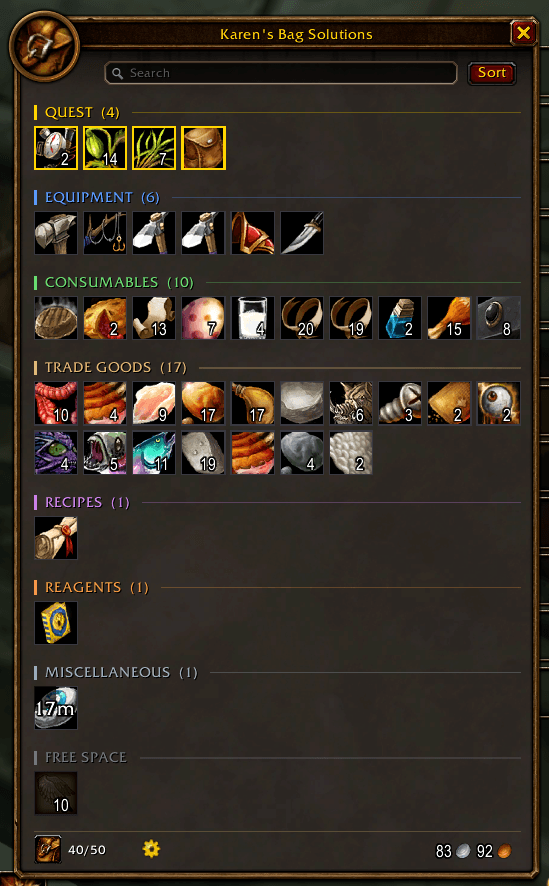
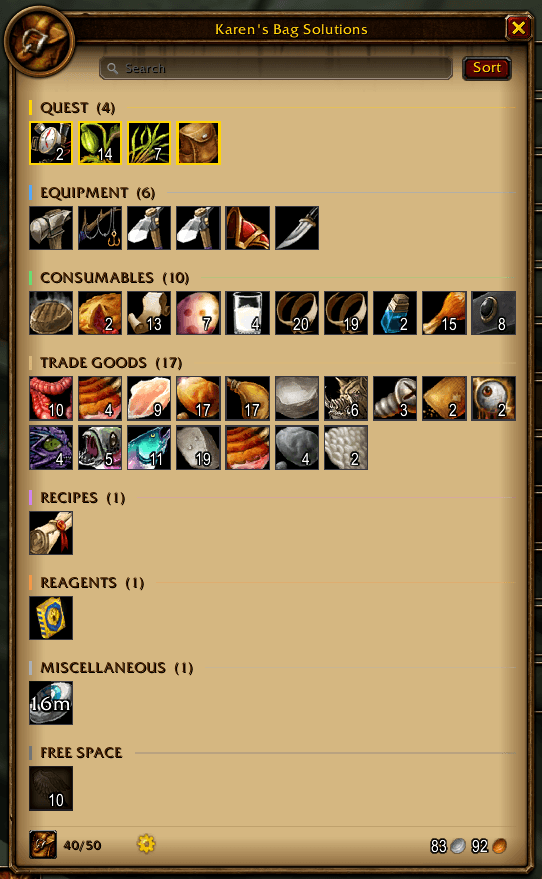
Karen’s Bag Solutions brings your bags together into one convenient, category-sorted window, making inventory management in World of Warcraft cleaner, easier, and more enjoyable.
Inspired by the beloved AdiBags, Karen’s BS combines smart inventory organization with a customizable interface inspired by WoW’s classic art style. Choose your backgrounds, customize your accent colours, create your own categories, and make your inventory truly yours.
And now, Karen is taking things further: a fully integrated bank window, character-specific profiles, smarter sorting and search, quality-of-life automation, and plenty of extra features to make managing your loot easier than ever.
✨ Features
🎒 Smart Inventory Management
-
One unified bag window — all your bags together in one convenient place.
-
Automatic category sorting — items are grouped into clear, organized sections.
-
Custom categories — create your own categories using item names or item IDs. Organize your fishing gear, crafting materials, collectibles, or anything else your adventurer hoards.
-
Category filters — use convenient category chips to display only the items you want to see.
-
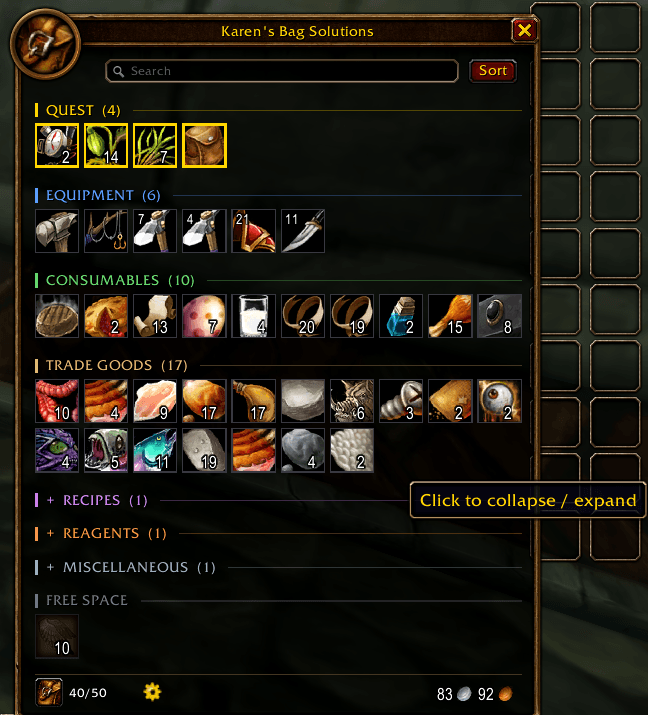
Collapsible categories — hide the clutter and focus on what matters.
-
Multiple sorting modes — sort items within categories by quality, name, item level, or vendor value.
-
Smarter search — find items by name or use advanced filters such as
q:epic,ilvl>50,ilvl<30, andcat:armor. -
Favourites — middle-click an item to mark it as a favourite. Favourites get their own section at the top and are protected from automatic junk selling.
-
Bag-slot management — view your equipped bags, highlight their contents, and pick up or swap bags directly from the bag window.
-
Bag worth — hover over the slot counter to see the vendor value of your carried items, broken down by category.
-
Full-bag warnings — get warned when your inventory is nearly full, with the slot counter changing colour as space runs out.
🏦 Karen’s Bank
Your bank deserves the Karen treatment, too!
A dedicated bank window — a second window matching your bag interface, with the same categories, search, backgrounds, accent colours, and sorting options.
-
Automatic bank integration — Karen’s bank opens when you visit a banker and replaces Blizzard’s default bank window while active.
-
Buy bank bag slots directly — see your purchased slots and the price of the next upgrade, with a convenient Purchase button that turns red when you cannot afford it.
-
Bank container detection — automatically discovers bank containers, including clients that handle bank bags differently.
-
Optional replacement — enable or disable Karen’s bank window whenever you like through Settings or
/kbs bankreplace on|off. -
Bank diagnostics — use
/kbs bankdebugto inspect reported bank information, active containers, and recent bank events.
Store your treasures, organize your collection, and keep your bank just as tidy as your bags.
🎨 Make It Yours
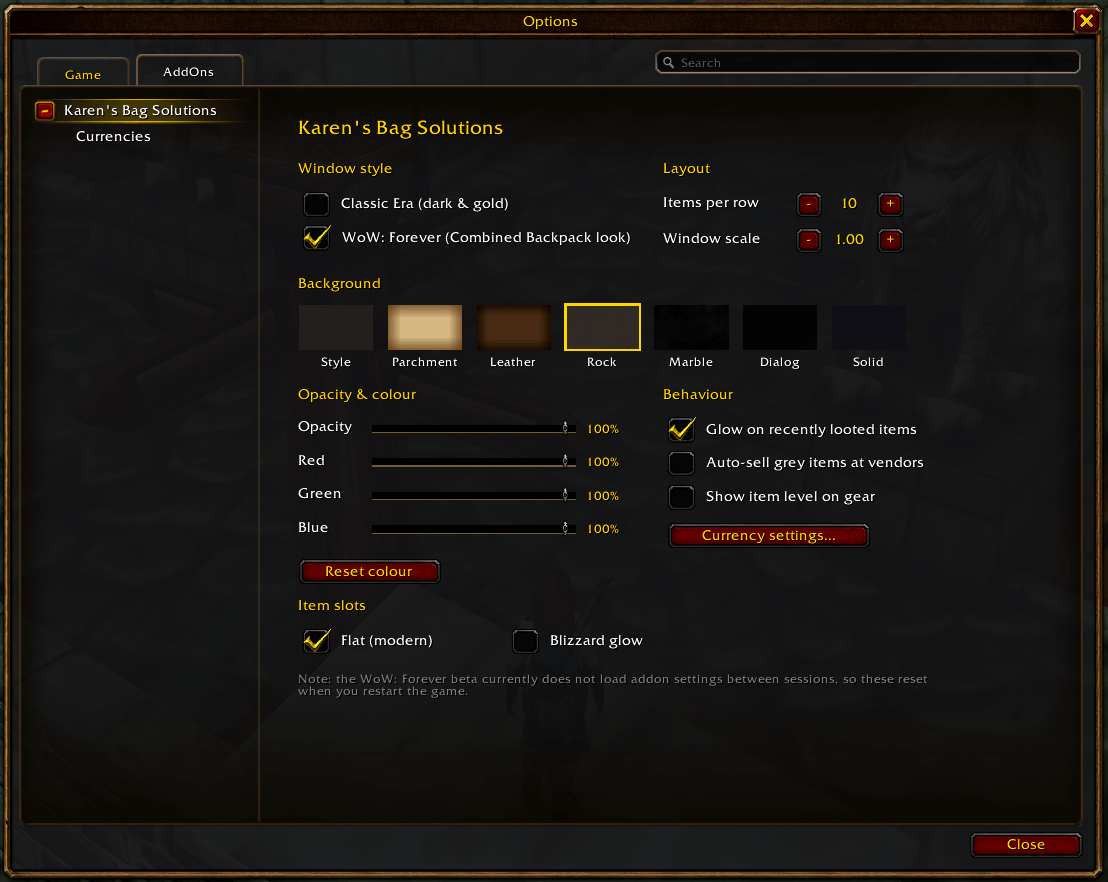
Customizable appearances — tailor the interface to your character and UI.
-
Class artwork backgrounds — choose from nine class-themed backgrounds, each available in normal and vibrant versions, or select My Class to match your current character.
-
Dedicated artwork assets — class background images are stored in the addon's
Backgroundsfolder. -
Flat item slots — the new default style features dark tiles and thin borders in each item's quality colour. Prefer the original look? The classic Blizzard glow remains available.
-
Colour-coded category headers — each category gets its own coloured accent bar and divider line.
-
Seven accent themes — Gold, Azure, Emerald, Amethyst, Crimson, Rose, and Frost.
-
Adjustable slot sizes — choose Compact, Normal, or Large.
-
Legendary item effects — legendary items receive a slow, pulsing orange glow.
-
Polished interface details — enjoy a subtle fade-in animation and a clean divider above the bottom row.
-
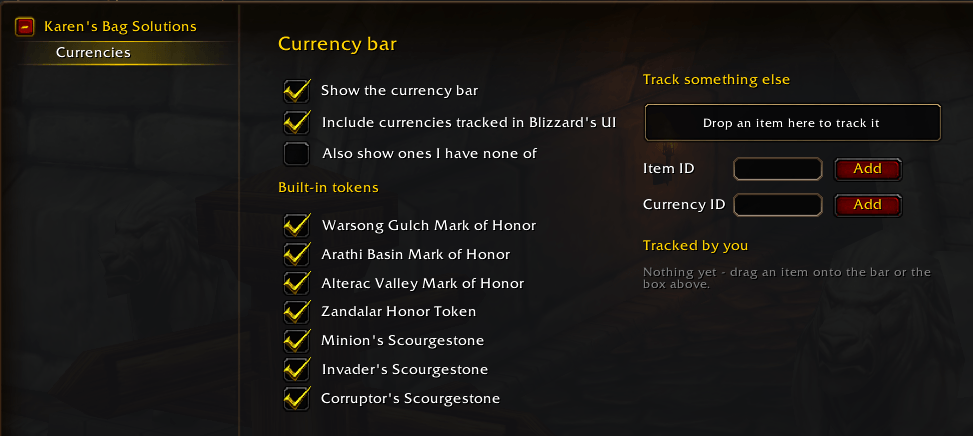
Integrated currency bar — keep track of your gold and other currencies.
-
Collapsible sections and customizable backgrounds — create a layout that works for you.
Find your visual preferences in Settings > Look & Feel, with additional artwork options under Settings > Class Artwork.
👥 Character Profiles
Every character has their own way of hoarding loot. Now, every character can have their own setup!
-
Per-character profiles — each character remembers its own style, layout, category rules, and favourites.
-
Create, switch, and delete profiles — manage your setups in Settings > Profiles or with
/kbs profile. -
Automatic settings migration — existing settings are moved into the Default profile automatically.
Whether you prefer a minimalist inventory on your main or a collector's paradise on your alt, Karen has you covered.
⚙️ Quality-of-Life Automation
Let Karen handle the busywork while you get back to adventuring.
-
Automatic opening and closing — bags can open when interacting with vendors, mailboxes, the auction house, trades, and the bank, then close again afterwards.
-
Individual automation toggles — disable any automatic opening trigger you don't want.
-
Sell Junk button — sell junk items directly at vendors without accidentally selling your favourites.
-
Session gold tracker — hover over your gold to see session earnings, spending, net profit, and gold earned per hour.
-
Cross-character gold overview — see the gold held by your other characters and your combined account total.
-
Cross-character item tracking — item tooltips show what your other characters have in their bags and banks.
💰 Loot, Gold & Extra Fun
Loot sparkle effects — looting a rare or better item triggers a starburst in the item's quality colour.
-
Epic loot sounds — epic-quality and higher loot gets an extra audio celebration.
-
Inventory-full alerts — know when your bags are running out of room before that next juicy drop appears.
-
Karen has opinions — click the character portrait and see what Karen has to say.
-
Customizable extras — enable or disable these features under Settings > Fun & Extras.
Because managing your inventory should be useful, satisfying, and occasionally a little entertaining.
🛠️ Settings & Commands
Karen’s BS includes dedicated settings sections to keep everything organized:
Look & Feel — accent colours, slot sizes, sorting, and visual extras.
-
Class Artwork — select your class-themed inventory backgrounds.
-
Categories — create and manage custom item categories.
-
Profiles — manage character-specific configurations.
-
Automation & Bank — configure automatic opening and Karen’s bank replacement.
-
Fun & Extras — customize loot effects, alerts, and additional features.
Useful slash commands:
-
/kbs bankreplace on|off— enable or disable Karen’s bank window. -
/kbs bankdebug— display bank diagnostics. -
/kbs rule add Category = text or IDs— add a custom category rule. -
/kbs profile— manage character profiles.
🔧 Fixes & Improvements
This update also includes a range of important fixes and compatibility improvements:
Fixed bank items dimming when hovering over unpurchased bank slots.
-
Fixed bank-slot purchase confirmations by supplying the correct price independently of Blizzard’s bank window.
-
Fixed bank opening on clients that report banker interactions using newer interaction types.
-
Fixed the bank window remaining stuck in an open state after being hidden.
-
Improved click handling and tooltips for the 28 main bank slots on Classic Era by using Blizzard’s native bank-slot buttons.
-
Fixed Blizzard’s bank window appearing alongside Karen’s bank.
-
Added an explanatory message for empty or not-yet-loaded banks instead of displaying a blank window.
-
Fixed items dimming when hovering over locked or empty bag slots in the bag-slot row.
⚔️ Compatibility
Built for adventurers across WoW Classic Era and WoW: Forever.
Whether you're a veteran raider, a dedicated collector, an auction-house goblin, or a loot-hoarding adventurer who refuses to throw anything away, Karen’s got your back!
Karen’s Bag Solutions — Less clutter. More loot. Less BS.
Because saving Azeroth is hard enough without fighting your bags.
Karen's Bag Solutions (Karen's BS) Team