Kalimdor ZugZug Radio
- By
1-campfire-auto.png
2-library.png
3-settings.png
4-player.png
5-compact-tirisfal.png
Description
Kalimdor ZugZug Radio is a music radio for World of Warcraft Forever.
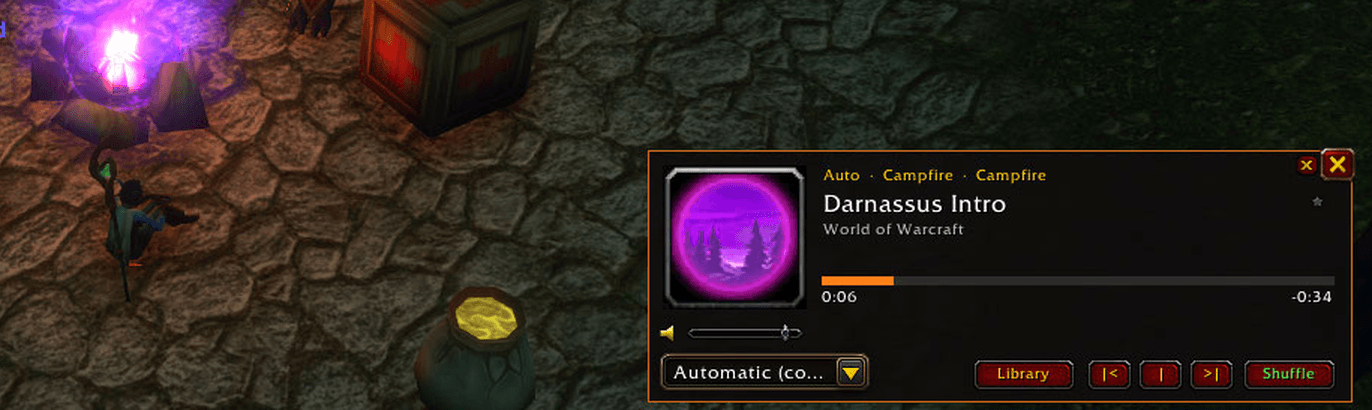
It plays your own playlists based on what your character is doing: a boss fight, combat, a flight path, sitting at a campfire, fishing, a dungeon, a city, a specific zone, the night. Or just pick a playlist and listen, with no conditions at all. Besides your own music it plays the game's own soundtrack and your podcasts.
Features
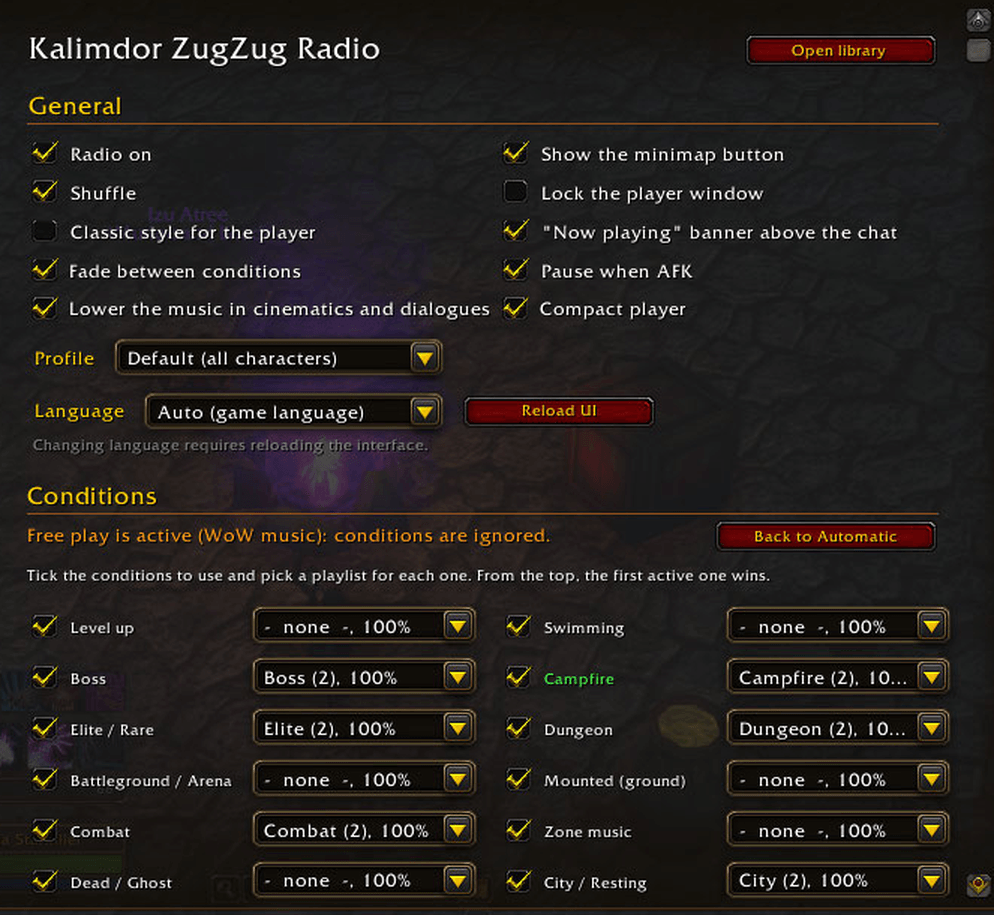
- 16 conditions, each with its own playlist and volume: level up, boss, elite, battleground, combat, dead, flight, fishing, swimming, campfire, dungeon, ground mount, zone, city, night, no condition. Specific playlists for each zone, dungeon and boss, assigned with one click from the player's menu (Assign here).
- Smooth fights: the fight music fades out gently after the fight and goes on if another fight starts; every new fight starts a different song.
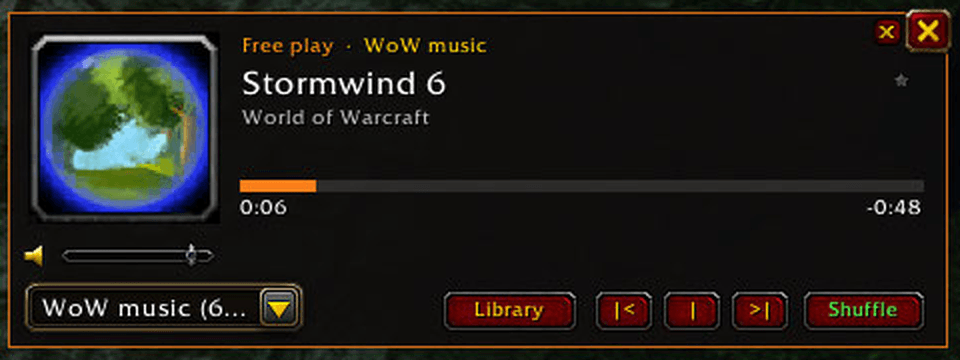
- Free play: choose a playlist yourself and it wins over every condition until you go back to automatic.
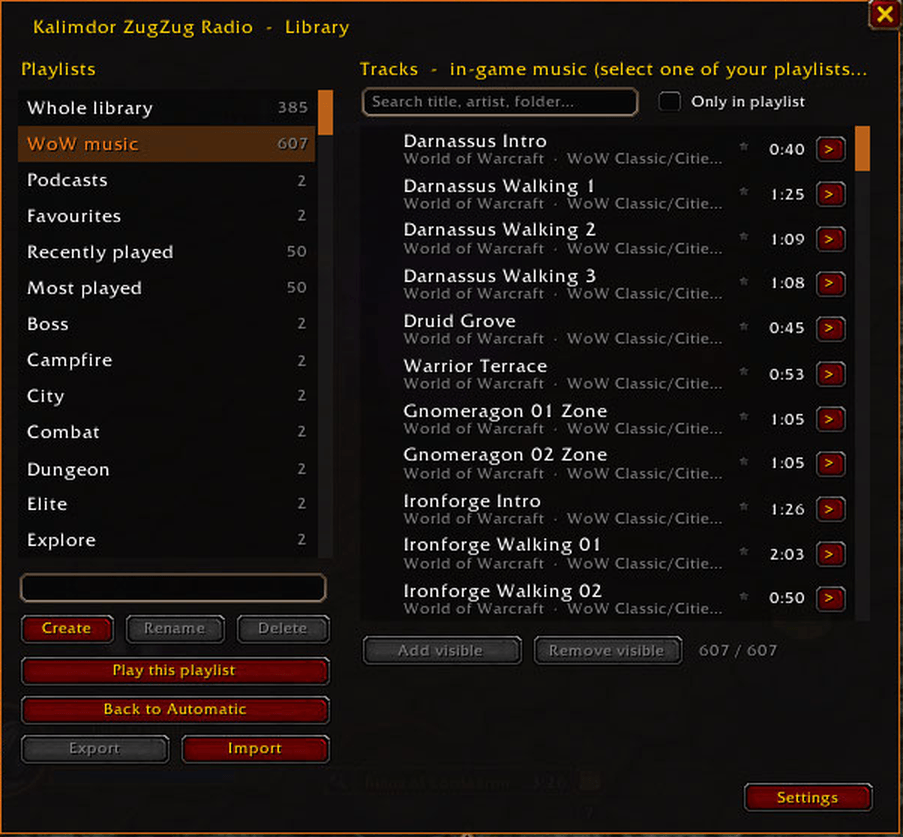
- Game soundtrack: about 600 WoW Forever and classic tracks, ready to use, with an in-game icon as the cover, and ready-made playlists for each condition.
- Welcome guide: sets everything up in a minute the first time you log in.
- Your music: mp3, ogg, mp4, m4a, flac, wav and more, with covers, organized in playlists you create in game.
- Podcasts: the latest episodes of your podcasts (RSS or Apple Podcasts links), resumed where you left off.
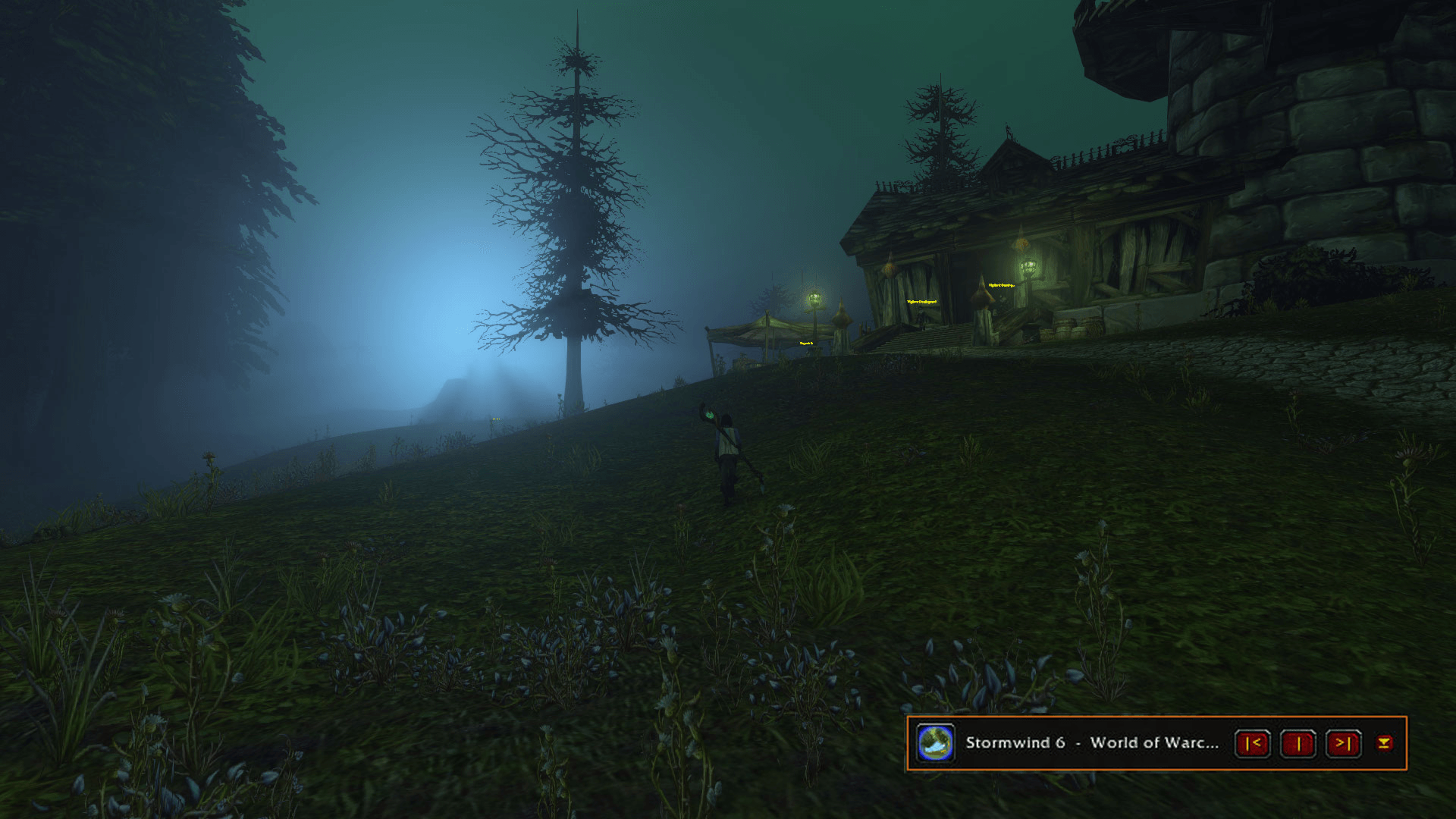
- Player: cover, title, remaining time, controls, volume slider, favourites, compact mode and a classic WoW look.
- Library: playlists, search, Albums / Artists / Genres views with covers, favourites, "never play this track", recently played, most played, export and import playlists as text.
- Smart playlists that fill themselves by rules (artist, genre, year, composer, plays, favourites, never played…), a play-next queue and a smart shuffle that plays skipped tracks less often.
- Comfort: key bindings, minimap button, "Now playing" banner, fade between conditions, lower music during cinematics, pause when AFK, optional game zone music between tracks, per-character profiles.
- 12 languages: English, Français, Deutsch, Español (EU), Español (AL), Português (BR), Italiano, Русский, 简体中文, 繁體中文, 日本語, 한국어.
- Titles in any script: Japanese, Chinese and Korean titles, and symbols like ★ ♪ ❤ ✿ ➡, are readable on any client thanks to the bundled fonts.
Getting started
- Install the addon and start the game: the player, a drum button on the minimap and the welcome guide appear.
- Follow the guide: it creates ready-made playlists of the game soundtrack for the conditions you tick, so the radio works right away.
- Later, open the settings (
/kzz config) to choose your own playlists for each condition, or use Assign here in the player's menu.
Your own music and podcasts
Double-click Import music.py in the addon folder (it needs Python and ffmpeg: winget install Gyan.FFmpeg). A small menu lets you pick the options and opens your music folder (AddOns\KalimdorZugZugRadio_Library\music): put your files there, then the script converts them, extracts the covers and builds the library. Then restart the game client.
Your music lives in that separate folder (shown in the AddOns list as Kalimdor ZugZug Radio - My Music), so updating the addon never deletes it. Updating from 0.7 or older: back up AddOns\KalimdorZugZugRadio\music and covers first, then run Import music.py once to move them. Updating to 1.0: run Import music.py once to add genres, years and composers to your library.
Already have a music library somewhere else (Plex, iTunes, a folder of albums)? Choose it in the menu: the script copies and converts only the tracks the addon doesn't have yet, after showing you the list, and never modifies your library.
For podcasts, list them in podcasts.txt in your music library folder (one link per line) and run the same script.
The full guide is on GitHub.
Commands
/kzz player, /kzz lib library, /kzz config settings, /kzz auto automatic music, /kzz tutorial welcome guide, /kzz stats listening stats, /kzz help all commands.
Notes
- WoW can't pause or seek a track: stop and play restart it from the beginning. Podcasts resume from their current 2:30 part.
- The radio uses the game's Music volume channel.
- Music is not included: everyone uses their own files. World of Warcraft is a trademark of Blizzard Entertainment; this addon is not affiliated with Blizzard.
AI disclosure
This addon was built with the help of an AI coding assistant (Anthropic's Claude). The idea, the design and every decision about features are mine, and I test each version in game on WoW Forever, reporting bugs back until things work the way I want. Most of the code, the tests and the translations were written by the AI under my direction, and checked with automated tests and in-game play.
The addon ships no AI-generated music, covers or artwork: you play your own music files or the game's official soundtrack. The translations were machine-generated: if you are a native speaker and spot something odd, please let me know in the comments or on GitHub.
Kalimdor ZugZug Radio Team