JunkDrop
- By
Delete your lowest-value items with one command or click, so you can keep looting with full bags. Choose which qualities count, protect items by name, and see what's next on your bar and in your bags.
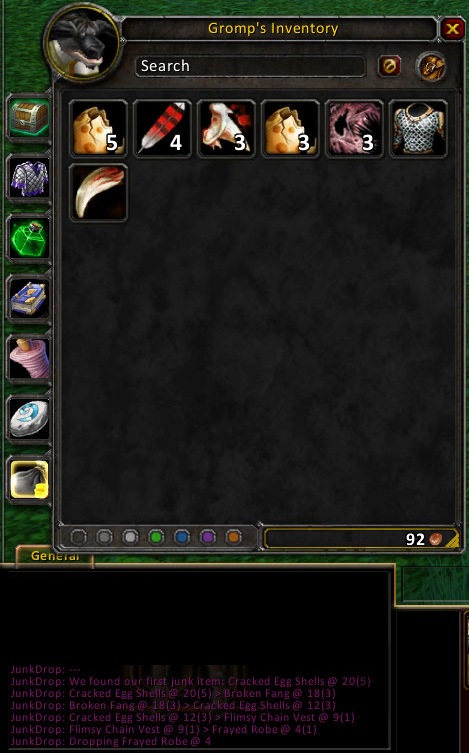
This shows my inventory just after JunkDrop ran. It deleted a Frayed Robe for me.
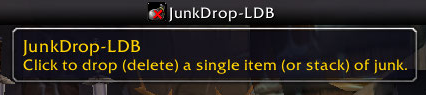
The LDB shown in ChocolateBar.
Description
Description
JunkDrop deletes items. It does not sell them, and deleted items cannot be recovered. By default it only considers Poor (grey) items.
JunkDrop clears bag space with one command or one click, so you can keep looting when your bags are full. It works on retail, Classic Era and World of Warcraft: Forever.
How it ranks items
A stack is one bag slot, and its value is the vendor price of the whole stack. A slot of six 2-copper items is worth 12 copper, so it ranks above a single 10-copper item. The lowest-value stack goes first.
You can choose which item qualities may be dropped (Poor, Common, Uncommon, Rare, Epic), and whether to drop the lowest quality first or simply the cheapest price first.
Safeguards for anything better than Poor: an item must have a vendor price (so the Hearthstone is never picked), quest items are never picked, and a confirmation window lists exactly what will be deleted.
Never drop
Type words separated by commas, such as knife, fishing pole, bag. An item whose name contains any of them is never dropped. A Test button lists what your words match in your bags right now.
Commands
Type /jd or /junkdrop:
/jddeletes the next stack in line./jd 3deletes the next 3./jd alldeletes everything that qualifies./jd listshows the next stack without deleting anything, so you can decide whether a new item is worth looting./jd list 3and/jd list allshow more./jd debugshows every stack in drop order./jd optionsopens the settings window./jd helplists the commands.
On your bar
JunkDrop adds an item to data-broker bars (EllesmereUI, ElvUI DataTexts, Titan Panel and others). It shows the next stack and its value, with colored dots for the qualities you've chosen. Hover to see the next few stacks, left-click to delete the first one, right-click for settings.
Glow in your bags
With EllesmereUI Bags installed, the next stack to be dropped pulses red while your bags are open. You can turn it off in settings.
Settings
/jd options or right-click the bar item. Label, value-only display, stack size, quality dots, coin style, tooltip rows, confirmations, chat reports, and the bag glow. It follows your EllesmereUI theme when that addon is installed.
JunkDrop Team