
jsal.ui
- By
Description
jsal.ui

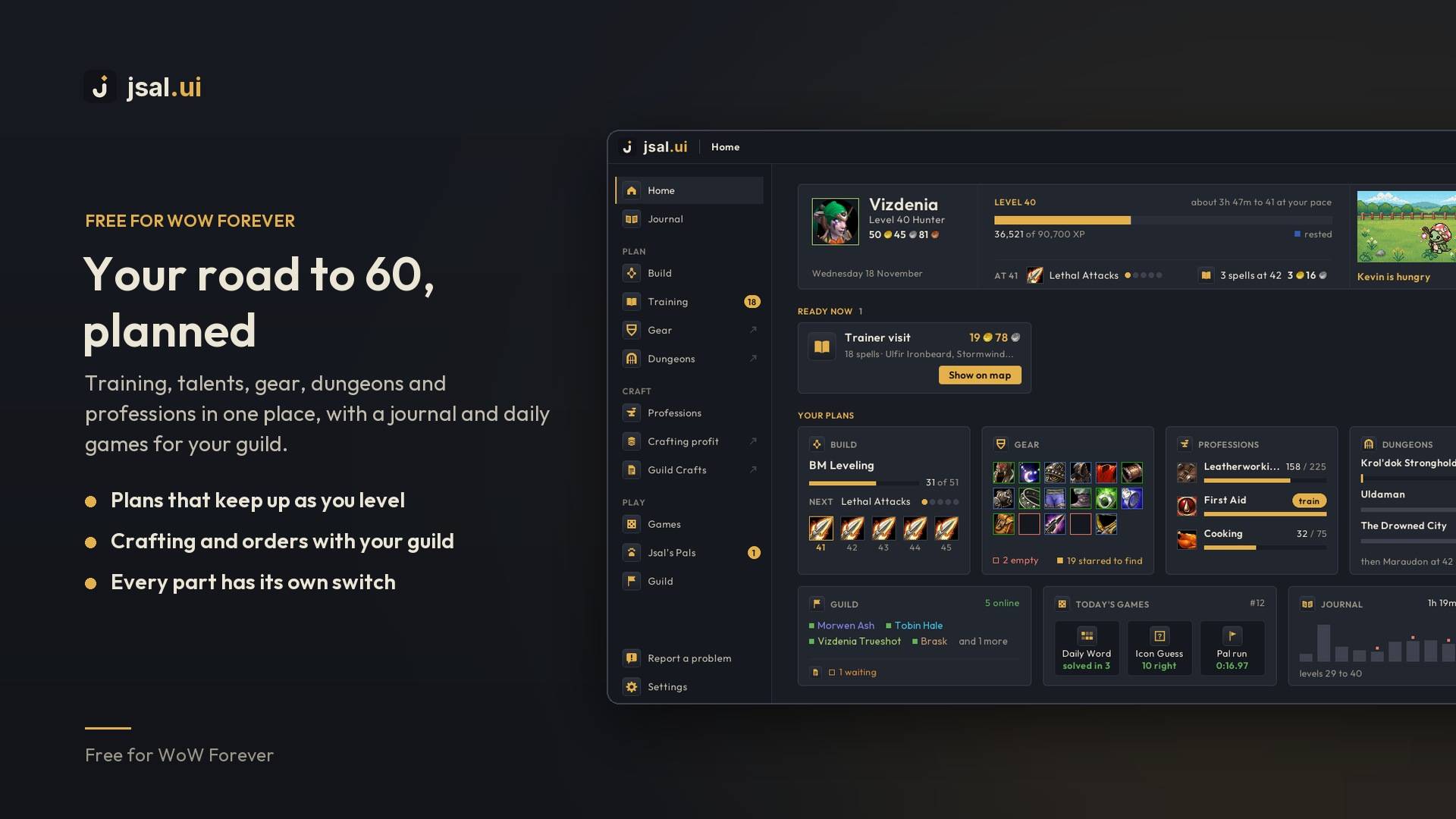
Your road to 60, planned. jsal.ui puts training, talents, gear, dungeons and professions in one dashboard, with a journal of your adventure and daily games for your guild. Free, for WoW Forever.
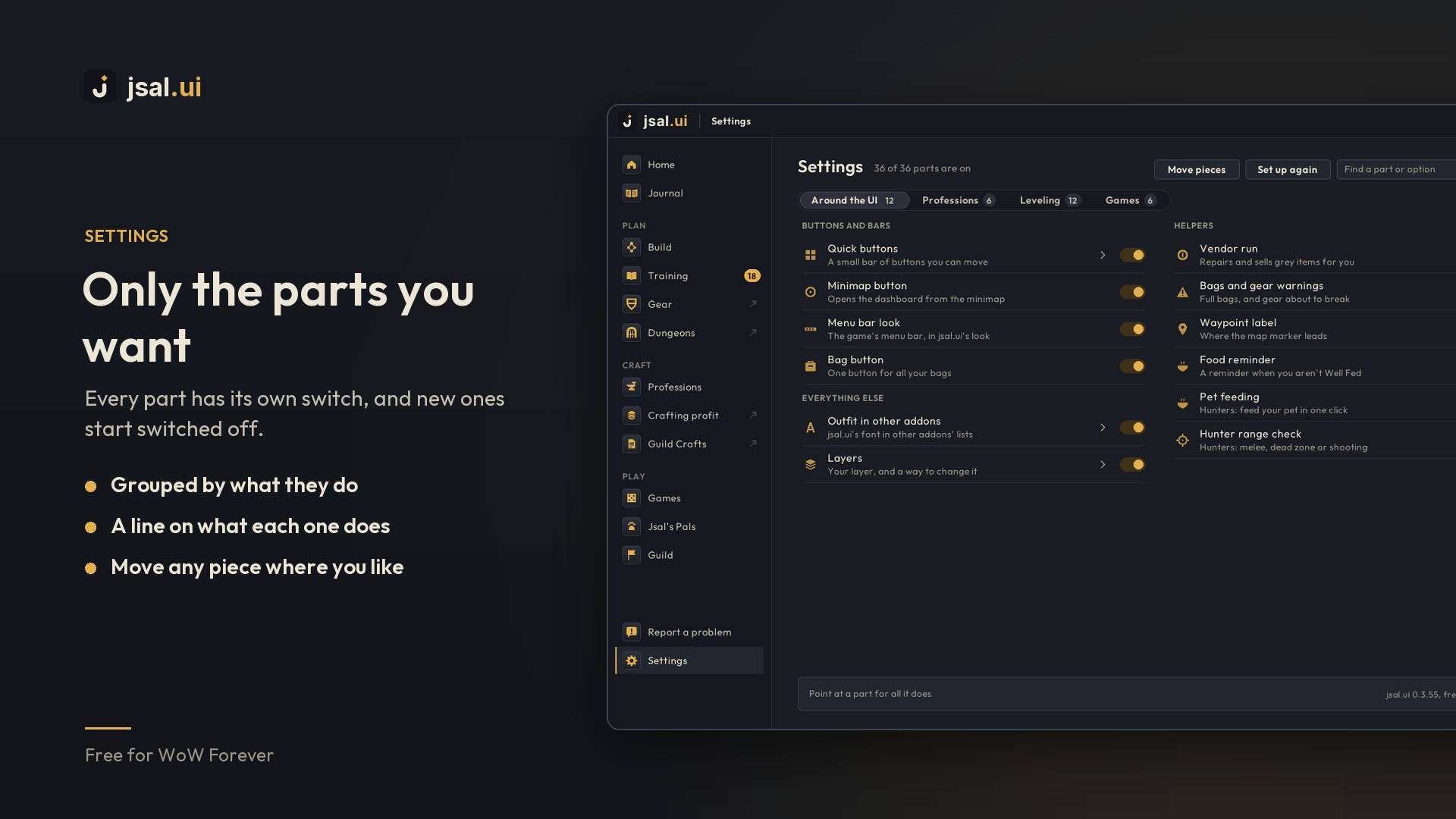
Get started: install it, log in, and type /jsal or click the minimap button. A welcome the first time shows you round and lets you switch off anything you don't want. Every part but the talent helper starts switched on, and each has its own switch in Settings.

Plan

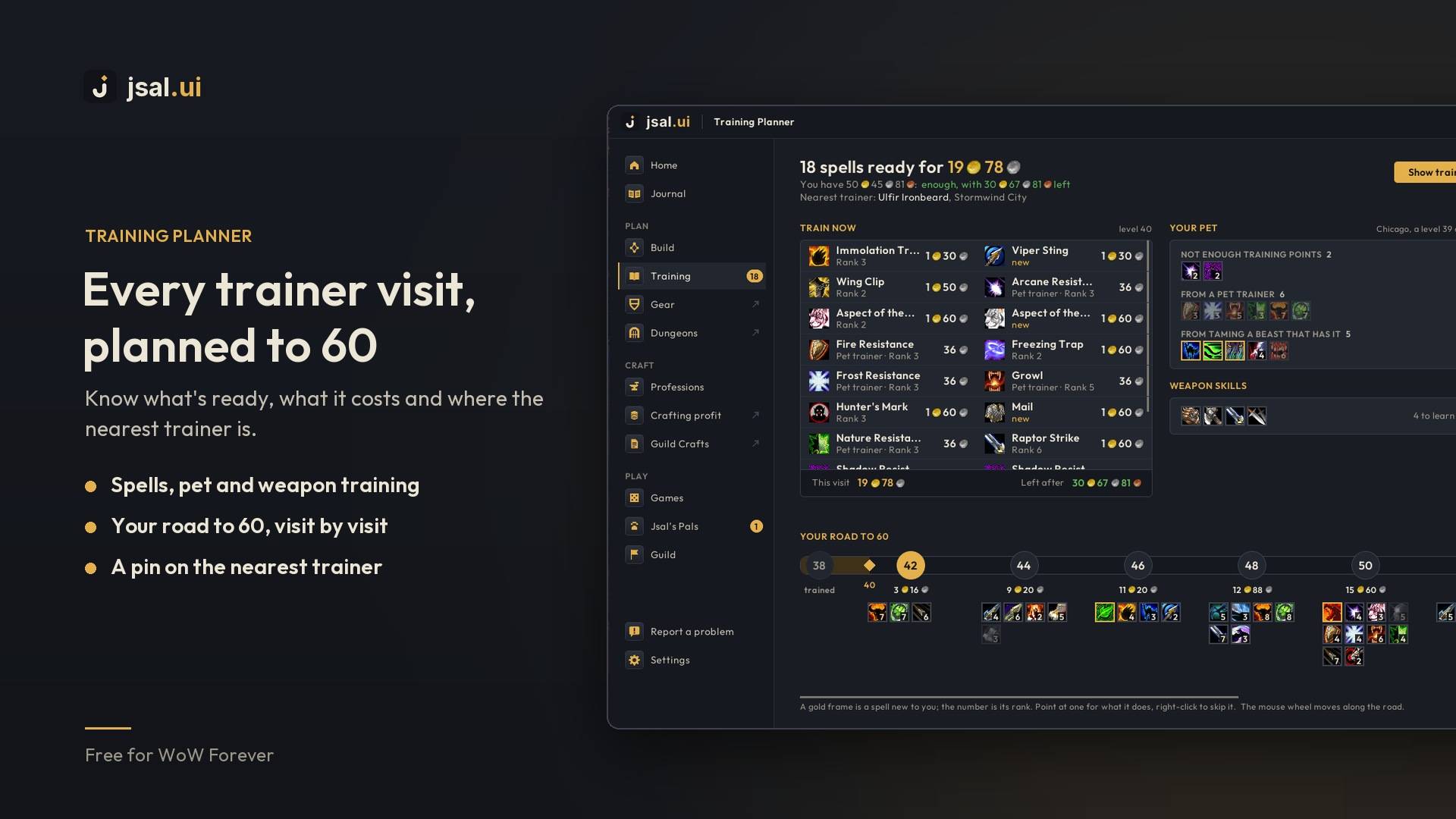
Training Planner. What's ready at the trainer and what it costs, a pin on the nearest one, and every visit to 60 on one road. Pet and weapon training too. A panel beside your spellbook shows the same at a glance.


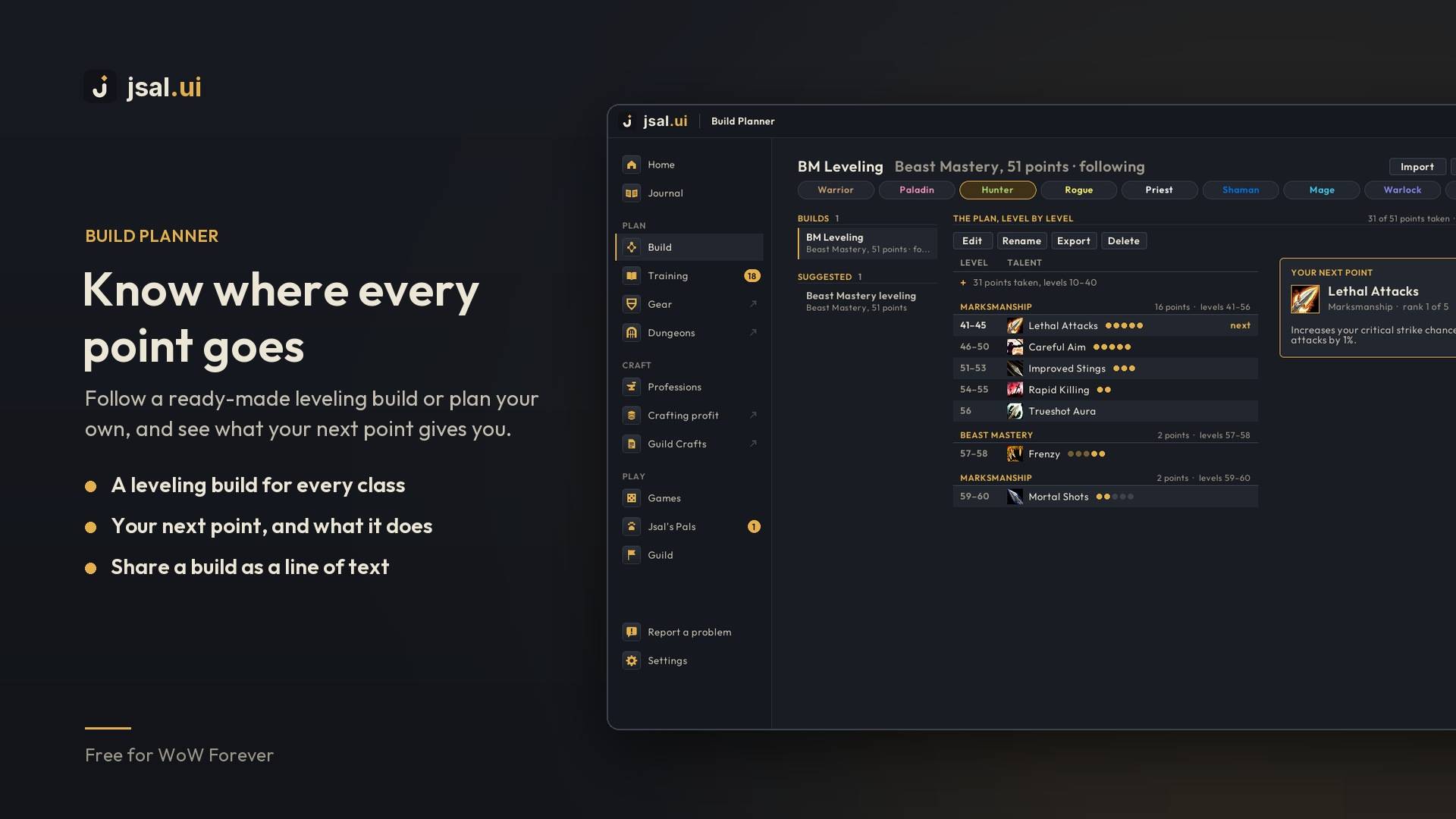
Build Planner. Follow a ready-made leveling build for your class, or plan your own and share it as a line of text. A card shows your next point and what it gives you, and when the point comes in, Learn on the card spends it for you, after asking. With dual spec, each spec follows its own build. With the talent helper switched on, the talent window marks your next talent too.

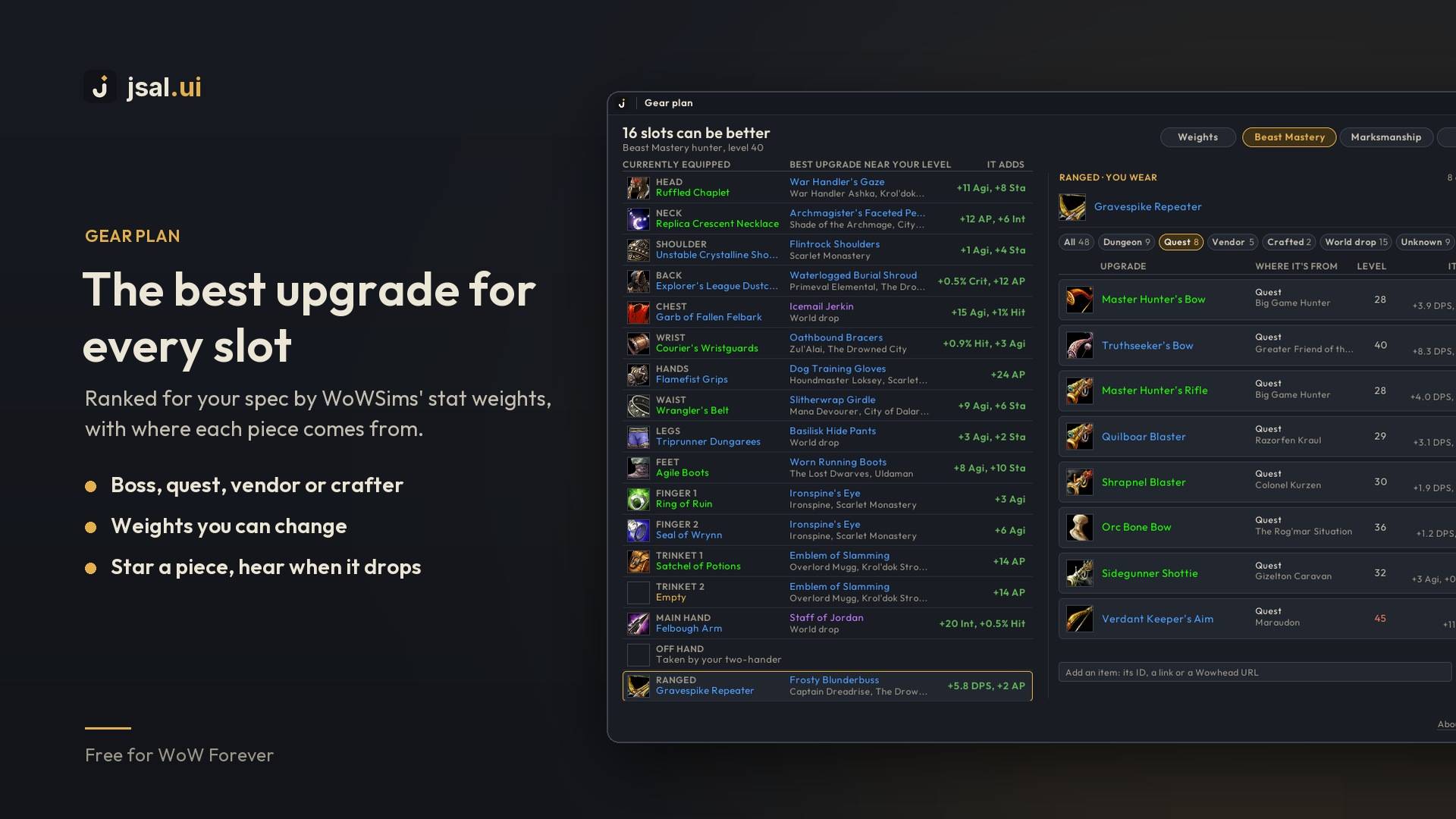
Gear plan. The best upgrade for every slot, ranked for your spec by WoWSims' stat weights, which you can change. Each piece says where it comes from: the boss, the quest, the vendor or the crafter. Star the ones you want and you'll hear when they drop.


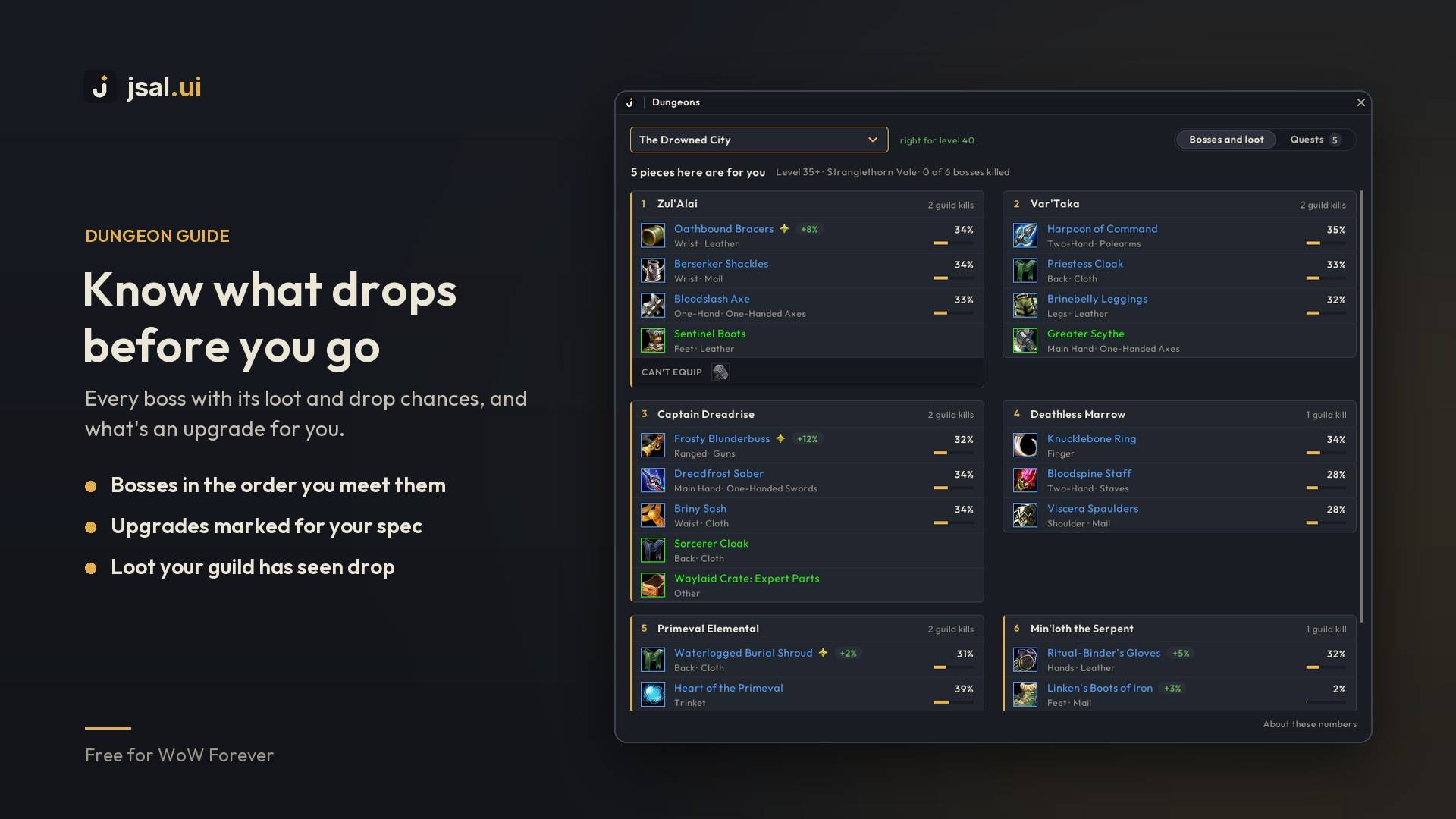
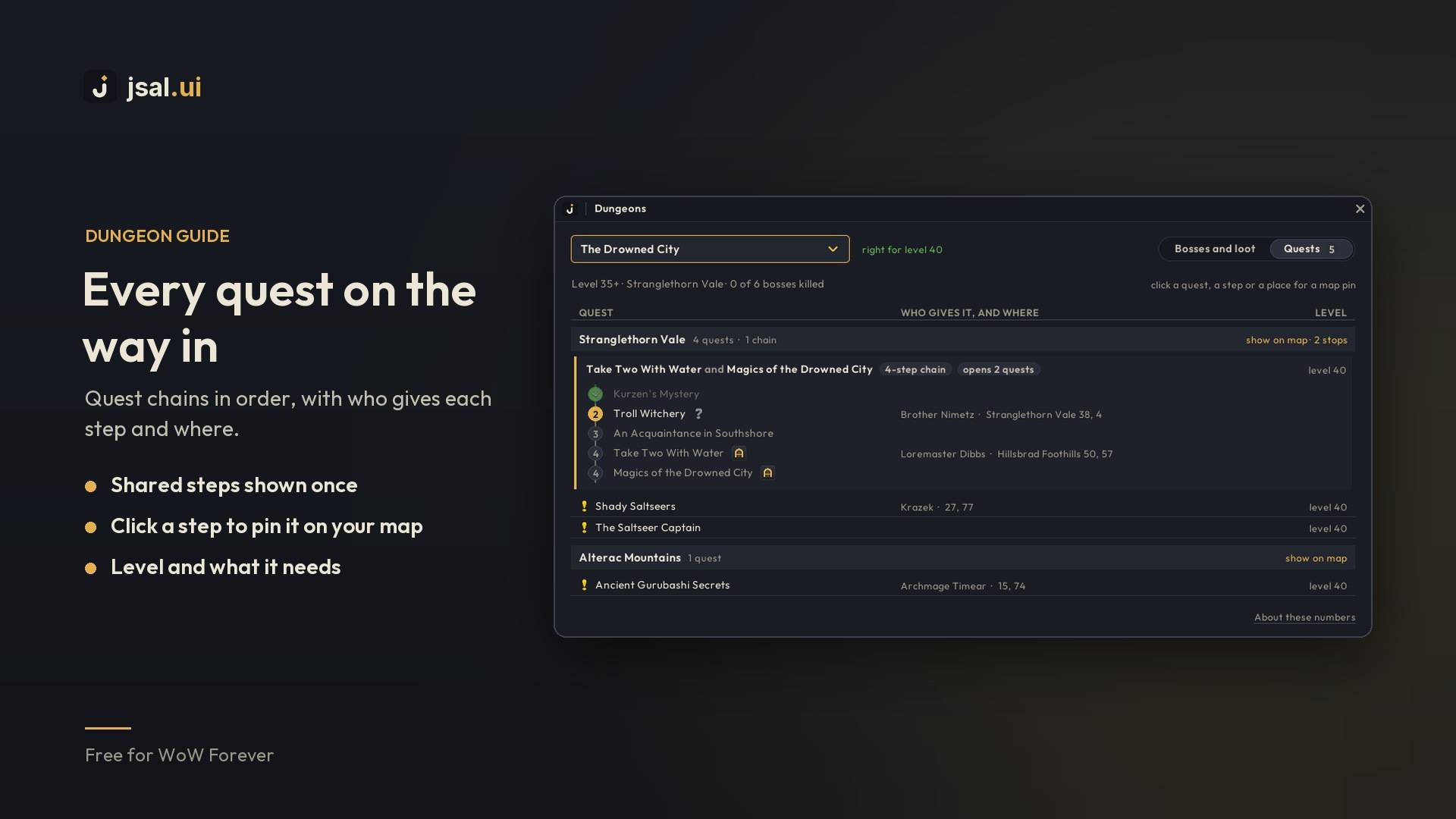
Dungeon guide. Every dungeon and raid by level. Each boss is a card with its loot, how often each piece drops and what's an upgrade for you. The Quests tab lists what to pick up on the way in, chains in order, with who gives each step and where. The Map tab shows the dungeon floor by floor, with a sign on each boss and a mark on those with gear or a quest for you.


Craft

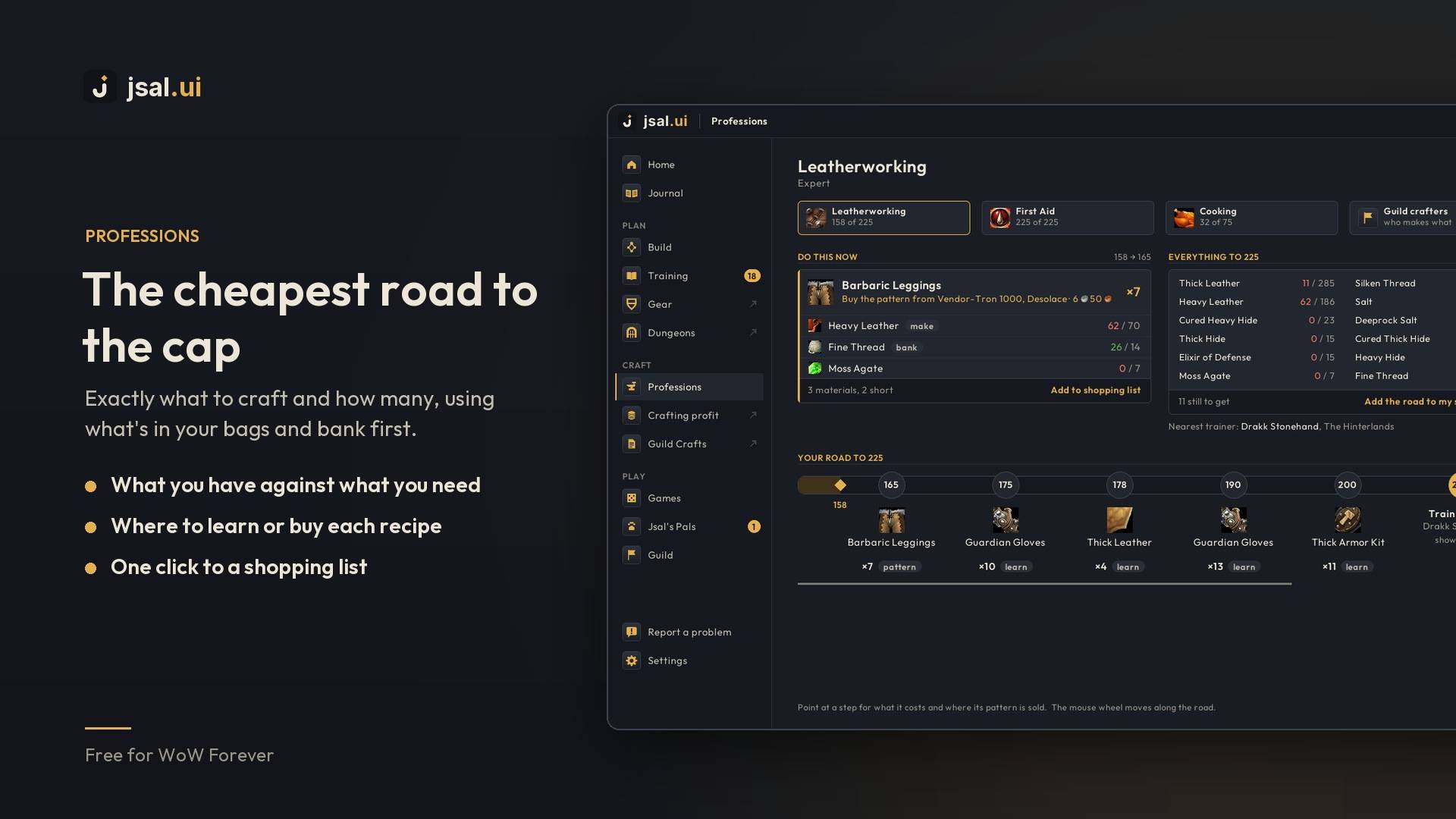
Professions. The cheapest road to your next rank: what to craft and how many, using what's in your bags and bank first, where to learn or buy each recipe, and one click to put it all on a shopping list. The same road sits beside the game's profession window.


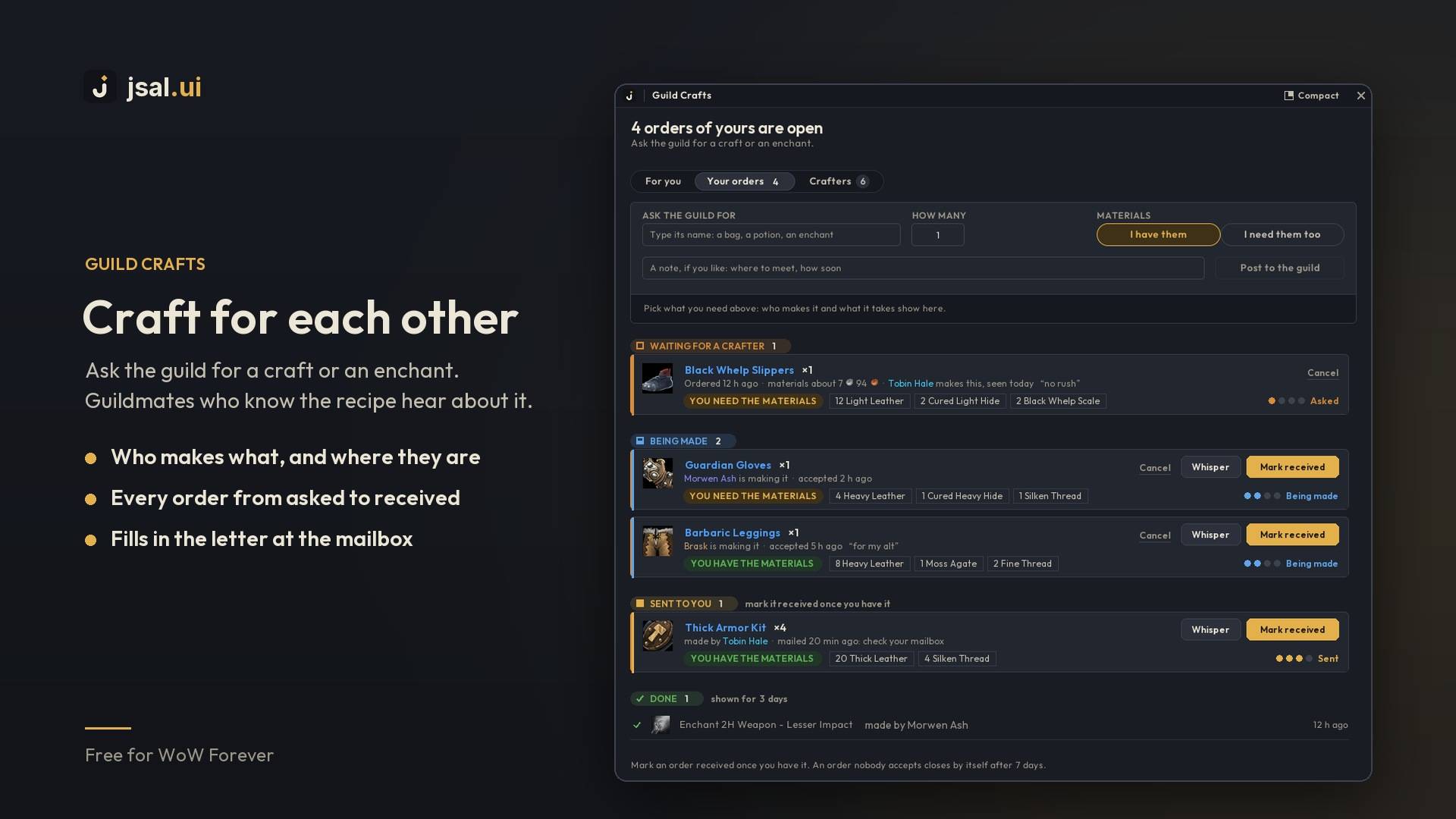
Guild Crafts. Who in your guild makes what, and orders between guildmates. Ask for a craft or an enchant, and guildmates who know the recipe hear about it. Every order shows where it stands, from asked to being made, sent and received. At a mailbox, a card fills in the letter for you.


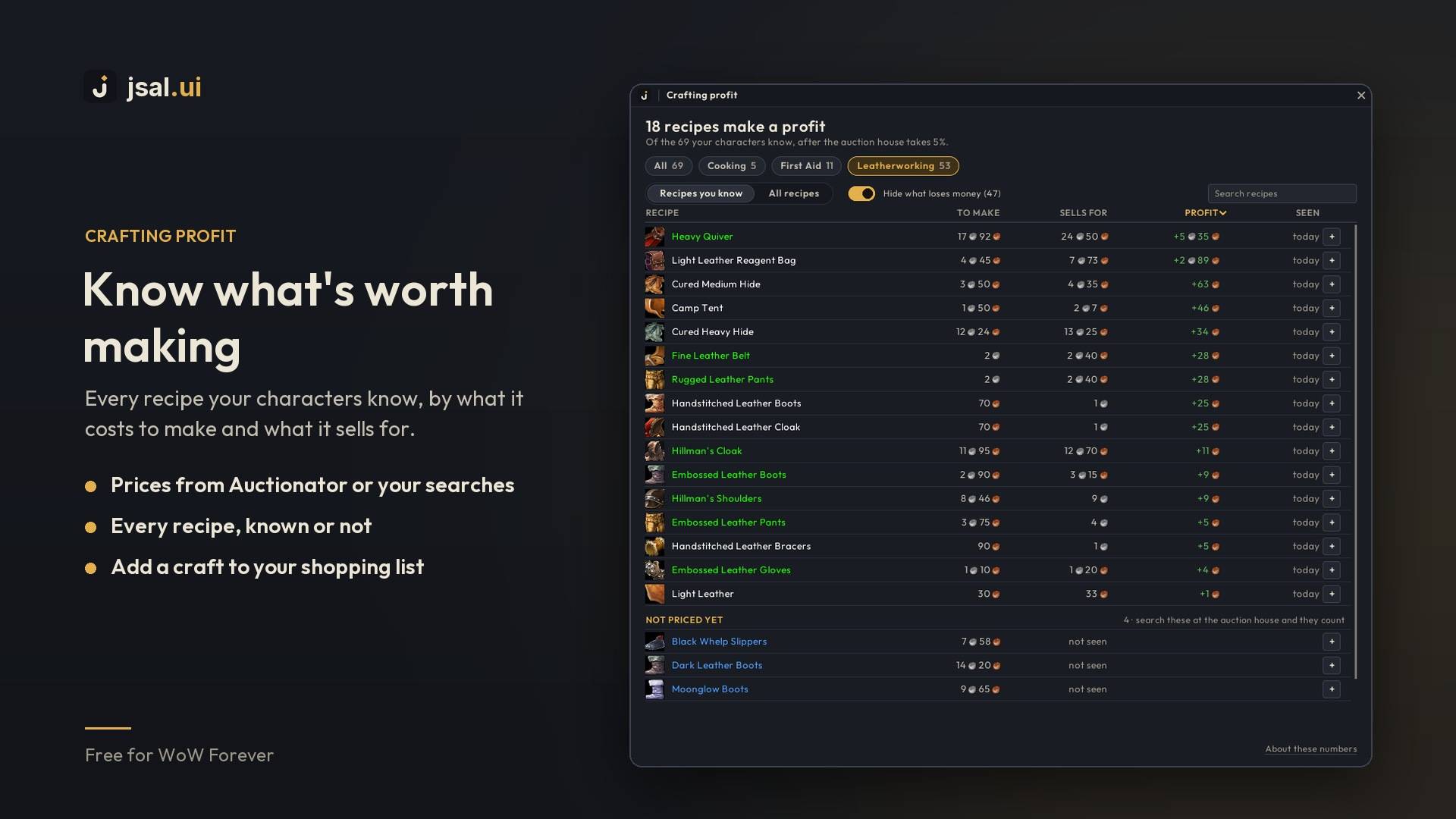
Crafting profit. Every recipe your characters know, by what it costs to make and what it sells for, with prices from Auctionator or your own auction house searches.
Play

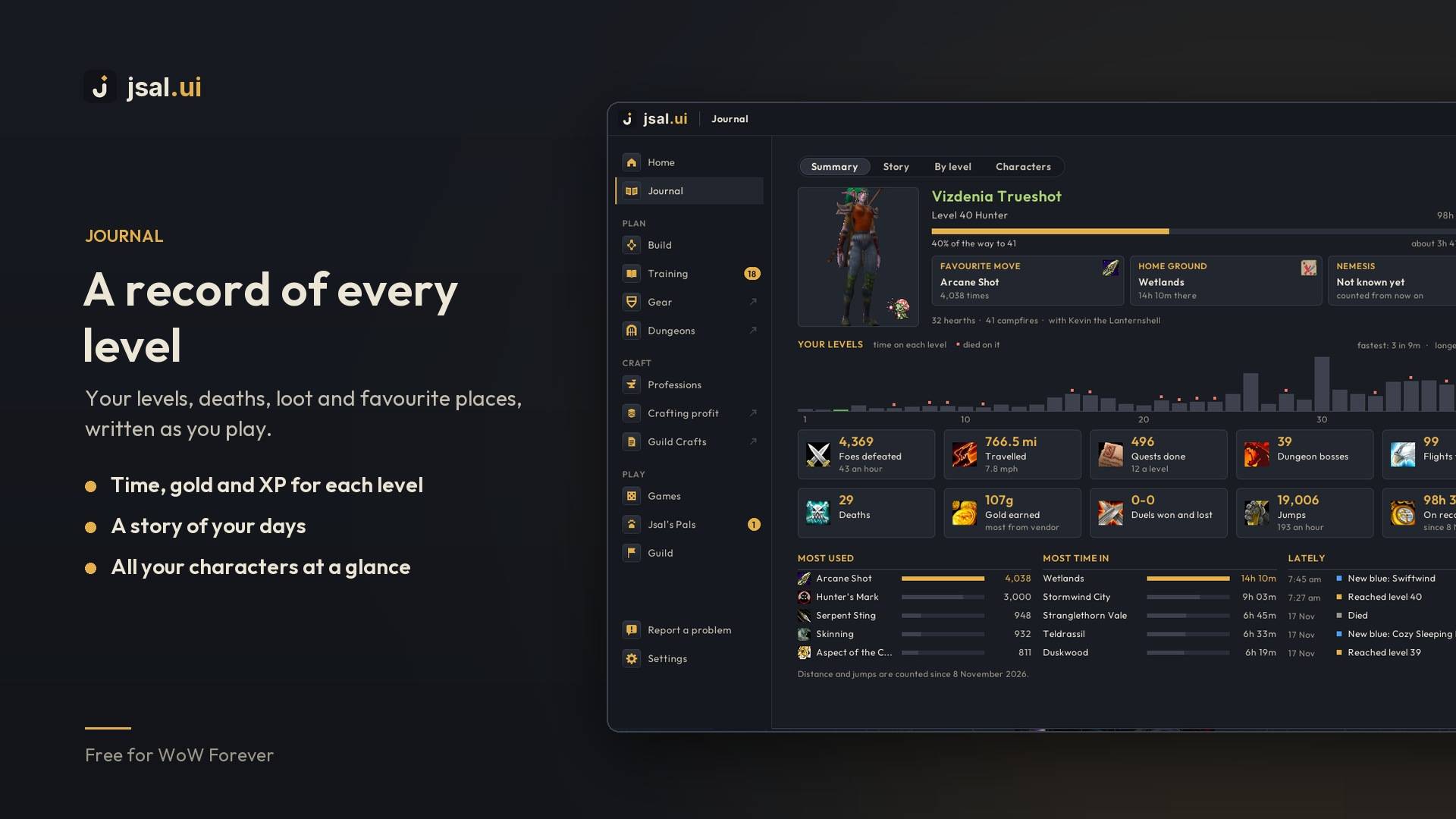
Journal. Your levels, deaths, loot and favourite places, written as you play: time, gold and XP for every level, a story of your days, and all your characters at a glance. It takes a screenshot each time you level.


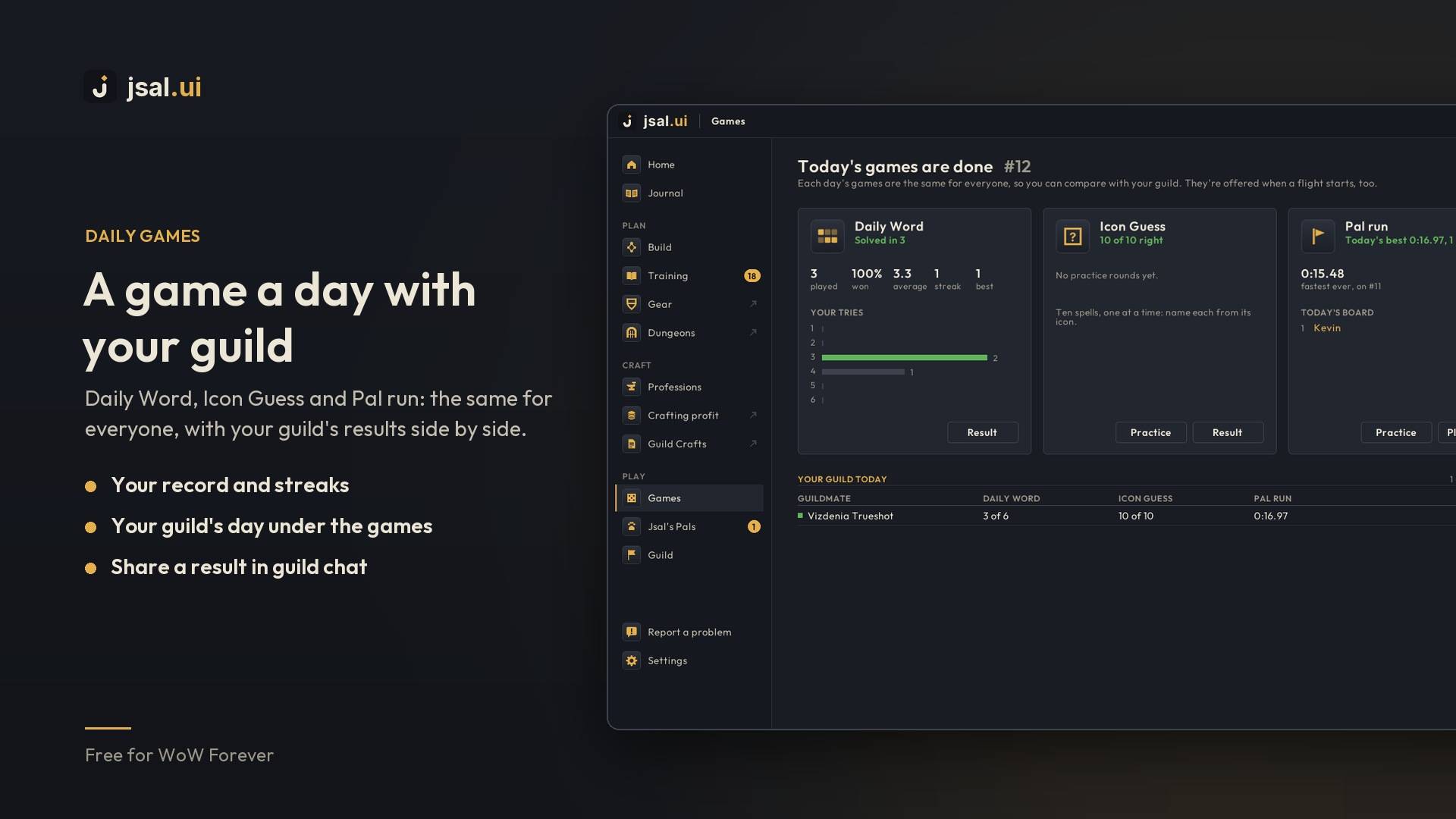
Daily games. Daily Word and Icon Guess: one puzzle a day, the same for everyone. Pal run: a daily course for your pal against the clock. Your guild's results sit side by side.

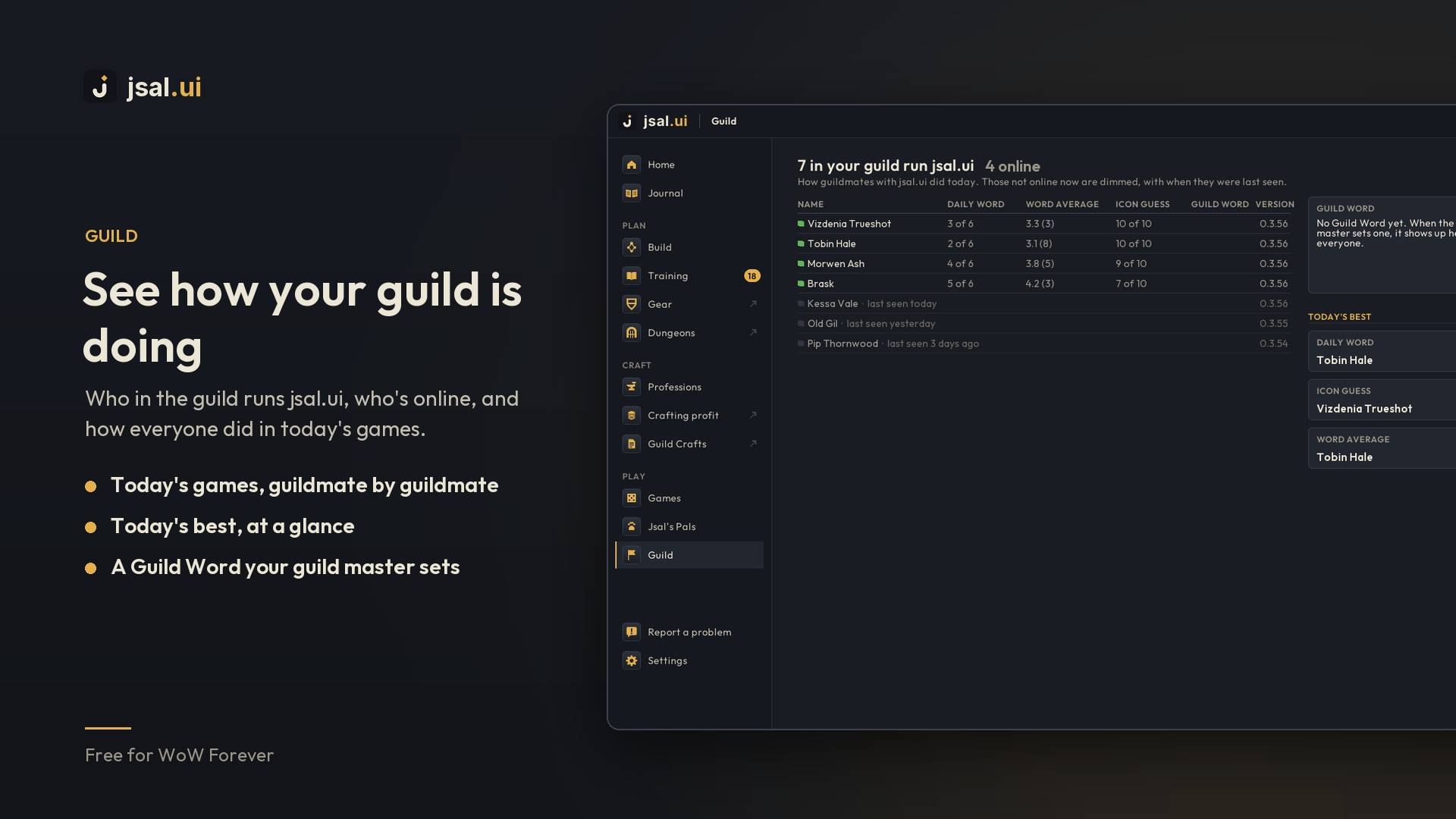
Guild. Who in your guild runs jsal.ui, who's online, how everyone did today, and a Guild Word your guild master sets.

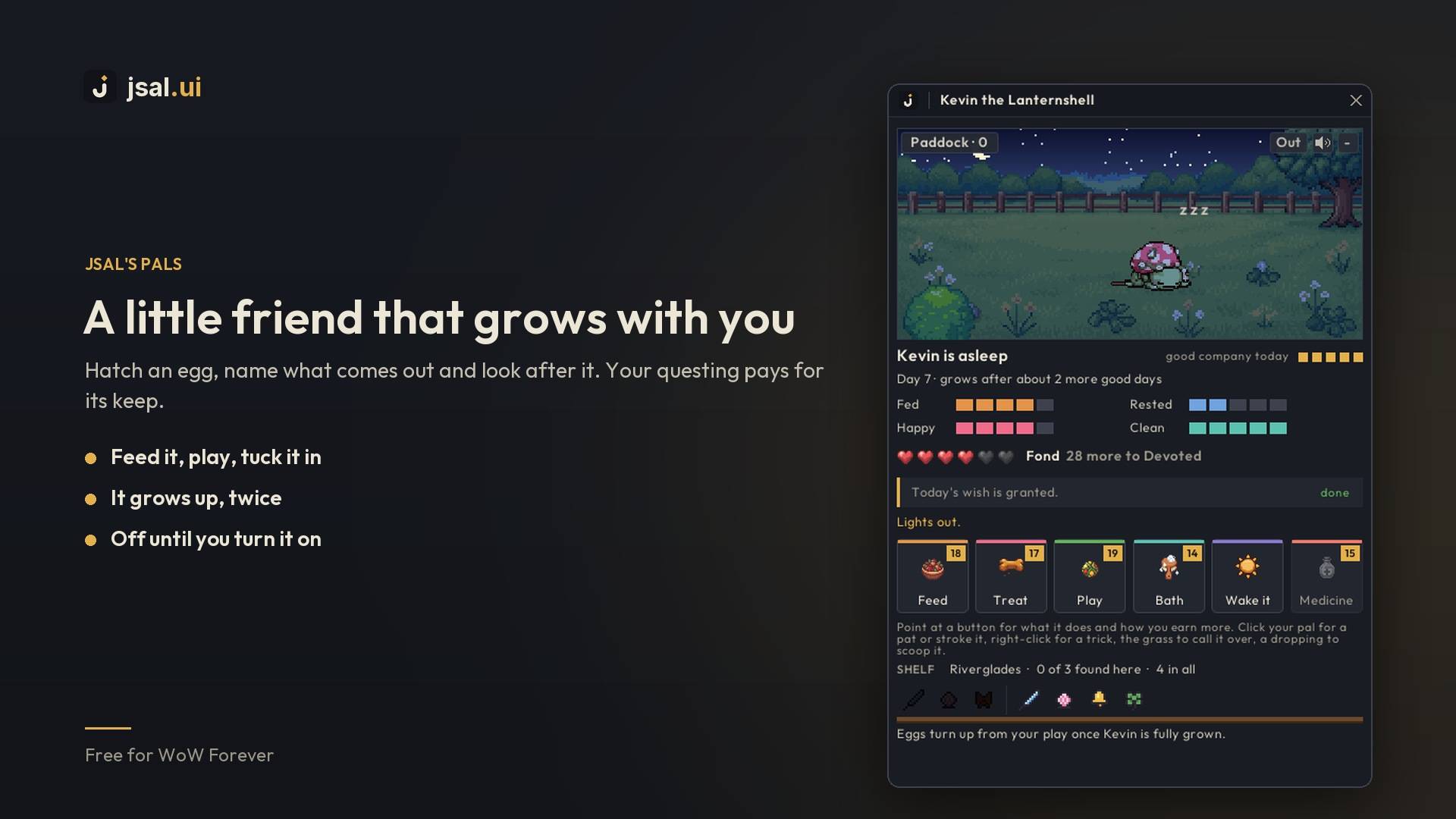
Jsal's Pals. Hatch an egg, name what comes out and look after it. Your questing pays for its keep. It grows up twice, learns tricks as you grow closer, and walks along your screen while you play.
And the little things

| Part | What it does |
|---|---|
| Quick buttons | A small bar you can put anywhere, with a gold dot when something's waiting. |
| Unlock Mode | Move every jsal.ui piece at once, or type its exact spot and size (/jsal unlock). |
| Flight bar | While you fly: the route, the time left and today's games. |
| Waypoint label | Where the game's arrow is taking you, and how far. Follows RestedXP Guides. |
| Vendor run | Repairs and sells your greys at any vendor. |
| Bags and gear warnings | A heads-up before your bags fill or your gear breaks. |
| Quest tags | Beside each tracked quest: its place in a chain and about how long it takes. |
| Quest reward star | A gold star on the quest reward that's the biggest upgrade for your spec. |
| Next level on Today | What your next level brings, and whether your gold covers it. |
| Pet abilities on beasts | Hunters: a beast's tooltip names the pet ability taming it would teach. |
| Pet feeding | Hunters: a tile while your pet isn't happy; click a food to feed it. |
| Food reminder | A tile while you aren't Well Fed; click a food to eat it. |
| Hunter range check | A small box whose colour shows where you stand from your target. |
| Bag button | One button with your free bag space in place of the bag bar. |
| Menu bar look | The game's menu bar in jsal.ui's gold on dark. |
| Report a problem | Say what went wrong from inside the game; the details are added for you. |
Commands
/jsal opens the dashboard. Add a word to go straight somewhere: journal, gear, dungeons, crafts, profit, shop, word, icons, run, pet, recap, welcome, unlock, bug.
Good to know
- Nothing heavy runs in combat, and jsal.ui never reads the combat log.
- What guildmates share (scores, recipes, orders, boss loot) travels as hidden addon messages, never in chat.
- Works well alongside EllesmereUI and RestedXP Guides.
- The maps of Forever's own dungeons are Santiago Reyes's, from his Atlas de Azeroth: Forever, used with his leave. See more of his work at sreyesmaps.com.
Free, from jsal.io. Found a bug or have an idea? Join jsal.ui’s Discord, use Report a problem in the dashboard, or email dev@jsal.io.
jsal.ui Team
