


Journey Together Forever
- By
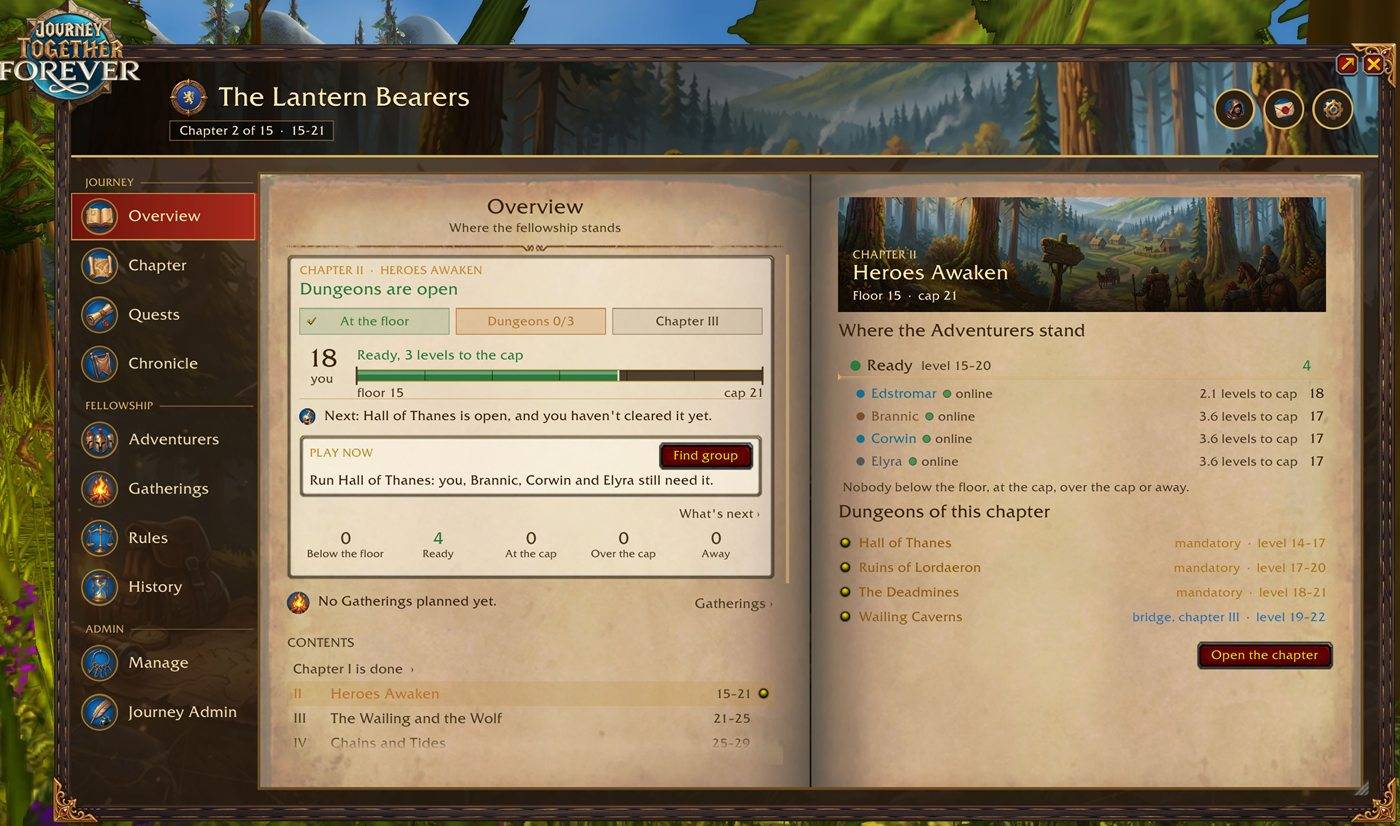
Where you stand, Play now, where the Adventurers stand and this chapter's dungeons.
Description
Journey Together Forever
Level together. Chapter by chapter.
A World of Warcraft addon for a group of friends who want to level from 1 to 60 together, without anyone running ahead or falling behind. You create a fellowship, invite your Adventurers, and walk the road to 60 as a book of chapters. Each chapter has a level floor, a level cap and the dungeons you clear as a group. When the chapter is done, the next one opens for everyone.
Built for WoW Forever. Until Forever is out, it is developed and tested on the retail client.
How it works
- A fellowship is a group of characters of one faction, from any guild or none. It has two ranks: the Leader and the Adventurers. Joining is by invitation only.
- The journey is the road from level 1 to 60: a Prologue for levels 1-15, then chapters such as Heroes Awaken, 15-21 or The Wailing and the Wolf, 21-25. The Classic journey has 15 chapters.
- Each chapter has a floor (the lowest level) and a cap (the highest). Its dungeons open when every Adventurer has reached the floor. The chapter is complete when its dungeons are cleared; a chapter without dungeons is complete when everyone has reached the cap. Then the next chapter opens for the whole fellowship.
- A dungeon is cleared for you once you were in the group for every boss that counts, in one run or over several. A boss kill counts when enough Adventurers of the fellowship are in the group (4 by default).
- Each dungeon in a chapter is Mandatory, a Bridge (it belongs to the next chapter but may be run now) or Optional (it never holds anyone back).
- Stay at or below the cap until the chapter is done. The rules say how strict that is, and fellowship runs may take you a level further.
Features
Create a fellowship
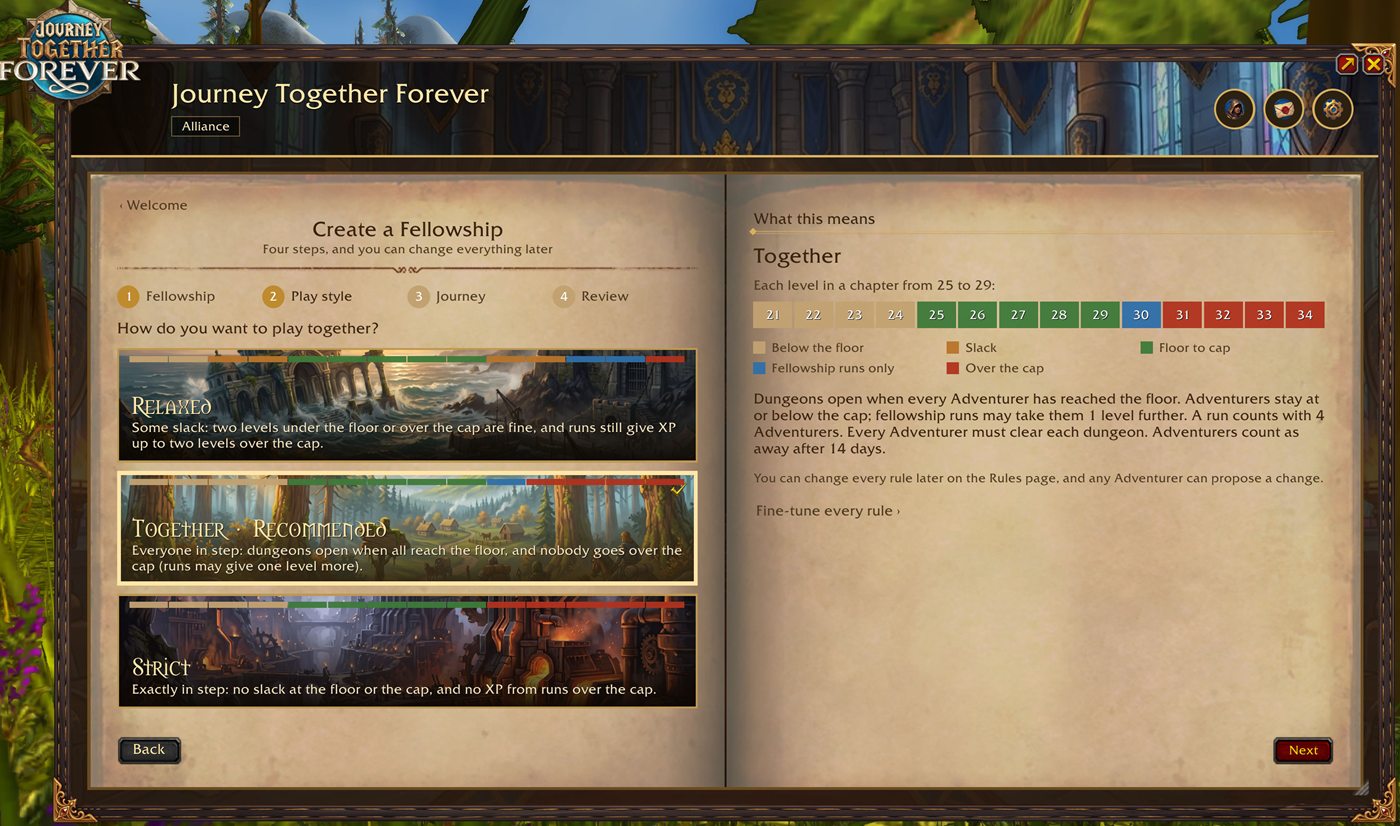
Four steps, and you can change everything later:
- Fellowship: the name, your role, how many you will be (Duo, Trio, Party, Large or any size; it picks the rules that fit) and the banner: a colour and an emblem from picture crests and 16 heraldic emblems.
- Play style: Relaxed, Together or Strict, each shown as a strip of levels: below the floor, slack, floor to cap, fellowship runs only, over the cap. Or fine-tune every rule yourself.
- Journey: Classic, Short chapters, Long chapters, or your own journey (a fifth step: the journey editor).
- Review: everything as rows, each with Change, then Create the fellowship.
Shape the journey
Journey Admin (the Leader) is the journey editor, also used for your own journey while creating the fellowship:
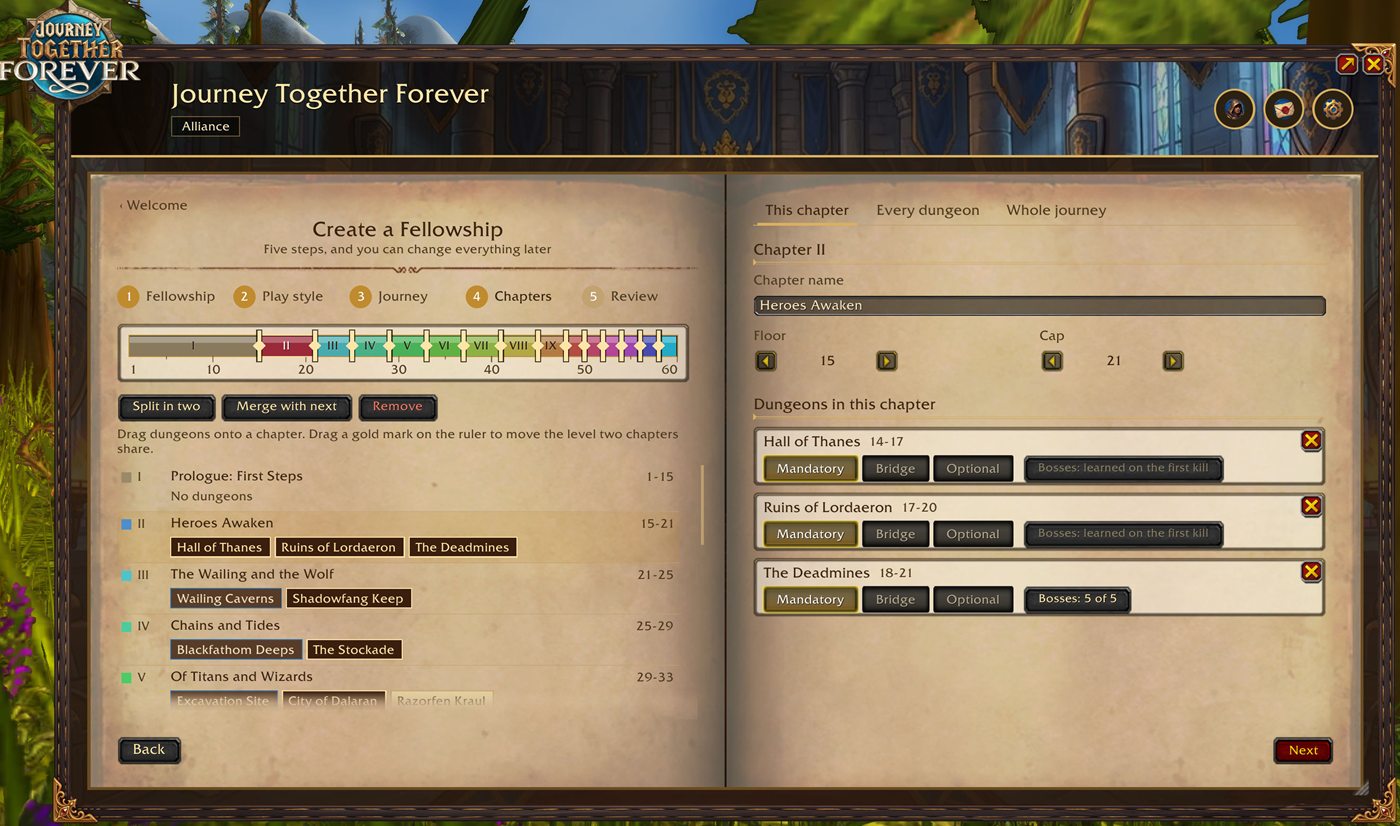
- A ruler from 1 to 60 with every chapter in its colour. Drag a gold mark to move the level two chapters share; Split in two, Merge with next and Remove chapters.
- The right page has three tabs: This chapter (its name, levels, dungeons and milestones), Every dungeon and Whole journey (start over, Import, Export).
- Drag dungeons from Every dungeon (all of them by level, gold where it fits) onto a chapter. A dungeon can sit in more than one chapter (Blackrock Depths in three, for its parts).
- Each dungeon is Mandatory, Bridge or Optional, and you can choose which bosses a clear needs.
- Milestones, up to ten per chapter, Required or Optional: a quest everyone has handed in, a level everyone reaches, an attunement or key, or one the Leader ticks off by hand.
- Export the journey as a string to share with another fellowship, or Import one. Changes are a draft until you press Publish, in a bar at the bottom that never scrolls; everyone gets a toast.
Where you stand
The Overview answers "what now?" at a glance:
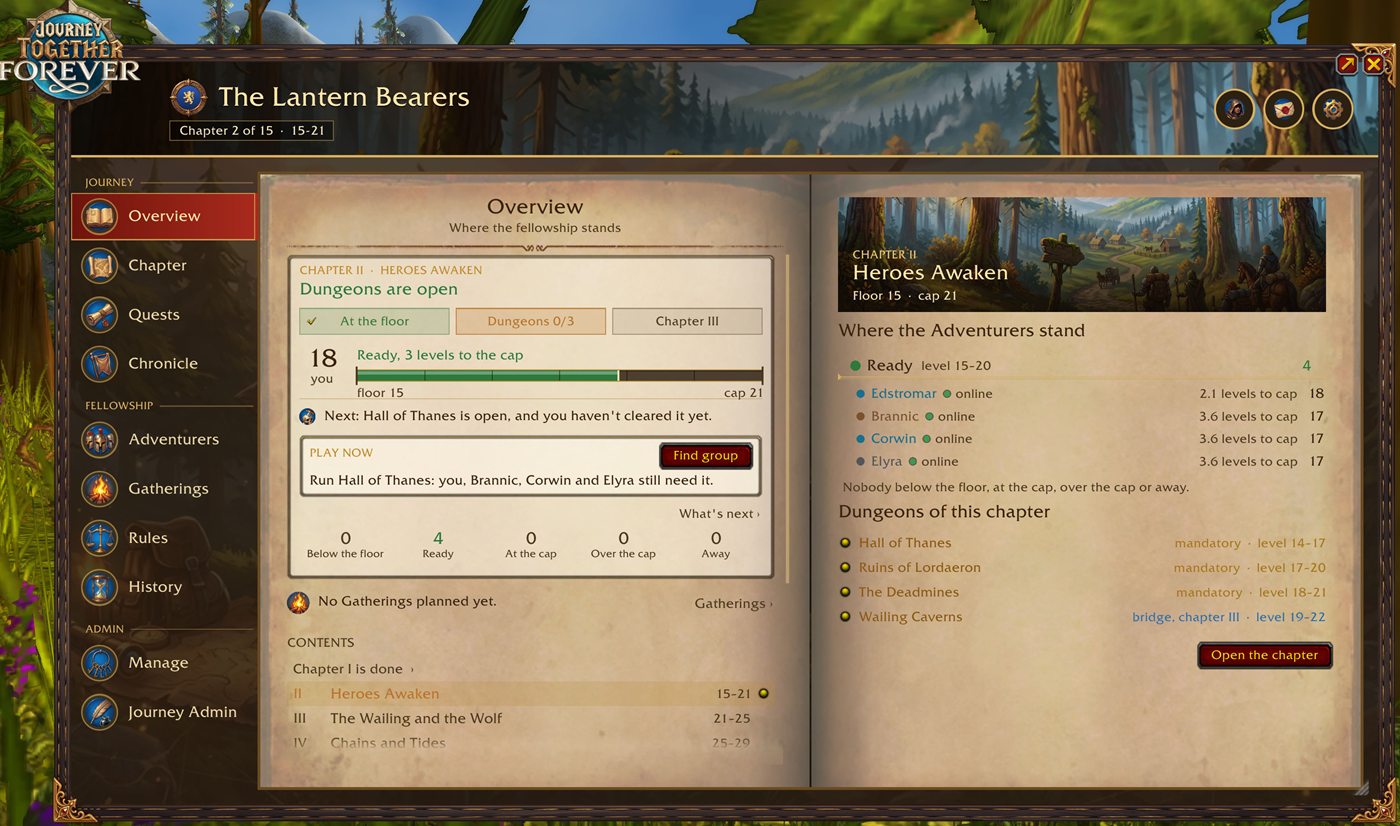
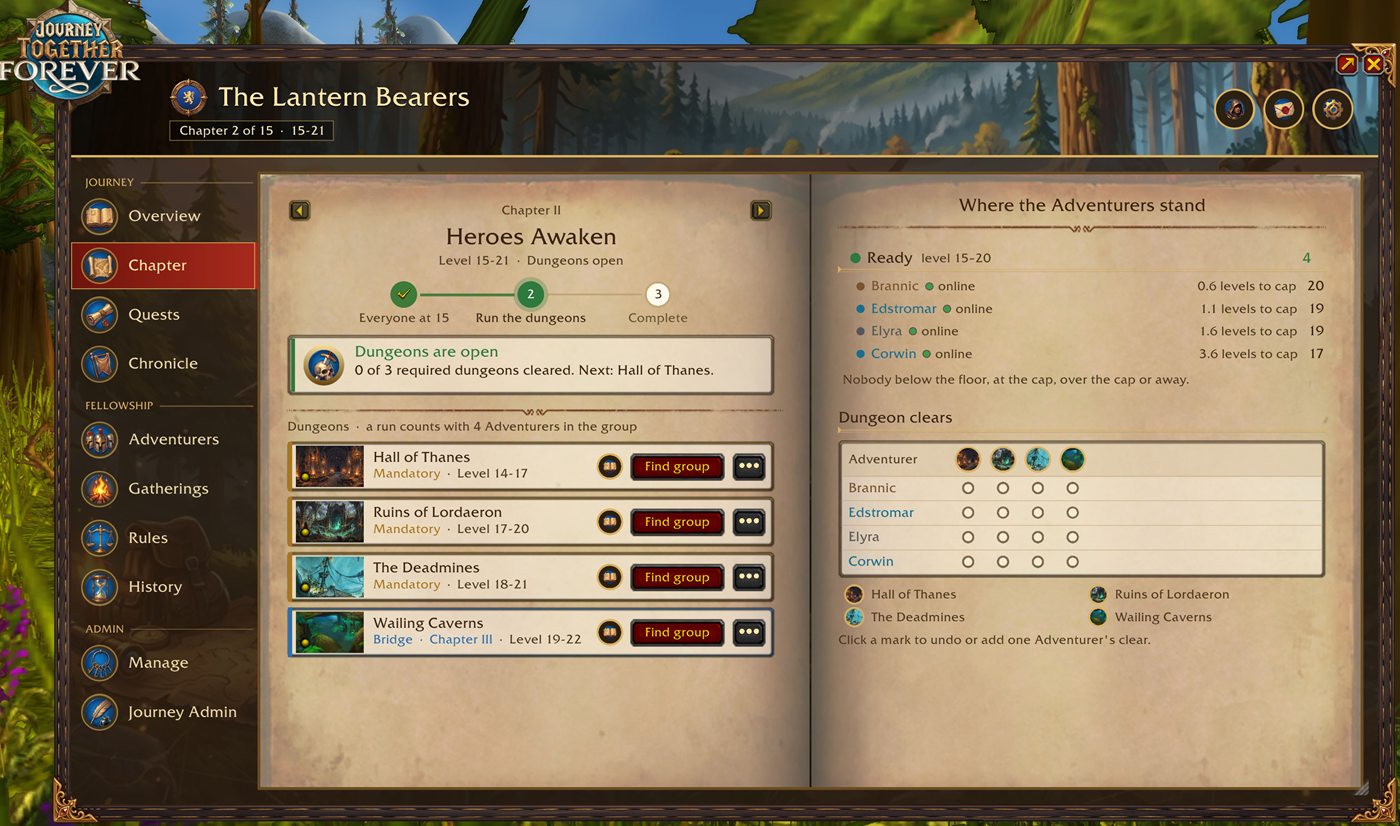
- Where you stand: the chapter's state ("Dungeons are open"), its three steps, your level on a line from the floor to the cap ("Ready, 3 levels to the cap"), your next steps, and the counts: below the floor, ready, at the cap, over the cap, away.
- Play now: the one best thing to do with whoever is online, with one button (Find group or Invite to group).
- Where the Adventurers stand, grouped the same way, and the chapter's dungeons.
- The contents of the whole journey (later chapters can stay hidden until reached), the next Gathering and the recent history.
- Since you were last here: what changed while you were away, who levelled, and where the fellowship stands now.
Chapters and dungeons
- A stage track for the chapter: Everyone at the floor, Run the dungeons, Milestones, Complete. While someone is below the floor, a waiting box says who, how far, and about how long at their pace.
- Every dungeon as a row with its picture, role, levels and state ("4 of 7 bosses", "2 still need it"), with Find group, which invites the Adventurers online who still need it (a tank and a healer first).
- Clears are picked up from boss kills (no clicking needed). A toast tells everyone the moment the last needed boss dies; Adventurers outside the group hear it when the group leaves the instance.
- A clears table (Adventurer by dungeon). The Leader can mark a clear or undo one; undoing a clear an earlier chapter needs reopens that chapter, and the question says so first.
- Shortcuts to other addons when you have them: the Dungeon Journal addon (loot, quests, where to pick them up) and Lore Forever (the story of the place). Nothing of theirs is copied into this addon.
Nobody left behind
- Help runs: a group with someone below the floor counts as a fellowship run.
- Catching up: someone who joins far below the current floor does not hold the fellowship back; they count like everyone once they reach the floor.
- You pull ahead: a toast when you are two or more levels above an Adventurer, and a cap warning in chat before you reach the cap (at a share of the last level you choose).
- Going over the cap is written to the Chronicle.
- Away: anyone can mark themselves away for a break, and an Adventurer not seen for 14 days (a rule) counts as away, so nobody waits for them.
- If the Leader is away for the rule's number of days, the Adventurer who joined first takes over.
The Adventurers
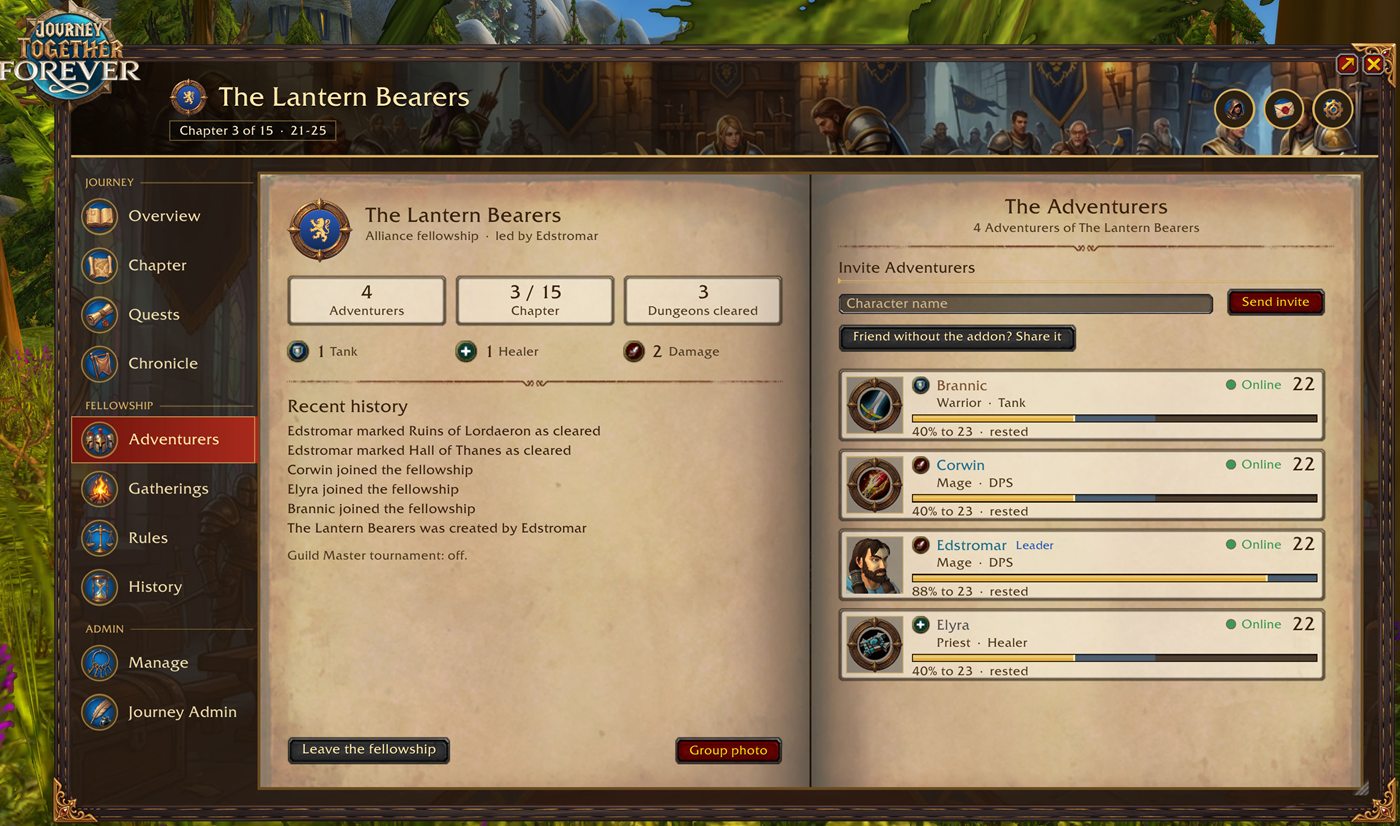
- Every Adventurer with role, class, level, XP and rested XP, and a presence mark like the game's friends list: Online, AFK, Offline ("Seen 3 hours ago") or Away. A ring shows someone the game says is online whose addon does not answer.
- 3D heads: yours always; another Adventurer's once you have been grouped and near (the game only draws players it has seen). Before that, their class crest.
- Inspect: their gear around the character in 3D, item level, XP, this chapter's dungeons, roles, Whisper and Invite to group.
- Invite Adventurers: everyone can invite; the name box suggests friends, Battle.net friends and guild members. A friend without the addon? Share it gives you the addon's page to whisper them.
- Roles and a secondary role, I'm away, and the fellowship's make-up (tanks, healers, damage).
- Old addon: everyone sees who runs an older version, and you get one reminder per session when it is you.
- Your characters: every character on your account with its fellowship, "as of" when you last played it. Follow another character's fellowship live while you play an alt, and take that character's place in the fellowship with the same rank and roles.
Quests and attunements
- Shared quests: quests you and other Adventurers have (Together) and quests they have that you could pick up (You could join), with everyone's progress and what you can do: Ask to group up, Invite to group, or the game's Share quest.
- Quest chains learned as the fellowship plays, or all of them from the start with Questie installed.
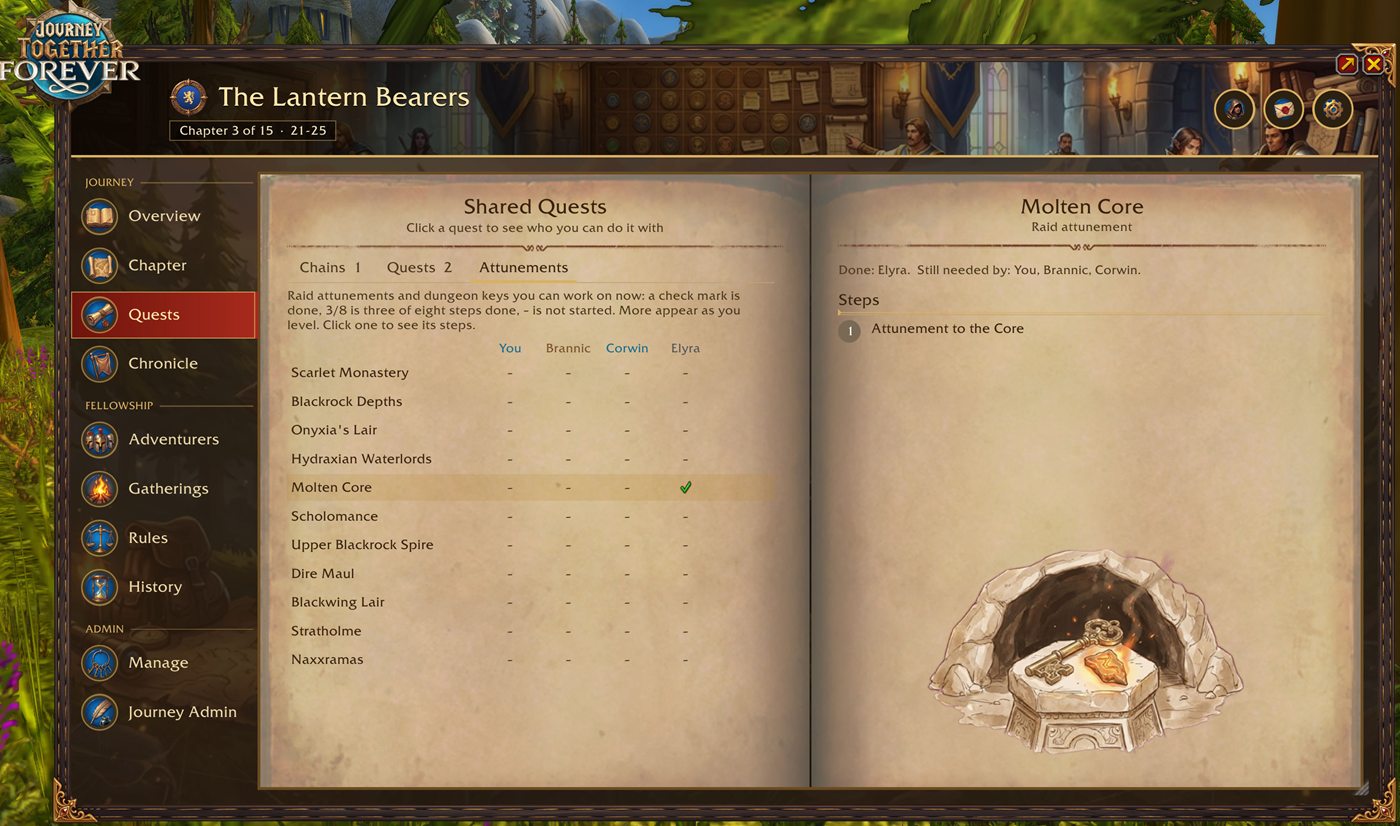
- Attunements and keys up to 60 (Molten Core, Onyxia, Blackwing Lair, Upper Blackrock Spire, Scholomance, Blackrock Depths, Stratholme, Dire Maul and more): a grid of who has done what, and each one's steps.
- Dungeon quests: how many of each dungeon's quests every Adventurer has picked up.
The rulebook and votes
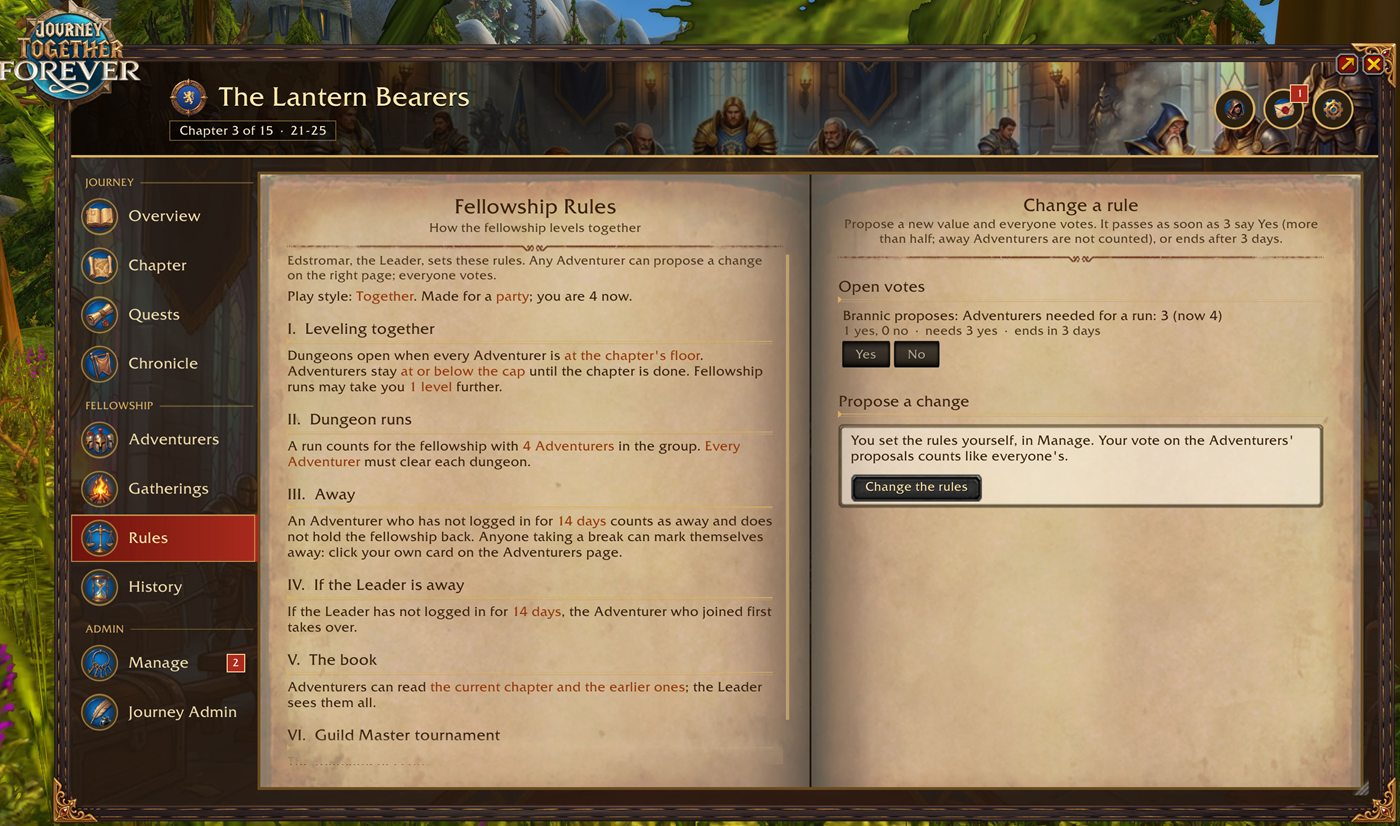
- The Rules page is the fellowship's rulebook: six numbered articles in plain sentences, today's values in colour (Leveling together, Dungeon runs, Away, If the Leader is away, The book, Guild Master tournament).
- Any Adventurer can propose a change, and everyone votes Yes or No. It passes when more than half say Yes (away Adventurers are not counted), or ends after 3 days.
- The Leader sets the rules on a draft in Manage and publishes them; everyone gets a toast and a line in the History.
- The rules: floor and cap allowance, XP from fellowship runs past the cap, Adventurers needed for a run, how many must clear each dungeon, away after N days, takeover after N days, which chapters Adventurers can see, and the tournament.
Gatherings
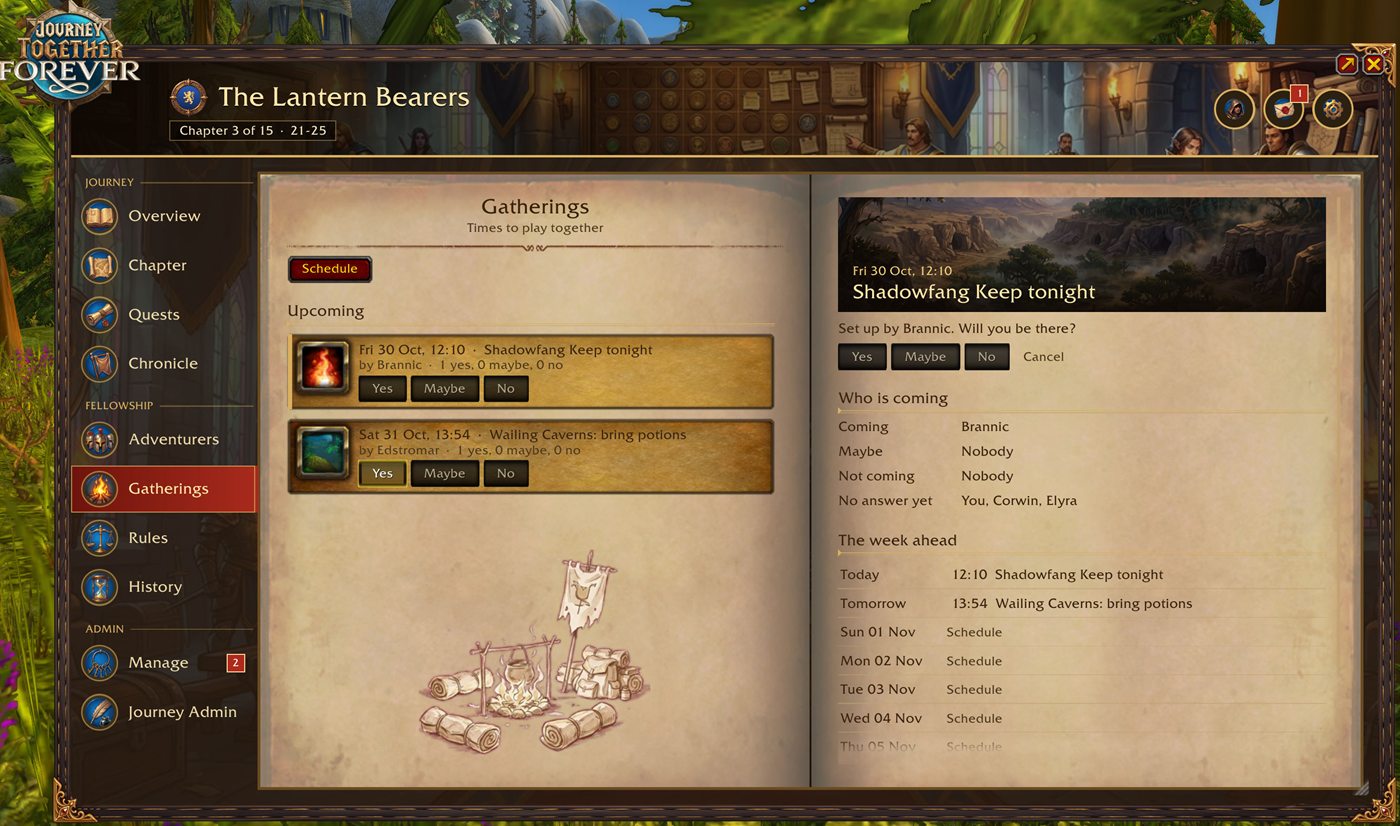
Plan times to play together: Schedule a Gathering with a time and a note, everyone answers Yes, Maybe or No, and the page shows who is coming and the week ahead. A reminder pops up before it starts, and the Overview and the tracker show the next one.
Chronicle, Moments and History
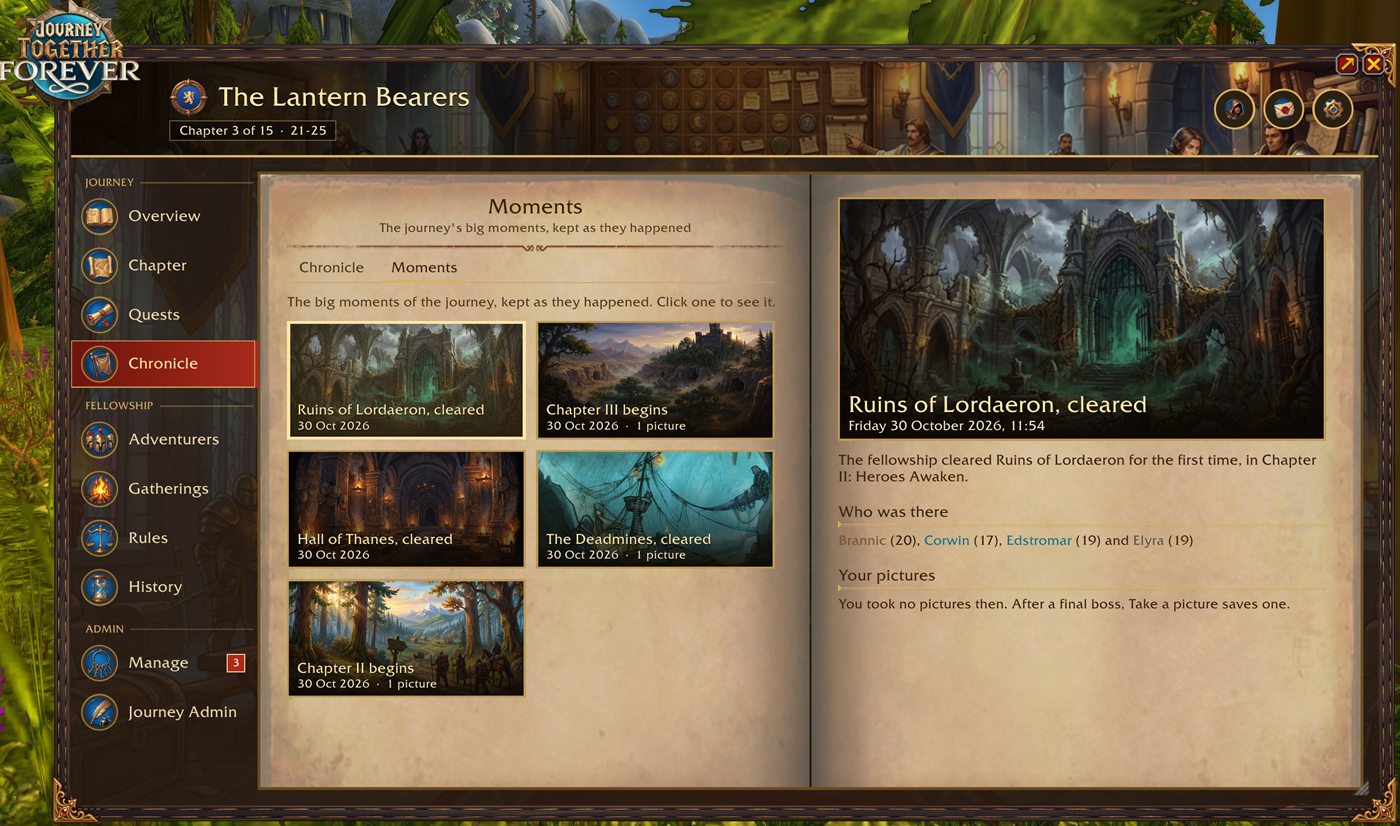
- Chronicle: the journey's story. Every run, whether it counted and why not ("3 Adventurers, 4 needed"), leader changes, going over the cap, and session recaps: after playing together, how long, with whom, the levels, the dungeons, the bosses and the quests.
- Moments: the big moments, kept as they happened: a chapter begins, a dungeon is cleared for the first time, a milestone, someone reaches 60, a champion is crowned. Each with its picture, who was there with their levels then, and how many screenshots you took.
- History: the fellowship's own story: founded, who joined and left, Leaders, rules and votes, Gatherings and the tournament.
Group photo
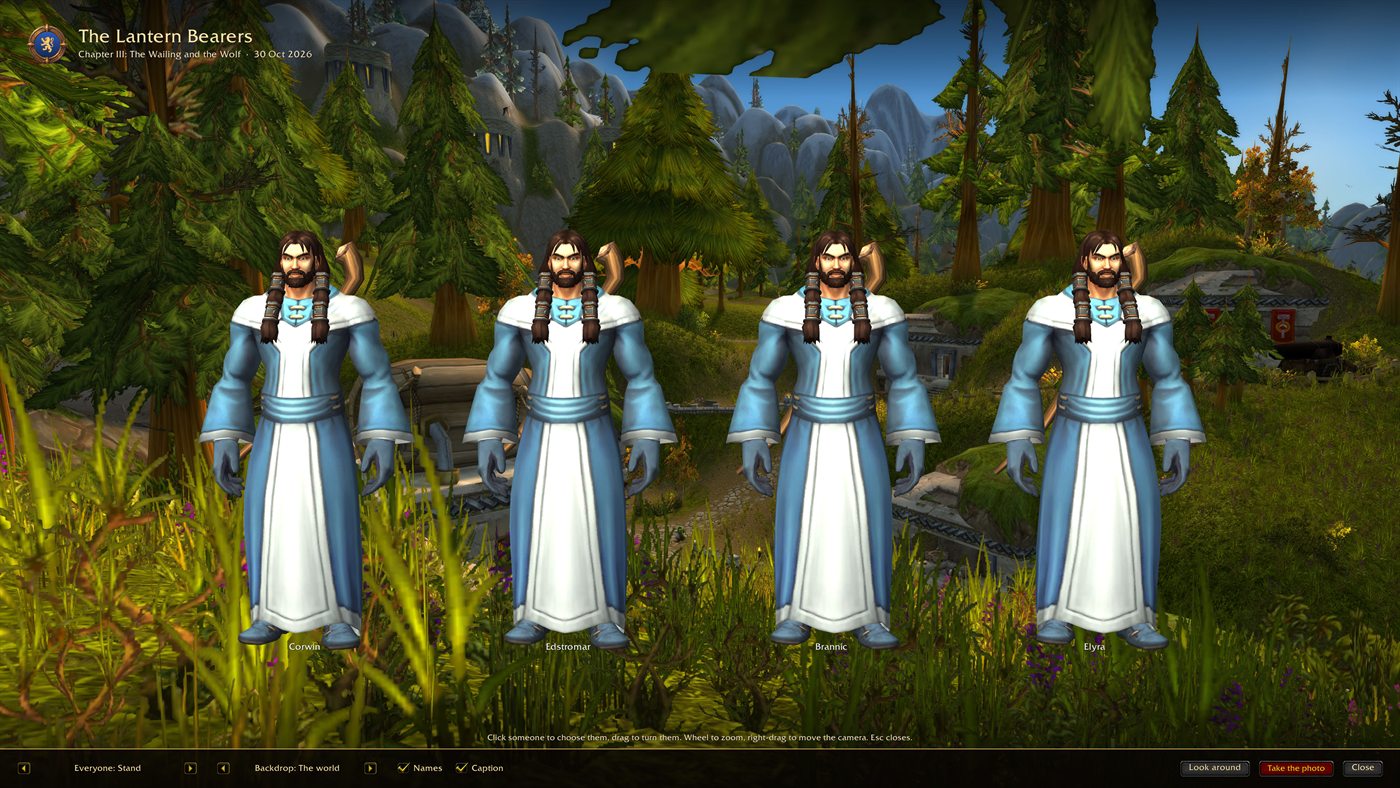
The interface hides and the whole fellowship stands together in 3D on the whole screen, everyone at their true size, up to six in a row and as many rows as needed. Choose a pose for everyone or one person (Cheer, Salute, Bow, Dance and more), a backdrop (the world, a studio, the chapter's picture, the dungeon), names and a caption with the crest. Over the world, Look around lets you walk and turn to find the place. Take the photo saves a screenshot without the controls. The game can only draw Adventurers who are in your group and near you; the others are left out with a line that says so.
Toasts, the tracker and the picture moment
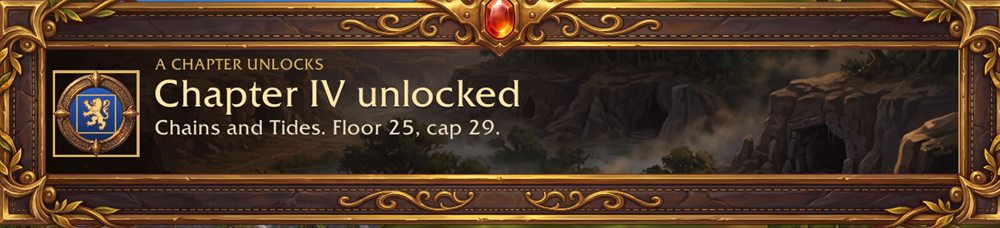
- Toasts: a banner when a chapter unlocks, everyone reaches the floor, a dungeon is cleared, an Adventurer reaches the floor or the cap or goes over it, new rules, a Gathering soon, an attunement opens, and more. Big moments get a big banner. Each can be turned off, and you can drag them where you like. Click one to open the page it is about.
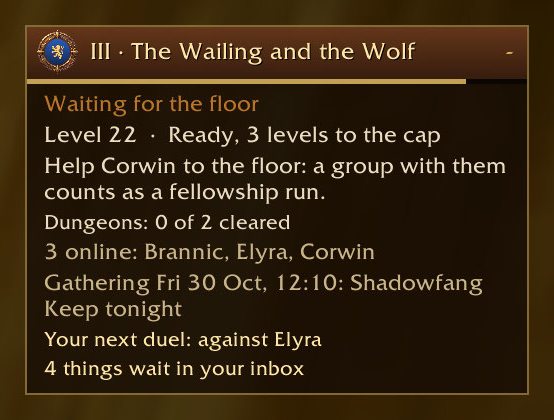
- The tracker on the screen: the chapter, where you stand, the next step, dungeons cleared, who is online, the next Gathering, shared quests, your next duel and your inbox; it can hide until you point at it.
- Picture after a final boss: Take a picture (with or without the interface) or open the group photo, right there in the dungeon.
- The inbox in the header: invitations, votes, Gatherings, asks to group up, the tournament.
The Endgame and raids
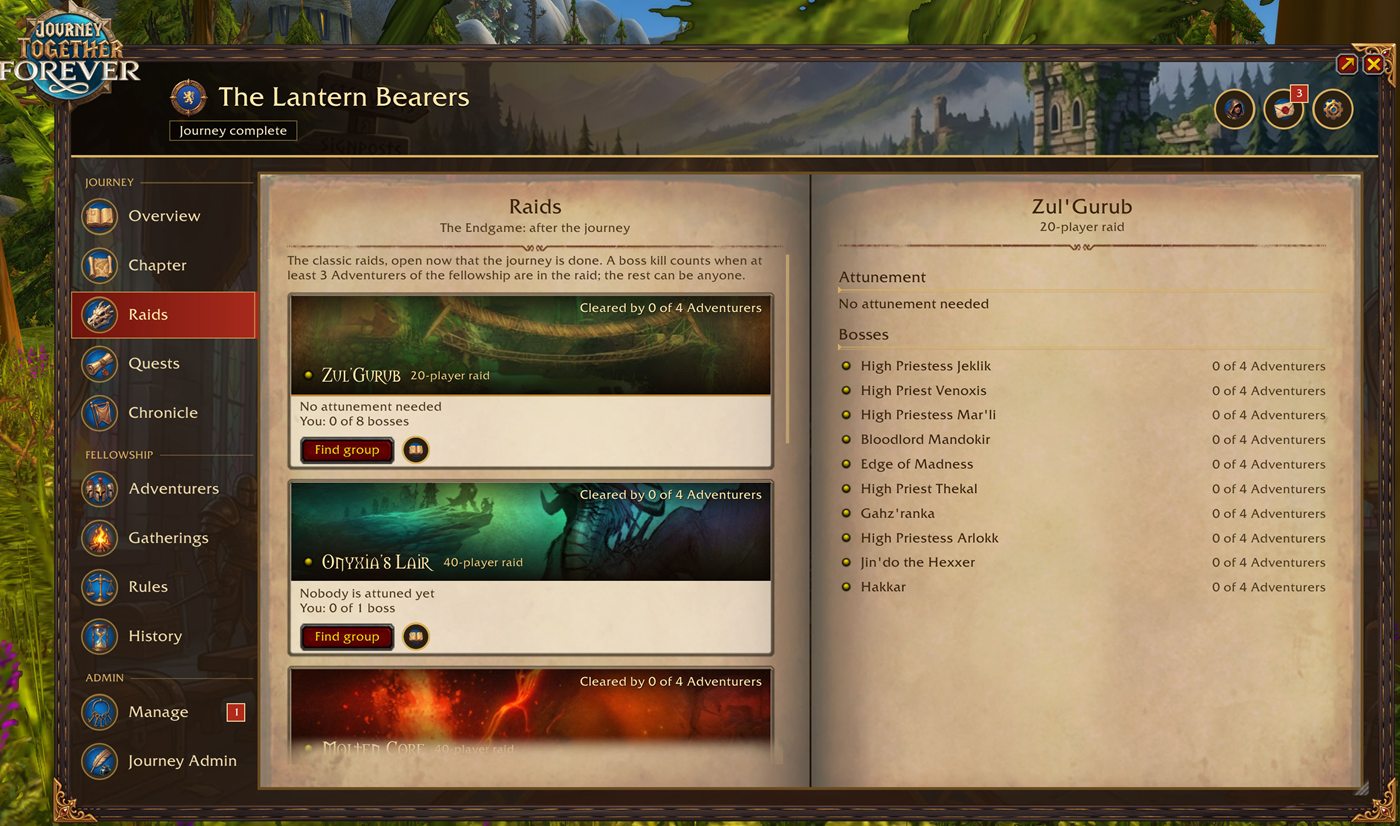
When the last chapter is complete, the Endgame opens: the classic raids (Zul'Gurub, Onyxia's Lair, Molten Core, Blackwing Lair, Ruins and Temple of Ahn'Qiraj, Naxxramas), each with who is attuned, every boss with how many Adventurers have killed it, and Find group for the raid.
Guild Master tournament
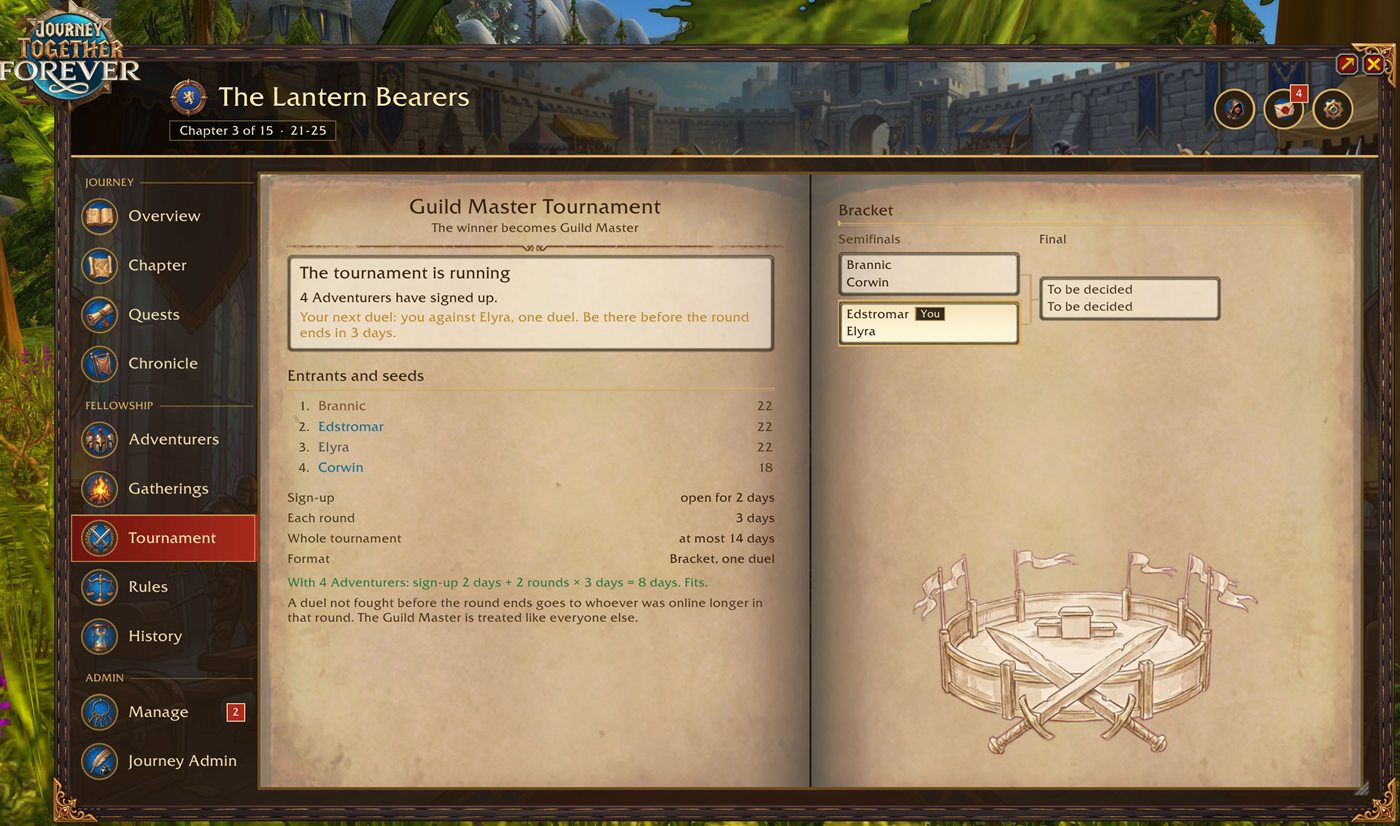
An optional tournament when the whole fellowship is one guild: the winner becomes Guild Master. Sign-up, seeds by level or random, and four formats: Bracket, Double elimination, Groups then bracket, and Round robin, with one duel, best of 3 or best of 5. Duels are picked up from the game's own message ("X has defeated Y in a duel"); a duel not fought before the round ends goes to whoever was online longer that round.
Discord
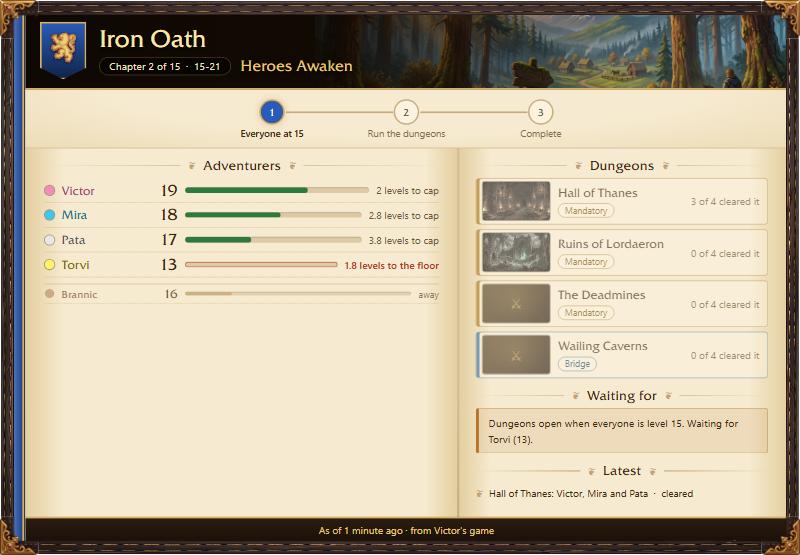
Post the fellowship's progress to your Discord channel through the separate app WoW Addon Webhooks for Discord (download it from its releases; this addon's plugin is in Webhooks/). It keeps a board picture of the fellowship up to date (the chapter, its steps, every Adventurer, the dungeons, who you are waiting for, the latest news) and can post when a chapter is complete, when a dungeon is cleared, and the pictures you took after a final boss. The addon writes its news when you log out; the app reads it from your saved data and posts nothing you have not chosen.
Look and settings
- The book: a leather book with parchment pages and art for every page, in the game's own look (its fonts, buttons and frames). Drag the corner to resize it (80% to 120%), or go full screen, edge to edge.
- Themes: Journal, Night, and Faction (Alliance blue or Horde red).
- A setup guide the first time, and Show me around: a two-minute walkthrough of the book on a sample fellowship, for your rank.
- Settings for every toast, the tracker's lines, chat messages, the cap warning, sounds, reduced effects and the minimap button.
Commands
/jtf: open or close the book (or click the minimap button)/jtf chapter,/jtf heroes,/jtf quests: open those pages/jtf photo: the group photo/jtf settings: Settings
Playing at different times
Adventurers' addons talk to each other with whispers in the background; nothing goes through a server. Every addon keeps its own copy of the fellowship and catches up from the others when you log in, so changes made while you were offline arrive once someone who has them is online. In dungeons and during boss fights the game holds addon messages; they go out when you leave. Characters you have not played for a while show "as of" when you last did.
Status: beta
This is a beta. Version 1.0 comes when WoW Forever launches: the addon will be tested there, and its dungeon and raid lists brought in line with Forever's.
Everything above is built and checked with the addon's own self-test and screenshot tour on retail, with one account. Tests with two or more real accounts are still to come. Everyone in a fellowship should use the same version. Please report problems as GitHub issues, with a screenshot and the text of any Lua error (/console scriptErrors 1). Each file's changelog lists what changed.
Install
Install it with the CurseForge app, or download the zip and unpack it into World of Warcraft/_retail_/Interface/AddOns/ (the folder must be called JourneyTogetherForever). Restart the game fully after installing or updating, then type /jtf.
License and credits
MIT License. Copyright (c) 2026 Vaderstrom. The source is on GitHub.
- Dungeon and boss data comes from the game's own data tables, via wago.tools.
- Questie, Dungeon Journal, Attune and Lore Forever are other people's addons. Journey Together Forever only opens them when you have them installed; none of their data is included.
Journey Together Forever is designed and developed by Vaderstrom. Claude, Anthropic's AI assistant, has assisted in its development.
Journey Together Forever Team
