
Jefe de Guerra — Guild Core Matrix
- By
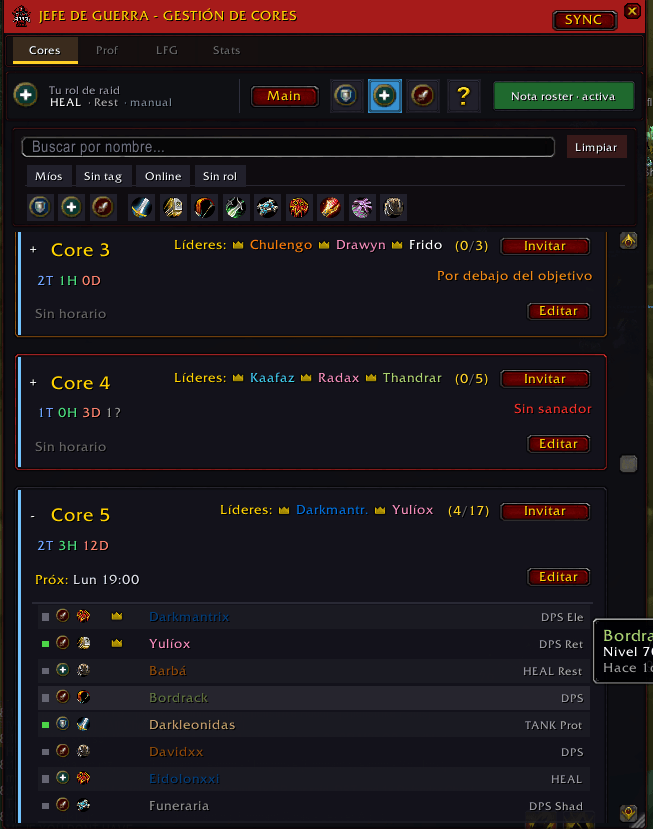
Main roster: cores and bench from officer notes, search and role filters, per-core cards with invites, schedules, warnings, and raid lead markers.
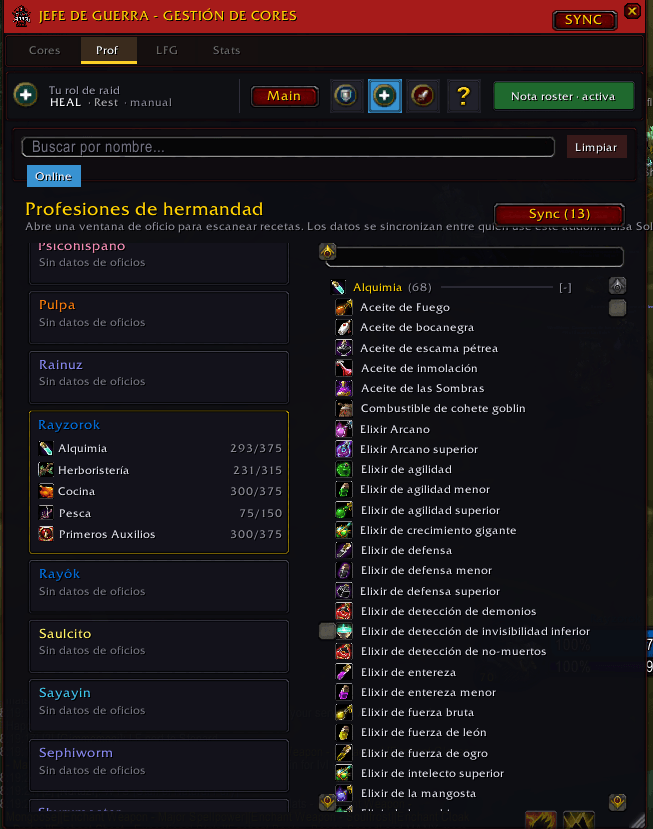
Guild professions hub: member tradeskills, recipe coverage, and sync so others can see what you’ve scanned.
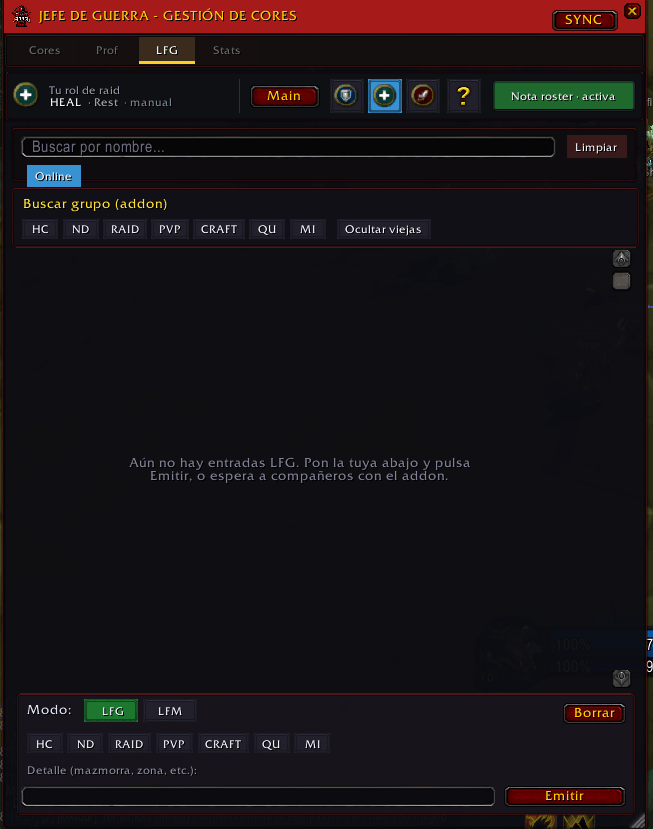
Guild LFG board: set tags and a short note, browse who is looking, and filter the list for your needs.
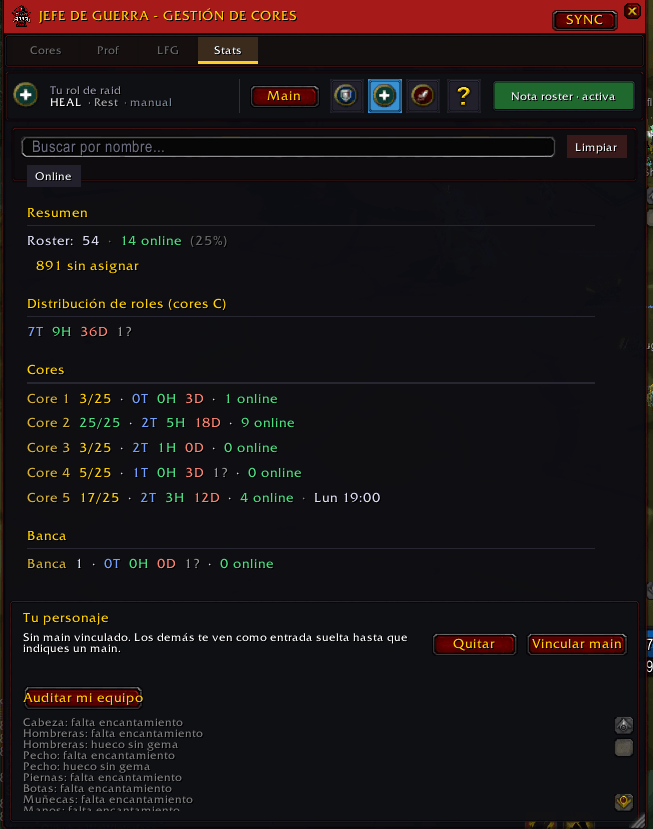
Guild snapshot: core/bench counts, role mix, next raid times, plus tools for main/alt link and gear audit (self-scan shared like professions).
Description
Jefe de Guerra — Guild Core Matrix
> WoW TBC Classic — Anniversary · Use a package whose ## Interface: matches your client (check the latest Files upload).
> Made by and for Jefe de Guerra on Dreamscythe.
The in-game title comes from GuildCoreMatrix.toc (display styling for Jefe de Guerra / core management). This CurseForge page uses the listing name Jefe de Guerra — Guild Core Matrix.
Built mainly for our officers and raid leads. Other guilds are welcome if you adopt the same conventions — especially core/bench tags in officer notes — and optionally rely on guild addon-channel sync when members run the addon.
What it does
Scans guild officer notes for core ([C#]) and bench ([B]) tags. Builds a roster UI: assignments, roles, online status, plus schedules, signups, talent specs, and LFG tags shared across guildmates on the addon.
Public notes are not used for core parsing; they can still show in tooltips where the UI lists them.
Highlights
- Core & bench tags —
[C1:T],[B], optional short labels (length-clamped in-game),:MLon a segment for master-looter hints,*suffix on a segment for raid-lead where supported. - Tabs — Cores roster + LFG; filters (search, online, role, class, mine, unassigned).
- SYNC — Refresh roster from the server; optional chat summary when assignments change.
- Guild sync — Schedules, signups, specs, LFG over the guild addon channel; optional peer / version hint for other users.
- Helpers — Invite flows, raid formation tooling; respects the 31-character officer note limit when writing notes.
- Access — Minimap button;
/gcm;/gcmlangfor enUS, esES, esMX.
Saved data (Blizzard SavedVariables): GCM_Settings, GCM_Sync (account), GCM_Cache (per character).
Tag cheat sheet
Put segments inside [ ]. Multiple segments in one bracket = comma-separated. Tags belong in officer notes for core discovery.
Core & bench
C+ number — Core ID. Examples:[C1],[C2:T],[C3:RosterNm:H].B— Bench pool. Examples:[B],[B:T],[B:Alt:D].
Roles — :T tank · :H healer · :D DPS
Lead marker — end the segment with * (before the next comma) where the UI supports it.
Master looter hint — :ML at the end of a segment.
[C1:T,C2:H]
[B],[C4:D]
Schedules and signups use C# keys internally. A restricted /gcm migrate command exists for maintainer-only saved-data upgrades in some builds.
Commands
/gcm— Toggle main window (parses when opening)./gcm help— Full localized usage./gcm officer on | off | auto— Control edit-menu visibility vs guild rank./gcm forcewrite— Toggle when the client misreports note permissions./gcm perms— Debug permission flags./gcm reset— Reset window layout defaults./gcm spec— List or set your synced spec abbreviation./gcm lfg— Quick LFG codes (HC,ND,QU,MI);/gcm lfg clearclears yours./gcmlang— Set UI language orresetoverride.
Requirements
WoW TBC Classic — Anniversary with a matching Interface build. Guild strongly recommended for roster APIs and sync.
Install folder: Interface/AddOns/GuildCoreMatrix. CurseForge project ID 1528360 (X-Curse-Project-ID in the TOC).
Jefe de Guerra — Guild Core Matrix Team
