


JadziaUI Quality of Life
Screenshot 2026-03-16 220213.png
Screenshot 2026-03-16 220404.png
Screenshot 2026-03-16 220259.png
Screenshot 2026-03-16 220427.png

6.png
Description
JadziaUI
A clean, fully customizable UI enhancement addon for World of Warcraft Retail.
JadziaUI replaces and extends key parts of the default UI — cast bars, power bars, class resources, loot history, reputation tracking, and more — all configurable from a single polished settings window without ever touching a config file.
Highlights
- 13 class power trackers — purpose-built bars and segments for every supported class and spec
- Custom cast bar with smooth fade, icon, independent text anchors, and border
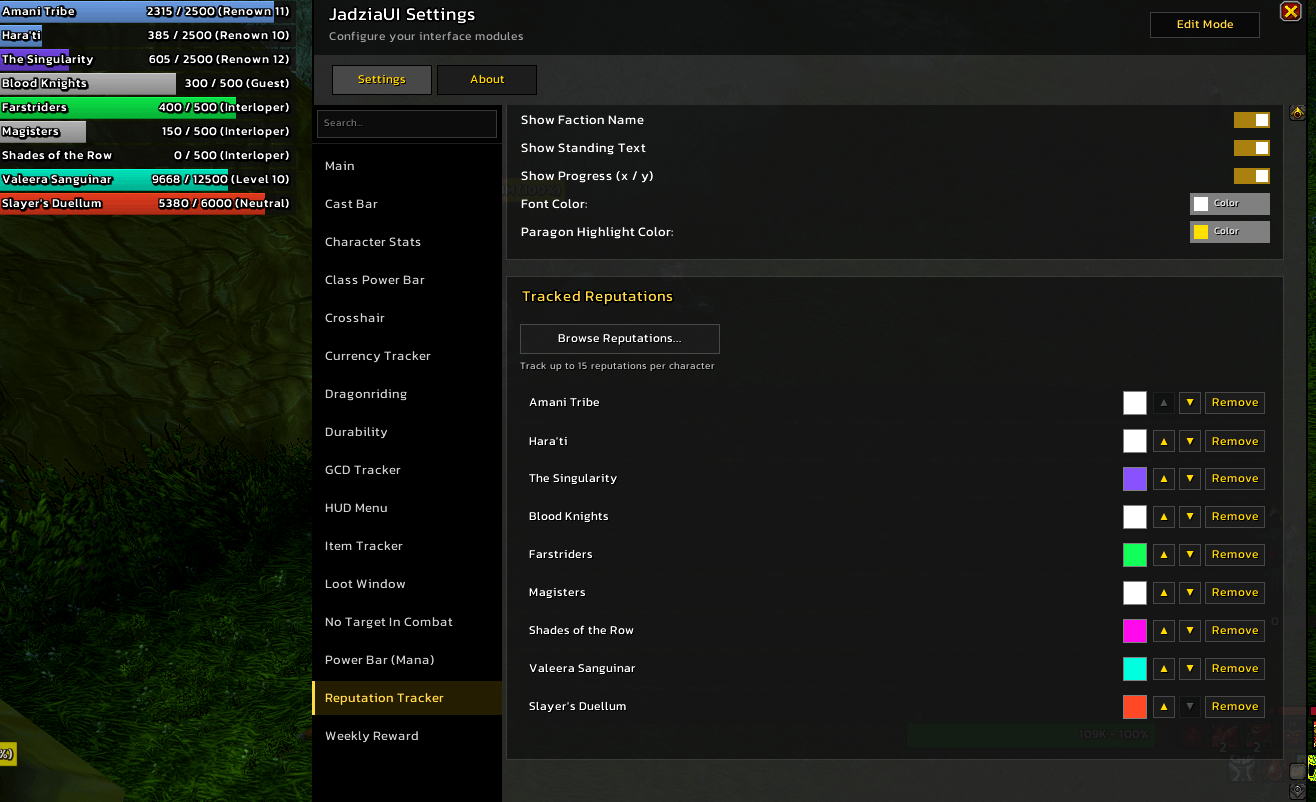
- Reputation Tracker — up to 15 factions as live status bars with paragon support
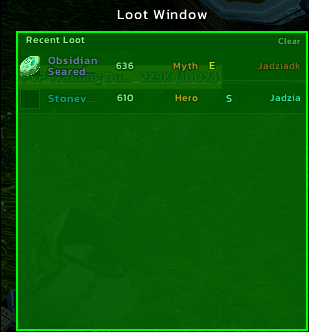
- Loot Window — scrollable session log with item level, upgrade tier, and source player
- Dragonriding Bar — vigor, Thrill of the Skies glow, Second Wind, and Whirling Surge
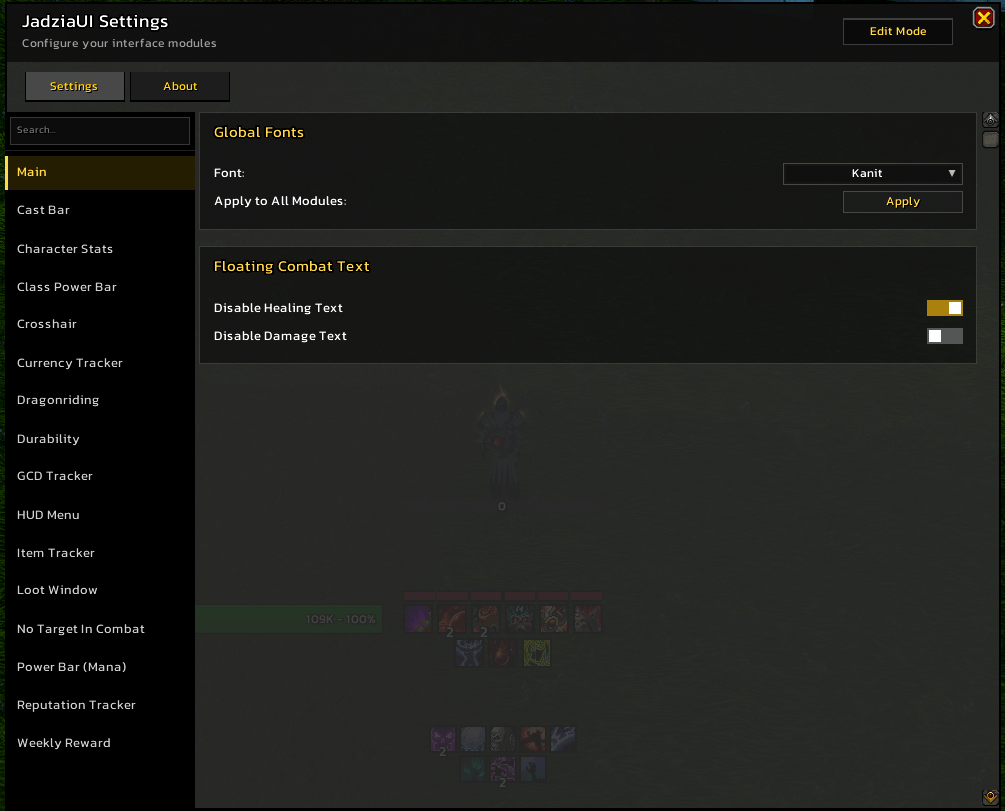
- Card-based settings UI — every option in one window, no menus to dig through
- Edit Mode — drag any frame to exactly where you want it; nudge by the pixel
Features
Class Power Tracking
Custom resource bars for 13 classes. All trackers share a unified settings card (width, height, texture, border, font, text color, Y offset) and are independently draggable in Edit Mode.
| Class | Resource |
|---|---|
| Death Knight | Runic Power bar + 6 Rune segments with live cooldown timers |
| Demon Hunter | Fury (Havoc) · Pain (Vengeance) · Fury + Soul Fragments (Devourer) with dynamic max |
| Druid | Astral Power · Combo Points + Energy · Rage (per spec) |
| Evoker | 6-segment Essence bar with drift-free recharge timer |
| Hunter | Focus bar (all 3 specs) |
| Mage | 4-segment Arcane Charges (Arcane only) |
| Monk | Chi segments · Chi + Energy text (Brewmaster) |
| Paladin | 5-segment Holy Power bar (all 3 specs) |
| Priest | Insanity bar (Shadow) |
| Rogue | Energy bar + 5-segment Combo Points — both independently draggable |
| Shaman | Maelstrom bar (Elemental) · 10-segment Maelstrom Weapon (Enhancement) |
| Warlock | 5-segment Soul Shards (all 3 specs) |
| Warrior | Rage bar (all 3 specs) |
Cast Bar
Replaces the default Blizzard cast bar with a fully custom implementation.
- Smooth fade in/out on cast start and end
- Optional spell icon (left or right), spell name, and cast time — each with independent anchor and X/Y offset
- Configurable bar texture (LibSharedMedia), color, width/height, and border
- Picks up any cast or channel already in progress on enable
Empower Cast Bar — a companion bar for Evoker empowered spells that fills across 4 highlighted stages with per-stage color customization.
Reputation Tracker
Track up to 15 faction reputations as draggable status bars anywhere on your screen.
- Browse all factions by expansion in a dedicated modal browser
- Per-faction custom colour; right-click to reset to the default standing colour
- Standing colours (Neutral → Exalted gradient) applied automatically when no custom colour is set
- Paragon support — bar shows overflow progress in gold; bright indicator strip when a chest reward is ready
- Handles Major Factions (renown) and companion/friendship reputations
- Right-side text shows
current / max (Standing)with independent show/hide toggles per element - Hides during combat and reappears on combat end
Loot Window
A scrollable session log of everything you've looted this session.
- Item icon, quality-colored name, item level, upgrade tier (Explorer → Myth), embellishment/socket badges, and source player
- Quality filter to hide grey or common loot
- Configurable max entries (1–200), layout (vertical list or horizontal icon strip), font, icon size, spacing
- Draggable via Edit Mode; resets cleanly between sessions
Dragonriding / Skyriding Bar
A HUD bar that appears automatically while on a skyriding mount.
- Vigor charge segments with a countdown timer on the recharging charge
- Thrill of the Skies — pulsing glow on active charges when the buff is up
- Second Wind — up to 3 charge squares with individual cooldown timers
- Whirling Surge — optional cooldown fill bar (off by default)
- Option to suppress the GCD Tracker ring while airborne
- Fully configurable colors, sizes, fonts, and textures per row
GCD Tracker
- Ring — circular indicator around your cursor that sweeps clockwise during the GCD
- Pulse Bar — optional stationary bar with a leading-edge indicator line; configurable direction, color, width, and position
Weekly Reward Tracker
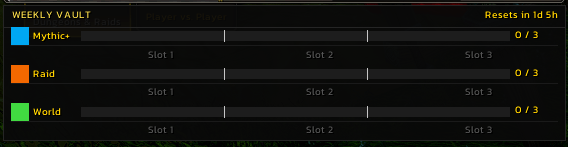
Automatically snaps a compact panel below the Group Finder whenever it opens.
- Great Vault progress for Mythic+, Raid, and World
- Up to 3 slot squares per category showing gear track and ilvl
- Countdown timer until the weekly reset
HUD Menu
A slim flat bar at the very top of the screen.
- Guild + Friends (online counts, click to open), Bags (color-coded by fill state), Vault, Clock, and MS/FPS
- Optional Location Bar below the main bar showing current zone and sub-zone
- Individual color pickers for every element label and state
- All segments independently toggleable
Other Modules
- Power Bar — custom mana/rage/energy bar; hides the default Blizzard bar
- Equipment Durability — color-coded per-slot durability for all 10 gear slots
- Crosshair — configurable 4-line crosshair, always-on or combat-only
- Character Stats — draggable panel showing Crit, Haste, Mastery, and Versatility %
- Item Tracker — per-character item list with icon, stack count, and spell cooldown tracking
- Currency Tracker — up to 15 currencies with formatted numbers, capacity indicators, and a browsable currency picker
- No Target In Combat — text overlay and optional TTS alert when you enter combat with no target
- Floating Combat Text — granular per-category toggle for all floating text types
Settings
Everything is configurable from a single window (/jui menu).
- Sidebar navigation with a live search box — type to filter; automatically jumps to the matching section when only one result remains
- Card-based layout — each section stacks expandable cards (Position, Appearance, Font, Behavior…)
- Animated toggle switches replace all checkboxes
- Resizable window — drag the bottom-right corner; size persists across sessions
- Appearance settings (colors, sizes, fonts, textures) apply instantly
- Enabling or disabling a feature shows a reload prompt
Edit Mode
/jui editto enter Edit Mode; Escape or closing Settings exits it automatically- Frames start locked — click an overlay to unlock it for dragging (one at a time)
- Arrow nudge buttons for pixel-perfect positioning
- Live X/Y coordinate display on the active overlay; reset button per frame
- Position inputs in every section's settings card — move a frame without entering Edit Mode
- All positions saved per character and persist across sessions
Slash Commands
| Command | Action |
|---|---|
/jui menu |
Open settings window |
/jui edit |
Toggle Edit Mode |
/jui toggle |
Enable / disable the addon |
/jui dbversion |
Print DB version and migration status |
Requirements
- World of Warcraft Retail (Interface 120000+)
- LibSharedMedia-3.0 (bundled) — enables custom textures and fonts from any media addon
Notes
- All features are disabled by default — enable only what you want
- Settings are saved per account in
JadziaUIDB - Supports third-party font and texture addons (e.g. SharedMedia) automatically
The JadziaUI Quality of Life Team
