ItemTrackTags
- By
Wow_gWBl55YsHx.png
Wow_cky0XKYFaT.png
Wow_M747Te9pe0.png
Description
 ItemTrackTags
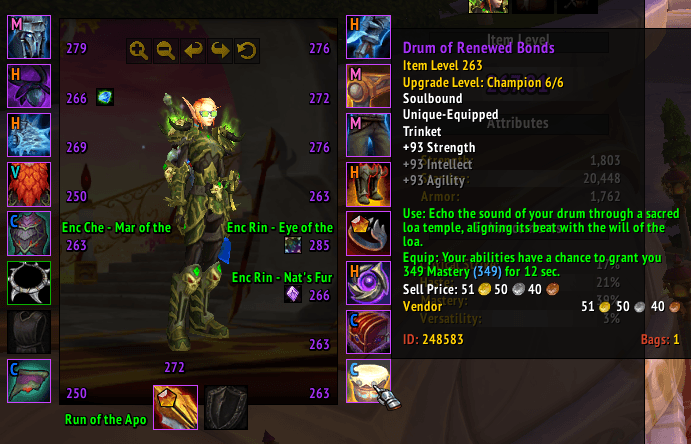
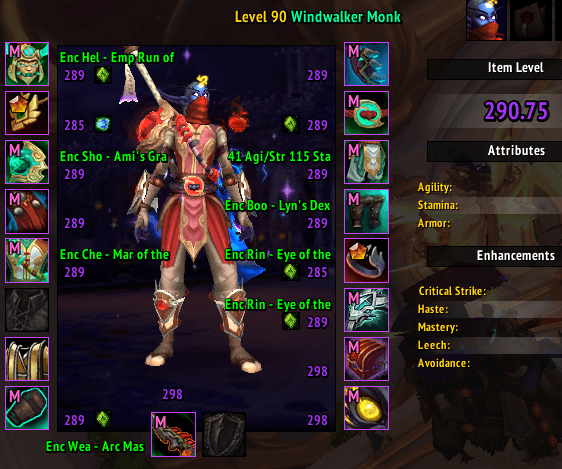
Lightweight addon that marks each equipped item on the Character panel (C). Should work on-top of most UI addons.
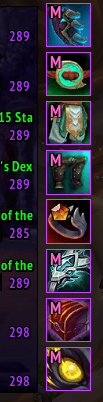
- Upgrade-track items show a tiny colored letter.
- Crafted items show their crafting quality icon (Tier 1–5).
| Letter | Track | Default color |
|---|---|---|
| E | Explorer | gray |
| A | Adventurer | green |
| V | Veteran | teal |
| C | Champion | blue |
| H | Hero | orange |
| M | Myth | pink |
Just sits in the corner of each gear slot. Updates when you open the panel or swap gear.
Install
Drop the ItemTrackTags folder into:
World of Warcraft\_retail_\Interface\AddOns\
or Install via CurseForge App.
Then enable it on the character-select addon list.
Settings — /itt
Type /itt in chat to open the settings panel:
- Font size — adjust the marker size.
- Track colors — use colorpicker to recolor any track.
- Show crafted quality icons — toggle off if another addon already shows these, to avoid clashes.
Settings are saved per account.
Localization
Track detection ignores any modifier prefix (e.g. Sporefused:, Galactic Void-Charged:), reading only the track word before the rank (new item modifiers should work automatically)
Currently works with English and German clients.
For any other locale, run /itt debug with (different track!) gear equipped to print the raw upgrade lines, then add the localized track word to the TRACKS table.
Help with localization is much appreciated :)
The ItemTrackTags Team