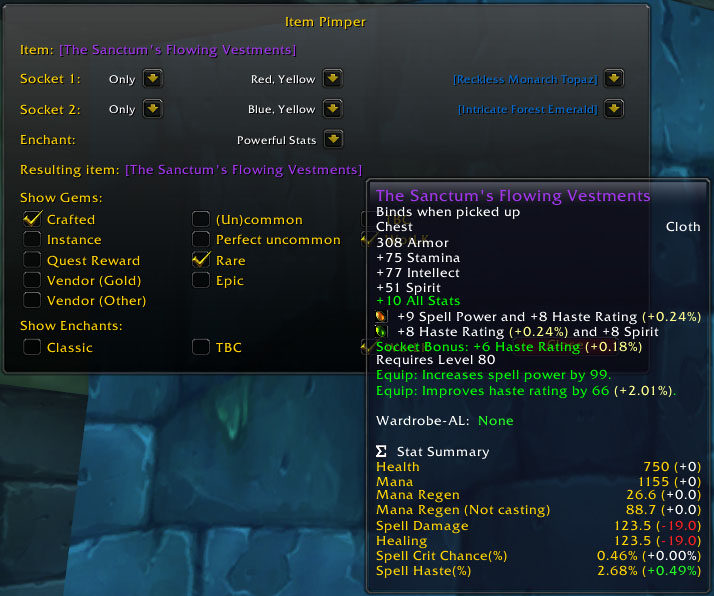
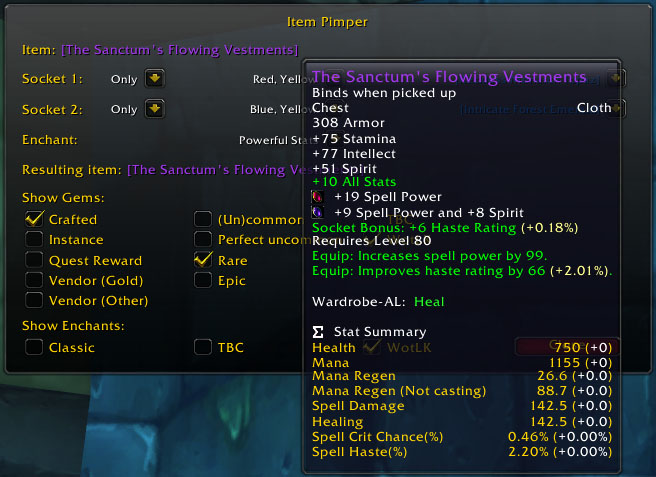
ItemPimper allows you to select an enchant and gems for an item, and then gives you an item link with those gems and enchants on it. Its main use is together with RatingBuster; by tweaking the gems and enchants, you can see exactly what effects they will have on your important statistics.
You can assign a keybinding to it (I use 'i' myself); then when you're looking at the tooltip of an item and press your keybinding, the window pops up showing the item (and its gems and enchants, if it already has them). Alternatively, you can type /ip [Some Cool Item] .
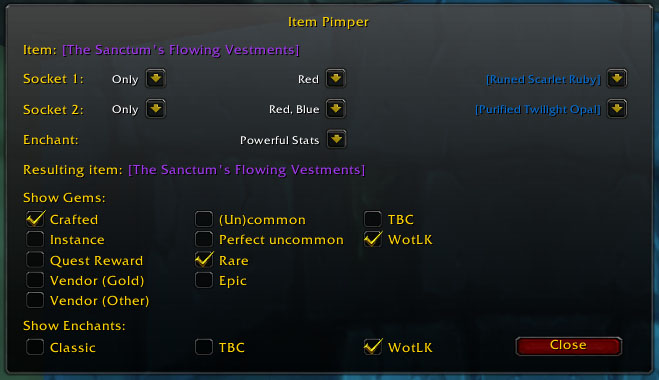
How to use: for each socket, there are three dropdown boxes. The middle one lets you select the colors of the gems the right dropdown should show. For example, if you select Red and Blue, then the right dropdown will show gems that match red or blue sockets. Furthermore, if you set the left dropdown to "Only", then it will show the gems that match *only* red or blue sockets, and no other colors; if you set it to "All", then all gems that match a red or blue sockets are shown, regardless of what other colors they match. The checkboxes provide more control over which gems should be shown.
Notices:
- I'm not sure if it knows all the gems and enchants. If you use it on an item which has an enchant or gem that it doesn't know, it will print a message in your chat log. This message will contain a number (which it calls "id") - please let me know this number, so I can add the gem or enchant.
- If you're a blacksmither and have the tradeskill that puts an extra socket on your gloves or bracers, the addon should allow you to put an extra gem on your gloves or bracers. However, it seems like Blizzard changed things: the way in which I tested if you could socket your gloves and bracers now only works if you have the Blacksmithing window open. So if you're a blacksmither and you want to gem your gloves or bracers, FIRST open your blacksmithing window, and THEN open ItemPimper; then it should work as expected.
- With the current filtering options for gems, the addon has the ability to show all gems known to it in a single dropdown. However, there are a lot of gems in the game, and due to a design decision of Blizzard, part of the memory that it allocates for showing all these gems cannot be freed again until the next reload of the interface. So if you have a limited amount of memory available for addons, you shouldn't set it to show all the gems.
- The addon should work with any language version now. However, the names of the gems and enchants are still in English -- but the tooltips will show the correct names.
- As you can see from the screenshot, if you have Skinner, then it also skins itself :-)