


inv manager
- By
Screenshot 2026-09-16 184927.png
Screenshot 2026-09-16 184937.png
Screenshot 2026-09-16 184944.png
Screenshot 2026-09-16 184950.png
Screenshot 2026-09-16 184957.png
Description
Inv Manager
Inv Manager is a lightweight and highly configurable World of Warcraft addon designed to automate group invitations for portal and teleport requests received through chat.
It monitors the chat channels you choose, detects messages that match your saved trigger phrases, and automatically invites the requesting player when all configured safety checks and limits allow the invitation.
The addon is designed to reduce repetitive manual invites while keeping detection, timing, safety, responses, and chat sources fully configurable.
Features
-
Automatic invitations for portal and teleport requests
-
Saved trigger phrases for precise automatic detection
-
Support for Say, Yell, General, Trade, joined channels, Whisper, and Battle.net Whisper
-
Portal destination detection
-
Support for common destinations including Stormwind, Ironforge, Darnassus, Exodar, Orgrimmar, Undercity, Thunder Bluff, Silvermoon, and Shattrath
-
Indirect class detection for requests such as
any mage for shat? -
Optional short-message detection
-
Configurable short-message threshold
-
Minimum and maximum message length filters
-
Custom request words
-
Custom portal words
-
Custom ignore phrases
-
Protection against common portal-selling and advertising messages
-
Per-player invitation cooldowns
-
Optional global invite rate limiting
-
Whitelist and blacklist support
-
Group leader protection
-
Full-group protection
-
Duplicate-invite protection
-
Self-invite protection
-
Faction-aware destination checks
-
Manual player invitations
-
Optional automatic whisper responses
-
Saved response message presets
-
Configurable invite sounds
-
Chat announcements and on-screen invite notifications
-
Invitation and skipped-request history
-
Built-in WoW terminology and chat reference
-
Movable minimap button
-
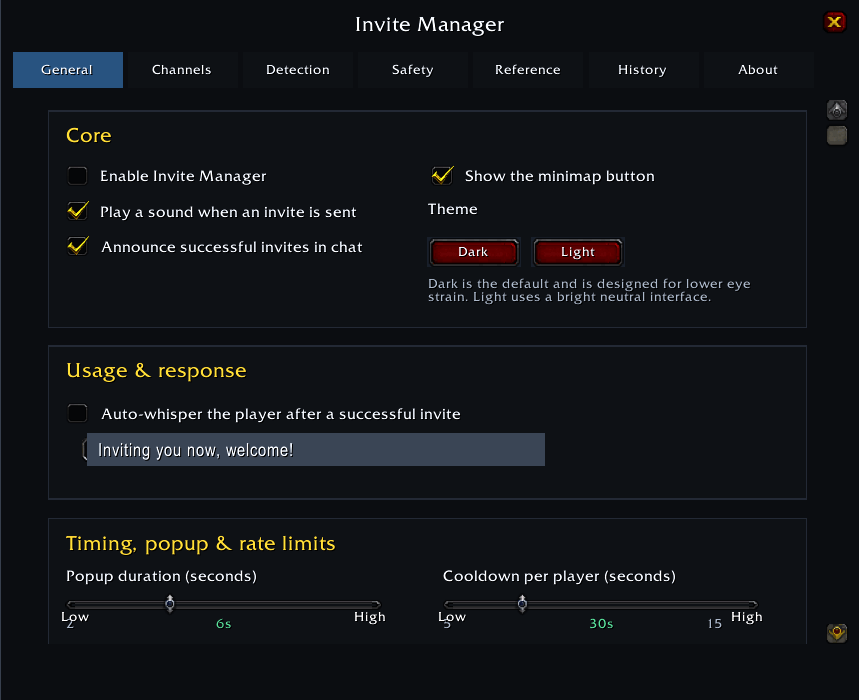
Dark and Light interface themes
-
Built-in message detection testing tools
Smart Detection
Inv Manager uses saved Trigger Phrases to control automatic invitations.
Messages are checked against the configured detection rules. When a message matches an active trigger phrase and passes the configured safety checks, the addon can automatically send an invitation.
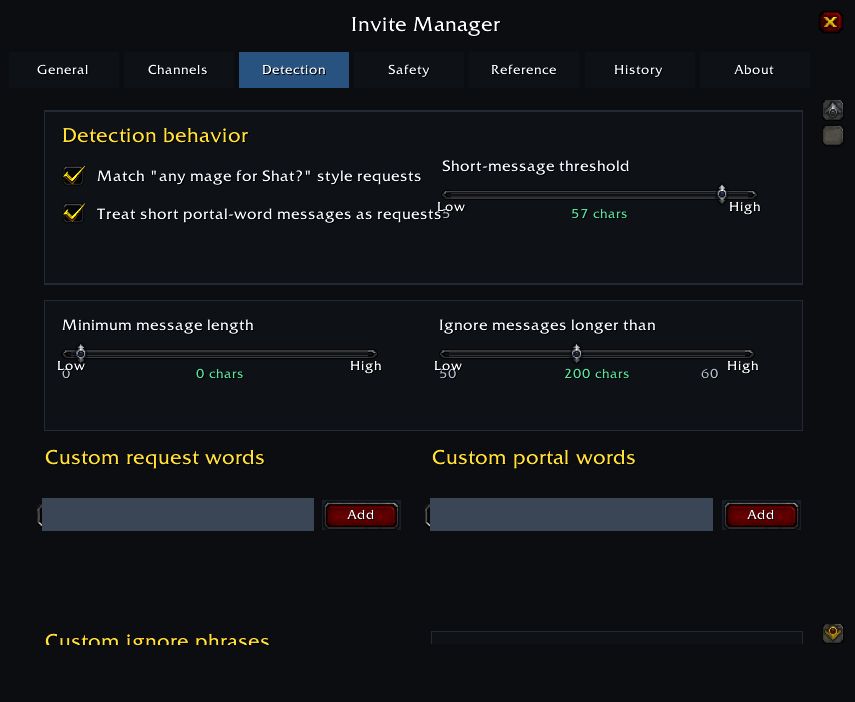
The Detection section also provides built-in request words, portal words, class terms, destination names, and ignore phrases to help configure and test your detection rules.
Detection Options
You can configure several parts of the detection system:
-
Trigger Phrases for automatic invitations
-
Indirect Class Detection
-
Short Message Fallback
-
Short Message Threshold
-
Minimum Message Length
-
Maximum Message Length
-
Custom Request Words
-
Custom Portal Words
-
Custom Ignore Phrases
The built-in Check feature lets you test a message against the current detection rules without sending an invitation.
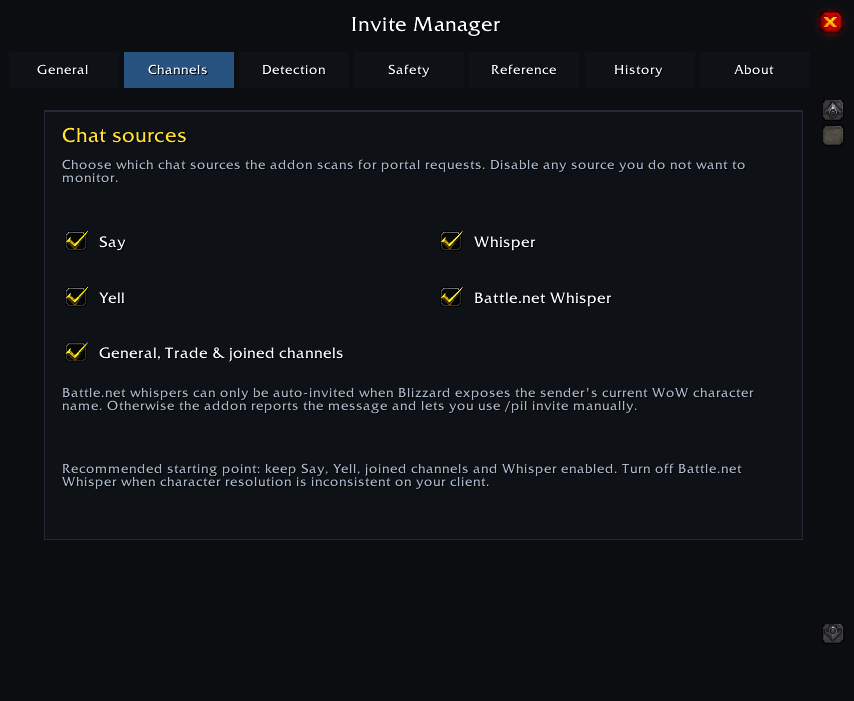
Chat Channels
Choose which chat sources Inv Manager should monitor:
-
Say
-
Yell
-
General
-
Trade
-
Joined channels
-
Whisper
-
Battle.net Whisper
You can enable or disable individual chat sources from the addon settings.
Battle.net Whisper Support
Inv Manager can handle Battle.net Whisper requests when the sender's current WoW character can be resolved from the available Battle.net information.
When character resolution is unavailable, the addon does not automatically invite the account. Instead, the request can be handled manually using the player's character name.
Portal Destinations
Inv Manager recognizes common portal destinations and their common abbreviations, including:
Alliance
-
Stormwind
-
Ironforge
-
Darnassus
-
Exodar
Horde
-
Orgrimmar
-
Undercity
-
Thunder Bluff
-
Silvermoon
Neutral
-
Shattrath
Detected destinations are recorded in the invitation history and can also be used by destination-related safety checks.
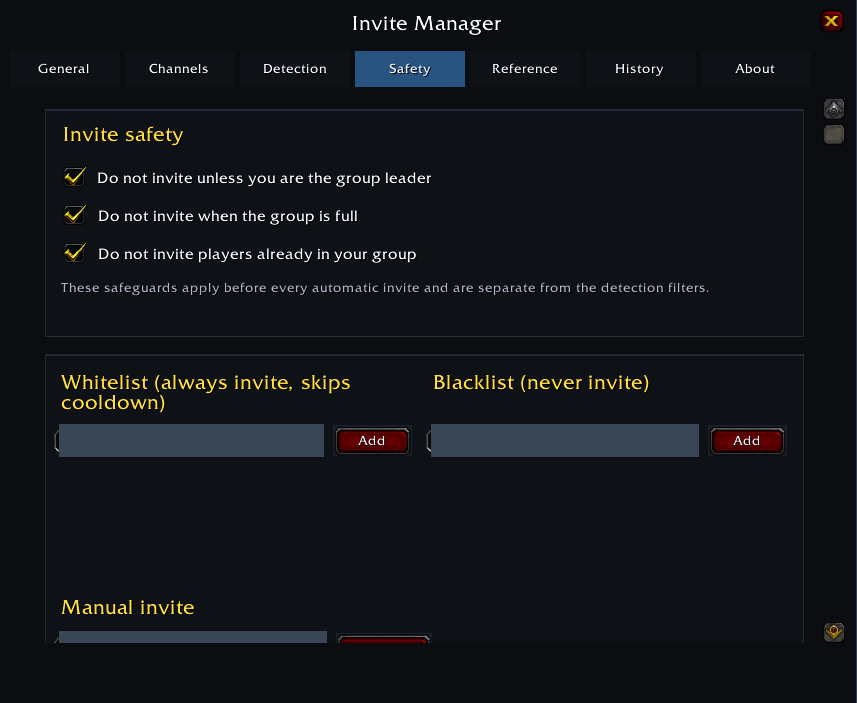
Safety Controls
Before sending an automatic invitation, Inv Manager checks several conditions.
Depending on your configuration, invitations can be prevented when:
-
You are not the group leader
-
Your group or raid is full
-
The requesting player is already in your group
-
The player is on your blacklist
-
The player is still on cooldown
-
The global invitation rate limit has been reached
-
The detected destination is not allowed for your faction
-
The message does not match an active trigger phrase
The addon also prevents your own messages from triggering invitations to yourself.
Whitelist & Blacklist
Whitelist
Add trusted players who should always be allowed to receive automatic invitations.
Whitelisted players can bypass the normal per-player cooldown.
Blacklist
Add players who should never receive an automatic invitation, even when their message matches an active trigger phrase.
Cooldowns & Rate Limits
Inv Manager provides two invitation control systems.
Per-Player Cooldown
Set how long a player must wait before receiving another automatic invitation.
Global Rate Limit
Optionally limit the total number of invitations sent within a selected time window.
These controls help reduce repeated invitations and excessive invite activity.
Automatic Whisper Replies
After a successful invitation, Inv Manager can optionally send an automatic whisper to the invited player.
Response messages can be customized and saved for quick use.
Manual Invitations
Players can also be invited manually without relying on automatic message detection.
Use:
/pil invite <name>
Manual invitations are still subject to the addon’s relevant safety checks.
History
Inv Manager keeps a history of recent invitation activity.
History can include:
-
Player name
-
Chat channel
-
Original message
-
Detected destination
-
Invitation result
-
Skip reason
This makes it easy to see why a request was invited or skipped.
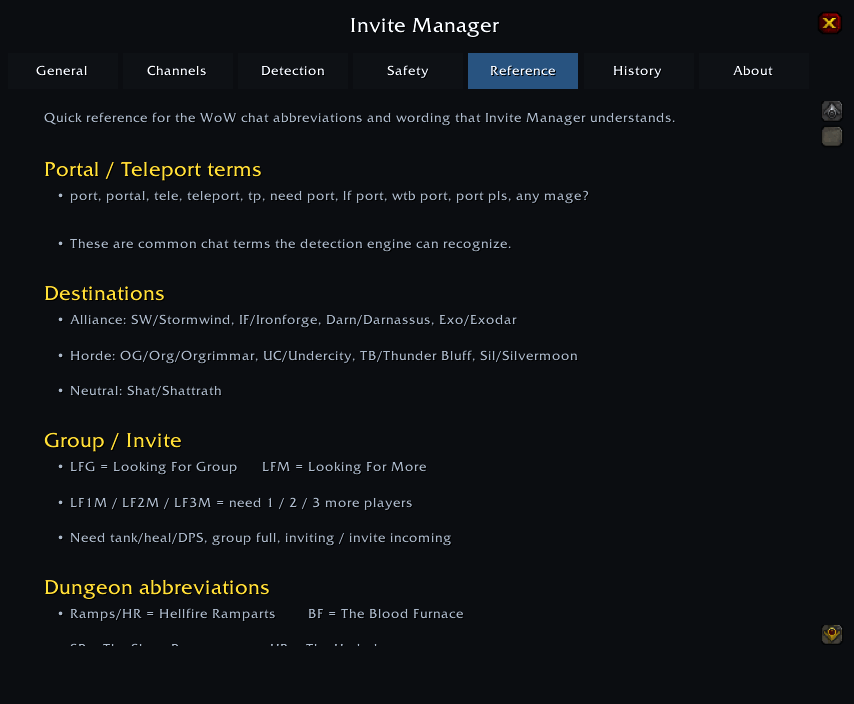
Reference
The built-in Reference section provides useful World of Warcraft terminology and common chat expressions.
It includes references for:
-
Dungeon abbreviations
-
Group-finding terminology
-
Loot terminology
-
Classes and roles
-
Portal terminology
-
Common WoW chat expressions
Ready-to-use chat templates are also available for common situations.
Minimap Button
Inv Manager includes a movable minimap button for quick access to the addon interface.
The button can be shown or hidden and repositioned around the minimap.
Interface
The addon supports both Dark and Light themes.
Settings are organized into sections for:
-
General
-
Chat
-
Detection
-
Safety
-
Reference
-
History
-
About
Slash Commands
/pil
Open or close the Inv Manager panel.
/pil on
Enable Inv Manager.
/pil off
Disable Inv Manager.
/pil status
Show the current addon status and invitation settings.
/pil check <message>
Test a message against the detection system without sending an invitation.
/pil invite <name>
Manually invite a player.
/pil reset
Reset Inv Manager settings to their defaults.
About
Inv Manager is built to make chat-based portal invitations faster, safer, and easier to manage.
The addon provides configurable detection, invitation limits, safety checks, chat monitoring, automatic responses, history, and manual controls while keeping invitation behavior under the player's control.
Instagram: playggdays
Telegram: playggdays
The inv manager Team
