
Instance Reporter
- By
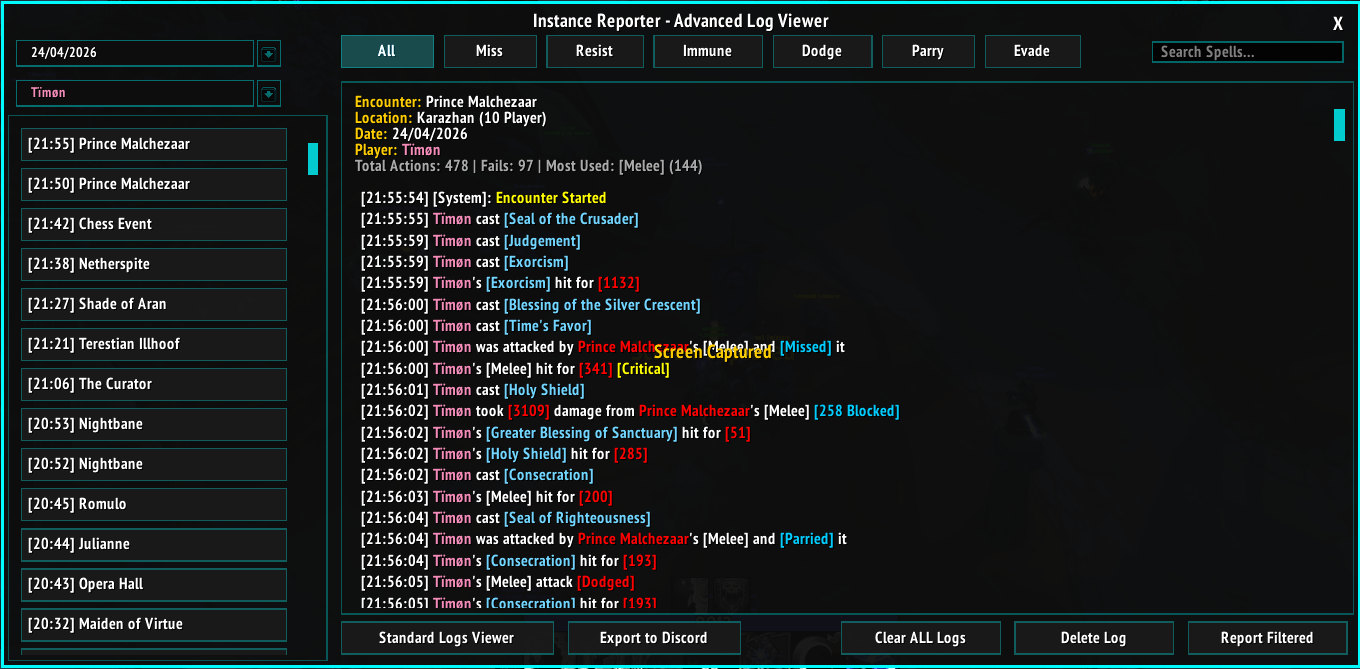
Advanced Log Viewer
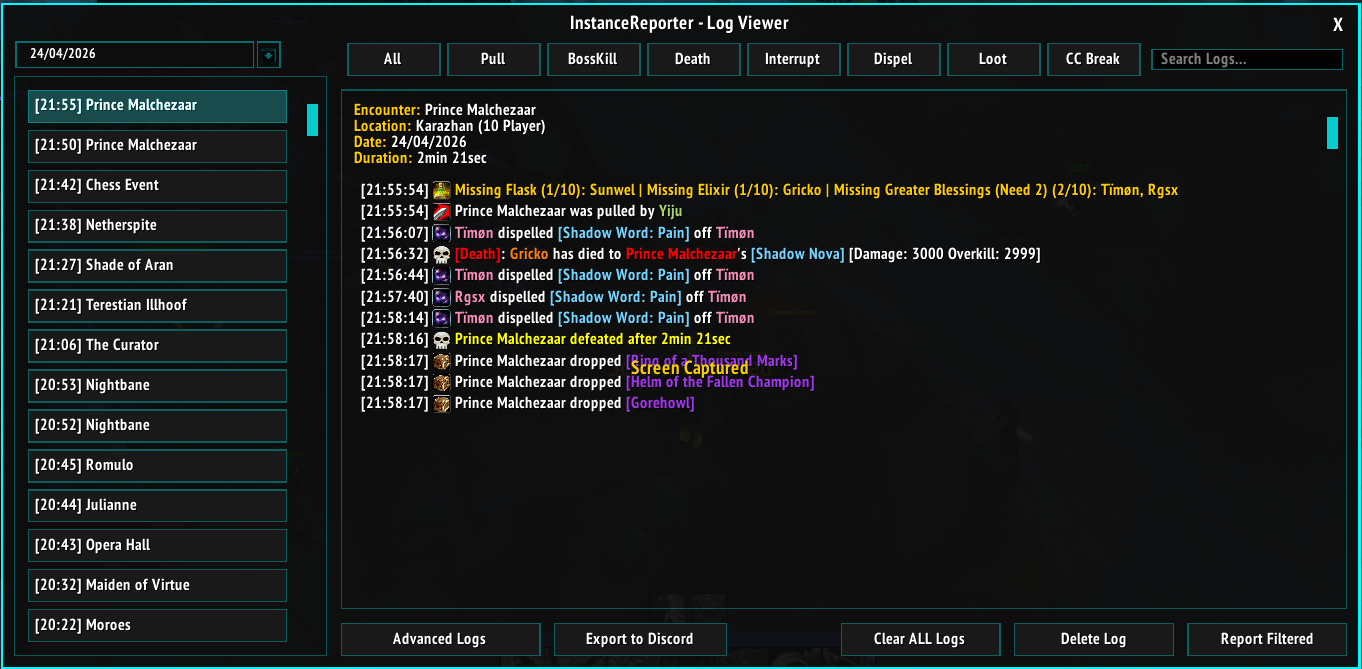
Log Viewer
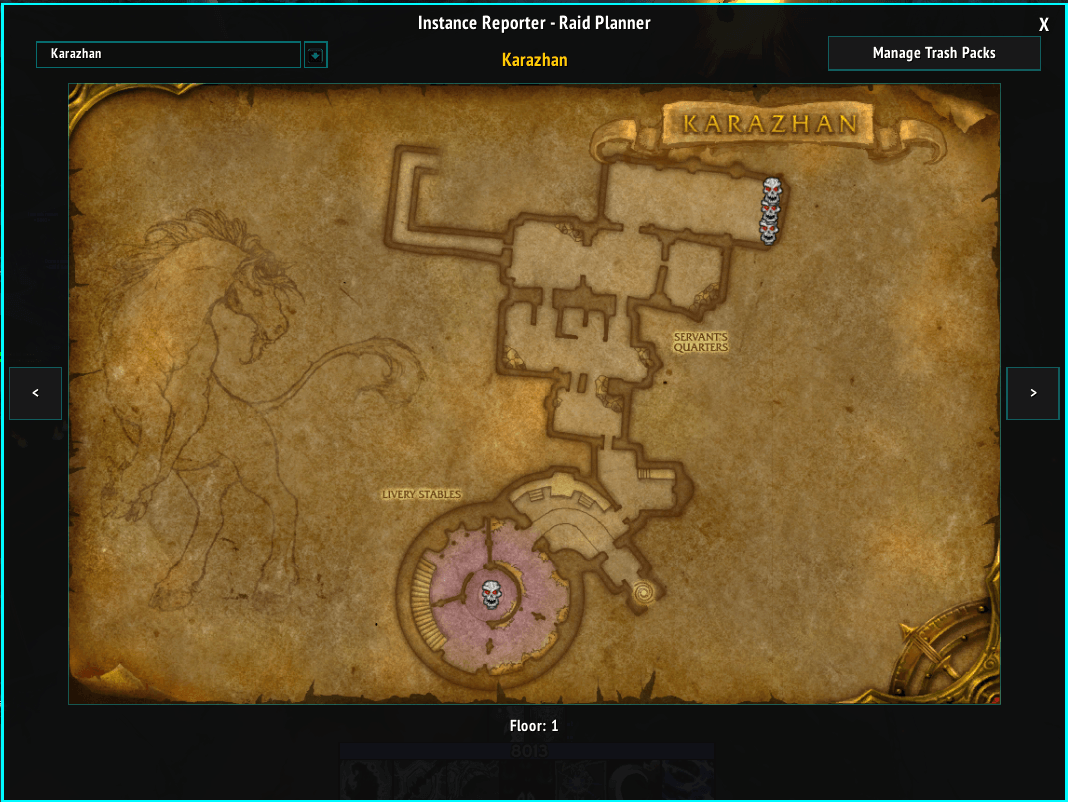
Raid Planner
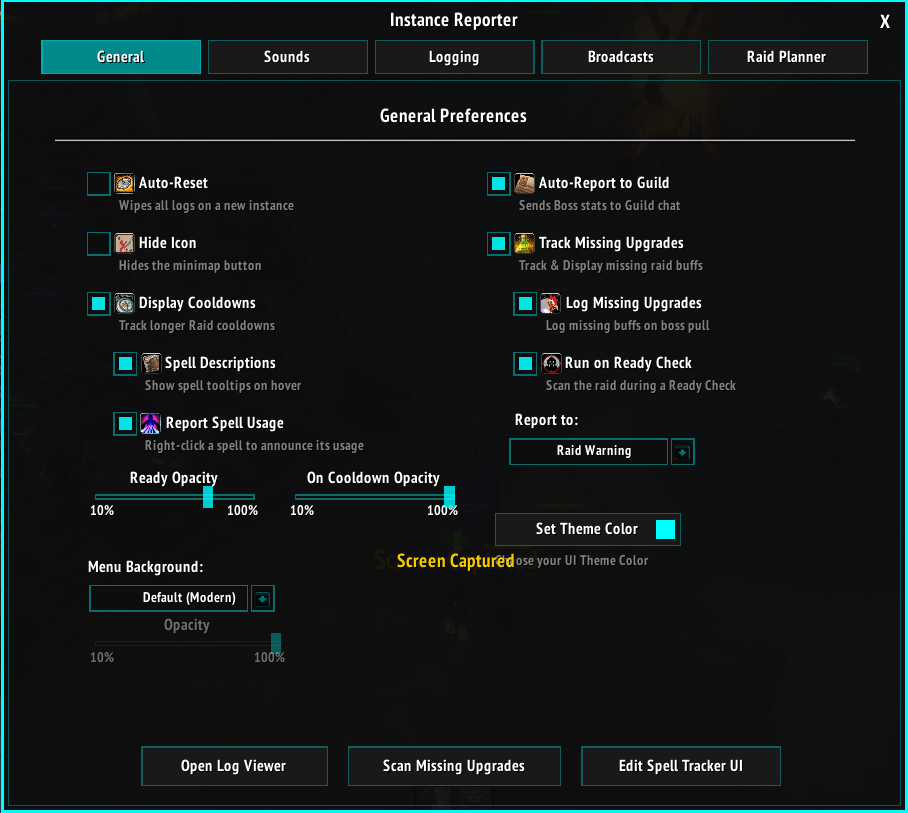
AddOn's main menu
Description
📂 Instance Utilities
Effective Instance Duration tracking
- Tracks the duration of your instances (hover over minimap icon to see the duration, only counts active time (it reduces time spent outside the instance, such as the time taken to resurrect, walking from grave to instance))
Display Cooldowns
- Creates the UI for tracking party/self cooldowns and their usage. UI is completely customizable (drag for desired size)
- Left Click: Reports remaining cooldown on a spell
- (If enabled) Right Click: Reports usage of the spell
- (If enabled) Hover: Displays a tooltip of the spell
Guild Report
- Automatically sends the Boss kill statistics, such as the time it took to kill, the Boss name, and its loot
Upgrades Tracker
- Tracks and displays all the party/raid members missing buffs
- (If enabled) Writes the missing buffs/consumables to the log
- (If enabled) Prompts automatically on a ready check
- User can select which channel to report the missing buffs/consumables from a dropdown menu
📂 QoL
- UI menu background
- UI color selection
- Auto-Reset: Wipes out all data on a new instance
- Automatically wipes logs via selected time (can be set to keep logs permanently)
📂 Logging
Logs the instances & fights (Bosses and Trash mobs)
- Logs the deaths
- Logs the interrupts and dispels (regular and mass)
- Logs the CC breaks (Player A broke Polymorph on NPC)
- Logs who pulled the boss, supports any types of pulls (pets, walking into range, AoE pull, no target pull, etc.)
- Logs the Boss fight durations
- Logs the Boss loot
📂 Broadcasting
Allows the user to report any event to the current party/raid channel
- Announce Deaths
- Announce Interrupts
- Announce Dispels
- Announce Mass Dispels
- Announce CC breaks
- Announce Boss Puller
- Announce Boss Duration
- Announce Boss Loot
- Announce Utilities (Ritual of Souls, Mage Table, Repair Bots, etc.)
IMPORTANT: AddOn automatically finds your highest chat for you. If you're in a raid, the broadcasts will fire in a raid channel
Every log and broadcast is an option and can be toggled off. Logs can be accessed via the AddOn's separate window; they cannot be edited for (common-sense) reasons, but they can be shared (via copy and paste)
📂 Sounds
AddOn comes with a lot of event sounds that are pulled from the game's local files; no sounds are custom, and all of them can be disabled (or changed via dropdown menu)
- UI click sounds
- Death sounds (detects Tanks, Healers, DPS, and plays different sounds for each, can be changed)
- Bloodlust/Heroism sounds via Raid Planner (more below)
- Instance entry and exit sounds
- Sync prompt sound via Raid Planner (more below)
📂 Advanced Logging
AddOn comes with regular logs (that have their above-mentioned toggles) and advanced logging. Unlike regular logs, advanced loggings writes massive amounts of logs by tracking every party member's spell usage, hit event, and reads a variety of args on how damage was dealt
- To prevent higher CPU/RAM usages, Advanced Logging is enabled only on Bosses, will never run in the outside world or trash mobs, and is disabled by default
- Logs every single spell that any of the party/raid members use, including pets and summons
- Logs dynamic usage of spells, such as swapping totems mid-fight
- Logs damage dealt, parried, blocked, resisted, and other damage negate types (immune, dodge, evade)
- Logs complete and detailed healing
- Logs and filters total, most used, and failed actions
IMPORTANT: It is highly discouraged to disable the Advanced Logging auto-deletion
📂 Raid Planner
This is the most untested subject in this AddOn. For this to work, the user has to be either an assistant or a raid leader
- Prompts a new window where the user can select an instance (works in raids from the start of the Classic to the end of the TBC)
- Inside, the user can find all the mobs and all the bosses of the selected instance
- User can select to assign markers to mobs, multiple markers supported, marker queue, and marker priority is enabled
- AddOn will automatically mark the mobs when mouse-overed or targeted, as long as the Raid Planner for the instance is enabled and a custom raid plan is set
- User can export (share) or import the custom plans
- User can share a custom plan (works only for users of the AddOn, explicitly checked by the AddOn) via a secret whisper (hence the sound setting)
- User can assign special events for the AddOn to fire that include:
Assign Bloodlust/Heroism - User only has to select the timer they want or % of HP selected boss reaches to fire a fully automated Bloodlust/Heroism call via AddOn and plays a sound (hence the sound setting)
Assign Interrupts - The user can select a player that will interrupt the selected skill. AddOn comes in with loaded spells that can be interrupted on bosses, does not apply to trash mobs (might add in future). The moment the selected boss starts casting the selected spell, the AddOn will fire and behave as selected. The user can set up:
Whisper: AddOn sends a whisper to the selected user when the selected spell occurs
Party: The AddOn will initialize the party message, not recommended for raids
Raid: The AddOn will initialize the raid message with a spell link and the user(s) selected
Raid Warning: AddOn will (if permissions are met) fire a Raid Warning message when the boss starts casting the selected spell, prompting the selected user for an interrupt.
The AddOn supports multiple people interrupting a single spell, and will behave as the user requests: If enabled, the AddOn will queue players for interrupts: Player A interrupts SpellLink, Player B interrupts SpellLink. Or, if disabling the queue, the AddOn will fire a message for all users when the selected spell occurs, in the way selected (explained above)
- Assign Markers - If a marker is selected on multiple mobs, the classic rule is applied: First-come, first-served. The AddOn has a queue for markers, and if 3 markers are selected but there are 4 mobs, the first mob to die "frees up" space for the next assigned marker. Bosses take priority and will steal the marker from trash mobs when assigned and targeted
- Auto Pull on ready - if enabled: The AddOn will automatically send a 10-second pull timer after every member has confirmed the Ready Check
- Announce plans to raid: If enabled, on instance entry, the AddOn will prompt in a party/raid chat to let users know it's auto-assigning markers, bloodlust calls, and/or interrupts
- Auto Load plans: If enabled, the AddOn will check if the user has custom plans inside of Raid Planner settings when entering the instance. If the global switch for Raid Plans is disabled, it will prompt to enable and load plans
- The AddOn detects if raid leaders use the AddOn and if the settings between the user and raid leader are overlapping, prompting to adjust the user settings for the current raid session (until the user leaves the group)
- The AddOn uses local files of maps to ease the process of selecting the bosses while in Raid Planner
The AddOn is still in the early-release phase; any feedback and bug reports would be wholeheartedly welcome!
Instance Reporter Team
