


Innervatetracker
- By
Minimap_icon_innervatetrack.png
Movable_options_innervatetrack.png
Menu_innervatetrack.png
State_active.png
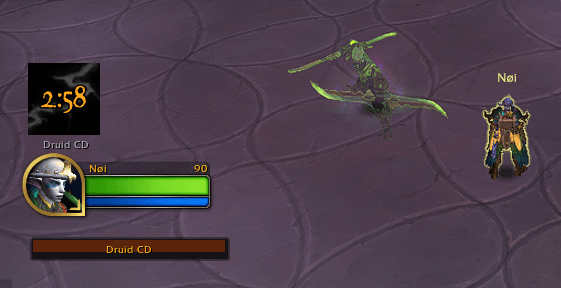
State_CD.png
Description
InnervateTracker
A focused, lightweight Innervate tracker for all healer specs in World of Warcraft: Midnight.
The Problem
Since Midnight 12.0, Blizzard removed COMBAT_LOG_EVENT_UNFILTERED, breaking most Innervate trackers and WeakAuras. InnervateTracker solves this with a mana-cost polling method that is immune to API restrictions — no combat log needed.
How It Works
The addon polls your spell mana costs every 50ms in combat. When your key healing spells simultaneously drop to 0 cost (confirmed over 2 consecutive polls to avoid false positives), Innervate is confirmed active. A 4-condition guard system eliminates false positives: you must be in a group, in combat, playing a healer spec, and have a druid in your group. This method works regardless of Blizzard API changes.
Features
- Single icon, 3 states:
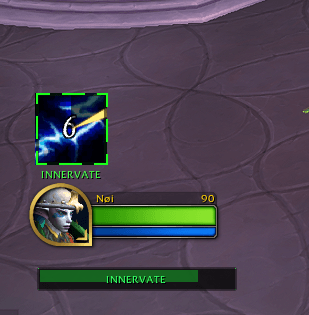
- 🟢 Active — full-color icon with green glow and live countdown (8s)
- ⬛ Cooldown — greyed-out icon with druid CD timer counting down
- 🟢 Ready — full-color icon with "UP" text and glow alert
- Zero false positives — detection requires: in group + in combat + healer spec + druid in group
- Auto spec detection — automatically loads the correct spells for your spec. No configuration needed.
- Supports all healer specs: Holy Priest, Disc Priest, Holy Paladin, Resto Shaman, Mistweaver Monk, Preservation Evoker, Resto Druid
- Last 2 seconds alert — icon pulses red and plays a warning sound so you don't waste a big spell as the buff expires
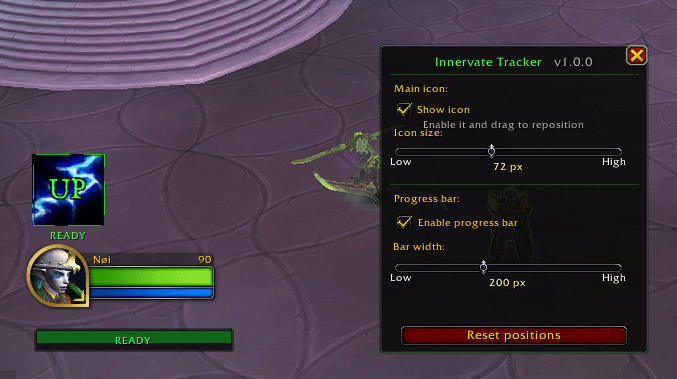
- Optional progress bar — toggle on/off from the config panel
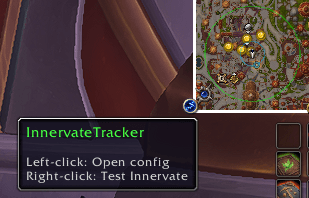
- Minimap button — left-click to open config, right-click to test
- Custom sound — drop an
alert.oggoralert.mp3in the addon folder to use your own sound - Draggable — position the icon and bar anywhere on screen, saved between sessions
- Auto-hides — icon disappears when you leave a group or raid
Multi-Druid Support (v1.1.0+)
If your group has more than one druid, InnervateTracker tracks each one independently:
- Real-time "X/N ready" counter — the icon and bar show how many of your group's druids are currently off cooldown (e.g.
2/3 ready) - Caster name label — shown under the icon and in the progress bar when Innervate becomes active or a druid becomes ready, togglable in config
- Live druid roster — the config panel lists every druid in your group with a live READY / CD indicator
- Target detection — if Innervate wasn't cast on you specifically, the icon shows "INNERVATE →" instead of "INNERVATE"
A note on accuracy: Due to Blizzard's Secret Value restrictions in Midnight, no addon — including this one — can detect with certainty who cast a buff on you, only that you received it. With 2 or more druids off cooldown at the same time, the caster name shown is an educated guess (the druid closest to ready), not a guaranteed detection — which is why the chat message reads "likely: Name" rather than "from Name". The core detection (that you received Innervate, and each druid's individual cooldown state) is 100% reliable regardless of group size; only the specific name attribution is a best-effort inference. This limitation affects every addon using this technique today, not just this one.
Config Panel
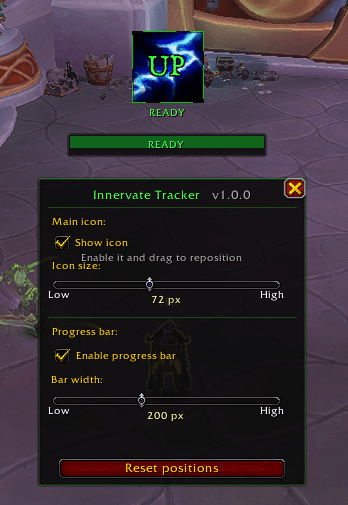
Open with /it or click the minimap button. From the panel you can toggle the icon and bar, resize them, drag them to position, run a test cycle, view the live druid roster, and debug mana costs — all without typing commands.
Commands
| Command | Description |
|---|---|
/it |
Open config panel |
/it test |
Simulate receiving Innervate |
/it stop |
Cancel active test |
/it check |
Debug: show current mana costs + druid roster |
/it reset |
Reset positions to default |
Compatibility
- WoW Midnight 12.0.5 – 12.0.7 (Retail only)
- Works without WeakAuras or any other addon dependency
Innervatetracker Team
