
Improved Keystone Listing
- By
Improves Blizzard's default UI to easily host a keystone of any party member.
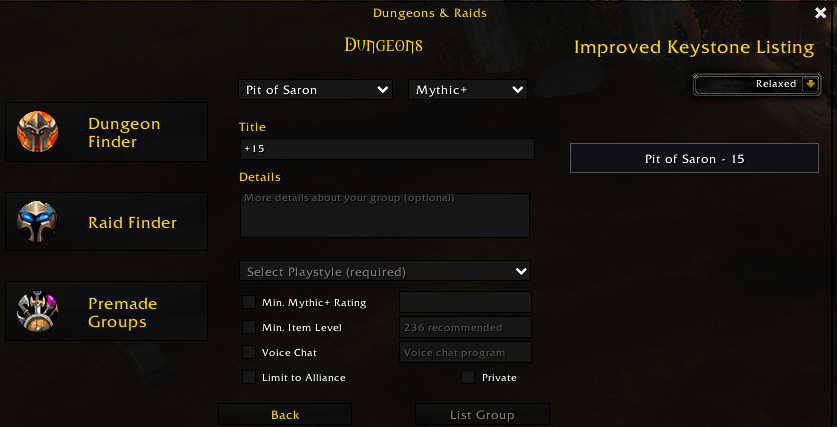
look-with-elvui.png
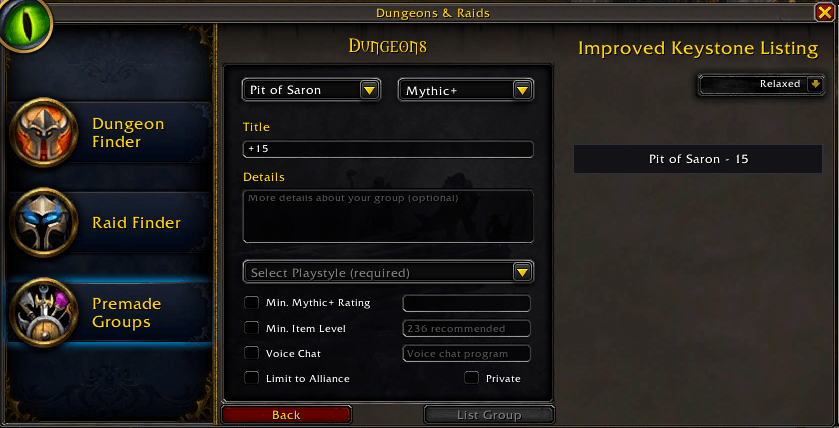
look-standard.png
Description
Improved Keystone Listing
Improved Keystone Listing is a lightweight quality of life World of Warcraft addon that makes managing and listing Mythic+ keystones easier than ever.
Features
- Displays all keystones from your current party in a clean and simple frame.
- One-click listing: just press the keystone button to instantly create a group in the LFG tool.
- Automatically updates when party members change or when keystones are refreshed.
- Minimal and intuitive UI, designed to fit seamlessly into the WoW interface.
- Works aslong the partyleader has this installed. Other partymember need to have an addon running, that uses the LibKeystone Library (DBM, BigWigs, etc).
ℹ️ Important: The title has to be modified by the user, as Blizzard has protected this field against modification by addons!
How to Use
- Invite your party members.
- Navigate to the LFG dungeon section and start a group.
- Set the playstyle of this group. (onetime setup)
- Set a title with the keystone level.
- Click the dungeon you want to list in the Improved Keystone Listing frame.
Sidenote: While in a raid group, buttons won't get updated.
Chat-commands:
- '/ikl debug' to start debug output and show a reload button
- '/ikl nodebug' to end the debug output and hide the button
Improved Keystone Listing — because your time is better spent pushing keys, not fumbling through menus.
Improved Keystone Listing Team
