iMorphManager
- By
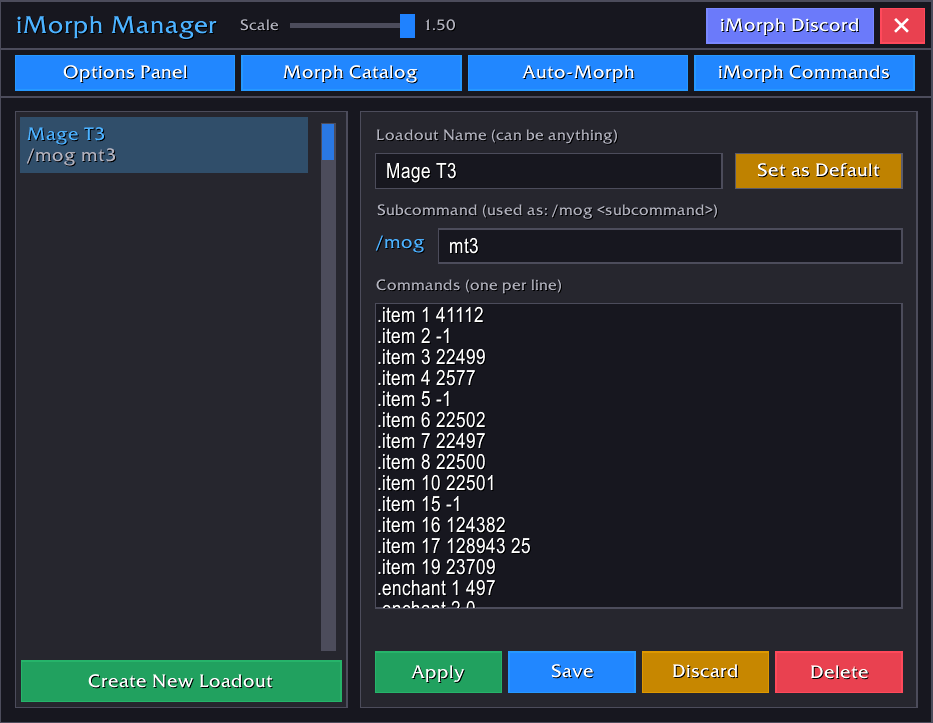
Loadout Editor
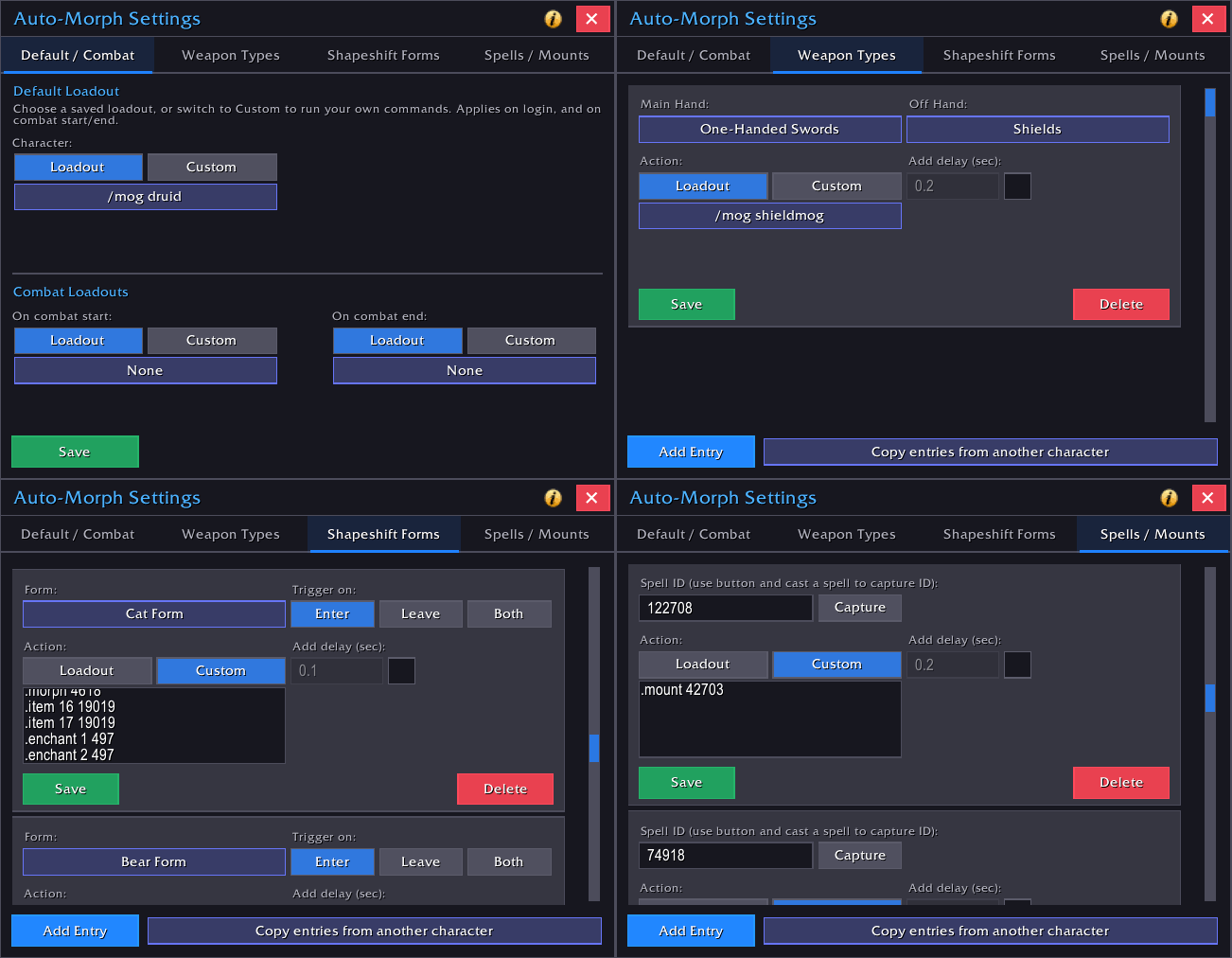
Auto-Morph Window
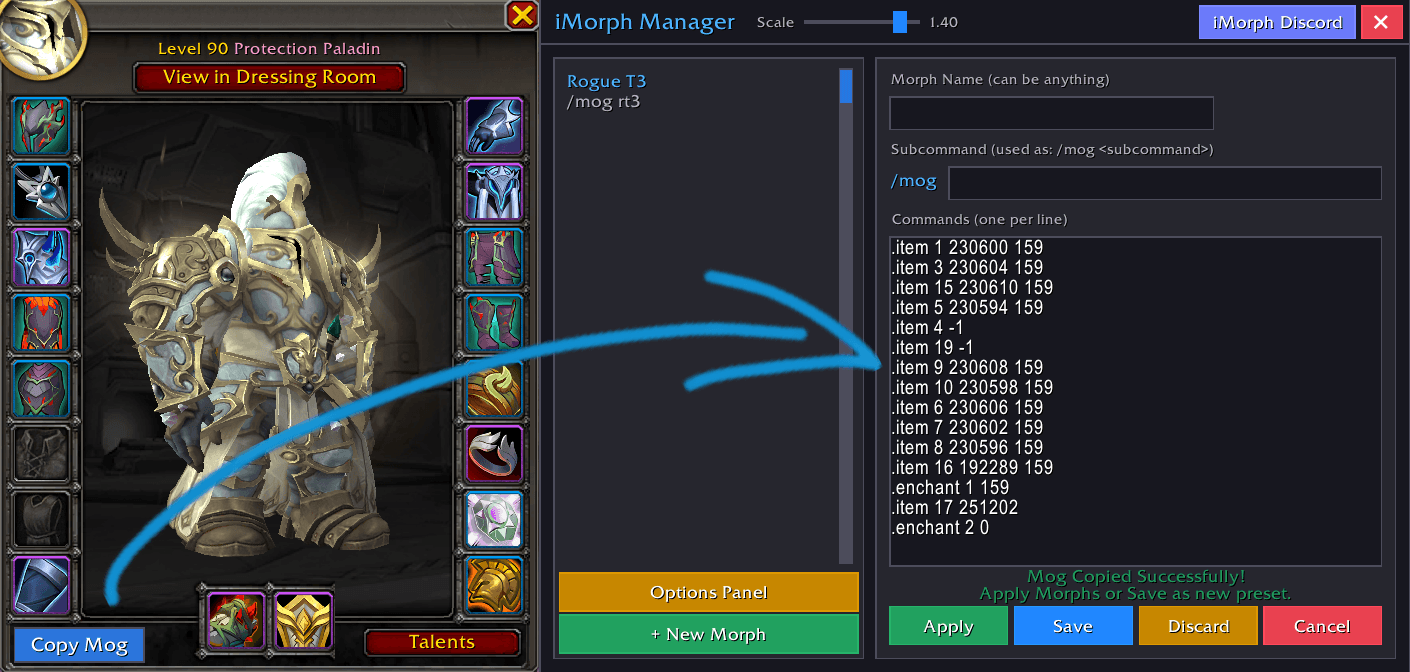
Mog Copy Feature
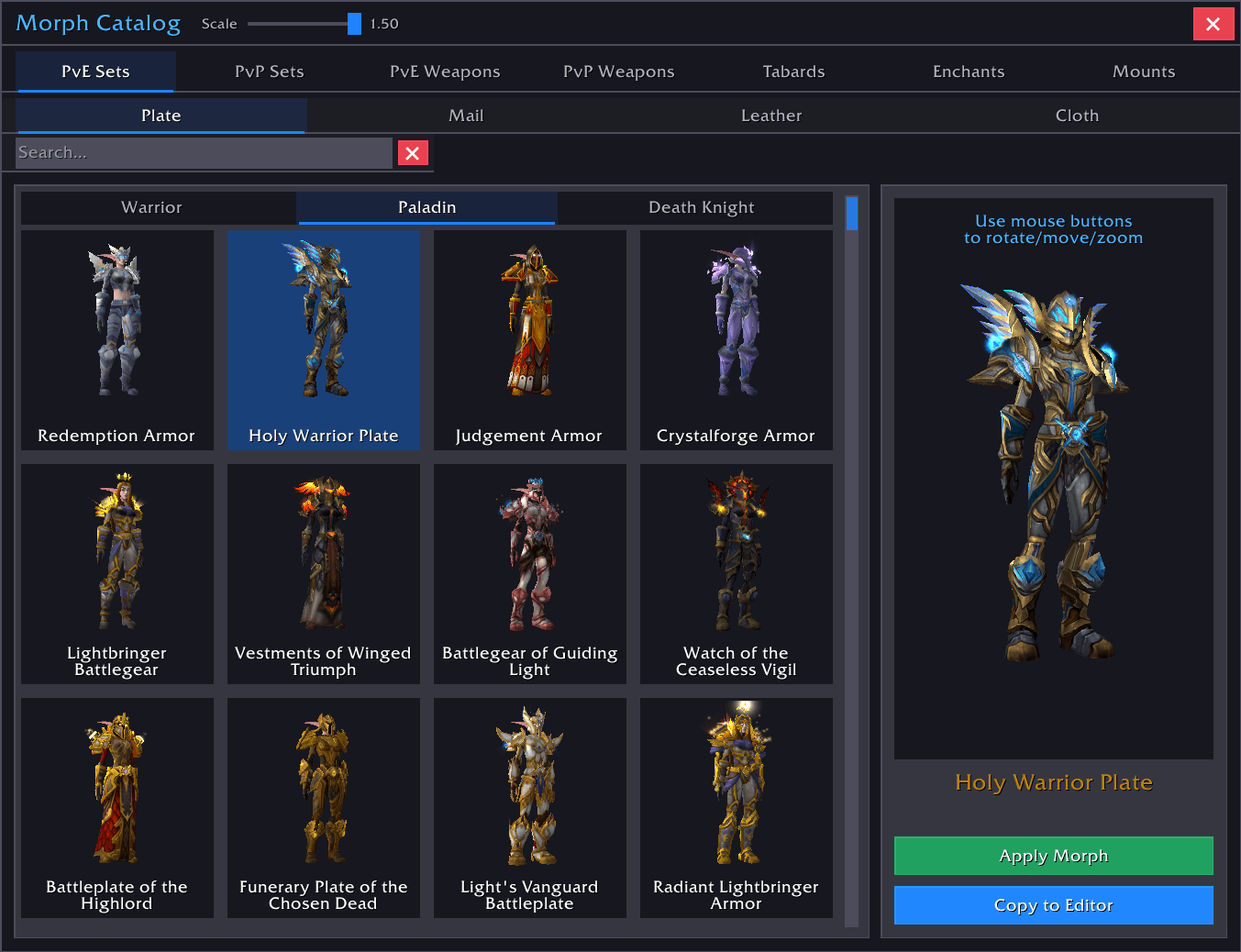
Catalog Sets
Description
iMorphManager
iMorphManager is a dedicated loadout manager for the iMorph plugin.
What it does: iMorphManager allows you to create, organize, save and apply your morph loadouts from a clean in-game GUI. Your loadouts are saved account-wide and can be applied on every character you log into with the help of the custom commands you assign to each loadout.
DISCLAIMER: iMorphManager is a community-made addon and is NOT affiliated with or developed by the creators of iMorph. It is an independent addon designed to work alongside the iMorph plugin.
For questions/suggestions DM me on Discord: @not_zhai
> Features
- Create unlimited morph loadouts with custom names and subcommands
- Loadouts are saved to your account across sessions
- Edit and save your loadouts once and use them on as many characters as you like
- Apply any loadout instantly with a single click or using its assigned subcommand
- Hit "Apply" to test your morph instantly before saving
- Built-in iMorph command reference with syntax, description and examples for every command
- Comes with a handful of example loadouts to get you started
- Accessible via the /mogs command or the minimap addon compartment
- Use /mog to list all available loadouts in chat and /mog <subcommand> to apply a morph loadout
- Inspect a player and click the Copy Mog button on the inspect window to copy morph commands of their appearance
- Hit Apply to execute the morph commands or Save to save it as a new loadout
- Optionally: Target a player and use /mog copy command to trigger the copy function
- Hit Apply to execute the morph commands or Save to save it as a new loadout
- NEW FEATURE: Added Morph Catalog with curated iconic appearances
- Access it via the Morph Catalog button in the addon options panel or with the /mog catalog command
- Browse sets, weapons, enchants, tabards, and mounts with a 3D model preview
- Apply looks instantly using the Apply Morph button
- Use Copy to Editor button to send commands directly to the editor
- Uses individual .item commands for sets for full control over each gear slot
- NEW FEATURE: Added the ability to set a loadout as default
- The selected loadout will be automatically applied on login once iMorph is loaded
- Loadouts can be marked as default either by using the Set as Default button next to the loadout name in the editor or via Options > AddOns > iMorphManager
- The button turns green and changes text to Default Loadout when active
- Clicking it again will remove the default loadout, preventing it from applying on login
- NEW FEATURE: Added Combat Loadouts support to the options panel
- You can now assign two loadouts that are automatically applied when entering or leaving combat
> How to use
1. Type /mogs or click the minimap addon compartment icon (Retail only)
2. Click the +New Morph button (or select an existing morph to start editing)
3. Create a new loadout, give it a name and assing a custom subcommand to it
4. Type all the iMorph commands you want to use (one command per line)
5. Hit Apply to test the commands and hit Save when ready
6. Your loadout is now ready to use on every character you log into
7. Apply your loadout either via the Apply button or the /mog slash command followed by the subcommand you assigned to it
iMorphManager Team