
ImmersiveTBC
- By
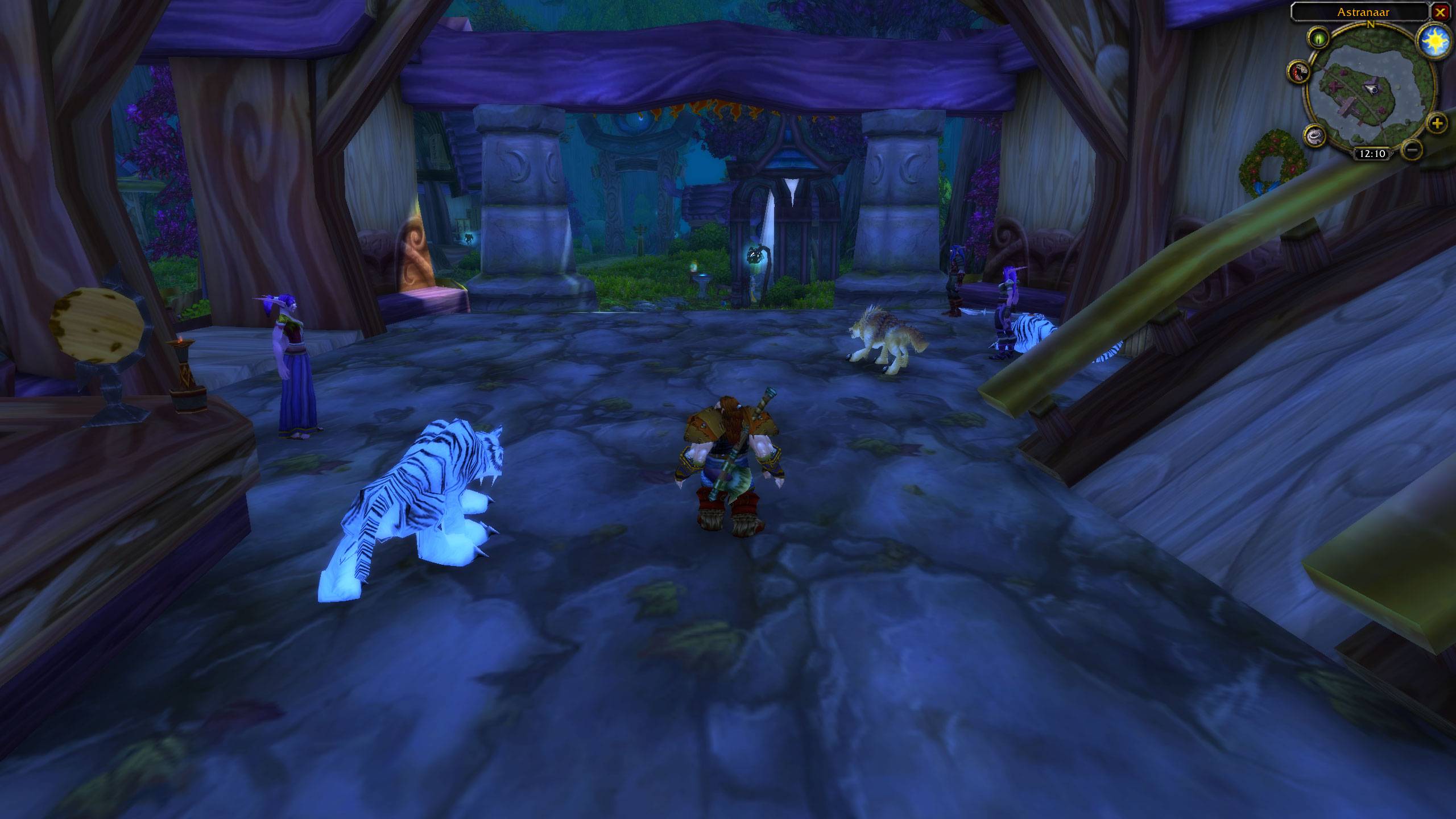
Shows the HUD hidden when out of combat. The mini-map can be closed by pressing X in the top right corner.
Description
ImmersiveTBC
ImmersiveTBC is a lightweight smart UI addon designed specifically for World of Warcraft Anniversary: The Burning Crusade. Its goal is to create a cleaner, more immersive gameplay experience by automatically hiding unnecessary interface elements while you're exploring the world and intelligently restoring them only when they are actually needed.
Instead of permanently disabling the Blizzard UI or forcing you to manually toggle interface elements, ImmersiveTBC continuously monitors your gameplay and decides when information should be visible. Whether you're traveling through Azeroth, fighting enemies, managing your inventory, chatting with friends, or recovering after combat, the addon automatically adapts so the interface is available exactly when you need it—and disappears again once you're finished.
The result is a much less cluttered screen that lets you appreciate the game world without sacrificing convenience or important gameplay information.
Smart UI Behavior
ImmersiveTBC automatically shows the interface during important gameplay situations, including:
- Entering combat
- Selecting or targeting an enemy, NPC, or player
- Hovering over action bars, quest tracker, character frame, chat window, or other interface regions
- Opening bags or interacting with merchants
- Looting enemies
- Receiving new chat messages or notifications
- Recovering health or mana after combat
- Using pets and pet action bars
- Using Warrior stances
- Flight paths and other temporary gameplay interfaces
Once these interactions have finished, the interface smoothly fades away after a configurable delay, allowing you to return to an uncluttered view of the game.
Designed to Feel Like the Default UI
One of the primary goals of ImmersiveTBC is to preserve Blizzard's original interface rather than replace it.
The addon does not redesign the UI, replace action bars, or alter Blizzard's artwork. Instead, it works with the existing interface by intelligently controlling when it is visible.
This makes the addon feel like an extension of the original game rather than a complete UI overhaul.
Highly Configurable
Every player has different preferences, so nearly every feature can be enabled, disabled, or adjusted from the built-in settings menu.
Options include:
- Hide or show unit frames
- Hide action bars
- Hide pet action bars
- Hide buffs
- Hide debuffs
- Hide the quest tracker
- Hide chat
- Show UI automatically during combat
- Show UI when targeting
- Enable or disable hover zones
- Configure fade speeds
- Configure hide delays
- Configure target timeout
- Show chat temporarily for new messages
- Keep the UI visible while health or mana is not fully restored
- Toggle the minimap settings button
Changes take effect immediately without requiring a reload.
Built Specifically for WoW Anniversary TBC
ImmersiveTBC was developed and tested specifically for the Anniversary version of The Burning Crusade Classic.
Special handling has been added for many Blizzard interface elements that commonly remain visible when other addons attempt to hide the UI, including:
- Warrior stance bars
- Pet action bars
- Action bar page controls
- Experience and reputation bars
- Flight path "Request Stop" button
- Party and role frames
- Chat notifications
- Character frame hover detection
The addon has also been carefully designed to avoid protected-frame errors and combat lockdown issues whenever possible.
Lightweight
ImmersiveTBC uses Blizzard's existing interface instead of replacing it with custom action bars or unit frames.
Because of this, it remains lightweight while still providing a highly dynamic and immersive experience.
Features
- Automatic immersive UI hiding
- Intelligent UI restoration
- Smooth configurable fade animations
- Hover-to-reveal interface
- Combat awareness
- Target awareness
- Health and mana awareness
- Chat notification support
- Warrior stance support
- Pet bar support
- Flight path support
- Built-in settings menu
- Minimap launcher
- Lightweight design
Designed specifically for WoW Anniversary: The Burning Crusade
- Does not hide the minimap!
- Keybind the UI toggle in the keybinding settings.
ImmersiveTBC Team
