


IgnoreList
Add notes to ignored players | Füge Notizen zu ignorierten Spielern hinzu
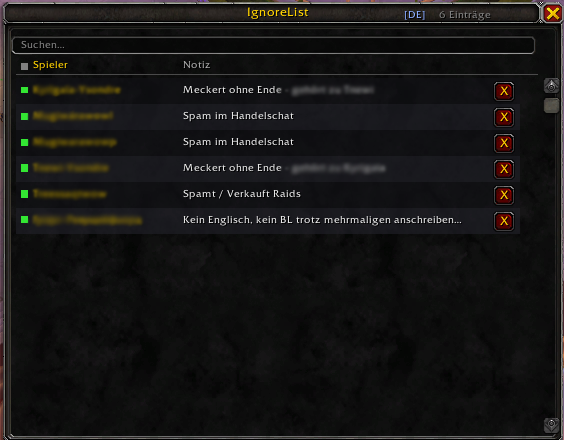
The IgnoreList overview displays all ignored players at a glance. Each entry shows the player name alongside the stored note. The green status indicator confirms the player is actively blocked on this character.
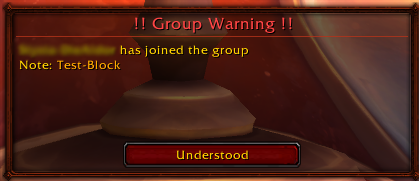
If an ignored player joins your group, a warning popup appears instantly — including their stored note as a reminder.
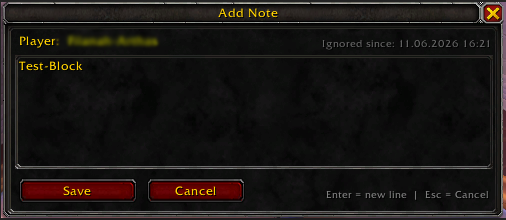
When ignoring a player, a note editor opens immediately. Notes support multiple lines and the timestamp shows exactly when the player was added to the ignore list.