I Can't Even Right Now (With My Bags and Bank)
I Can't Even Right Now (With My Bags and Bank) is a conservative inventory cleanup console for World of Warcraft Retail.
It helps you scan your bags, bank, and warband bank, then move or sell items on your terms. You pick where items come from, where they go, and which ones to act on. Nothing moves or sells automatically.
Who This Addon Is For
- Players with crowded bags who want safer cleanup than one-click auto-sort tools.
- Alt-heavy players who manage bank and warband storage regularly.
- Anyone who wants clear reasoning before moving or selling items.
If you want full automation with zero review, this addon is probably not a fit. If you want visibility and control, it is designed for exactly that.
Features
- Four-tab cleanup console: Summary, Transfer, Rules, and Settings.
- Scan bags, private bank (all tabs or individual), and warband bank storage.
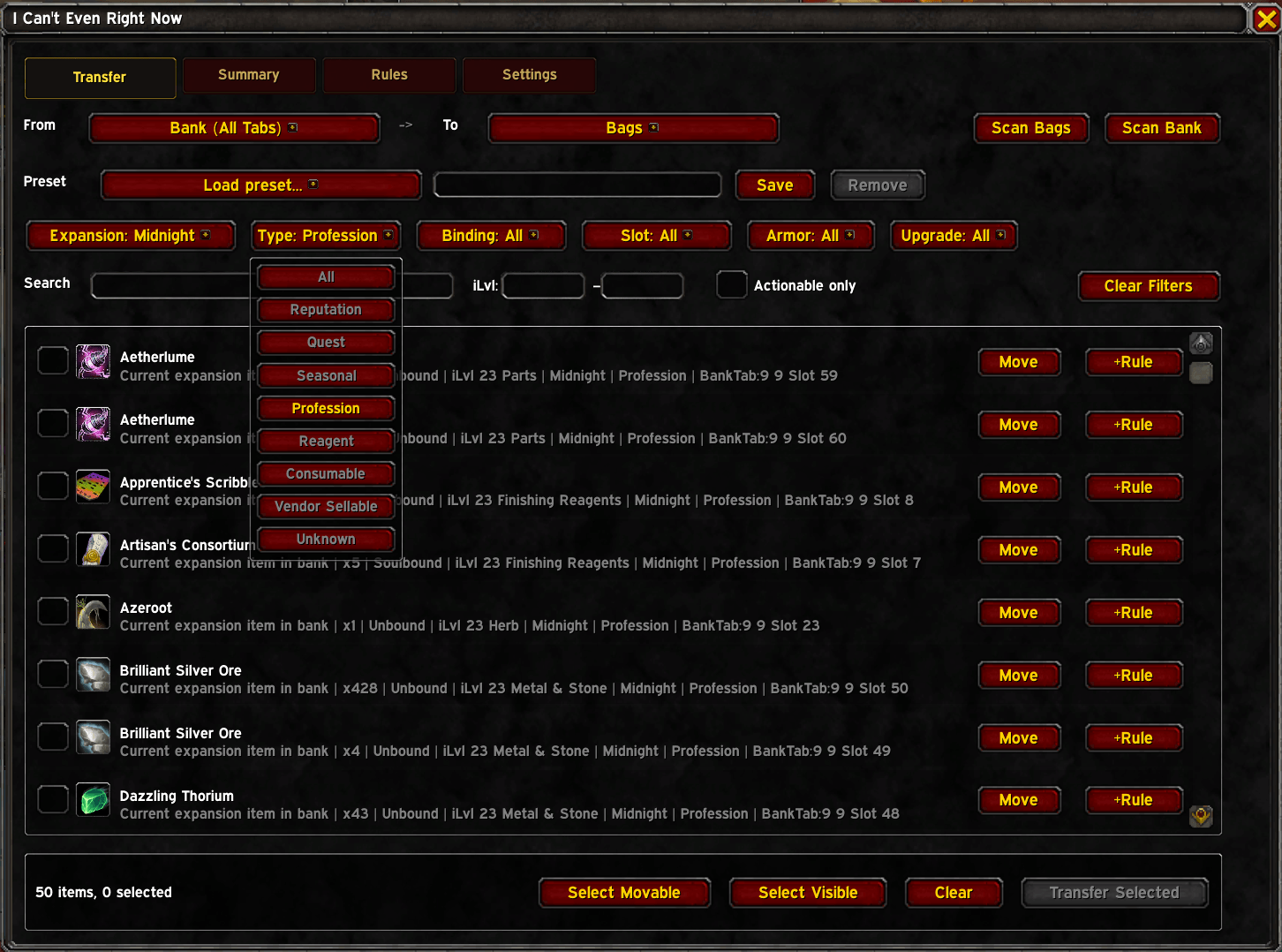
- Unified Transfer tab: pick any Source and Destination — Bags, Bank tabs, Warband Bank, or Vendor — and act on exactly that combination.
- Filter by expansion, item type, binding, or name search within any transfer.
- Actionable-only toggle: hide blocked rows and focus on what you can move right now.
- Per-item block reasons explain exactly why an item cannot be moved (bank closed, vendor closed, no slots, item rule, equipped, etc.).
- Protect current-content, quest, legendary, and rule-protected items by default.
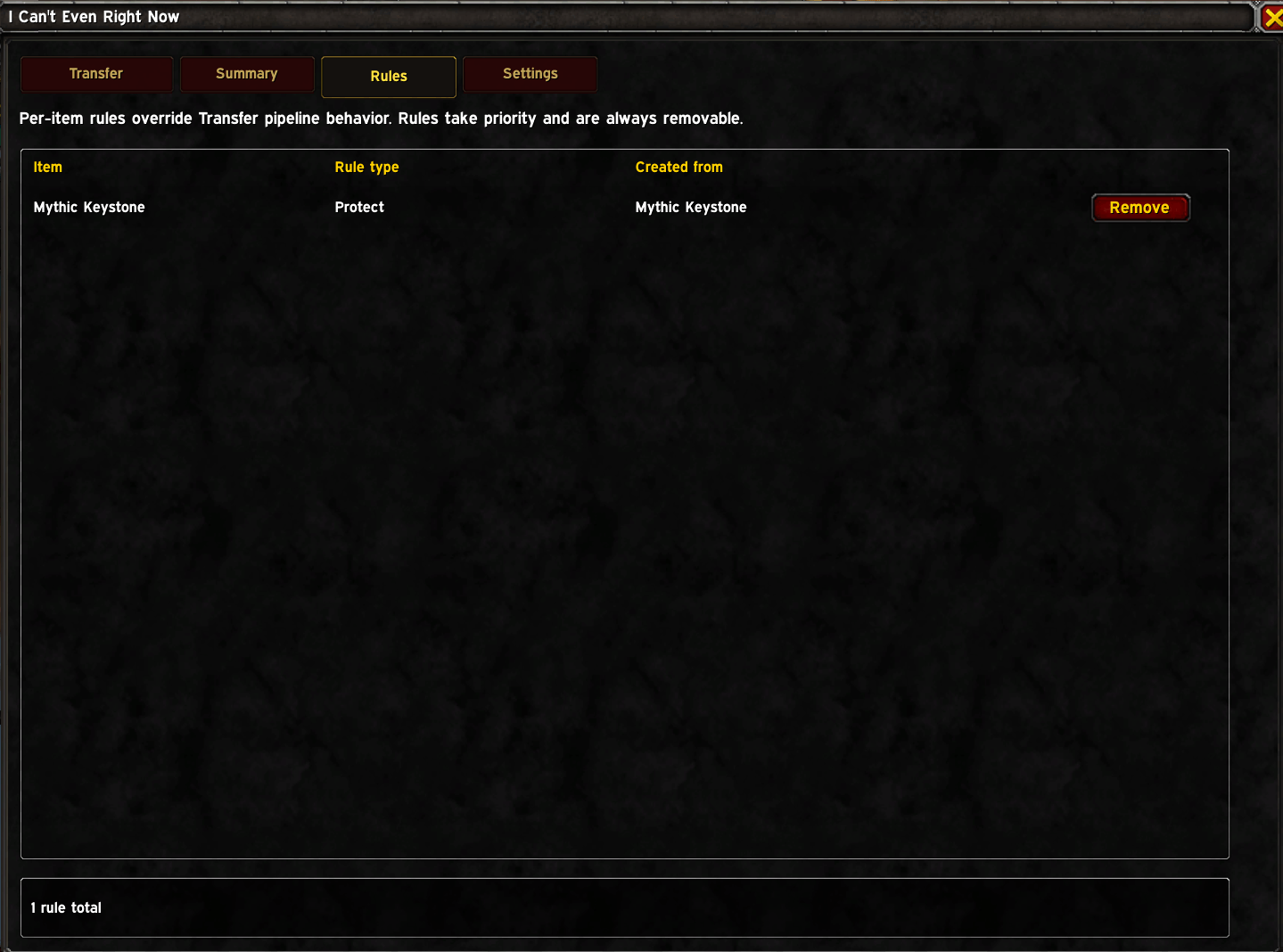
- Per-item rules: Protect, Ignore, Never Sell. Rules always win.
- Context checks for bank access, vendor access, and combat state gate all actions.
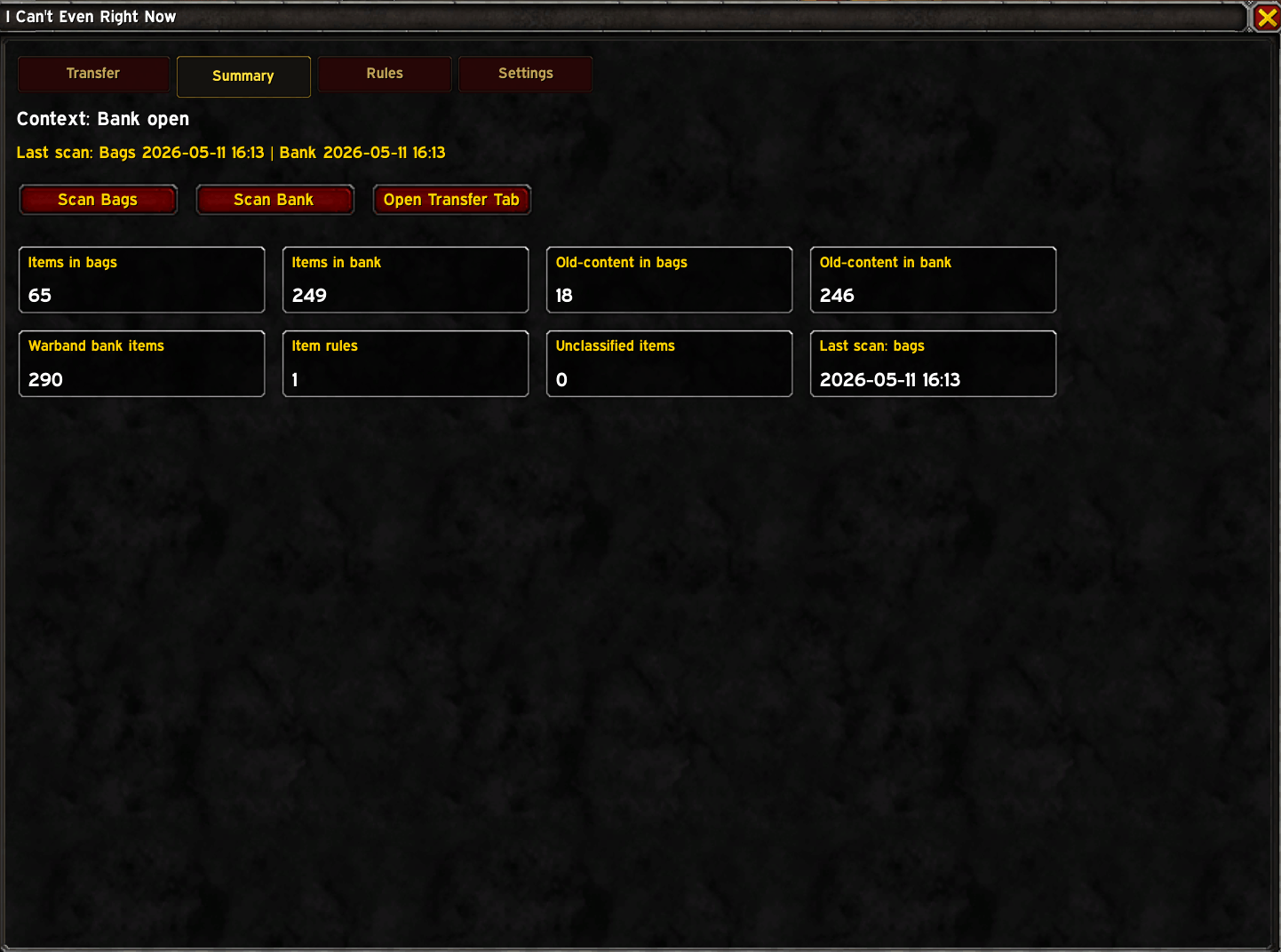
- Summary tab shows inventory scope counts: items in bags, items in bank, old-content in bags and bank, warband bank items, active rules, and unclassified items.
- Error log captures Lua errors to SavedVariables for diagnostics.
First 5 Minutes (Quick Start)
- Open the console with
/icanteven.
- Click
Scan Bags on the Transfer tab.
- Open your bank, then click
Scan Bank.
- Set From to your source (e.g. Bags) and To to your destination (e.g. Bank (All Tabs)).
- Filter by expansion and item type, select rows, then click Transfer Selected.
Tip: use the Actionable Only checkbox to hide anything currently blocked so you only see what you can act on right now.
Common Workflows
1) Legacy Bag Cleanup
- Open bank.
- Transfer tab → From: Bags, To: Bank (All Tabs).
- Filter Expansion to an old expansion.
- Review rows and click Transfer Selected.
2) AH Prep (Find Auctionable Gear)
- Open bank.
- Transfer tab → From: Bank (All Tabs), To: Bags.
- Filter Type to BoE.
- Select and recall only what you want to list.
3) Vendor Pass
- At a vendor with items in your bags.
- Transfer tab → From: Bags, To: Vendor.
- Filter Type to Vendor Sellable.
- Review rows — Never Sell rules block protected items automatically — then Sell Selected.
4) Warband Storage Shuffle
- Transfer tab → From: Bags, To: Warband Bank (or vice versa).
- No special mode needed; it is just another Source/Destination pair.
Per-Item Rules
Rules apply regardless of what Source or Destination you choose.
- Protect — blocks item from any transfer.
- Ignore — blocks item and marks it as intentionally skipped.
- Never Sell — blocks the item when Vendor is the destination; other transfers are unaffected.
Add rules from the Rules tab or via the rule menu on any Transfer row. Remove them at any time.
Slash Commands
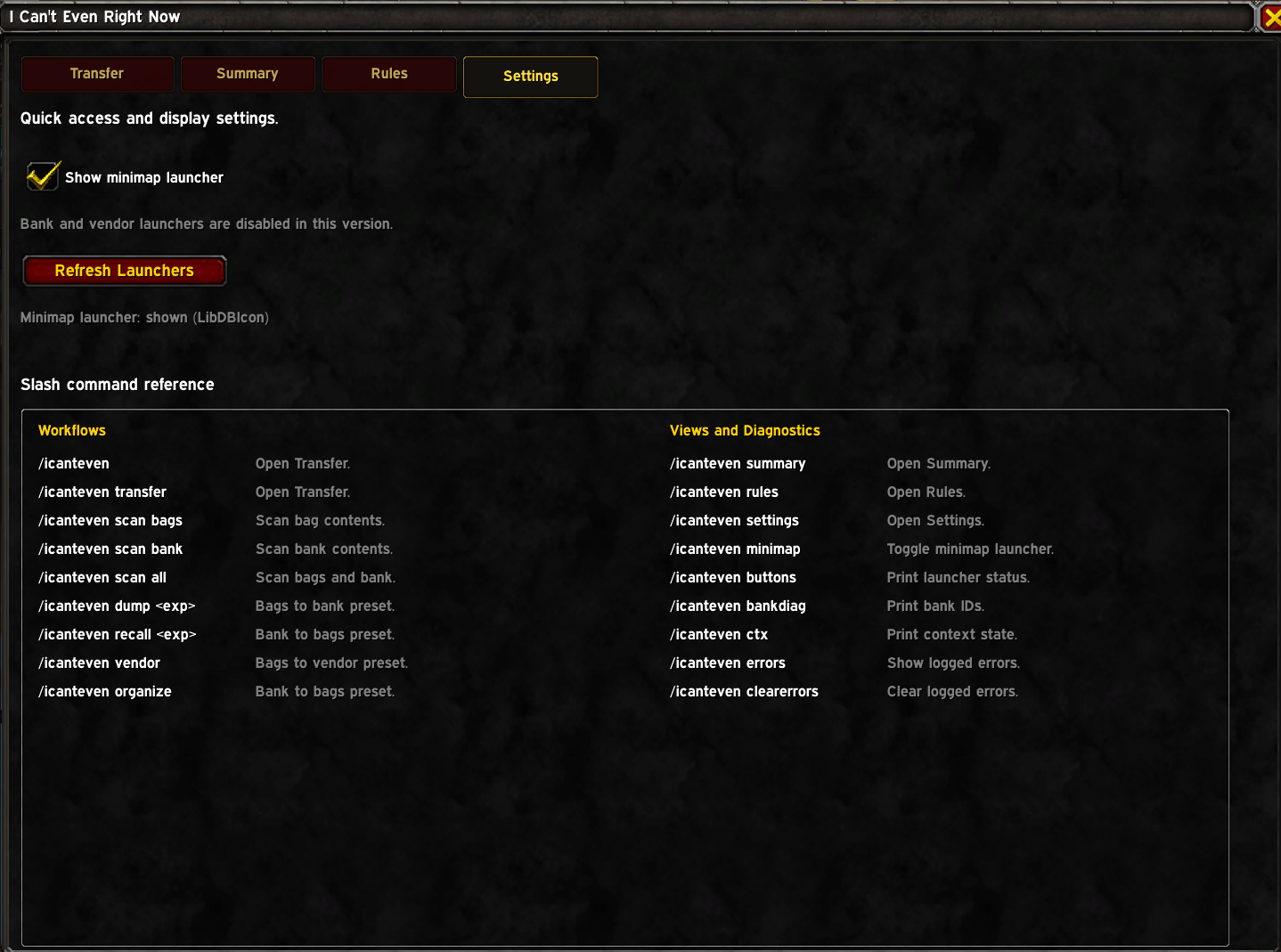
/icanteven or /icant — open the cleanup console./icanteven scan [bags|bank|all] — scan storage./icanteven summary, transfer, rules, settings — open a specific tab./icanteven dump <expansion> — pre-configure Transfer for a Bags → Bank dump filtered to that expansion./icanteven recall <expansion> — pre-configure Transfer for a Bank → Bags recall filtered to that expansion./icanteven vendor — pre-configure Transfer for a Bags → Vendor sell pass./icanteven minimap — toggle the minimap launcher./icanteven buttons — show launcher status./icanteven bankdiag or /icanteven bankids — print bank container diagnostics./icanteven errors — show captured Lua errors./icanteven clearerrors — clear the error log.
New User FAQ
Why do I see no rows?
Most often this is one of these:
- You have not scanned the relevant storage yet (use Scan Bags or Scan Bank).
- The required context is not open (bank must be open to use bank sources/destinations; vendor must be open to sell).
- Your current filters or the Actionable Only toggle are hiding matching rows.
Will this sell or move things automatically?
No. Actions require your explicit row selection and a button click.
Can I protect items permanently?
Yes. Add a Protect or Never Sell rule from any Transfer row's rule menu, or from the Rules tab.
Philosophy
This addon is cautious on purpose. It is not a bag replacement and it is not an automatic cleanup tool. It gives you a clearer view of your inventory, explains why each item is blocked or movable, and lets you decide exactly what to transfer.