
HunterStrip
- By
screenshot_row_labelled.png
screenshot_options.png
screenshot_food_list.png
Description
HunterStrip
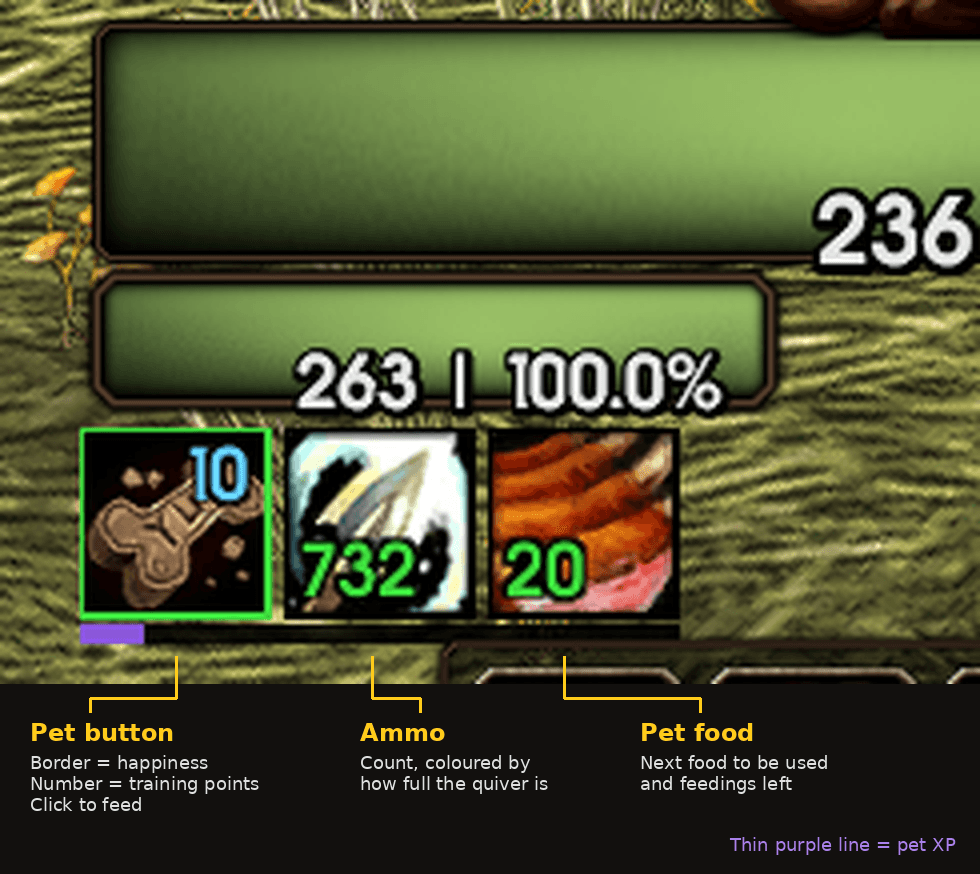
A hunter addon for WoW: Forever that takes up almost no room. Three small squares and a thin line show what the default UI leaves out, and everything else only appears when something needs your attention.
Beta: written for Forever 1.60.1 (Interface 16001). Vendor restock and the reminder icons are new and lightly tested. Restock is off until you turn it on.
What you see
- Pet button. The border is green, yellow or red for happiness. A blue number shows unspent training points. Left-click does the right thing for the moment: Feed Pet out of combat, Call Pet when no pet is out, Revive Pet when it is dead, Mend Pet in combat. Right-click always casts Revive Pet.
- Ammo. Your equipped ammo and how much is left, coloured by how full your quiver is.
- Pet food. The food the next feed will use, and how many feedings are in your bags.
- Pet XP. A thin line under the row.
Hover the pet button for loyalty, training points, experience and diet.
Only when needed
- Alerts. A small line under the row and a soft ping when the pet gets hungry or unhappy, or when ammo or pet food runs low. Large on-screen text and a chat line are optional.
- Growl reminder. A small icon when Growl autocast is on in a dungeon group, or off while solo.
- Aspect reminder. A small icon when no Aspect is active.
Feeding rules
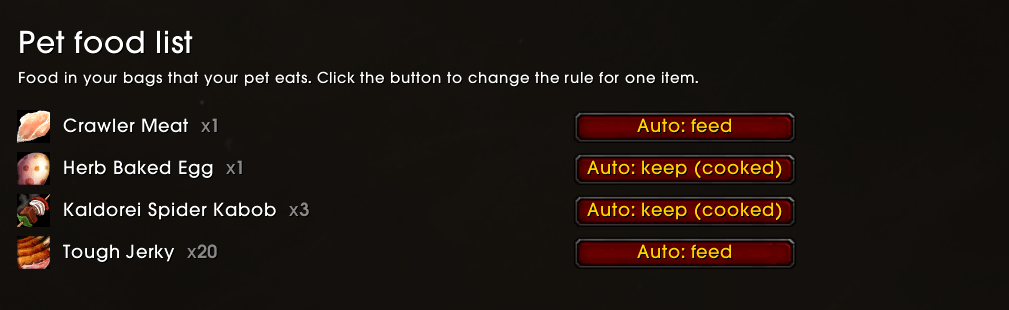
HunterStrip feeds raw meat, raw fish and vendor food, and keeps food made with Cooking for you. The Pet food list page in the options shows every food in your bags that your pet eats, and lets you set each one to Auto, Always feed or Never feed.
Vendor restock
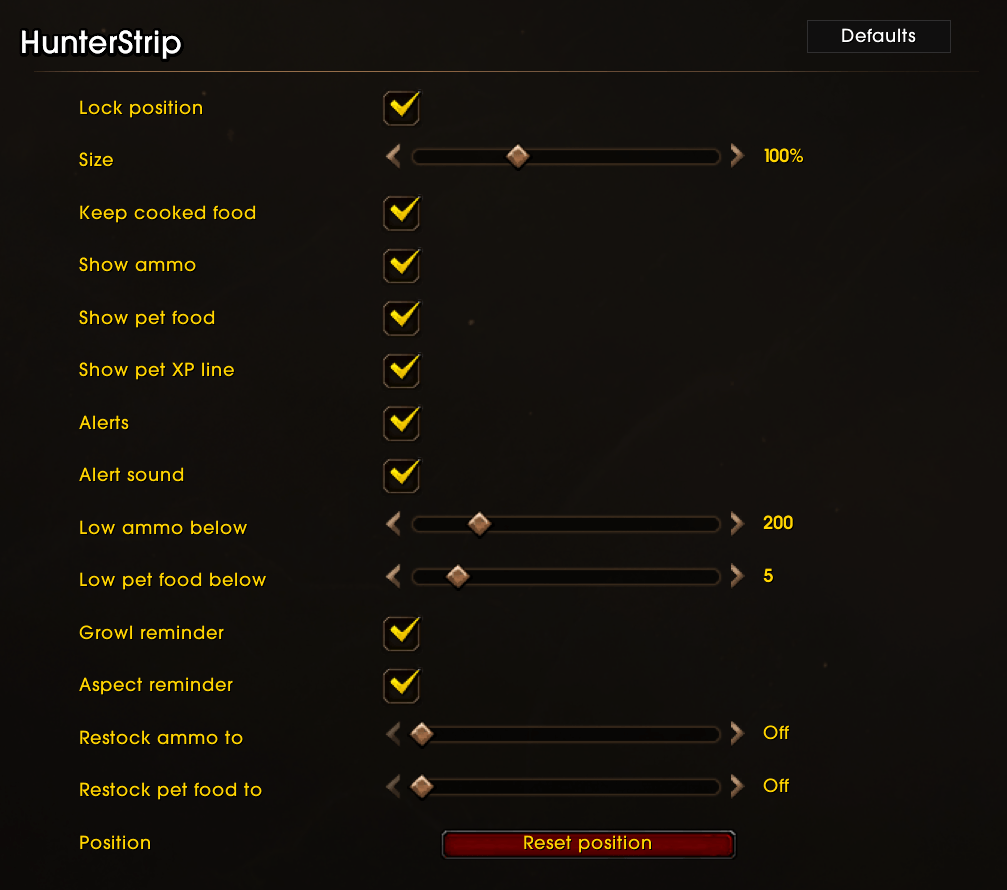
Set an amount for ammo and for pet food in the options. At a vendor that sells them, HunterStrip buys up to that amount and prints what it bought and what it cost. It prefers the food you already carry and never buys cooked food. Off by default.
Options
Type /hs, or open Options > AddOns > HunterStrip. You can lock or move the row, change its size, hide any of the squares, and switch each alert and reminder on or off.
| Command | What it does |
|---|---|
/hs |
Open the options |
/hs unlock, /hs lock |
Show or hide the drag handle |
/hs scale 0.5-2 |
Change the size |
/hs reset |
Back to the starting position and size |
/hs allow [item], /hs skip [item], /hs clear [item] |
Per-item feeding rule |
/hs debug |
Print errors to chat |
Good to know
- Feeding needs a real click. The game does not let an addon feed your pet on its own.
- The pet button cannot change its food target during combat; it updates as soon as combat ends.
- The cooked-food list is based on Classic item data, so a cooking recipe that is new in Forever may not be recognised. Set it to Never feed in the Pet food list and leave a comment so it can be added.
- If the game hides your buffs in combat, the Aspect reminder stays hidden until combat ends.
- Only loads on hunters.
Credits
The cooked-food list is derived from wow-classic-items by Nakroma (MIT License).
HunterStrip Team
