


Hunter Pet Trainer Forever
- By
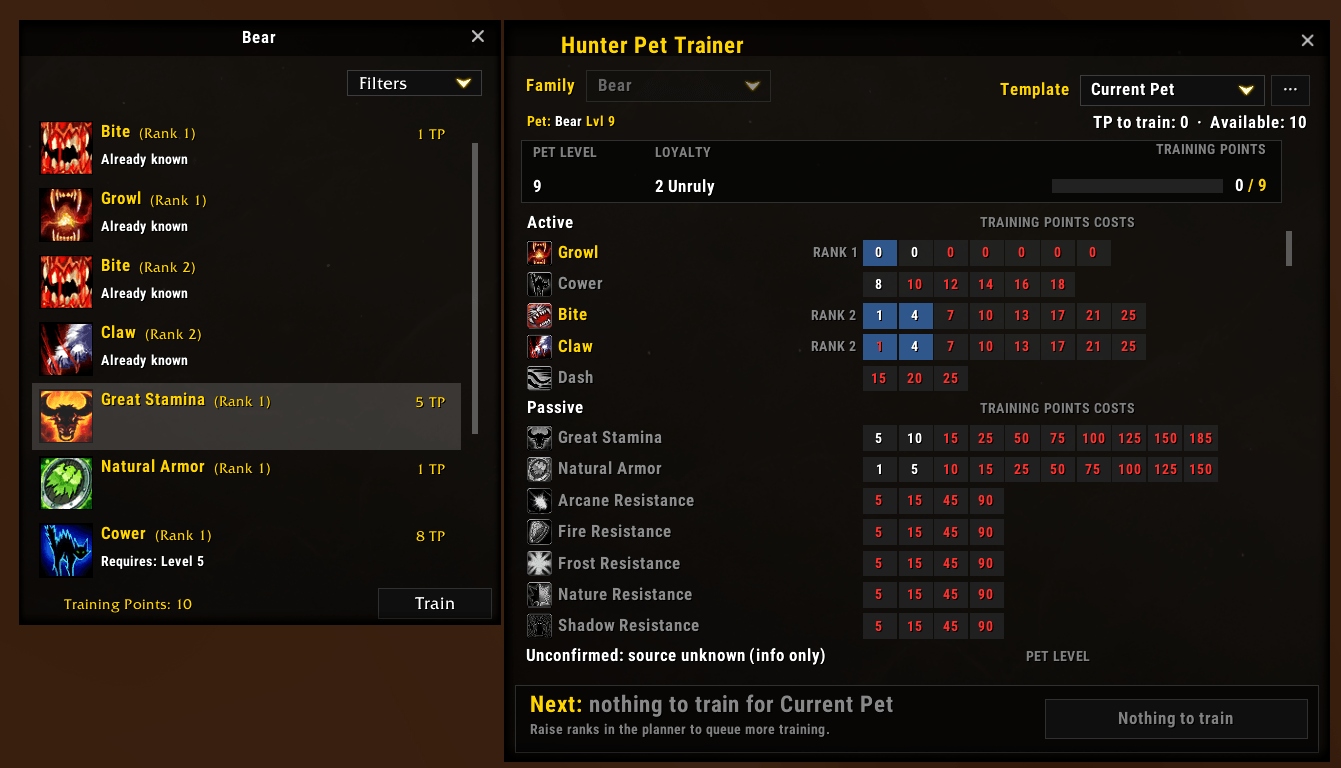
Plan hunter pet builds with per-family templates on WoW Forever, then train them rank by rank from a planner docked beside Beast Training.
Screenshot 2026-10-01 212314.png
Screenshot 2026-10-01 212947.png
Description
Hunter Pet Trainer Forever
Plan your hunter pet's training on WoW Forever and train it rank by rank, without guessing at training points.
Features
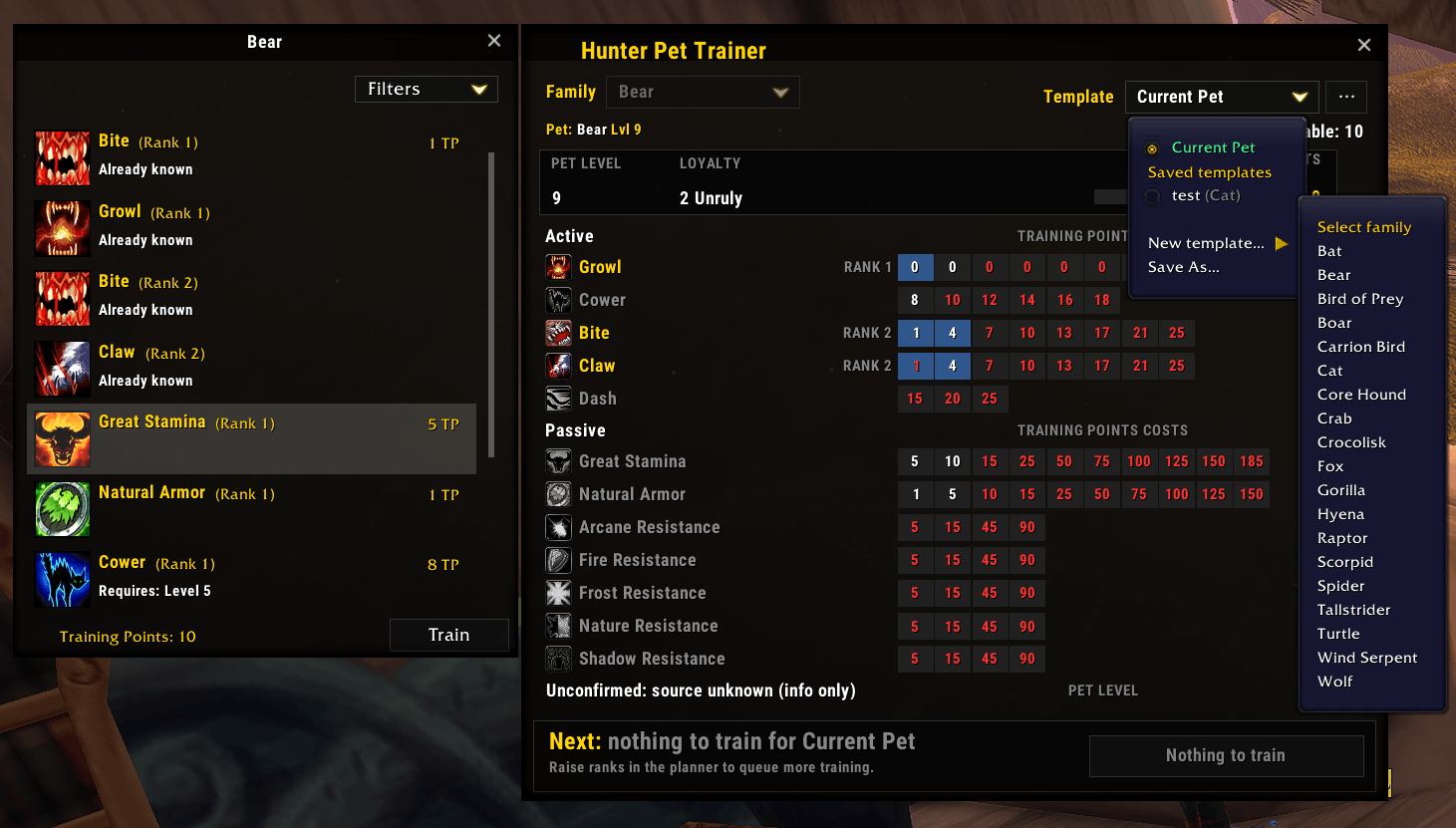
- Build templates per family – plan a wolf, cat or boar build before you even tame it, with pet level, loyalty and a training point budget.
- Current Pet plan – follows your summoned pet and reads what it already knows from its spellbook and Beast Training.
- Planner docked to Beast Training – opens beside the Beast Training window and closes with it.
- Train next button – two clicks per rank: the first selects the planned row in Blizzard's list, the second trains it. The planned row is highlighted.
- Live training points and loyalty – read from Beast Training and the Pet tab, and remembered per pet.
- Clear ability grid – Active, Passive and family-only abilities with every rank's cost; trained and planned ranks are color-coded.
Getting started
- Summon your pet and open the Pet tab of the Character window once, so the addon can read its loyalty.
- Cast Beast Training. The planner docks on the right.
- Choose Current Pet, click the ranks you want, then press Train next twice for each rank.
To plan ahead, use ··· → New template…, pick a family, set the ranks, then Apply to Current Pet once you've tamed one.
Good to know
- Forever blocks addons from training on their own, so the Train next button needs your clicks. It is a secure click of Blizzard's own buttons.
Commands
| Command | Action |
|---|---|
/hpt |
Toggle the planner |
/hpt new <name> [family] |
New template |
/hpt load <name> |
Load Current Pet or a template |
/hpt apply <name> |
Copy a template onto Current Pet |
/hpt templates |
List templates |
/hpt minimap |
Hide or show the minimap button |
/hpt report |
Send game data that differs from the addon's |
/hpt help |
All commands |
Help improve the data
Forever is new, so some ability levels and costs come from pre-launch sources. Whenever Beast Training is open, the addon quietly notes anything that differs from its data. Type /hpt report, click Copy link, and submit the GitHub issue it opens. The report is plain text you can read before sending.
Hunter Pet Trainer Forever Team
