Hunter Pet Stable Management
- By
WoW hunter pet addon offering remote stable access, pet team presets, and a complete browser of all tamable creatures, rare models, and special tames.
Description
Pet Stable Management — Your Hunter Pet Command Center
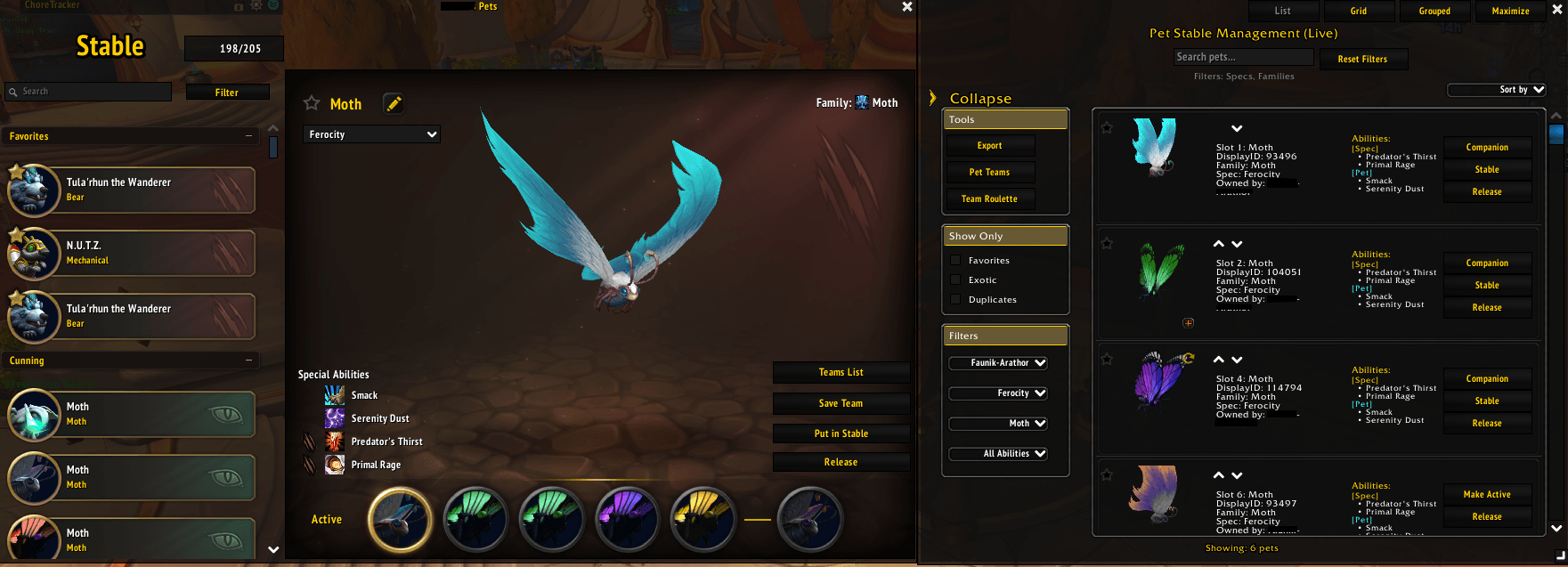
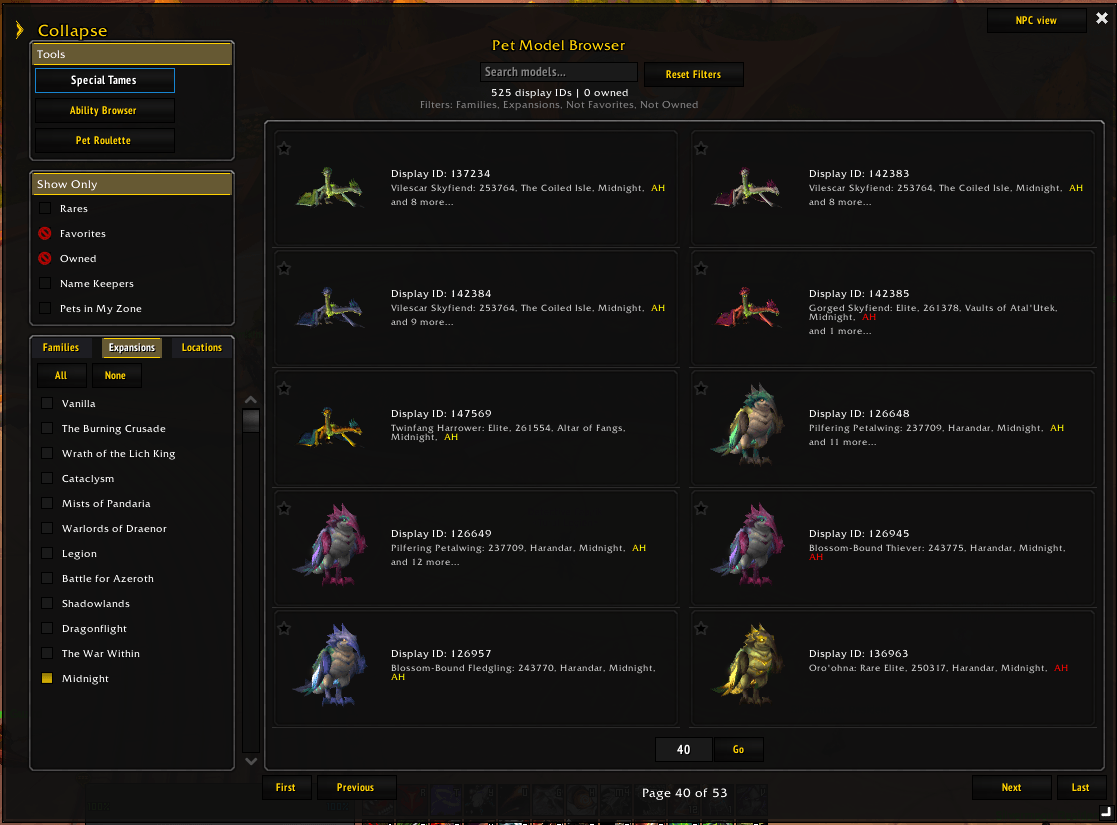
Pet Stable Management is a hunter pet addon for World of Warcraft that helps you manage your stable, browse all tamable creatures, and discover your next perfect pet. It provides a full remote stable view, advanced owned‑pet management tools, and a powerful model browser covering every tamable model and its corresponding NPCs.
Whether you’re organizing your current pets or exploring thousands of potential tames, this addon gives you a complete overview of your collection and the entire hunter pet ecosystem.
What’s New (2026 September 05)
A major update — the addon has been rebuilt from the inside out with a brand-new architecture, a fully standardized look and feel, and a long list of improvements and new features.
New Features
- Added Abilities Filters on the Owned Pets panel — special thanks to Dashifen for suggesting this feature!
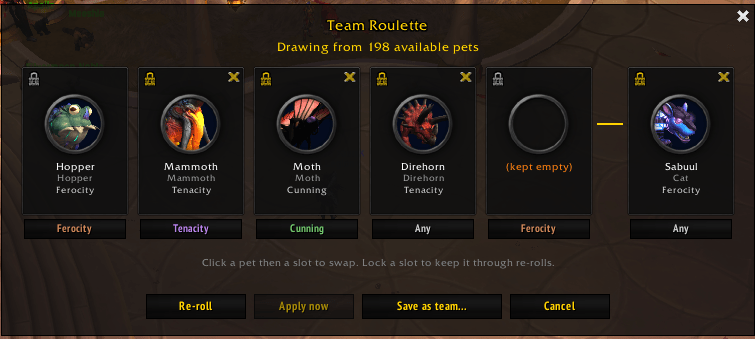
- Added Team Roulette — generate a team of random pets based on preselected specs for each slot — special thanks to Dashifen for suggesting this feature!
- Favorites expanded to Owned Pets (integrated with the native system) and merged with the Models Browser Favorites
- Mouseover Pet Ability tooltips on the Model Magnifier and Pet Roulette
- Added localization scaffolding — translators are welcome!
- New slash commands:
/psm debug,/psm help, and/psm teamroulette - Collapsible left rail on both Owned Pets and Models Browser panels
Major Changes
- Redesigned the entire addon architecture and standardized the look and feel across all panels
- Models Browser is now a truly load-on-demand module
- Models Browser is now resizable, within certain design limitations
- Combat-entry protection centralized across all 9 windows
- Windows can now be moved outside the screen
- Changed the pets per column setting to a model size setting and revised the model rows resizing behaviour
Other Changes
- Trimmed down Saved Variables to only strictly necessary data
- NPC View column resizing improved
- Model Browser has now a model size setting instead of pets per column
- Fixed several silent bugs and removed dead code
- Further improved the pet data structure and updated pet data
- Updated the Exotic tame checker condition
Core Features
Owned Pets Panel
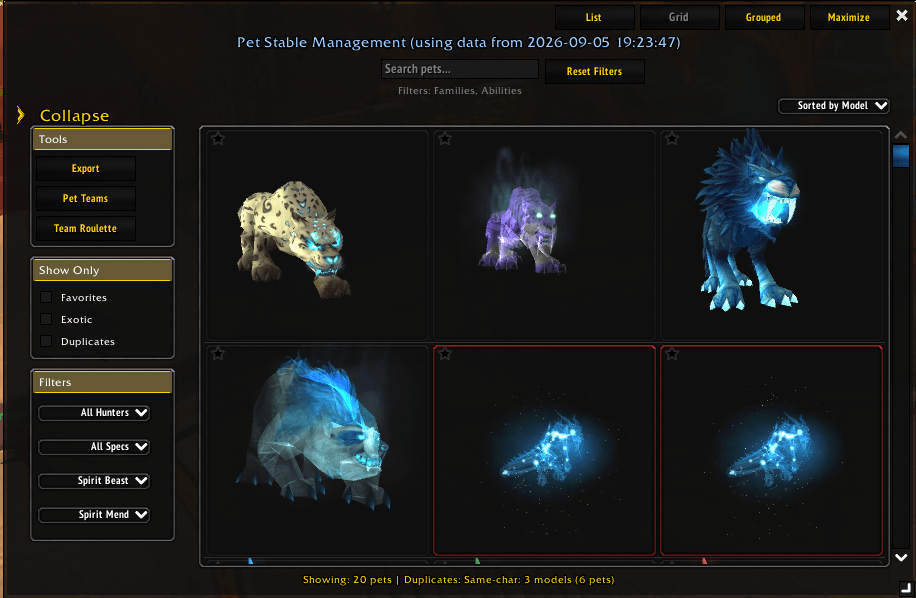
- Switch between List View, Grid View, and Grouped View
- Abilities Filters — filter your owned pets by their abilities
- Account-wide collection statistics
- Export your collection
- Team Roulette — generate a random team from preselected specs per slot
- Pet Teams panel — Build content‑based presets for your hunter pets. Save multiple team setups, including each pet’s spec assignment. At a Stable Master, choose a preset and click Apply to instantly swap pets and specs — perfect for switching between Mythic+, open world, PvP, or utility builds.
- Favorites integrated with the native Favorites system and shared with the Models Browser
Models Browser
- Switch between Model View and NPC View
- Ability Browser — purpose-based filtering
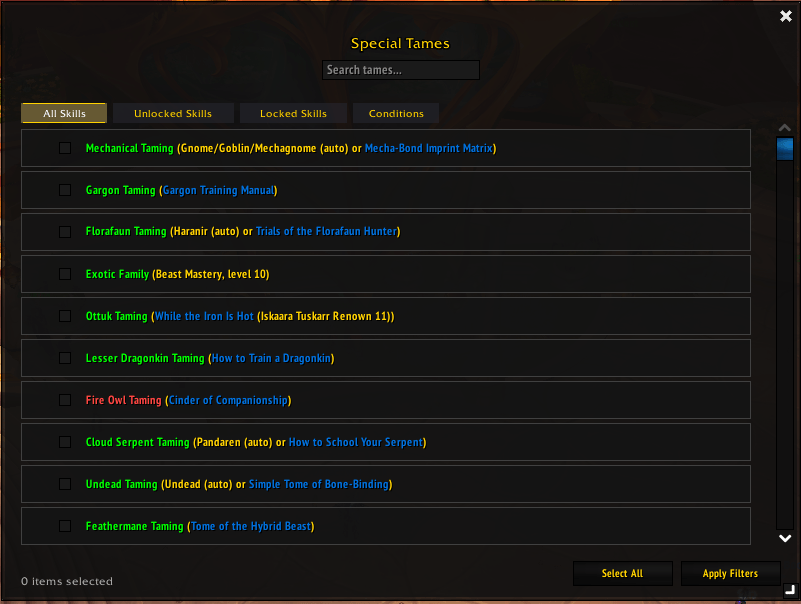
- Special Tames — filter by taming skills and special conditions
- Refine searches with Show Only (Favorites, Rares, Owned, Name Keepers, In My Zone), Family, Expansion, and Location filters
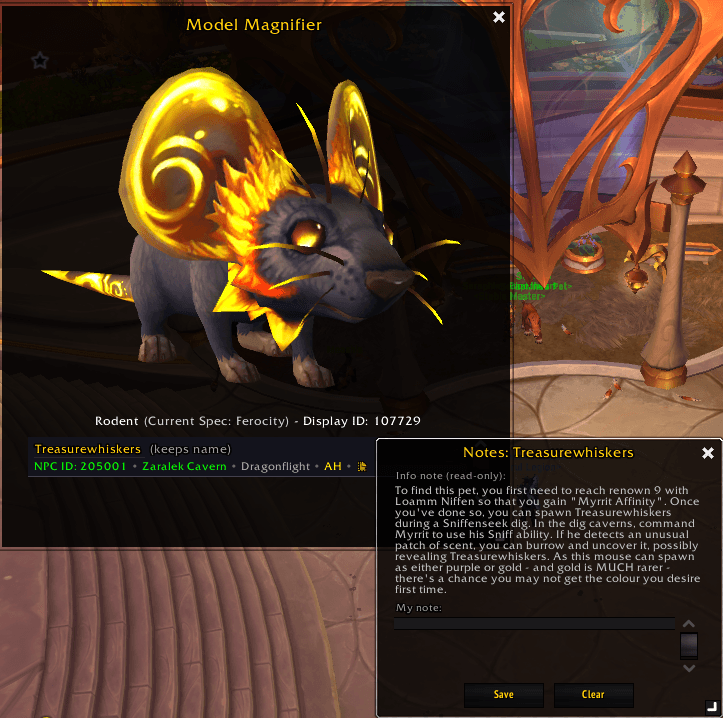
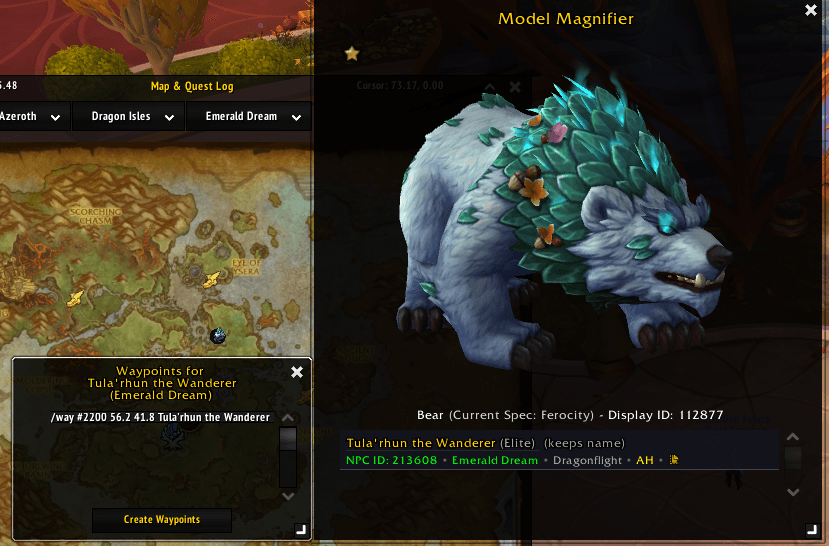
- Pop-up windows: Pet Roulette and Model Magnifier, showing:
- Special taming requirements (red if not yet unlocked)
- NPC list with metadata (Rarity, Name Keepers, Location, Expansion, Faction Reaction, Petopia notes + custom notes)
- Mouse over "*" → see whether the NPC has special taming or spawning conditions (details in notes)
- Click Location → coordinates (where available)
- Click NPC ID → Wowhead page
- Click the note icon → view/edit notes
General Features
- Floating Menu for quick access
- Broker integration
- TomTom integration
- ElvUI skinning
- Localization — community translations welcome
Options Panel
Customize your experience with settings for:
- Model backgrounds — Simple / Stable Master (spec‑based) / Custom
- Models Browser layout — choose the model size
- Toggle Auto‑show Owned Pets panel when the Stable UI opens
- Globalt model zoom, rotation, and offsets
- PanelsI opacity
- Minimap button visibility
- Animation toggle
- Reset all settings
Submit Feedback & Requests
- Pet Data Correction Form (Report wrong NPC data, missing coordinates, incorrect notes, etc.): https://ginutty-code.github.io/psm-data/
- Feature Request Form (Suggest new tools, filters, UI improvements, or QoL ideas): https://ginutty-code.github.io/psm-addon/

The Hunter Pet Stable Management Team