Hunter HUD
- By
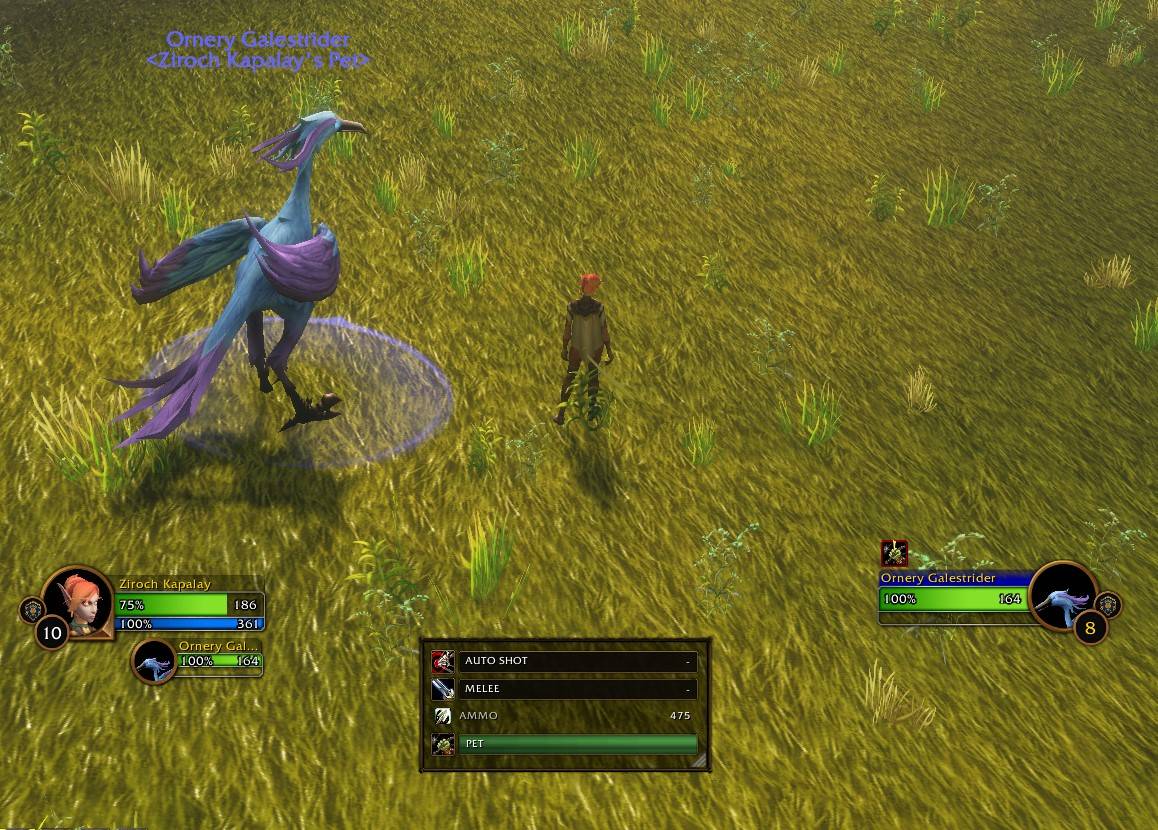
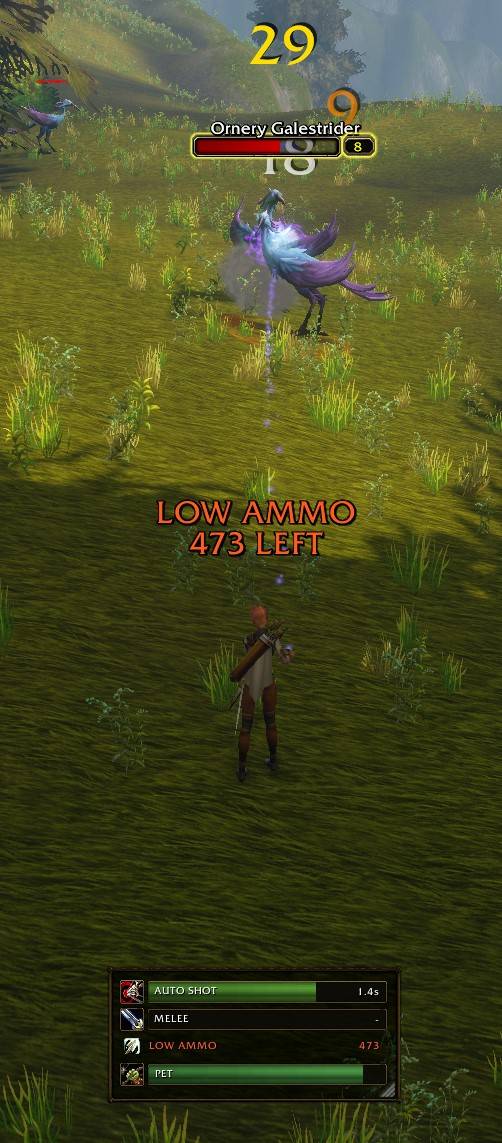
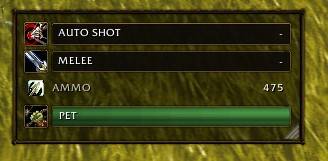
A compact Hunter HUD with Auto Shot and melee swing timers, ammo tracking, low-ammo alerts, and pet health.
Screenshot_25.jpg
Screenshot_27.jpg
Screenshot_26.jpg
Description
Hunter HUD
Keep your attack timing, ammunition, and pet health together in one compact HUD built for WoW Forever.
Features
-
Auto Shot timer: track your ranged attack cycle.
-
Melee swing timer: track your main-hand attack cycle.
-
Ammo tracking: see your equipped ammunition count.
-
Low-ammo alerts: floating warning text rises and fades, with an optional sound and adjustable threshold.
-
Pet health: displays a health bar when your pet is active.
-
Row controls: show or hide each module independently.
-
Visibility modes: always visible, combat only, or while targeting an enemy.
-
Customizable layout: drag to move, resize using the corner handle, and lock your position.
-
Minimap button: quickly toggle the HUD or open settings.
Getting Started
The HUD appears when you log in on a Hunter.
-
Left-click the minimap button: show or hide the HUD.
-
Right-click the minimap button: open settings.
-
Drag the unlocked HUD: move it.
-
Drag its bottom-right corner: resize it.
Commands
-
/hh settings— open settings. -
/hh lockor/hh unlock— lock or unlock the layout. -
/hh alert— preview the low-ammo warning. -
/hh demo— toggle illustrative preview mode. -
/hh live— return to live tracking. -
/hh diag— open a copyable diagnostic report.
Compatibility and Feedback
Designed for the WoW Forever client. Swing bars follow attack events reported by the game; movement, casting, and attack-speed changes can affect timing before the next event.
Found an issue? Include your addon version, client build, and /hh diag report when leaving feedback.
Created by ForeverPvP.
Hunter HUD Team