Hunter DeadZone Forever
- By
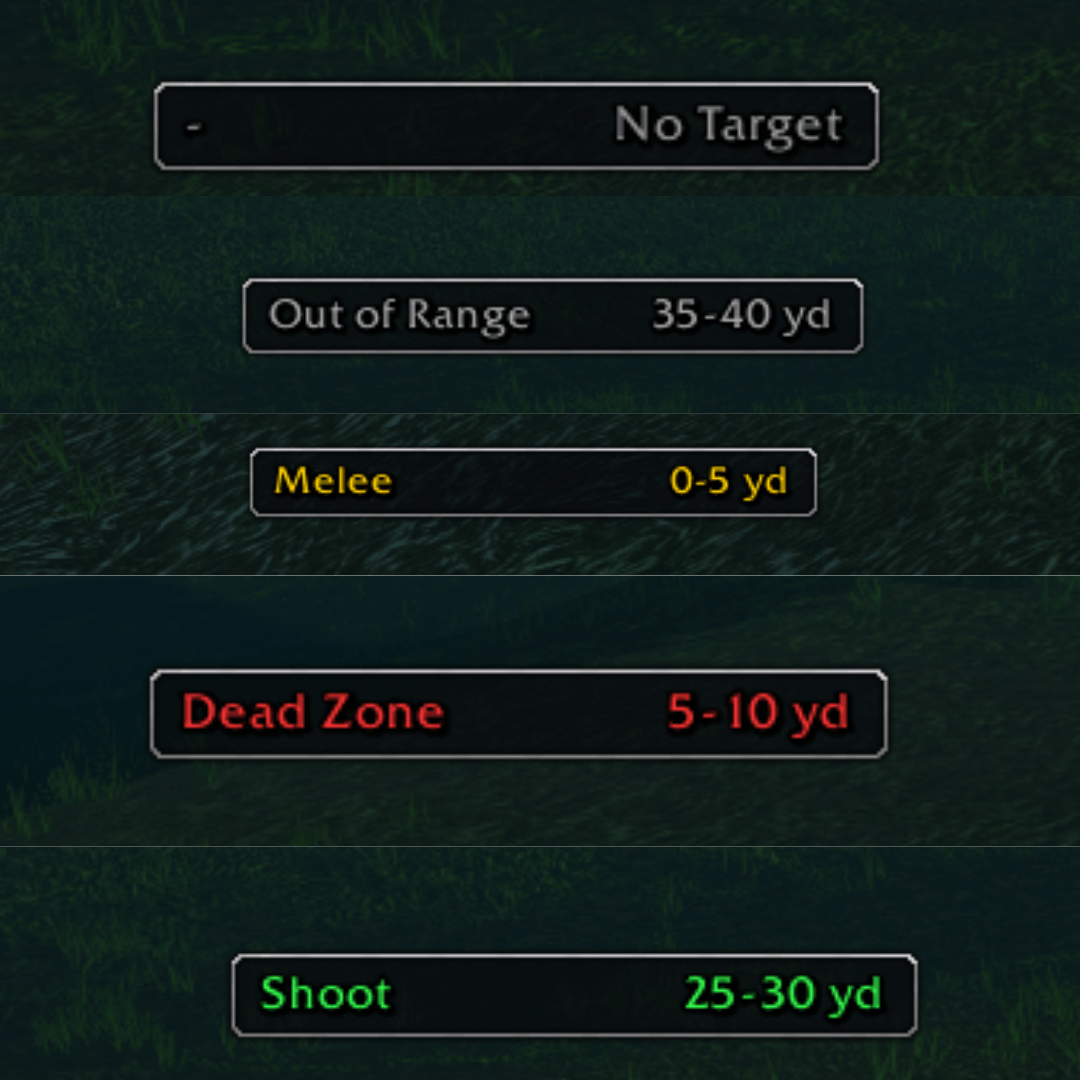
Shows your Hunter range zone (Melee, Dead Zone, Shoot, Out of Range) and the distance to your target. Classic and Modern bar, optional sounds and on-screen messages per zone, minimap button, Broker plugin and full customisation.
Hunter DeadZone Forefer S1.png

Screenshot 2026-10-17 091940.png
Screenshot 2026-10-17 101420.png
Screenshot 2026-10-17 101429.png
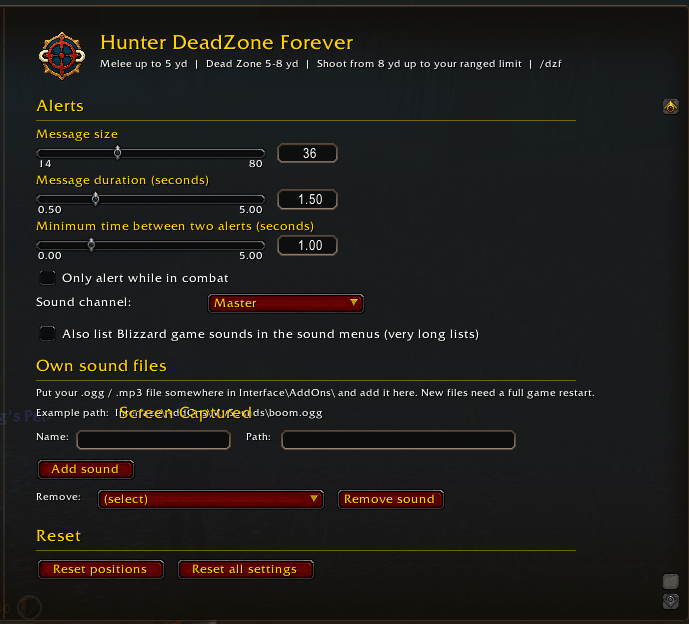
Screenshot 2026-10-17 101436.png
Description
🎯 Hunter DeadZone Forever
Never lose track of your Hunter dead zone again! 🏹 Hunter DeadZone Forever shows at a glance whether you are in Melee, in the Dead Zone, in Shoot range or Out of Range, and how far away your target is. 📏
⚔️ What it does
A slim bar with two sides:
| Left | Right |
|---|---|
| ⚔️ Melee, Dead Zone, Shoot or Out of Range | 📏 Distance to your target in yards, or "No Target" |
📐 Zone Ranges
| Zone | Distance |
|---|---|
| ⚔️ Melee | Up to 5 yards |
| ⚠️ Dead Zone | 5 to 8 yards |
| 🏹 Shoot | From 8 yards up to your ranged limit (normally 35 yards, detected automatically from Auto Shot) |
| 🚫 Out of Range | Beyond your ranged limit |
✨ Features
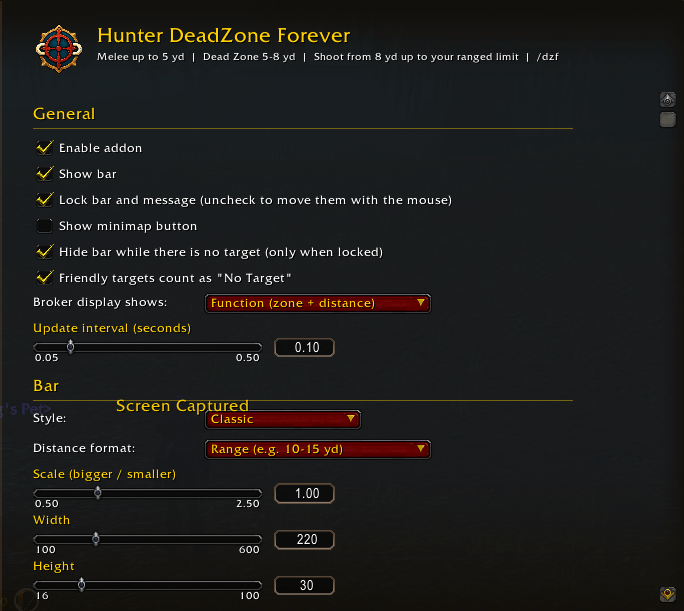
- 🎨 Two bar styles: Classic (default) and Modern
- 📏 Distance display: Range (e.g. 10–15 yd), maximum or middle value
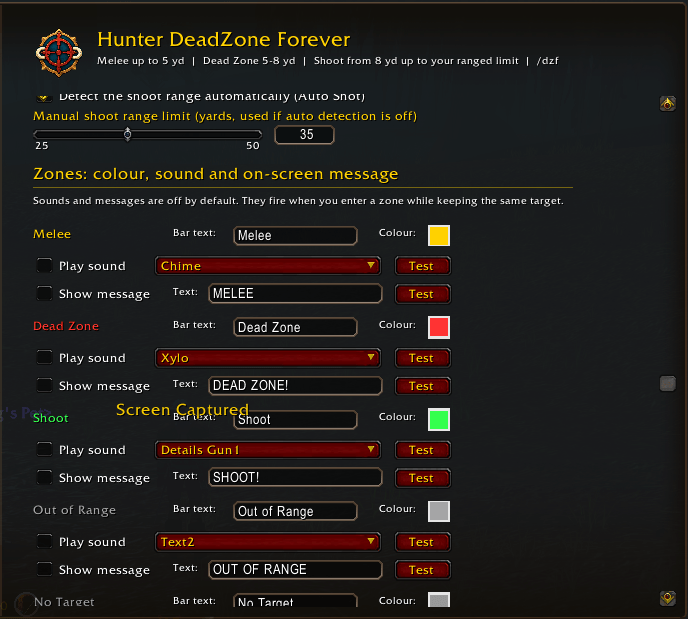
- 🔊 Sound per zone: Off by default. Pick any sound from the LibSharedMedia database, just like in WeakAuras, or add your own .ogg / .mp3 files. Blizzard game sounds are hidden by default to keep the list short.
- 💬 On-screen message per zone: Off by default, with your own text, colour, size and duration
- ⚙️ Alert options: Minimum time between alerts, only in combat, and sound channel. No alert when you simply switch targets.
- 🗺️ Minimap button: Show / hide
- 📊 Broker plugin: Titan Panel, ChocolateBar, Bazooka and others, with three display modes: function (zone + distance), addon name or short name (HDZF)
- 🛠️ Full customisation: Scale, width, height, background opacity, font (LibSharedMedia fonts), font size, outline and colours for every zone
- 🖱️ Movable and lockable: Drag the bar and the message wherever you like
- 🪟 Modern options panel: Available under Options → AddOns
🎮 Usage
Open the options with /dzf or via Esc → Options → AddOns.
| Command | Action |
|---|---|
⚙️ /dzf |
Open options |
👁️ /dzf toggle |
Show / hide the bar |
🔒 /dzf lock / /dzf unlock |
Lock / unlock bar and message |
🔄 /dzf reset |
Reset positions |
🗺️ Minimap Button
-🖱️ Left-click: Show / hide the bar
-🔒 Shift + left-click: Lock / unlock
-⚙️ Right-click: Open the options
📝 Notes
-📏 Distances are estimates based on range checks, so they are shown as ranges by default.
-📦 The addon uses LibStub, CallbackHandler-1.0, LibDataBroker-1.1, LibDBIcon-1.0, LibSharedMedia-3.0 and LibRangeCheck-3.0, all included.
🤖 Development & Artwork
Hunter Ammo Forever was developed with the assistance of AI tools and tested in-game to provide a clean, reliable, and customizable ammo tracking experience.
All artwork and images used for this addon were also created using AI tools.
Less micromanagement. More hunting! 🐺
Hunter DeadZone Forever Team