


Huddle (Chat)
- By
01-chat-bubbles.jpg
02-messenger-chat.jpg
03-looks-presets.jpg
04-classic-lines-and-sizes.jpg
05-layout-presets.jpg
Description

Huddle turns WoW's chat into Messenger-style bubbles. Guild, party, nearby, friends and every whisper sit in one tidy dock. Click one to open it, and click again to tuck it away. No more juggling chat tabs and windows.
https://www.youtube.com/@arkuking

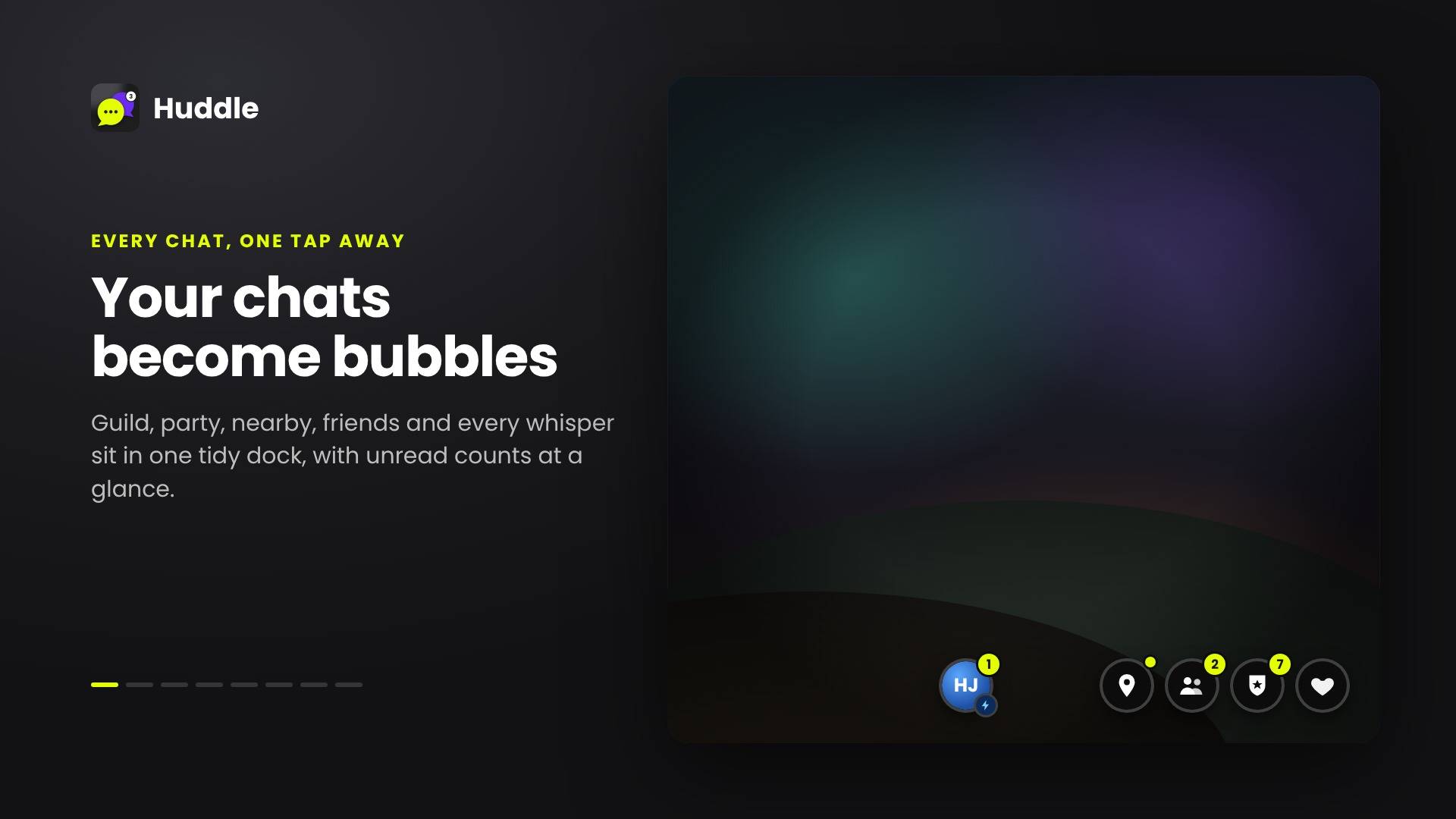
💬 Your chats become bubbles
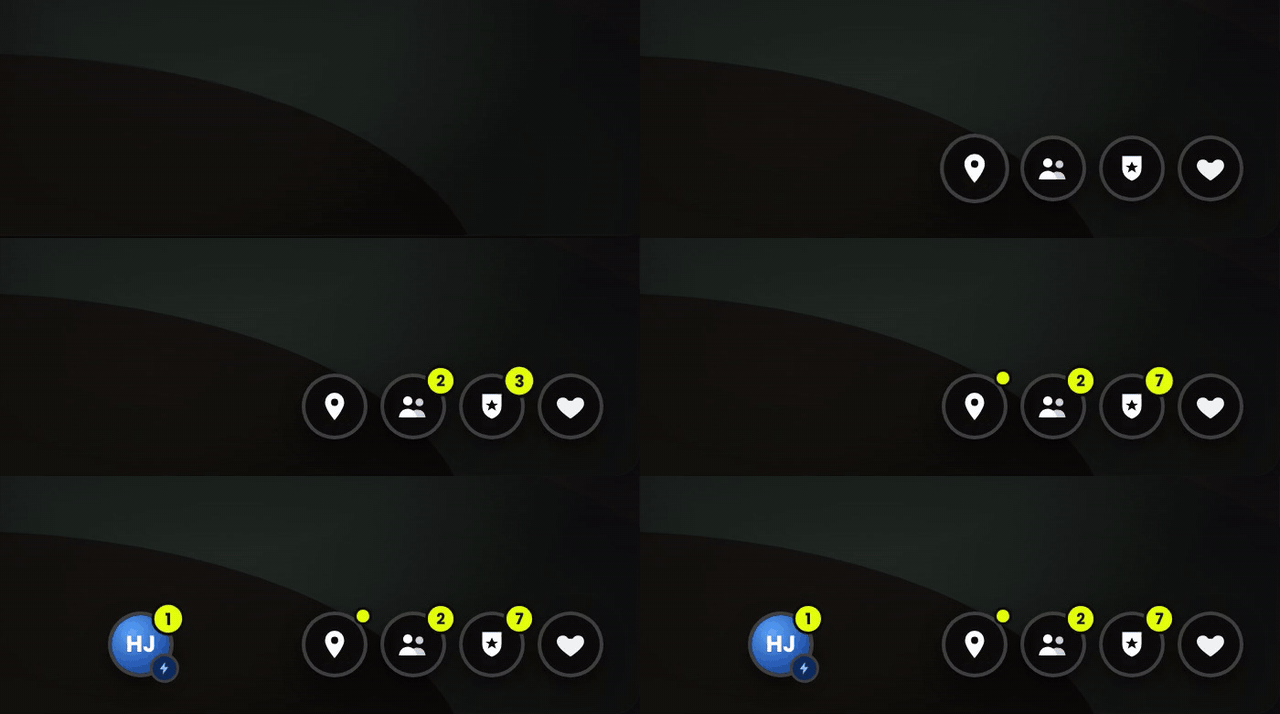
Every chat has its own round bubble with an unread badge. Whispers each get their own bubble with the player's portrait and class icon, so you always know who's talking.
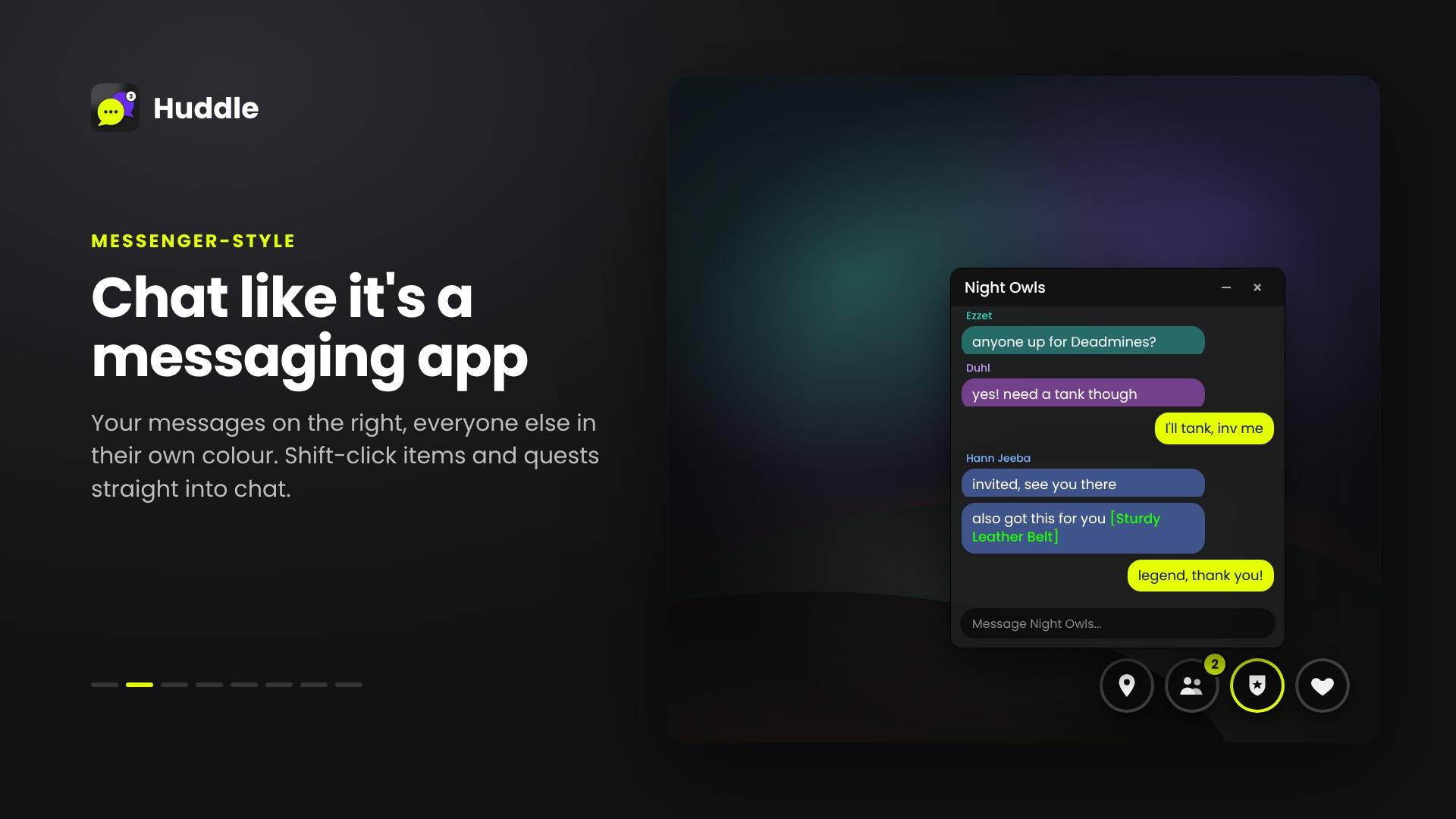
📱 Chat like it's a messaging app
Your messages sit on the right in your accent colour. Everyone else is on the left, each in their own colour, so busy guild chat stays easy to follow. Shift-click items and quests to link them, just like normal chat.
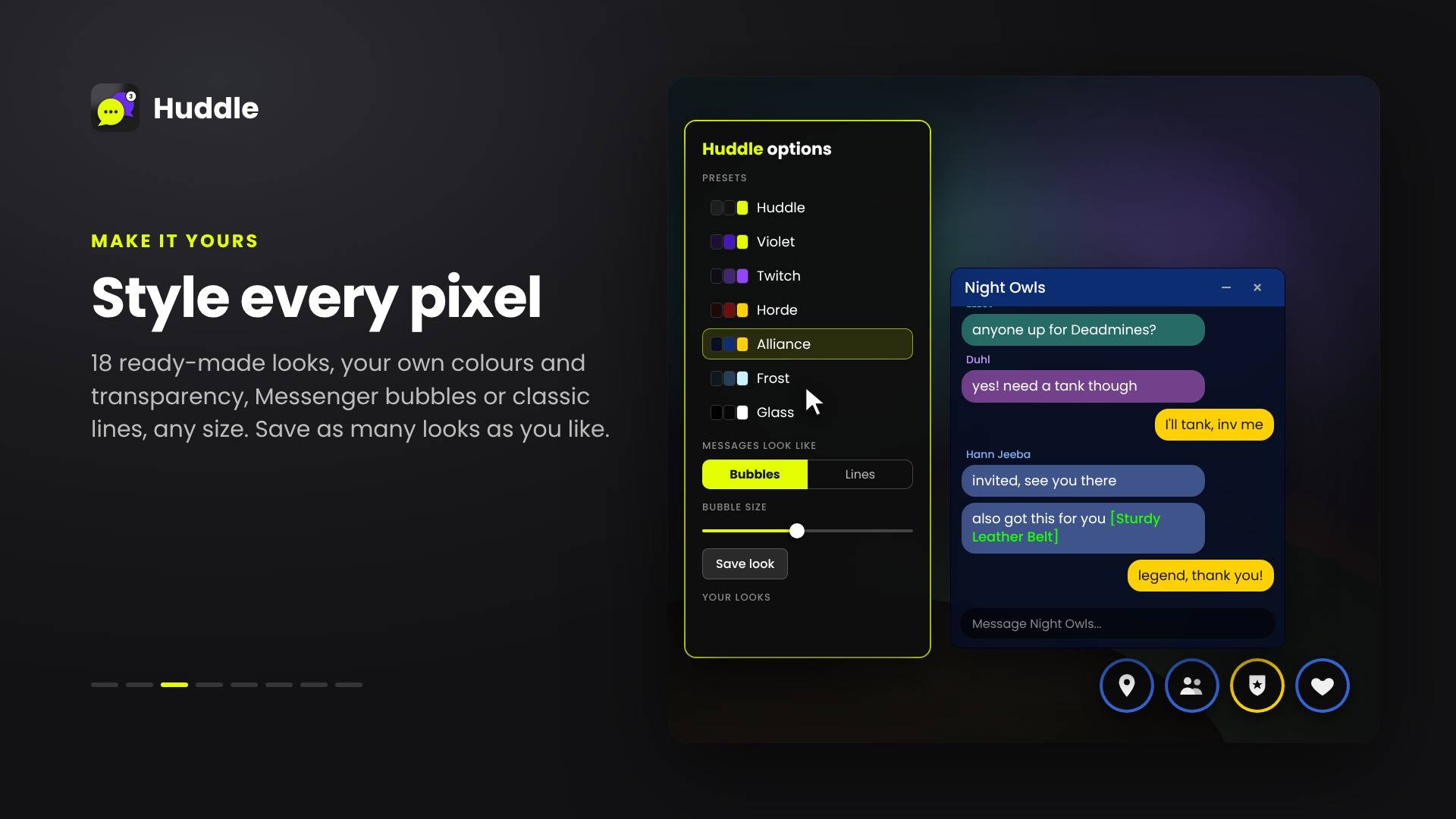
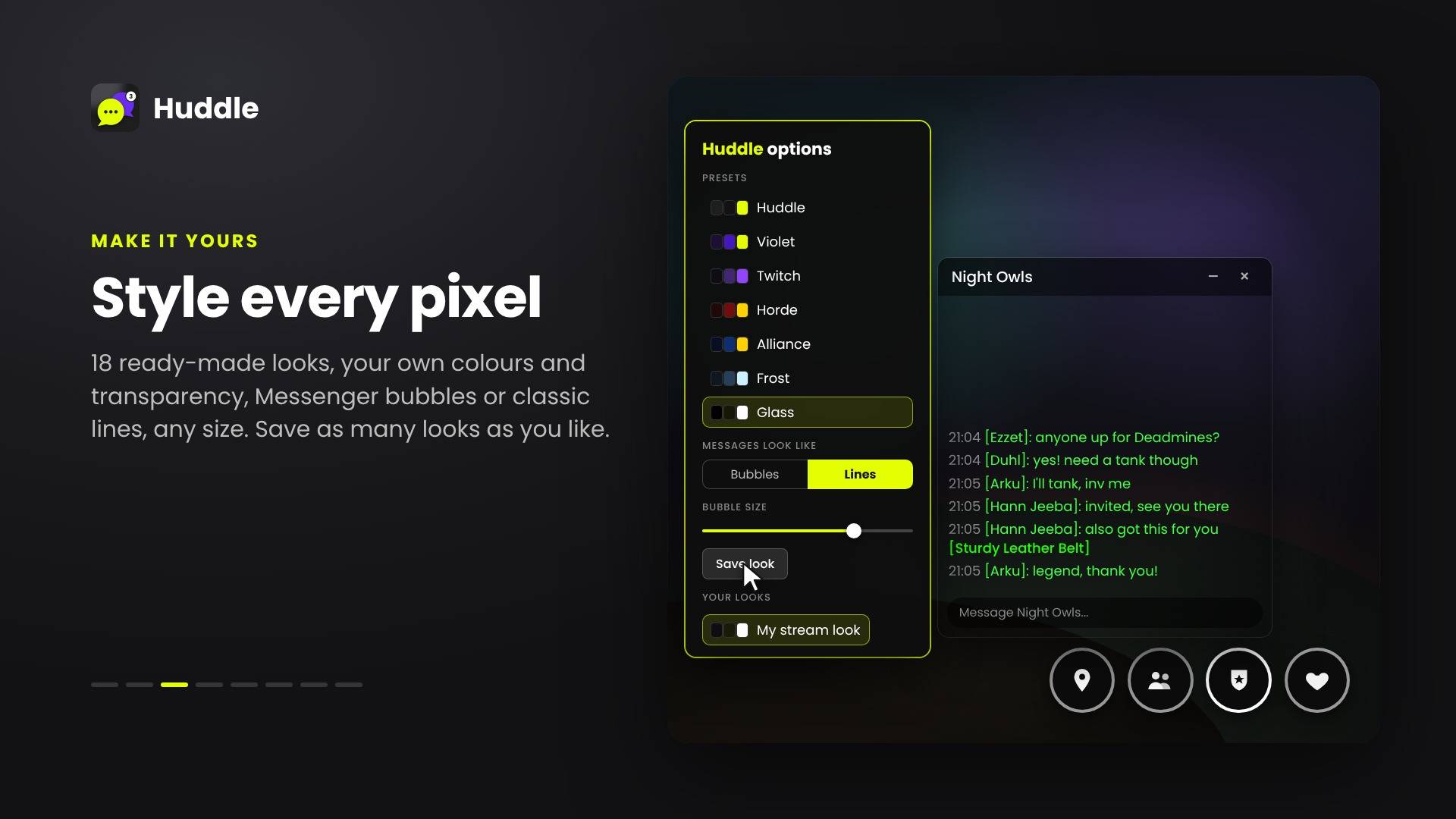
🎨 Style every pixel
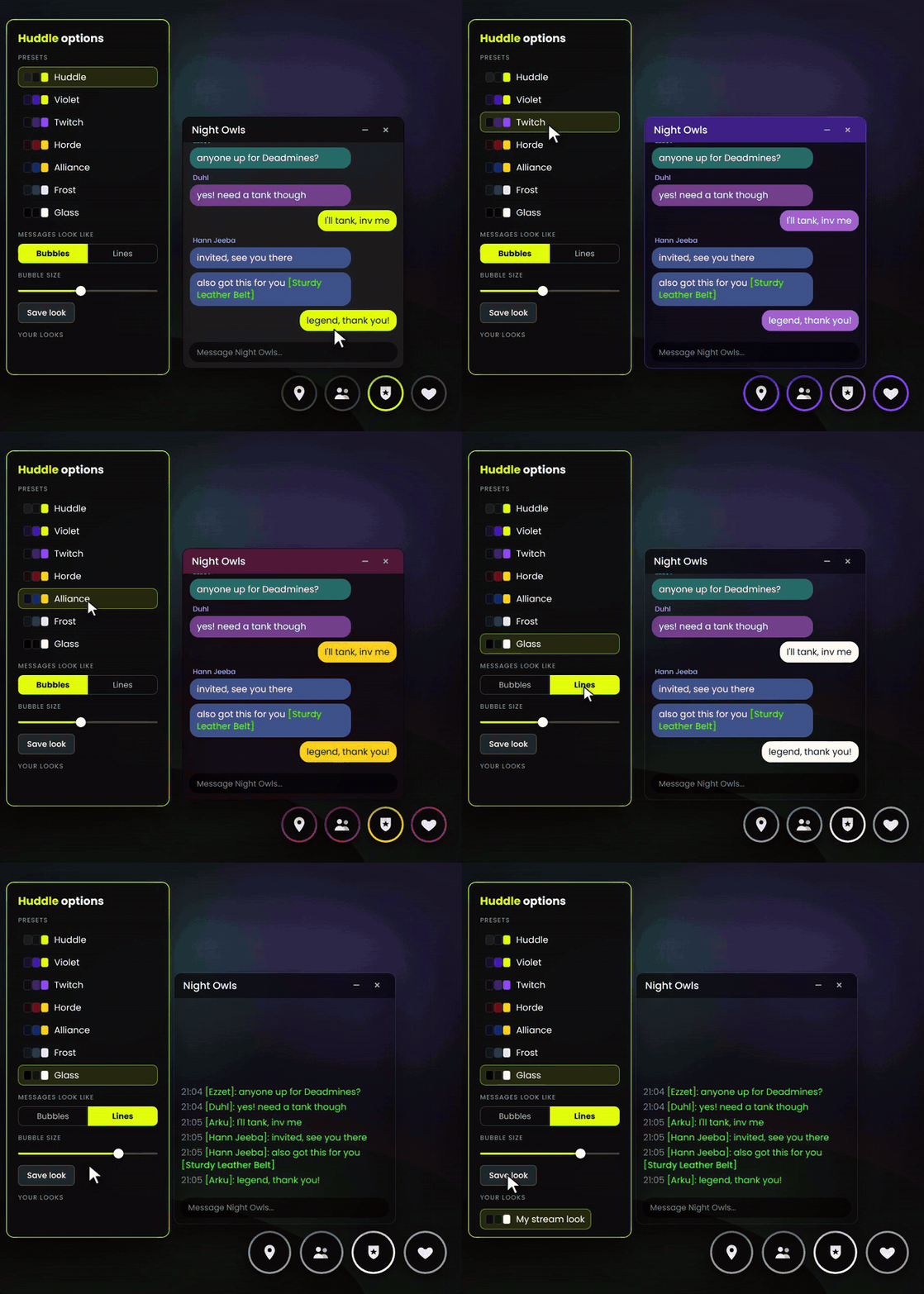
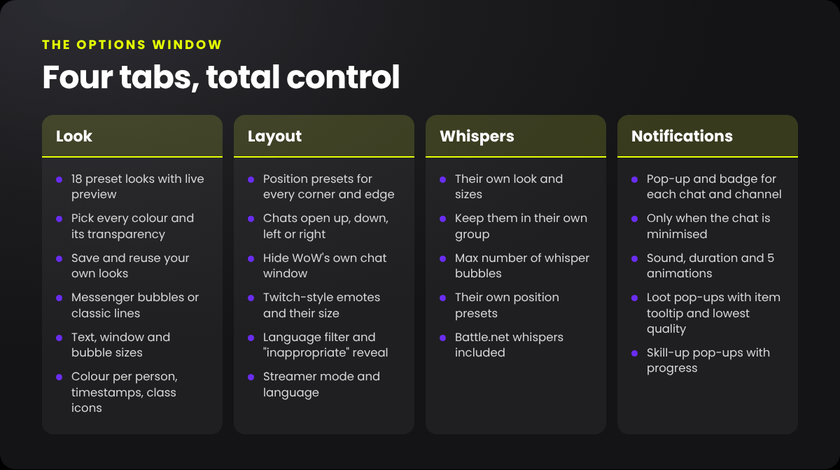
18 ready-made looks (Huddle, Violet, Twitch, Horde, Alliance, Frost, Glass, Stealth and more) with a live preview
Pick every colour and its transparency, then save your own looks
Messenger bubbles or classic WoW lines
Text size, window size and bubble size, plus timestamps and class icons next to names
📍 Put it anywhere
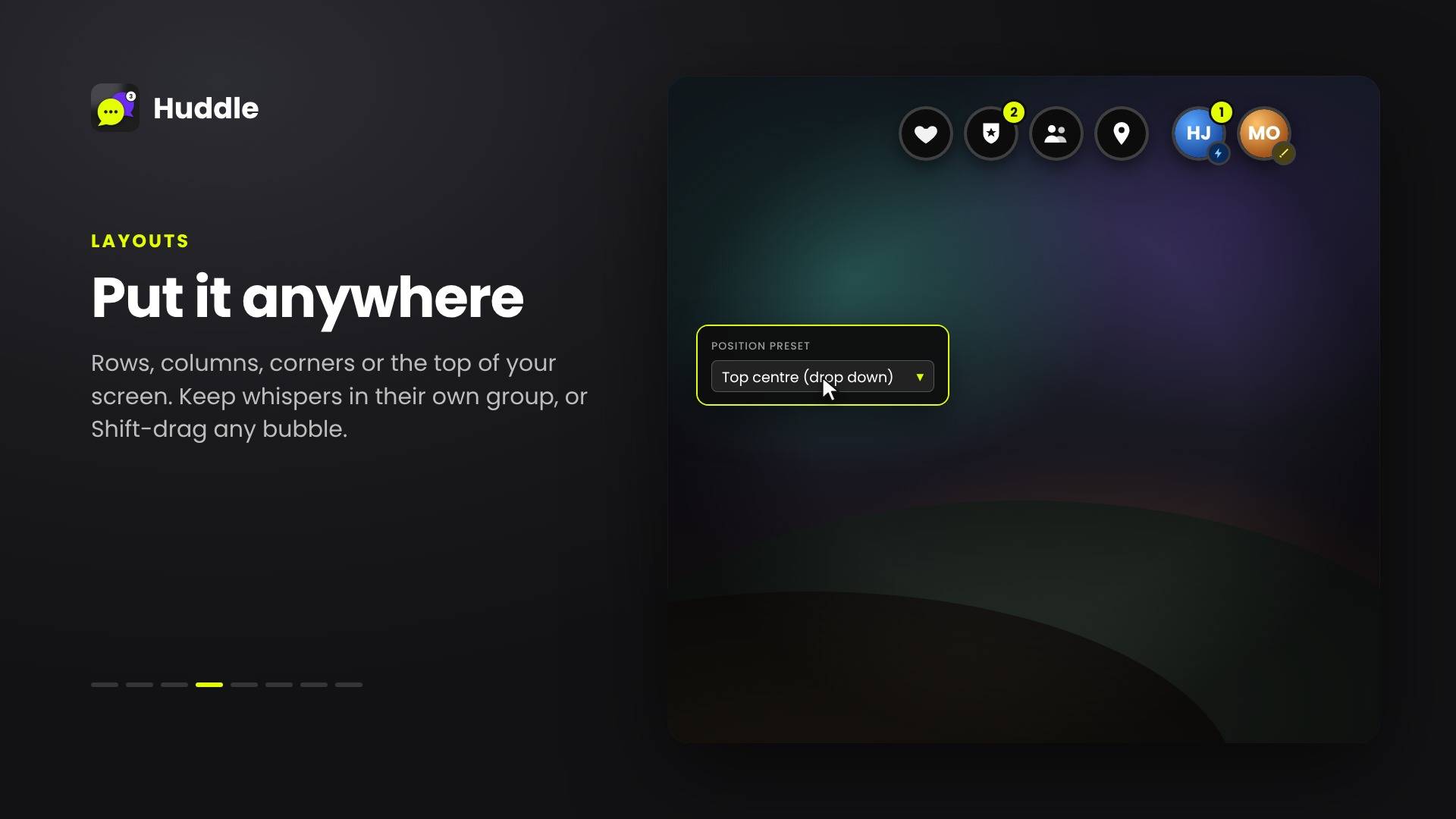
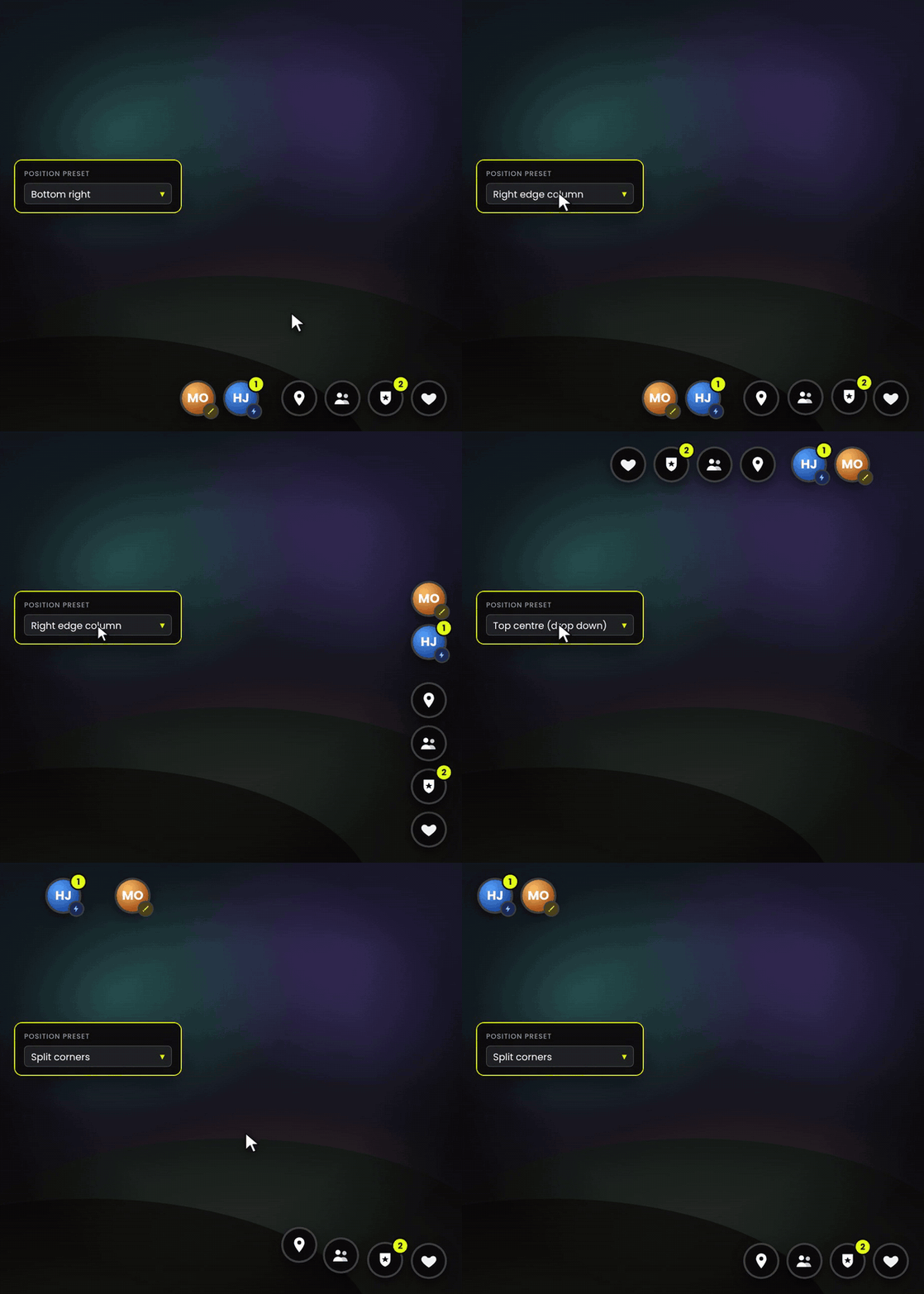
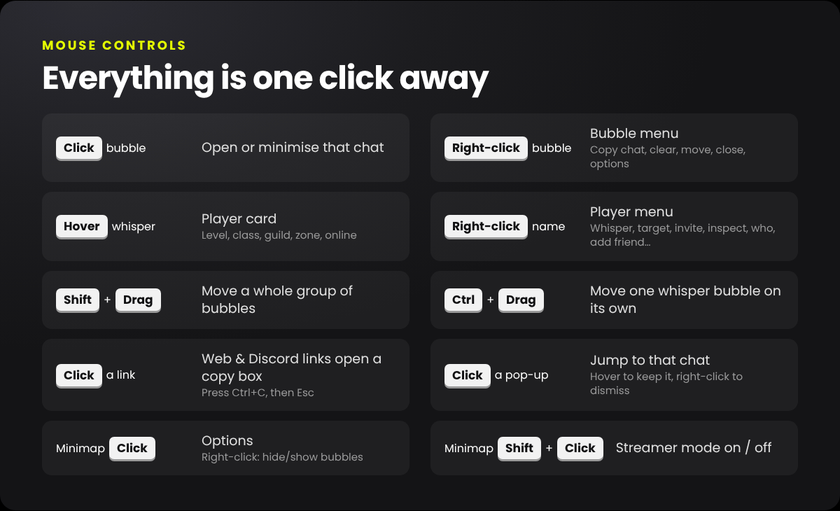
Position presets for every corner, edge and the top of the screen. Keep whispers in their own group, Shift-drag a whole group anywhere, or Ctrl-drag a single whisper on its own. Chats can open up, down, left or right.
🧙 Know who you're talking to
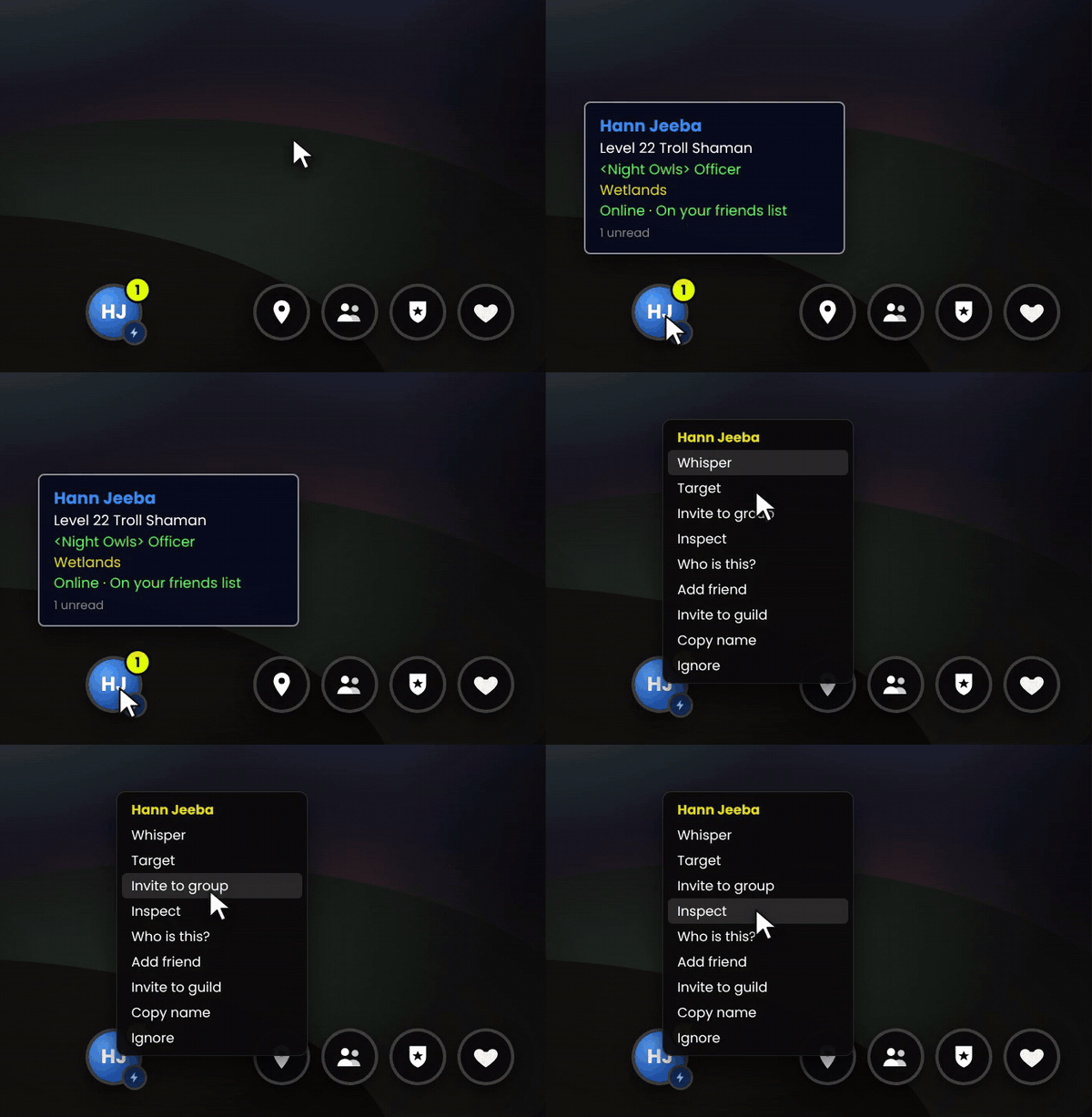
Hover a whisper bubble for the player's level, class, guild, zone and online status. Right-click any bubble or name to Whisper, Target, Invite, Inspect, Who, Add friend, Invite to guild, Copy name or Ignore.
🔔 Never miss what matters
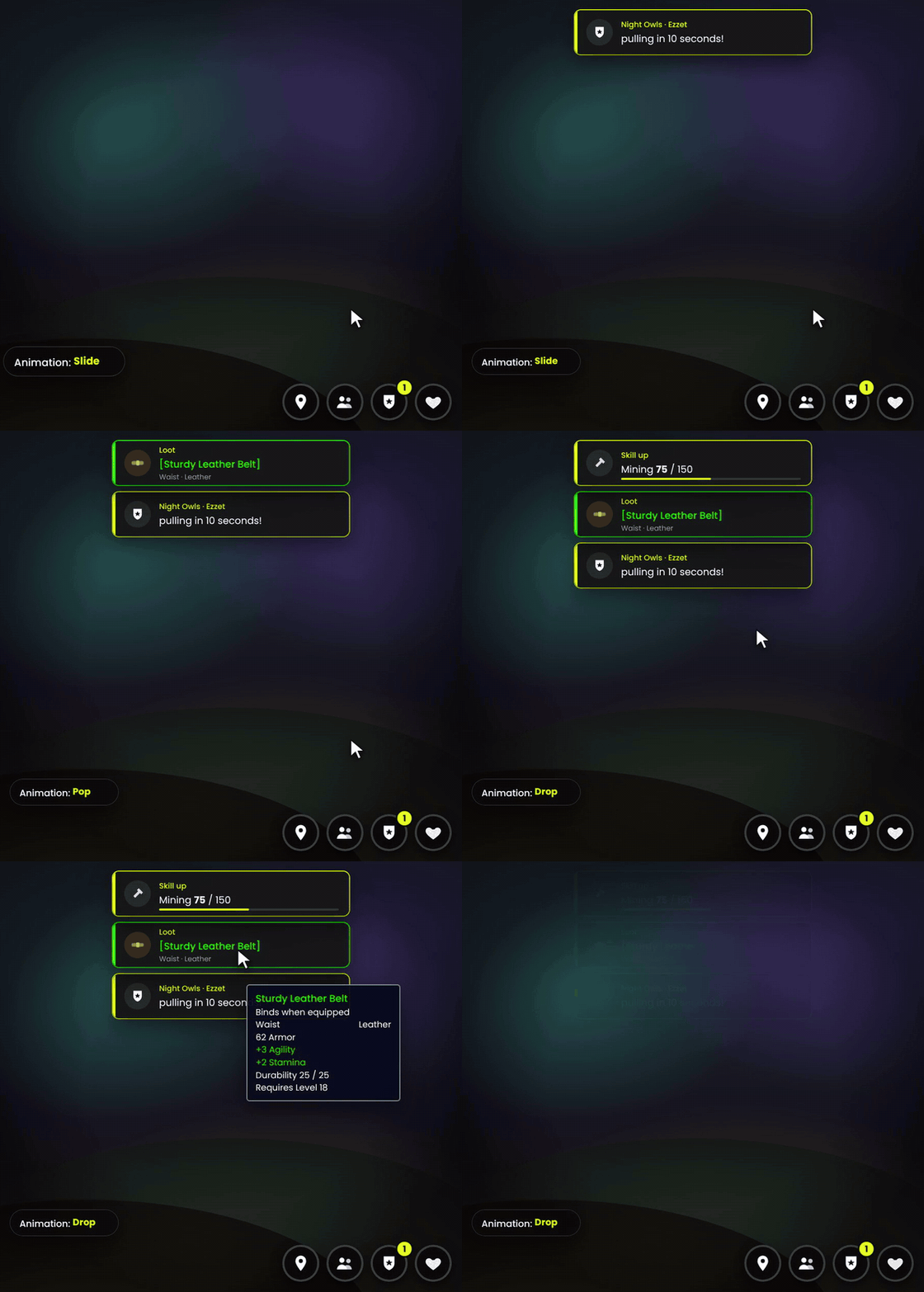
Pop-ups and badges, chosen chat by chat and channel by channel
Optionally only when that chat is minimised, with an optional sound
Loot pop-ups with the full item tooltip and a lowest-quality setting
Skill-up pop-ups showing how far you are to the cap
5 animation styles: Slide, Fade, Pop, Drop and Rise
🎥 Streamer mode
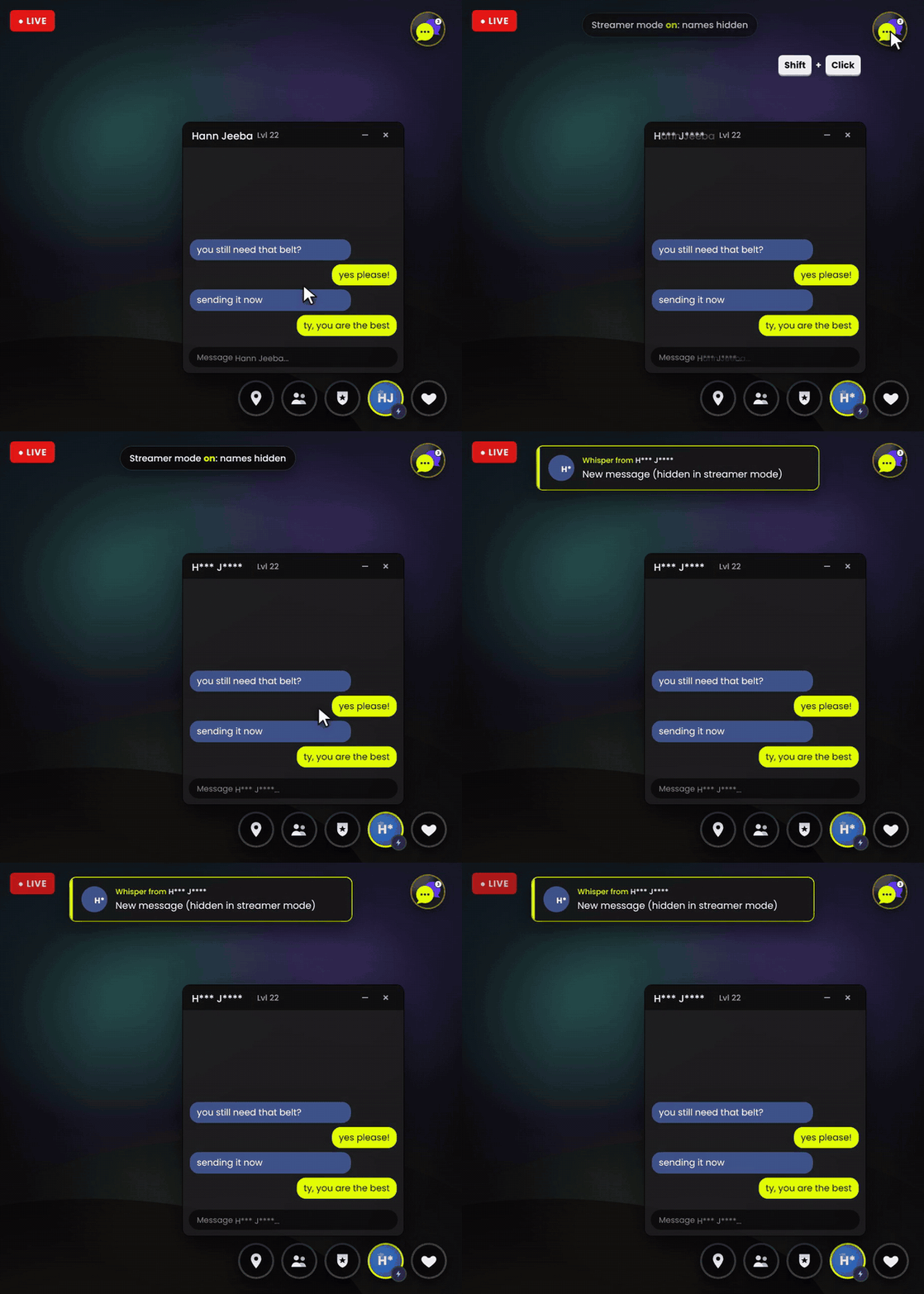
Going live? Shift-click the minimap button (or type /huddle stream) to hide whisper and Battle.net names on screen. Whisper pop-ups won't show the message text either. Your viewers see H*** J****, and you still know exactly who it is.
🔗 Links, copy and your language
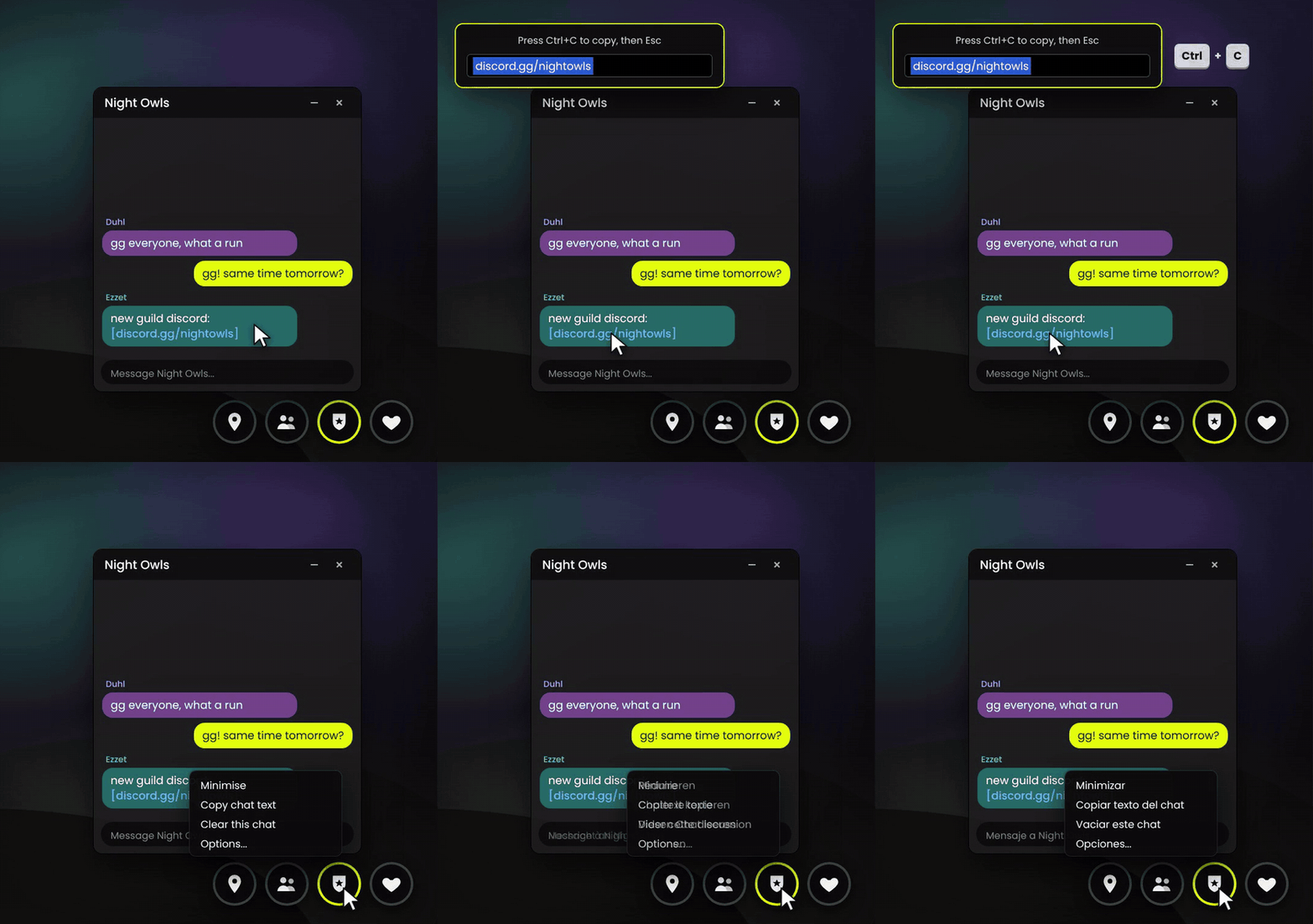
Web and Discord links in chat are clickable: click one to copy it
Copy any message, or copy a whole chat in one go
Available in English, Deutsch, Français and Español. It follows your game language, or you can pick one in the options.
✨ And the little things
Optionally hide WoW's own chat window completely. Enter, / and R type straight into Huddle.
Twitch-style emotes (like LUL) show up when you have an emote addon installed
A toggle for the mature language filter, plus auto-reveal of "potentially inappropriate" messages
Chat history is kept between sessions
A minimap button and a short welcome tour the first time you log in

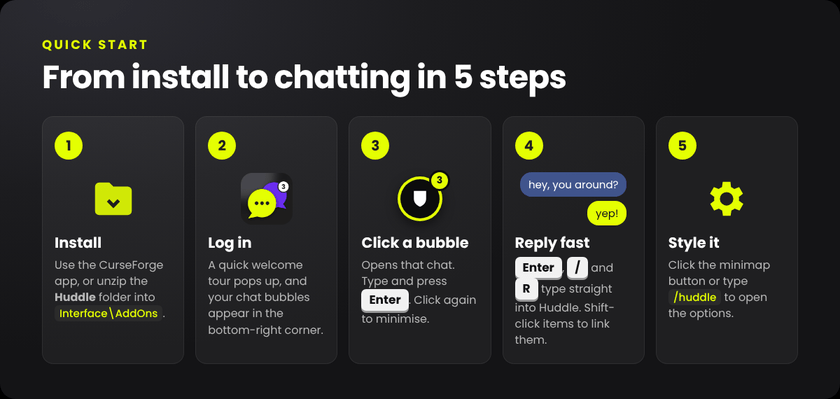
Quick start steps
Install with the CurseForge app, or unzip the Huddle folder into your game's Interface\AddOns folder.
Log in. A short welcome tour appears and your bubbles show up in the bottom-right corner.
Click a bubble to open that chat. Type and press Enter. Click the bubble again to minimise it.
Reply fast: Enter, / and R type straight into Huddle.
Style it: click the minimap button or type /huddle.



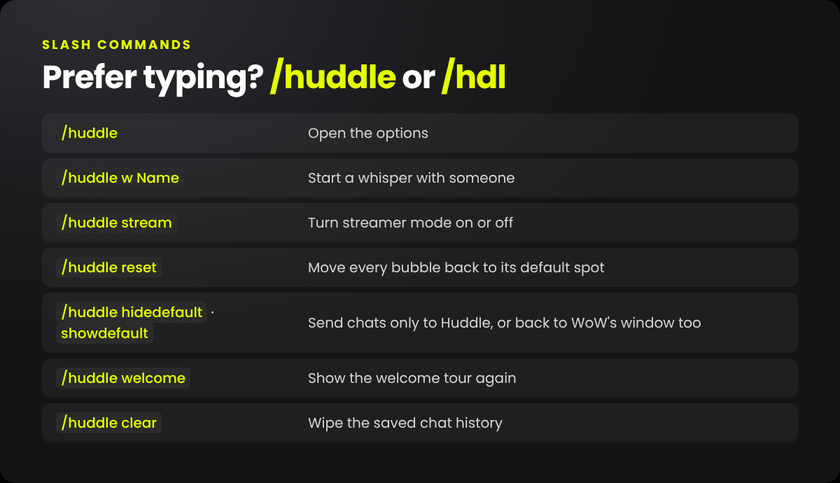
| Command | What it does |
|---|---|
/huddle or /hdl |
Open the options |
/huddle w Name |
Start a whisper with someone |
/huddle stream |
Turn streamer mode on or off |
/huddle reset |
Move every bubble back to its default spot |
/huddle hidedefault |
Show guild, party, nearby and whispers only in Huddle |
/huddle showdefault |
Show them in WoW's chat window again too |
/huddle welcome |
Show the welcome tour again |
/huddle clear |
Wipe the saved chat history |

Whisper bubbles show a class icon instead of a face. Why? WoW only lets addons draw a player's portrait while that player is your target, under your mouse, or in your party or raid. Until then, Huddle shows their class icon. Target them once, or right-click the bubble and choose Target, and the portrait appears.
Can I get the old chat window back? Yes. Untick Hide WoW's own chat window on the Layout tab, or type /huddle showdefault.
My bubbles are off-screen or in a weird spot. Type /huddle reset, or pick a position preset on the Layout tab.
Do other players need Huddle? No. Huddle only changes how chat looks for you. Everyone else sees normal chat.
How do I get Twitch emotes like LUL? Install any emote addon that works with chat. Huddle shows its emotes automatically and lets you set their size.
Will I lose my chat when I log out? No. Recent chat is saved per character. Use /huddle clear to wipe it.
Is it free? Yes, completely, and it always will be. If you'd like to say thanks, there's a tip link below. ❤️
I found a bug, or my language is translated badly. Please leave a comment or open an issue. Translation fixes are very welcome.
Made with ❤️ by Arkuking. I play World of Warcraft Forever on stream. Twitch · X / Twitter · Buy me a coffee on Ko-fi
Huddle (Chat) Team
